
Xiaoshouyi / Neocrm MCP. Manage your full sales pipeline using only natural conversation.
 Gemini
 Works with every AI agent you already use
…and any MCP-compatible client









Just plug in your AI agents and start using Vinkius.
Xiaoshouyi / Neocrm connects your AI agent to a major enterprise CRM platform. It lets you manage complex sales cycles by listing, retrieving, and creating records for leads, accounts, opportunities, and tasks.
You can ask your agent to 'What are my top 5 deals?' or 'Create a new lead for Acme Corp.' without ever opening the web interface.
What your AI agents can do
Create lead
Adds a brand-new potential customer lead record to the CRM system.
Create opportunity
Generates and saves a new sales opportunity for tracking revenue potential.
Get lead
Retrieves all specific details about one single lead ID.
Retrieves a comprehensive list of every active lead in the CRM.
Pulls deep, granular information for one single, existing lead record.
Generates and saves a brand-new lead entry into the CRM system.
Retrieves lists of company accounts or individual contacts to map your customer base.
Lists current deals in the pipeline, or establishes new deal records for tracking progress.
Retrieves lists of all pending CRM tasks or all active organization users.
Ask AI about this MCP
Supported MCP Clients
Gemini Waiting for input…
Xiaoshouyi / Neocrm MCP Server: 9 Tools for Sales Management
Access all core functions of a major enterprise CRM. Use these tools to list leads, create deals, manage contacts, and track tasks through natural language.
019d84a0create lead
Adds a brand-new potential customer lead record to the CRM system.
019d84a0create opportunity
Generates and saves a new sales opportunity for tracking revenue potential.
019d84a0get lead
Retrieves all specific details about one single lead ID.
019d84a0list accounts
Lists every corporate account currently held in the CRM database.
019d84a0list contacts
Retrieves a list of all individual contacts associated with accounts.
019d84a0list leads
Lists multiple active leads based on criteria you provide, such as region or status.
019d84a0list opportunities
Provides a summary list of all open and closed sales opportunities in the pipeline.
019d84a0list tasks
Retrieves a list of pending tasks or activities for the sales team to follow up on.
019d84a0list users
Gets an employee directory, listing all active users in the organization's CRM structure.
Choose How to Get Started
Build a custom MCP for your own tools, or connect a ready-made integration from our catalog.
Build Your Own
Turn any API into an MCP. Import a spec, define Agent Skills, or deploy with MCPFusion.
- Import from OpenAPI, Swagger, or YAML specs
- Create Agent Skills with progressive disclosure
- Deploy to edge with MCPFusion framework
- Built in DLP, auth, and compliance on every call
- Real time usage dashboard and cost metering
- Publish to catalog or keep private
Make Your AI Do More
Start with Xiaoshouyi / Neocrm, then connect any of our 4,700+ other servers whenever your AI needs more. One click, no limits.
- Use this MCP plus 4,700+ others, all in one place
- Add new capabilities to your AI anytime you want
- Every connection is secured and compliant automatically
- Track usage and costs across all your servers
- Works with Claude, ChatGPT, Cursor, and more
- New servers added to the catalog every week
What you can do with this MCP connector
Look, forget opening the CRM's clunky web interface. This server gives your AI client direct access to Neocrm’s core functions. You just talk to your agent, and it handles all the heavy lifting—listing, pulling data, or creating records for leads, accounts, opportunities, and tasks. Your agent acts like a real-time sales assistant that keeps your pipeline moving without you ever having to click anything.
Handling Leads and Prospects
To manage prospects, your AI client uses list_leads to pull up multiple active leads based on criteria you give it, like region or status. If you need the full story on one specific person, get_lead pulls all the granular details for that single lead ID. You can also use create_lead to immediately save a brand-new potential customer entry into the system.
Mapping Your Customer Base (Accounts and Contacts)
When it comes to your client list, you'll need two tools. To get an overview of every corporate account in the database, you run list_accounts. If you then need the people associated with those companies, list_contacts retrieves a full roster of all individual contacts linked to your accounts. It lets you map out exactly who belongs where.
Tracking Deals and Opportunities
Managing sales requires tracking deals, and Neocrm handles that with two key tools. You can run list_opportunities to get a summary list of every open deal or closed opportunity in the pipeline right now. If a new client just signs up and you need to start tracking their revenue potential, use create_opportunity.
This generates and saves a brand-new sales record for immediate progress monitoring.
Operational Tasks and Users
For internal team management, your agent handles two things. You can run list_tasks to pull up every pending CRM task—this shows the sales team exactly what activities they need to follow up on. To keep everyone synced up, you use list_users to get a complete employee directory of all active users in the organization's structure.
How Xiaoshouyi / Neocrm MCP Works
- 1 Subscribe to the server on Vinkius, then enter your Xiaoshouyi Client ID and Secret into your AI client.
- 2 Ask your agent a direct question like: 'List all leads in the Northeast region.'
- 3 The agent calls the appropriate tool (
list_leads), receives the raw data, and formats it back to you in plain text.
The bottom line is that it turns complex CRM web navigation into simple natural language commands for your AI client.
Who Is Xiaoshouyi / Neocrm MCP For?
Anyone whose job involves tracking sales cycles or managing customer data. This isn't just for large sales teams; if you spend time looking up who bought what, this is for you. It’s perfect for the Account Executive who needs to update a deal status on the fly, or the Business Analyst drowning in spreadsheets trying to correlate lead activity with quarterly goals.
Uses create_lead and get_lead constantly. Needs to quickly update contact records or log a new discovery call result without switching screens.
Runs reports on team performance by listing opportunities (list_opportunities) and auditing tasks using list_tasks. Keeps the whole pipeline visible via natural language prompts.
Retrieves raw, structured data—like all accounts via list_accounts—to feed into external reporting tools for market analysis and forecasting.
What Changes When You Connect
- Process data faster than clicking. Instead of opening three tabs—one for leads, one for accounts, and one for opportunities—you ask the agent to 'Show me all open deals tied to Tech Giant.' It pulls it together instantly.
- Never lose track of a prospect again. Use
get_leadto pull up any lead's full history in seconds, including notes and previous interactions, without manual searching. - Maintain audit compliance by automating logging. When you ask the agent to 'List tasks due this week,' it uses
list_tasks, ensuring every team member knows their next required action point immediately. - Build your pipeline on demand. When a promising conversation ends, use
create_opportunitydirectly through chat, capturing all necessary details and setting up tracking without leaving your AI workspace. - Get full visibility into the organization. Use
list_accountsorlist_usersto quickly audit who is associated with which company or who on the team needs follow-up training.
Real-World Use Cases
The Weekly Pipeline Review
A Sales Manager needs a quick picture of next month's revenue. Instead of running five separate reports in the CRM dashboard, they ask their agent to 'List all opportunities expected to close next quarter.' The agent uses list_opportunities and provides an immediate, filtered summary that the manager can share with leadership.
Handling a Hot Lead
An Account Executive talks to a new prospect. After the call, they don't want to switch apps. They prompt their agent: 'Create a lead for Acme Corp,' providing all the details and then immediately run list_tasks to schedule a follow-up meeting on the calendar.
Researching an Account
A Business Analyst needs to understand a client's full history. They ask their agent to 'Show me all contacts and associated accounts for Global Services.' The agent uses list_accounts then list_contacts, giving the analyst one unified view of the entire corporate relationship.
Onboarding New Team Members
A new hire needs to know who they're selling against. They ask their agent: 'List all users in the marketing department.' The agent uses list_users, providing a clean, categorized directory that saves the new employee from digging through confusing internal role permissions.
The Tradeoffs
Manual Data Collection
Opening the CRM, clicking 'Leads,' filtering by status, copying names into a spreadsheet, and then manually updating them. This takes 20 minutes per quarter.
→
Just ask your agent: 'List all active leads that haven't been contacted in 30 days.' The agent uses list_leads to give you the filtered list instantly, saving the copy/paste time.
Guessing Opportunity Status
Assuming a deal is stalled because nobody emailed. You manually check the contact's history and can't find the last touchpoint.
→
Run list_opportunities and ask for the 'Last Activity Date.' This instantly shows the agent-tracked activity, pinpointing exactly when (or if) the deal was touched.
Ignoring User Permissions
Trying to find a user's contact info by searching company directories that are out of date.
→
Use list_users and ask for 'The email and role of the VP of Finance.' The agent queries the authoritative system record, giving you accurate, live data.
When It Fits, When It Doesn't
You need this MCP Server if your job requires tracking or changing structured business records—specifically leads, deals, accounts, or tasks. If your primary goal is simply viewing reports that already exist in a BI tool like Tableau, the server might be overkill; just connect the data source directly. However, if you need to act on the data (e.g., 'Create an opportunity' or 'Update this lead status'), then this server is mandatory. Don't use it if your main pain point is general file management (use a document storage tool instead). This server excels at complex, multi-step sales workflows that require interaction with multiple tools like get_lead -> list_tasks -> create_opportunity.

Independent Platform Disclaimer: Vinkius is an independent platform and is not affiliated with, endorsed by, sponsored by, verified by, or otherwise authorized by Xiaoshouyi / Neocrm. All third-party trademarks, logos, and brand names are the property of their respective owners. Their use on this website is strictly for informational purposes to identify service compatibility and interoperability.
VINKIUS INFRASTRUCTURE
Cloud Hosted
Managed infra
V8 Isolated
Sandboxed per request
Zero-Trust Proxy
No stored credentials
DLP Enforced
Policy on every call
GDPR Compliant
EU data residency
Token Compression
~60% cost reduction
Works with Claude, ChatGPT, Cursor, and more
The Model Context Protocol standardizes how applications expose capabilities to LLMs. Instead of operating in isolation, your AI gains direct access to external platforms, live data, and real-world actions through secure, standardized connections.
This server provides 9 capabilities that interface natively with Claude, ChatGPT, Cursor, and any MCP client. No middleware. No custom integration required.
Available Capabilities
Finding the right contact shouldn't take five different clicks.
Today, finding a single person’s full context means jumping through hoops: You check the main account dashboard for contacts; you navigate to their individual profile to find an email; and then you might have to open a separate 'Tasks' tab just to see when they were last contacted. It’s slow, it’s fragmented, and you lose time switching between tabs.
With this MCP server, that process disappears. You simply tell your agent: 'What is John Doe's email and what was his last recorded interaction?' The agent uses the underlying data from `list_contacts` and `get_lead`, compiling the answer in one single response. It’s immediate.
Xiaoshouyi / Neocrm MCP Server: Manage leads, accounts, and tasks.
The biggest win is that you don't have to remember the exact API endpoint for every function. You just state the goal—like 'I need a new deal tracker.' The agent figures out it needs to call `create_opportunity` and handles all the required fields, saving you from remembering complex data structures.
It turns your AI client into a full-time sales operations assistant. Instead of just querying data, you're actively moving records—creating leads, updating opportunities, logging tasks. It's not just reading; it's doing.
Common Questions About Xiaoshouyi / Neocrm MCP
How do I use the `list_leads` tool? +
You ask your agent to 'List all leads in California.' The agent calls list_leads, filtering by state. It returns a list of records and their basic details, letting you see who's hot right now.
Can I create an opportunity using the `create_opportunity` tool? +
Yes. You instruct your agent to 'Create a new opportunity for Acme Corp.' The agent handles generating the record and setting initial values, letting you track potential revenue immediately.
What does `get_lead` do? +
get_lead pulls deep details on one specific lead. You need to provide an ID or unique identifier so the agent can pull up the full history, notes, and contact information for that single record.
Is `list_accounts` better than listing contacts? +
list_accounts gives you a high-level view of corporate entities. Use it when you need to see all the companies you work with; use list_contacts when you only care about individual people within those companies.
How do I update my tasks using `list_tasks`? +
While list_tasks retrieves pending activities, if you need to change a task's status or due date, you should prompt your agent directly: 'Mark the follow-up task for Acme as complete.' The agent executes the necessary action.
What credentials do I need to use the `list_users` tool? +
You must provide your Xiaoshouyi Client ID and Client Secret. These are entered when you subscribe to the server within Vinkius Marketplace. Using these dedicated keys ensures that only your connected AI client can run commands against your organization's data.
If I use `list_opportunities`, how do I know if the list is empty? +
The tool response will clearly indicate zero records found, rather than throwing an error. You should check the structured output for a null or empty array status. The agent reads this structure directly to confirm no opportunities exist.
Does `list_leads` handle large numbers of leads? +
Yes, it handles bulk retrieval efficiently using pagination. The system limits results per call to prevent timeouts. If you need more data than the first page provides, your agent must request the next page cursor.
How do I find my Xiaoshouyi Client ID and Secret? +
Log in to the Xiaoshouyi administration console, go to [PaaS Platform] → [App Management], and create a new application to generate your Client ID and Client Secret.
Can I filter leads by specific criteria? +
Yes. When using the list_leads tool, you can provide an optional filter parameter to narrow down the results based on status, source, or other CRM fields.
Is it possible to create tasks for my team? +
Yes, while the current tools focus on listing tasks, you can use the AI agent to coordinate assignments and update existing task statuses through the CRM's unified interface.
Use it with your favorite AI tools
Connect this server to Cursor, Claude, VS Code, and more.
More in this category

Salesforce Admin & Metadata
Manage users, explore object schemas, monitor org limits, search metadata, execute Apex, and audit profiles through natural conversation.

Zuora
Manage subscriptions, billing accounts, and unified orders on Zuora — the leading monetization platform for the subscription economy.
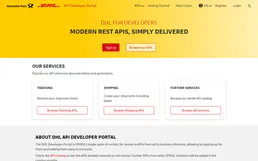
DHL
AI logistics: track global shipments, audit delayed packages, and quote DHL worldwide rates.
You might also like

QuickChart
Automate data visualization via QuickChart — generate charts, QR codes, barcodes, and word clouds directly from any AI agent.

Eurostat Trade — EU International Commerce
EU international trade data: imports and exports by partner country and product classification (SITC), industrial production index, retail trade volume, and services sector statistics for all 27 EU member states.

Odoo Accounting
List invoices, bills, payments, journal entries, and chart of accounts — Odoo Accounting through natural conversation.