
Youzan / 有赞 MCP. Check inventory, orders, and customer data via conversation.
 Gemini
 Works with every AI agent you already use
…and any MCP-compatible client









Just plug in your AI agents and start using Vinkius.
Youzan / 有赞 connects your AI agent directly to a major e-commerce SaaS backend. It lets you manage core retail operations—products, orders, inventory, and customer accounts—through natural language conversation.
Forget navigating complex dashboards; ask your agent for sales totals or stock levels, and it runs the query instantly.
What your AI agents can do
Get customer
Fetches detailed information for a single, known customer profile.
Get inventory
Retrieves the current stock count and variant status for a specific item SKU.
Get item
Gets full descriptive details about a particular product listing ID.
Use get_inventory to check the current stock count and variant status for any specific item SKU.
List recent sales using list_orders, or pull full details on a single transaction with get_order.
Search for customer profiles via list_customers and retrieve specific account information using get_customer.
Access summarized metrics on overall store health and product ranking through the get_sales_stats tool.
List all currently available items using list_items or check out category structures with list_categories.
Ask AI about this MCP
Supported MCP Clients
Gemini Waiting for input…
Youzan / 有赞: 10 Tools for E-commerce Data Retrieval
Use these ten specialized tools to read data from your e-commerce store. You can check inventory, pull customer details, and review order histories using natural language queries.
019d84a1get customer
Fetches detailed information for a single, known customer profile.
019d84a1get inventory
Retrieves the current stock count and variant status for a specific item SKU.
019d84a1get item
Gets full descriptive details about a particular product listing ID.
019d84a1get order
Pulls complete data for one specific order, including line items and total cost.
019d84a1get sales stats
Generates high-level metrics on overall sales performance across the store.
019d84a1get shop
Retrieves general administrative information about the connected shop account.
019d84a1list categories
Lists all defined item categories within the e-commerce platform.
019d84a1list customers
Searches and lists multiple customer profiles based on search criteria.
019d84a1list items
Retrieves a list of all products that are currently available for sale in the shop.
019d84a1list orders
Generates a summary list of recently completed or sold transactions.
Choose How to Get Started
Build a custom MCP for your own tools, or connect a ready-made integration from our catalog.
Build Your Own
Turn any API into an MCP. Import a spec, define Agent Skills, or deploy with MCPFusion.
- Import from OpenAPI, Swagger, or YAML specs
- Create Agent Skills with progressive disclosure
- Deploy to edge with MCPFusion framework
- Built in DLP, auth, and compliance on every call
- Real time usage dashboard and cost metering
- Publish to catalog or keep private
Make Your AI Do More
Start with Youzan / 有赞, then connect any of our 4,700+ other servers whenever your AI needs more. One click, no limits.
- Use this MCP plus 4,700+ others, all in one place
- Add new capabilities to your AI anytime you want
- Every connection is secured and compliant automatically
- Track usage and costs across all your servers
- Works with Claude, ChatGPT, Cursor, and more
- New servers added to the catalog every week
What you can do with this MCP connector
Youzan connects your AI agent straight into a major e-commerce backend. It lets you handle core retail operations—products, orders, inventory, and customer accounts—using natural language conversation. You won't have to navigate complex dashboards; just ask your agent for sales totals or stock levels, and it runs the query instantly.
When you use this server, your AI client treats the system like a dedicated retail assistant. Instead of manually running reports or clicking through menus, you simply ask for specific data points, and it handles all the API calls and delivers structured results right back to your chat window. You're dealing with pure data access, wrapped in conversation.
Product Catalog Management
You can list every product currently available using list_items. Need more detail on a specific listing? Run get_item for full descriptive info based on the product ID. If you need to understand how your items are grouped, list_categories shows all defined categories in the shop. For immediate stock checks, use get_inventory; this tool retrieves the current count and variant status for any SKU.
Order Processing & Sales Performance
To see what's moving, you can generate a summary list of recent transactions with list_orders. If you need the full skinny on one specific sale, run get_order to pull complete data, including line items and total cost. For high-level store health checks, get_sales_stats generates summarized metrics across overall sales performance.
You'll also get general administrative details about the connected shop account by calling get_shop.
Customer & Inventory Tracking
Need to find out who bought what? Use list_customers to search and generate a list of multiple customer profiles based on criteria. To pull detailed information for one specific person, run get_customer. When it comes to inventory tracking, remember that get_inventory gives you the current stock count and variant status for any single item SKU.
This setup lets your agent manage everything from checking out a client's history using get_customer, listing every product in the store via list_items, pulling up an entire order record with get_order, or seeing how much money you made last quarter by running get_sales_stats. It’s direct, specific data access for your AI agent.
How Youzan / 有赞 MCP Works
- 1 Subscribe to the server and enter your Youzan Client ID, Client Secret, and Shop ID (kdt_id).
- 2 Start chatting in any MCP-compatible client (like Claude or Cursor) and ask for a data point (e.g., 'What's the stock on item 123?').
- 3 Your agent translates that request into the correct tool call (
get_inventory) and returns the raw, structured result to you.
The bottom line is: You tell your AI client what data you need; the server runs the API query and hands back a clean, actionable response.
Who Is Youzan / 有赞 MCP For?
Anyone who spends time clicking through multiple tabs to get a single answer. This is for e-commerce managers, store owners, or customer success reps who are tired of juggling dashboards just to know 'how many units of Product X we have left.' It lets them keep the data conversation going, instead of getting lost in UI clicks.
Checks store performance by asking for get_sales_stats or auditing order fulfillment status with get_order.
Quickly checks inventory levels (get_inventory) across multiple SKUs without logging into the backend system.
Retrieves specific customer purchase history or contact details using list_customers and get_customer during a support chat.
What Changes When You Connect
- Know exactly what the stock levels are. Instead of guessing or logging into a dashboard, asking
get_inventorygives you the precise count and variant status immediately. This saves time when fulfilling rush orders. - Quickly grasp sales performance without running reports. The
get_sales_statstool pulls high-level summary metrics—like top sellers or total revenue for the month—and hands them to your agent in seconds. - Handle customer inquiries faster. You can use
list_customersto find a contact, and thenget_customerto pull their full purchase history, all within one chat session. - Track every sale on the fly. When you need proof of recent activity, running
list_ordersgives you a list of sold trades instantly, letting you confirm if an order went through today. - Get product specs without clicking around. If a client asks about a specific item, use
get_itemto pull the full description and details immediately. - See your whole catalog structure. Use
list_categoriesbefore building a new page or promoting a section; it maps out every available grouping in your store.
Real-World Use Cases
Investigating a customer complaint about an old order.
A customer complains they never received their headphones. Instead of manually checking the shipping portal, you ask your agent to run get_order for that specific Order ID. The agent pulls the full transaction details—including delivery timestamps and item list—and instantly answers the client, solving the issue without leaving the chat window.
Quickly checking stock before a marketing push.
The team is planning a 'Summer Sale' promotion. Rather than running inventory reports for 50 different SKUs, you ask your agent to list_items. The resulting list immediately shows which products have adequate stock levels and which need replenishment attention.
Assessing overall monthly business health.
The Product Manager needs a quick snapshot of how the store performed last month. They ask for get_sales_stats. The agent pulls summary data, showing total revenue and top-ranking products in one go, allowing them to focus on strategy instead of data aggregation.
Onboarding a new customer service rep.
A new rep needs to know everything about Client X. They use list_customers to find the account ID, then run get_customer. The agent returns all contact info and purchase history, giving the new hire immediate context on the client's relationship with the brand.
The Tradeoffs
Over-relying on single tools
Thinking you need to run list_items first, and then manually asking for details. This creates a back-and-forth conversation that wastes time.
→
You don't list everything out; you ask directly. To find product specs, use the name: 'Run get_item for SKU 45678.' Keep it direct.
Mixing up customer search types
Trying to get a customer by just typing their name without specifying the action or using the correct tool.
→
You must use the specialized tools. To find them, run list_customers. Once you have the ID, use get_customer for full details.
Assuming all data is in one place
Asking for 'sales and stock' in one giant query. The server might fail or only return partial, confusing data.
→
Break it into two specific calls: First, run get_sales_stats. Second, if needed, run get_inventory with the product IDs found.
When It Fits, When It Doesn't
Use this MCP Server if your primary need is querying structured, operational data from a major e-commerce platform (orders, stock counts, customer profiles). It's perfect for developers building internal tooling or agents that act as 'data wrappers.'
Don't use it if you need to change the underlying business logic—it's read-only access. If your goal is complex data transformation (e.g., merging this sales data with external weather data), you'll need a separate workflow tool (like ETL services). Similarly, if you only need simple search functionality that doesn't require specific e-commerce metrics, basic database connectors might suffice. But for anything related to retail operations, this set of tools is essential.
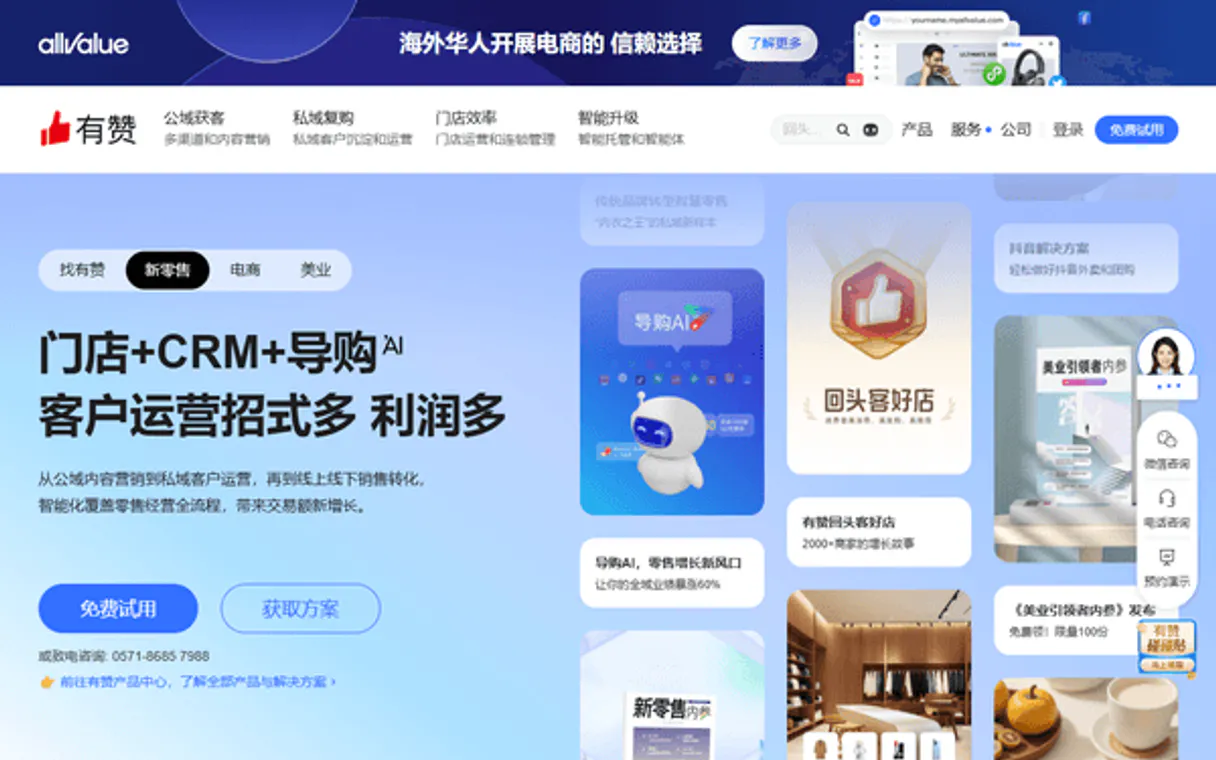
Independent Platform Disclaimer: Vinkius is an independent platform and is not affiliated with, endorsed by, sponsored by, verified by, or otherwise authorized by Youzan / 有赞. All third-party trademarks, logos, and brand names are the property of their respective owners. Their use on this website is strictly for informational purposes to identify service compatibility and interoperability.
VINKIUS INFRASTRUCTURE
Cloud Hosted
Managed infra
V8 Isolated
Sandboxed per request
Zero-Trust Proxy
No stored credentials
DLP Enforced
Policy on every call
GDPR Compliant
EU data residency
Token Compression
~60% cost reduction
Works with Claude, ChatGPT, Cursor, and more
The Model Context Protocol standardizes how applications expose capabilities to LLMs. Instead of operating in isolation, your AI gains direct access to external platforms, live data, and real-world actions through secure, standardized connections.
This server provides 10 capabilities that interface natively with Claude, ChatGPT, Cursor, and any MCP client. No middleware. No custom integration required.
Available Capabilities
Manually checking product details across multiple tabs takes forever.
Today, if you need the full specs on a product—like its materials, weight, or dimensions—you're clicking through 4-5 different pages in the backend dashboard. You copy the ID from one tab, paste it into another lookup form, and then finally scroll down to find the detail field. It’s tedious, and you almost always miss something.
With this MCP Server, you just ask your agent: 'What are the details for item 9876?' The server runs `get_item` and spits out all that structured data instantly. You get the full product card information without ever leaving the chat.
Youzan / 有赞 MCP Server: Get real-time order status.
Before, confirming an order meant opening a separate Order Management System (OMS), finding the transaction ID, and clicking through multiple status updates to see if it shipped or was cancelled. You'd be juggling 3 different browser tabs just for one confirmation email.
Now, you simply ask your agent, 'What's the status of order #123?' The server runs `get_order` and returns a clean summary: 'Order confirmed, packed, shipped via XYZ Carrier, ETA tomorrow.' It’s immediate certainty.
Common Questions About Youzan / 有赞 MCP
How do I use the list_items tool with Youzan / 有赞 MCP Server? +
You don't need to specify anything. Just ask your agent: 'List all products currently for sale.' The server runs list_items and gives you a clean roster of available SKUs.
Can I use get_inventory to check stock on multiple items? +
Yes, if the tool accepts a list input. Specify the item IDs clearly in your prompt; the agent will run get_inventory for each one and group the results.
Do I need specific credentials for get_order? +
Yes, the server requires your Youzan Client ID, Secret, and Shop ID. The agent uses these to authenticate and pull order data via get_order on your behalf.
What is the difference between list_customers and get_customer? +
list_customers searches for accounts when you only have a partial identifier (like an email). get_customer requires the full, known ID to retrieve all details for that single profile.
What happens if I make too many calls using the list_orders tool? +
The server implements rate limiting to manage load. If your AI client sends too many requests in a short time, you'll receive a specific throttling error code. Your agent will then know exactly when to retry the call.
Can I filter my customer search results using list_customers? +
Yes, you can apply filters to narrow down your search. You pass parameters like date ranges or specific purchase criteria directly into the tool. This ensures your agent only pulls back relevant profiles.
What information does get_item provide that get_inventory doesn't? +
get_item provides comprehensive product metadata, including detailed descriptions and pricing tiers. In contrast, get_inventory strictly reports current stock levels and SKU counts only.
How do I handle errors when calling get_shop? +
When an issue occurs with get_shop, the tool returns a specific error code explaining the failure. Common issues relate to insufficient scope permissions or invalid shop IDs; this helps you quickly pinpoint what needs fixing.
How do I find my Youzan Client ID and Secret? +
Log in to the Youzan Cloud Console, create an application, and you will find your Client ID (App Key) and Client Secret in the app settings.
Where is my Shop ID (kdt_id)? +
Your Shop ID (kdt_id) can be found in the bottom left corner of your Youzan store administration backend.
Can I check stock levels for specific product variants? +
Yes. Use the get_inventory tool with the product's item ID. It will return a list of all SKUs (variants) along with their current stock levels and pricing.
Use it with your favorite AI tools
Connect this server to Cursor, Claude, VS Code, and more.
More in this category

Correios API (REST)
Track Brazilian postal objects and calculate shipping prices and deadlines directly through the official Correios REST API.

Discogs
Explore the world's largest music database — search artists, releases, labels, and marketplace listings via AI.

Adrecord
Affiliate marketing network — manage programs, track transactions, and audit earnings via AI.
You might also like
RateUpdate
Manage hotel rates and availability across OTAs and booking channels with centralized distribution and pricing intelligence.

Beeline
Manage your external workforce via Beeline VMS — list assignments, requisitions, and timesheets directly from any AI agent.

Infinity
Organize any kind of work with flexible boards, lists, and tables that adapt to how your team thinks and operates.