
ZenHub MCP. Manage agile boards, epics, and estimates via natural language.
 Gemini
 Works with every AI agent you already use
…and any MCP-compatible client









Just plug in your AI agents and start using Vinkius.
ZenHub connects your AI agent directly to your project data in ZenHub and GitHub. It lets you manage agile boards, track epics, update issue status, and set story point estimates using natural language commands via the Model Context Protocol (MCP).
Get a single view of development progress without clicking through dashboards.
What your AI agents can do
Get epic data
Retrieves detailed information about one specific ZenHub epic.
Get repo board
Pulls the current Kanban board status for an entire repository.
Get workspace board
Retrieves the ZenHub board view for a specific workspace and repository combination.
Retrieve all pipelines and issues for a specified GitHub repository or ZenHub workspace.
Move an issue from one pipeline to another, instantly changing its status on the board.
Assign or read the estimated effort (story point estimate) for any particular issue.
List all available ZenHub epics and inspect their associated issues within a repository.
Fetch detailed reports on project releases and track key metadata over time.
Ask AI about this MCP
Supported MCP Clients
Gemini Waiting for input…
ZenHub MCP Server: 8 Tools for Agile Workflow Management
Analyze and manipulate project data by accessing tools that manage board visibility, epic structure, issue estimates, and release reports.
019d7627get epic data
Retrieves detailed information about one specific ZenHub epic.
019d7627get repo board
Pulls the current Kanban board status for an entire repository.
019d7627get workspace board
Retrieves the ZenHub board view for a specific workspace and repository combination.
019d7627get zenhub issue data
Gets specialized metadata points unique to a GitHub issue within ZenHub.
019d7627list release reports
Lists historical and current release reports for any given repository.
019d7627list repo epics
Generates a list of all available ZenHub epics tied to a specific repository.
019d7627move issue between pipelines
Changes the status of an issue by moving it from one pipeline stage to another.
019d7627set issue estimate
Assigns or updates the story point estimate for a specific tracked issue.
Choose How to Get Started
Build a custom MCP for your own tools, or connect a ready-made integration from our catalog.
Build Your Own
Turn any API into an MCP. Import a spec, define Agent Skills, or deploy with MCPFusion.
- Import from OpenAPI, Swagger, or YAML specs
- Create Agent Skills with progressive disclosure
- Deploy to edge with MCPFusion framework
- Built in DLP, auth, and compliance on every call
- Real time usage dashboard and cost metering
- Publish to catalog or keep private
Make Your AI Do More
Start with ZenHub, then connect any of our 4,700+ other servers whenever your AI needs more. One click, no limits.
- Use this MCP plus 4,700+ others, all in one place
- Add new capabilities to your AI anytime you want
- Every connection is secured and compliant automatically
- Track usage and costs across all your servers
- Works with Claude, ChatGPT, Cursor, and more
- New servers added to the catalog every week
What you can do with this MCP connector
ZenHub connects your AI agent right to your project data in ZenHub and GitHub. You can manage the whole damn agile process, tracking epics, updating issue statuses, and setting story point estimates using natural language commands through Model Context Protocol (MCP). It gives you one view of development progress without clicking around through a dozen dashboards.
Board Visibility: You pull the current Kanban board status for an entire repository using get_repo_board, giving you instant visibility on all pipelines and issues across the whole project. For more specific views, you use get_workspace_board to retrieve the ZenHub board view tied to a precise workspace and repository combination.
Issue Status Control: You don't have to open Jira or GitHub just to move stuff along; you update an issue’s workflow status by using move_issue_between_pipelines, which instantly changes its stage on the board. You also get specialized metadata points unique to a GitHub issue inside ZenHub via get_zenhub_issue_data.
Estimating Effort: Need to adjust how much effort an issue takes? Use set_issue_estimate to assign or update the story point estimate for any specific tracked issue, keeping your sprint planning accurate and current.
Epic and Release Management: You can list every available ZenHub epic associated with a repository using list_repo_epics. If you need deep details on one particular epic, you call get_epic_data to retrieve all its specific information. To track overall project readiness, you fetch detailed reports on past and current releases by calling list_release_reports, giving you key metadata over time.
ZenHub MCP Server - Board & Epic Management allows your AI client to read the board status for an entire repository or a dedicated workspace combination; it lets you change an issue’s workflow status by moving it between pipelines, and you can assign or check an issue's story point estimate.
You also pull a list of all ZenHub epics tied to a repo and inspect their associated issues using get_epic_data; finally, you track overall project readiness by listing historical and current release reports for any repository.
How ZenHub MCP Works
- 1 Subscribe to the ZenHub server and enter your API token. This connects your AI client to your corporate project data.
- 2 Specify the target scope—the repository or workspace you want to work on (e.g., 'Show me the board for repo X').
- 3 Issue a command in natural language, like 'Move issue #123 to Review/QA pipeline' or 'What are the estimates for this epic?' The agent handles the rest.
The bottom line is: your AI client runs complex ZenHub API calls through simple conversation prompts.
Who Is ZenHub MCP For?
Product Managers, Scrum Masters, and Software Engineers. This server helps anyone whose job involves tracking status changes across multiple systems (Jira, GitHub, roadmaps). If you're tired of manually switching tabs just to update a board or check progress on an epic, this is for you.
You use it to monitor the health of the entire board and track high-level progress across multiple epics using natural language queries.
You run reports on release progress and query team velocity metrics instantly, facilitating sprint planning without leaving your chat client.
You use it from your IDE to set story point estimates or move an issue into the 'In Progress' pipeline with a single command.
What Changes When You Connect
- Update status instantly: Use
move_issue_between_pipelinesto change an issue's pipeline status. No need to jump into GitHub; it’s a single command. - See the big picture immediately: Run
list_repo_epicsto list all epics and their issues, giving you high-level visibility without manual board traversal. - Keep estimates accurate: Use
set_issue_estimatewhen planning. You assign points directly from your AI client, keeping sprint data current. - Quickly diagnose bottlenecks: Running
get_repo_boardshows the entire flow—New Issues to Done—in one shot, highlighting where tasks are stuck. - Audit project history:
list_release_reportslets you pull historical progress data and compliance metadata for any past release.
Real-World Use Cases
The PM needs a roadmap status check
A Product Manager asks their agent, 'What are the top 5 epics that need finishing this sprint?' The agent uses list_repo_epics and summarizes which ones have active issues or outstanding estimates. This saves hours of manually cross-referencing roadmaps.
The Engineer is closing a task
An engineer finishes a feature and tells their agent, 'Move issue #45 to Review/QA.' The agent executes move_issue_between_pipelines immediately. This updates the board status without the engineer needing to switch applications.
The SM needs sprint planning data
A Scrum Master asks, 'What's the total estimated effort for all issues in this current epic?' The agent calls get_epic_data, sums up the story points, and reports a clean number. This is faster than checking every single issue card.
The Lead needs project readiness data
A development lead asks for release status. The agent runs list_release_reports, giving them access to progress metadata and key dates, letting them know if the team is actually ready for launch.
The Tradeoffs
Trying to check everything in one API call
A user tries to write a single prompt asking for 'the board, and all epics, and the release status.' The agent gets overwhelmed or fails because it mixes too many disparate data sources.
→
Break it down. First, use list_repo_epics to get the scope. Then, if you need detailed info on a specific epic, call get_epic_data. Always target one piece of information with one tool.
Manually updating status in GitHub
An engineer finishes coding and has to manually click the issue card, change the pipeline dropdown, and save. This is slow, prone to human error, and interrupts flow.
→
Use move_issue_between_pipelines. Just tell your agent: 'Move this issue to QA.' It handles the status update instantly.
Forgetting to set estimates
A PM tracks an epic, but forgets to assign story points to a new key feature. The data is visible, but useless for accurate sprint planning.
→
When creating or updating tasks, run set_issue_estimate immediately. This makes the task ready for proper resource allocation.
When It Fits, When It Doesn't
Use this if your primary bottleneck is data visibility across multiple project systems (ZenHub, GitHub). If you need to know 'What stage is this feature in?' or 'How much effort does this epic require?', this server gives you the actionable data flow.
Don't use it if your core problem is process governance. If your team lacks a clear definition of 'Done,' or if people routinely skip status updates, no amount of API access will fix that. In those cases, the solution isn't better data; it's new process documentation. This server only handles the technical side—it moves issues via move_issue_between_pipelines; it doesn't tell your team why they should move them.
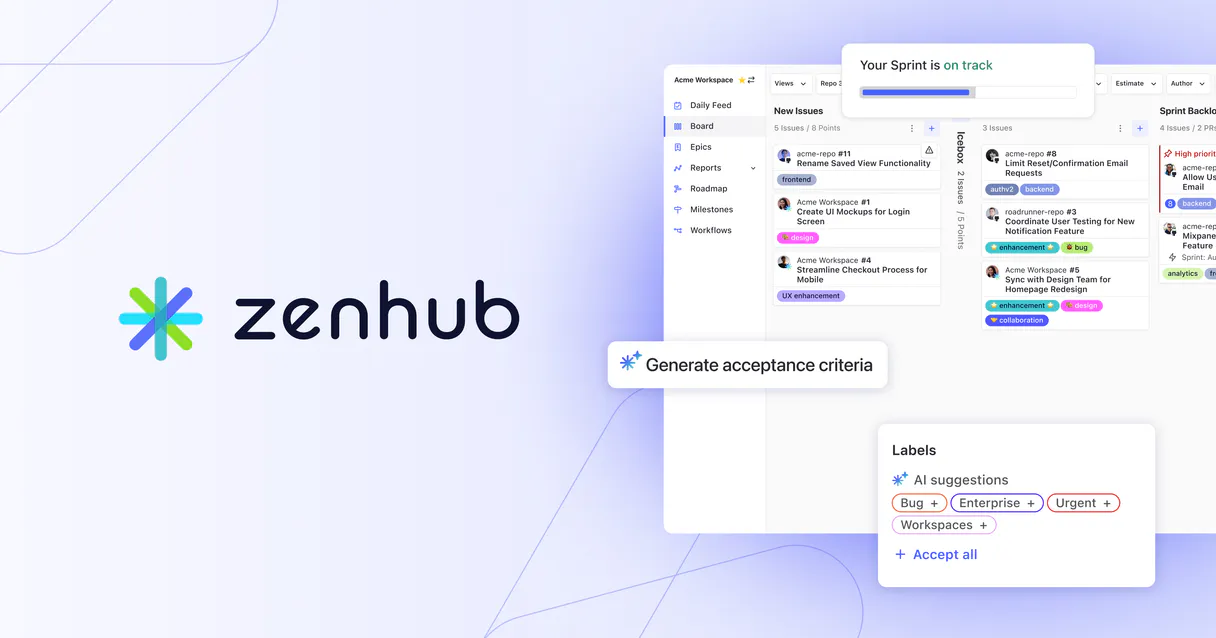
Independent Platform Disclaimer: Vinkius is an independent platform and is not affiliated with, endorsed by, sponsored by, verified by, or otherwise authorized by ZenHub. All third-party trademarks, logos, and brand names are the property of their respective owners. Their use on this website is strictly for informational purposes to identify service compatibility and interoperability.
VINKIUS INFRASTRUCTURE
Cloud Hosted
Managed infra
V8 Isolated
Sandboxed per request
Zero-Trust Proxy
No stored credentials
DLP Enforced
Policy on every call
GDPR Compliant
EU data residency
Token Compression
~60% cost reduction
Works with Claude, ChatGPT, Cursor, and more
The Model Context Protocol standardizes how applications expose capabilities to LLMs. Instead of operating in isolation, your AI gains direct access to external platforms, live data, and real-world actions through secure, standardized connections.
This server provides 8 capabilities that interface natively with Claude, ChatGPT, Cursor, and any MCP client. No middleware. No custom integration required.
Available Capabilities
Manually tracking progress across GitHub and ZenHub is a nightmare.
Right now, updating project status means jumping between tabs: opening the board in one window, clicking into an issue in another, then switching to the epic overview. You're constantly copying IDs, refreshing pages, and hoping you didn't miss a crucial update.
With ZenHub MCP Server, you just talk to your agent. Need to know where something is? Ask for the board status. Need to move it? Tell it to move it. The entire process—from query to action—happens in one chat window. No clicks required.
ZenHub MCP Server: Get an automated view of your work.
Before, running a full project status check meant querying the board (`get_repo_board`), then separately listing epics (`list_repo_epics`), and finally cross-referencing those with release reports. It was a three-part manual investigation just to get an overview.
Now, you ask your agent for the 'current sprint status.' It runs all necessary tools—the board data, the epic list, and the latest progress metadata—and gives you one coherent report. Straight up.
Common Questions About ZenHub MCP
How does ZenHub MCP Server handle moving issue statuses? +
It uses the move_issue_between_pipelines tool. You simply tell your agent to move an issue, and it updates the status on the board instantly without you needing direct access to the underlying GitHub UI.
Can I get a list of all epics using ZenHub MCP Server? +
Yes. You use list_repo_epics to fetch every available epic for your repository, giving you a clean list of what needs tracking.
Is setting story points fast with ZenHub MCP Server? +
It's quick. The agent runs the set_issue_estimate tool when prompted. You don't need to open the issue details; you just give the point value and let it update the record.
Does ZenHub MCP Server work for multiple repositories? +
You can scope it by specifying which workspace or repository you want data from. The agent needs to know your target scope, whether that's get_repo_board or get_workspace_board.
How do I set up the ZenHub MCP Server for authentication? +
You connect the server using your private ZenHub API Token. You provide this token to Vinkius, and then link it through your preferred agent client (Claude, Cursor, etc.). This ensures your AI agent has the necessary permissions to read and write data.
What does the get_repo_board tool allow me to see using ZenHub MCP Server? +
This tool retrieves the overall board structure for a given repository. It shows you all existing pipelines, like 'Backlog' or 'In Review', and helps your agent confirm where issues can move within the workflow.
Can ZenHub MCP Server generate release reports for my project? +
Yes, the list_release_reports tool accesses progress metadata for specific repositories. This gives you a report detailing overall project health and completion status across multiple cycles.
What kind of details does get_zenhub_issue_data provide? +
This function pulls ZenHub-specific metadata that goes beyond standard GitHub fields. It lets your agent inspect unique data points about an issue, helping you understand its full context for planning.
How do I find my GitHub Repository ID? +
You can find your Repository ID in your GitHub settings, or use a GitHub MCP server to query your repository metadata.
Can I move an issue to a different pipeline using this agent? +
Yes, the move_issue_between_pipelines tool allows you to specify a workspace, repository, issue number, and target pipeline ID to update the status.
Is it possible to set story point estimates? +
Absolutely. Use the set_issue_estimate tool with the repository ID, issue number, and your desired point value.
Use it with your favorite AI tools
Connect this server to Cursor, Claude, VS Code, and more.
More in this category

DeepInfra (Serverless LLM Inference)
Run top-tier LLMs, image generation, and embeddings via DeepInfra's serverless infrastructure directly from your AI agent.
Kontent.ai
Access headless content — list items, audit types, and query taxonomies.

AntChain
Alibaba's enterprise blockchain API hub — query blocks, transactions, smart contracts, and accounts on AntChain BaaS.
You might also like

Ninox
Build custom business databases and apps with a visual platform that replaces spreadsheets with structured, relational data.

Anthropic
Interact with Claude models via the Anthropic Messages API — send prompts, manage batches, and monitor rate limits directly.

Blastscan (Blast Network Explorer)
Explore the Blast Network—check balances, track transactions, and inspect smart contracts directly from your AI agent.