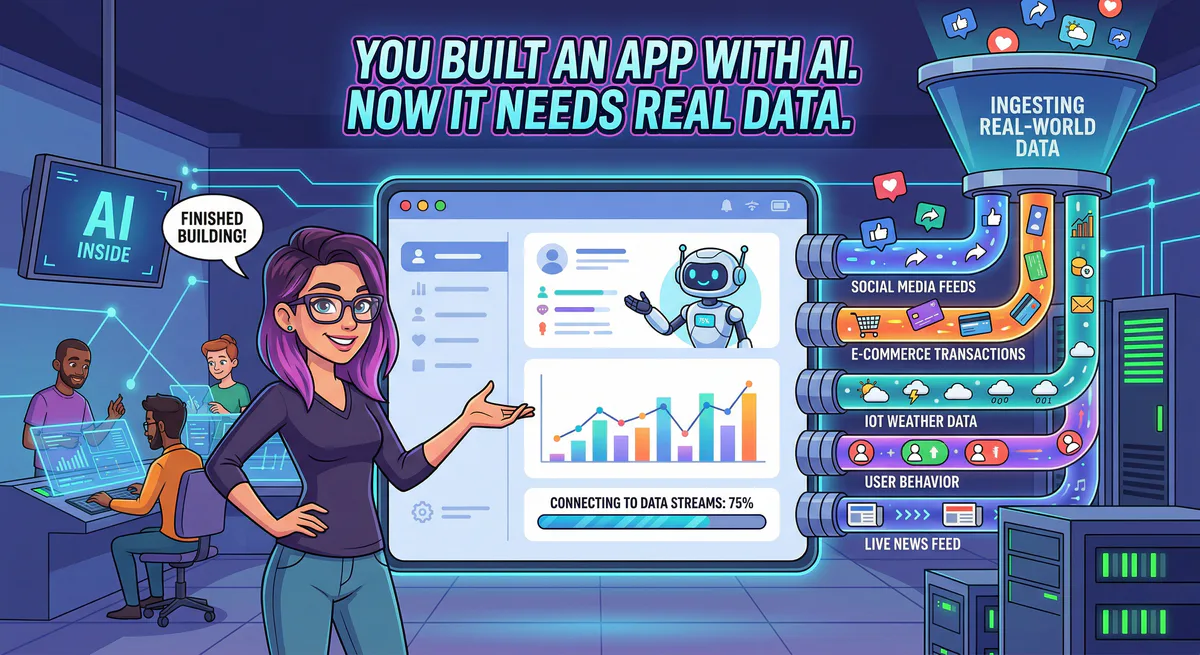
AI app builders (Lovable, Bolt, Cursor, Replit) have simplified frontend design. Building a functional CRM dashboard or a data visualization table takes minutes. The interface looks professional; the buttons animate correctly. But the database contains fake customer records, the charts parse static CSVs, and the text consists of hardcoded templates.
Moving a vibe-coded prototype to production requires replacing placeholder data with actual business information from Stripe, HubSpot, or Zendesk. That integration step is where most projects halt.
Data from Lovable indicates that its builders run over 100,000 projects daily. Similarly, millions of databases run on Supabase. However, connecting these interfaces to live APIs introduces significant security risks, configuration errors, and maintenance overhead.
Connecting these systems via the Model Context Protocol (MCP) replaces this manual lookup process. Instead of logging into multiple portals, an AI agent runs queries across Stripe, HubSpot, and Google Sheets APIs directly.
Here is a breakdown of how to bridge the vibe coding gap using the integrations hosted in our App Catalog.
Why is the Vibe Coding Gap Blocking AI App Prototypes from Reaching Production?
The vibe coding gap exists because AI app generators construct layouts, databases, and UI components using static mock data, leaving prototypes completely disconnected from live environments. Reaching production requires secure, bidirectional connections to databases and external APIs, a step that often exposes raw credentials and fails under traditional software deployment pipelines.
When you ask an AI generator to build a CRM, it outputs the following mock user data:
| User | Status | Plan | |
|---|---|---|---|
| John Doe | john@example.com | Active | Enterprise |
| Jane Smith | jane@example.com | Pending | Pro |
| Bob Johnson | bob@example.com | Suspended | Free |
This mock array makes the UI look functional during the initial demo. However, once the client requests actual customer records, you must replace the hardcoded table with an active database connection. Because frontend code generators run in the browser or client-side environments, pasting raw API keys into these projects exposes secrets to any visitor inspection.
What API Credential and Security Problems Cause Vibe Coding to Fail?
Vibe coding prototypes fail in production because storing API keys directly in client-side code, frontend environment variables, or unsecured serverless configurations creates critical security vulnerabilities. Additionally, manual API integrations trigger cross-origin resource sharing (CORS) errors, handle authentication tokens unsafely, and break when upstream service providers update their endpoint structures.
When attempting to fetch real data without an intermediary, developers run into three main problems:
- Exposed Credentials: Hardcoding Stripe keys in frontend repositories exposes financial data.
- CORS Policy Violations: Browsers block direct client-side requests to third-party endpoints to prevent cross-site scripting attacks.
- Endpoint Rot and Updates: If Stripe updates its API schema, the frontend code generated by the AI breaks, requiring a full code rebuild.
Instead of writing custom API adapters for every single service, developers require a stateless translation layer that decouples data retrieval from the user interface.
How Do MCP Servers Bridge the Gap Between AI Prototypes and Live Databases?
Model Context Protocol (MCP) servers bridge this gap by acting as standardized, secure proxies between AI models and live data sources. Instead of hardcoding custom endpoints, builders connect their AI client directly to an MCP gateway, which manages encrypted keys, handles pagination, and translates raw API payloads into structured context.
Using MCP, the agent does not write custom HTTP client routines. It queries a standardized local or remote server using JSON-RPC calls. The server acts as a translator:
[AI App Builder / LLM]
       —
       ? (JSON-RPC: tools/call)
[MCP Server Proxy]
       —
       ? (Secure HTTPS with API keys)
[External Platform (Stripe, HubSpot, Notion)]
This decoupling ensures the LLM reads database structures dynamically. If the API schema changes, the MCP server updates its translation logic without requiring modifications to the app’s core frontend code.
What Are the Steps to Connect Lovable, Bolt, and Cursor to Real Data?
Connecting AI builders like Lovable, Bolt, and Cursor to live databases requires provisioning an MCP client session, configuring the server connection parameters, and passing securely vaulted endpoint URLs. This connection allows the AI generator to run queries, fetch active schemas, and display real production data inside dynamic frontend components instantly.
Practical Walkthrough: Replacing Mock Databases with Live API Payloads
When a user asks:
“Replace the placeholder invoices in my dashboard with live transactions from Stripe. Filter for transactions over $100.”
The agent calls stripe-mcp to fetch actual transaction records. The raw API response contains sensitive metadata:
{
  "id": "ch_3Mv8Y2LkdQtFObcr0m7a1XyZ",
  "object": "charge",
  "amount": 15000,
  "billing_details": {
    "email": "customer@company.com",
    "name": "Enterprise Buyer"
  },
  "status": "succeeded"
}
The MCP server parses this payload, formats it into a clean table structure, and passes it to the frontend code generator:
| Charge ID | Customer | Amount | Status | Source |
|---|---|---|---|---|
| ch_3Mv8Y2… | Enterprise Buyer | $150.00 | Succeeded | Stripe |
The mockup values disappear. The dashboard displays live production data in under ten seconds.
Which Top 10 MCP Servers Are Essential for Vibe Coding Integrations?
The top ten essential MCP servers for vibe coding include Stripe for billing, Supabase for databases, HubSpot for CRM details, Slack for team alerts, Notion for documents, Google Sheets for tracking, Jira and GitHub for developer operations, Gmail for email parsing, and Firecrawl for extracting clean, markdown-formatted web content.
These ten tools handle 90% of business integration requirements:
| Platform | MCP Server | Primary Use Case |
|---|---|---|
| Stripe | Stripe MCP | Subscriptions, customer billing records |
| Supabase | Supabase MCP | DB schema reads, SQL queries, auth |
| Notion | Notion MCP | Project tracking, internal wikis |
| Slack | Slack MCP | Trigger alerts, post team notifications |
| HubSpot | HubSpot MCP | Sales pipeline status, contacts |
| Google Sheets | Google Sheets MCP | Financial reporting, rapid data entry |
| Jira | Jira MCP | Issue updates, sprints, tickets |
| GitHub | GitHub MCP | Code analysis, repository maintenance |
| Gmail | Gmail MCP | Customer support thread parsing |
| Firecrawl | Firecrawl MCP | Clean web scraping and extraction |
How Can Non-Technical Builders Install and Configure MCP Connections?
Non-technical builders configure MCP connections by generating a connection URL within a centralized gateway and pasting it directly into their AI tool’s setting panel. The gateway handles the execution logic, credential storage, and network routing, eliminating the need to write custom integration code or manage local node packages.
Practical Walkthrough: Cursor and Lovable Integrations
To run a server local installation, you would typically write a configuration file exposing credentials in plain text.
Unsecured local configuration (credentials exposed in local configs):
{
  "mcpServers": {
    "stripe": {
      "command": "npx",
      "args": ["-y", "stripe-mcp-server"],
      "env": {
        "STRIPE_API_KEY": "sk_live_51P...",
        "STRIPE_WEBHOOK_SECRET": "whsec_..."
      }
    }
  }
}
Secure Vinkius Gateway configuration (credentials vaulted at edge, no local exposure):
{
  "mcpServers": {
    "stripe": {
      "url": "https://gateway.vinkius.com/session-xyz123/stripe",
      "headers": {
        "Authorization": "Bearer vnk_sec_abc456..."
      }
    }
  }
}
Pasting the gateway URL into Cursor (Settings ? MCP ? Add New Server) or Lovable instantly mounts the tools without exposing the production API keys on local filesystems.
How Do Execution Gateways Process Outbound Data Loss Prevention and Truncation?
Execution gateways secure outbound data by intercepting API payloads, filtering sensitive fields like credentials or credit card numbers, and truncating responses to fit within LLM token limits. This middleware layer prevents prompt injection attacks and ensures the model only receives clean, redacted data required for its current task.
Practical Walkthrough: Payload Inspection and Redaction
When the AI calls the database, the gateway interceptor scans the payload before it reaches the model:
Raw DB Query Output:
- ID: 902 | Name: Robert | Card: 4111-1111-1111-1111 | Hash: $2b$12$Kjs... | Status: Active

Gateway DLP Interception Output:
- ID: 902 | Name: Robert | Card: [REDACTED_CREDIT_CARD] | Hash: [REDACTED_HASH] | Status: Active
This prevents the model from digesting sensitive parameters, reducing the risk of data leakage via prompt injection or output logs.
How Can You Prove to Enterprise Clients That Vibe-Coded Apps Are Secure?
You prove security to enterprise clients by establishing a centralized execution gateway that vaults API credentials, enforces granular access control lists, and writes immutable cryptographic audit logs. These security measures guarantee that third-party code runs in isolated V8 sandboxes, preventing unauthorized data exfiltration or local host system access.
Enterprise compliance teams reject unmonitored code integrations. To secure approvals, demonstrate the following four infrastructure protections:
- Isolated V8 Sandboxing: Third-party MCP code executes in isolated sandboxes, preventing system path-traversal or execution hijacking.
- Granular Access Control: Models are restricted from running mutation commands (
DESTRUCTIVEorMODIFY) without direct authorization. - Cryptographic Auditing: Every tool request is signed, tracked, and stored in a read-only audit log.
- Emergency Circuit Breakers: Administrators can disconnect compromised API endpoints instantly with a single centralized toggle.
FAQs: Choosing the Best MCP Server Platform for Your Team
Integrating travel systems via MCP requires structured API clients, sandboxed V8 runtimes, and immutable audit logs. Implementing these tools prevents data exfiltration, redacts passenger details, and allows administrators to immediately disconnect compromised servers using centralized connection kill switches.
Why do tool integrators need cryptographic audits?
Without cryptographic signatures and hash-chaining, standard database logs can be mutated, leaving security teams unable to prove that a specific agent was responsible for an unauthorized API call.
How does Vinkius isolate third-party MCP code?
Vinkius routes execution through ephemeral V8 isolates. The code is isolated from local system processes and the host filesystem, preventing path-traversal attacks and malicious resource hijacking.
What is the difference between an inference gateway and an execution gateway?
An inference gateway handles prompts, token limits, and LLM availability on the inbound path. An execution gateway handles stateful JSON-RPC commands, data loss prevention, sandboxing, and access controls on the outbound path.
How does Vinkius handle agentic budget overruns?
Vinkius utilizes a sliding-window financial circuit breaker linked to client accounts. If an agent swarm runs into an execution loop and exceeds a set budget, the circuit trips and requires manual administrative reset.
Can Vinkius convert OpenAPI specs into MCP servers?
Yes. Vinkius provides an automated OpenAPI import utility that translates standard Swagger and OpenAPI JSON manifests into functional, sandboxed MCP servers instantly.
Combined Workflow Matrix
| Workflow | Tools Combined | Query Example |
|---|---|---|
| Live billing dashboards | Stripe + Supabase + Lovable | ”Fetch user subscription records and populate billing table” |
| Automatic support response | Zendesk + Slack + Notion | ”Find ticket answers in wiki and post drafted response to channel” |
| Expense tracking | Stripe + Google Sheets | ”Export last month’s transactions into expense spreadsheet” |
| Code repository analysis | GitHub + Jira | ”Link repository commit logs to active project tickets” |
| Web market monitoring | Firecrawl + Notion | ”Scrape competitor price grids and save updates to Notion database” |
Vibe Coding to Production: Bridge the Data Integration Gap Setup Steps
- Select your required connectors in our App Catalog.
- Connect to the secure endpoints:
- Copy the secure URLs into Claude, Cursor, or ChatGPT to begin querying live data safely.
Related Guides
- E-Commerce MCP Servers ? — Shopify and WooCommerce integrations
- Real Estate MCP Servers ? — Idealista and Zillow property query setups
- Fleet Intelligence Recipe ? — Tesla, Google Maps, Weather, and Slack
- The Complete MCP Server Directory ? — Database of 2,500+ tools
Move Your Prototype to Production
Replace static tables and mock records with live data. The integrations above establish the foundational connection layer.
Need custom database or API integrations? Contact support@vinkius.com.
Analyze with AI
Send this article directly to your preferred AI to analyze concepts, extract actionable insights, or seamlessly integrate into your own projects.
Connect AI agents to your entire stack.
Browse ready-to-use MCP servers. Paste one URL to connect live databases, APIs, and business tools instantly.