
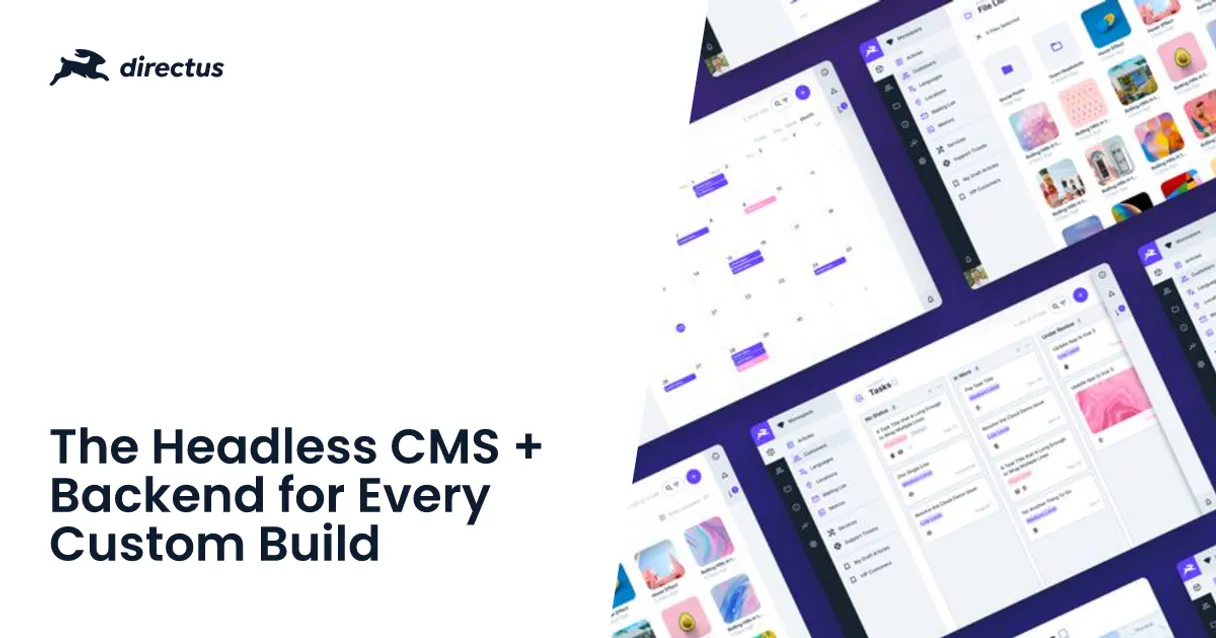
Directus MCP for AI. Manage content models via chat conversation.
 Gemini
 Works with every AI agent you already use
…and any MCP-compatible client









How this MCP server connects to your AI agent
Directus MCP lets your AI agent manage structured content databases without touching a dashboard. Connect it and talk to your collection schemas, user data, articles, and files using natural language.
You treat your complex backend database like another conversation topic.
What AI agents can do with Directus Automation
Check directus status
Verifies if the MCP connection to your Directus instance is active and running correctly.
Create item
Generates a new record in any specified collection, provided you supply all the necessary data fields.
Delete item
Permanently removes an existing item from a collection after confirmation.
List all available data collections and view the specific fields and types for any chosen collection.
Create new records or update existing ones within any defined content type using a conversational prompt.
Quickly find specific articles or data entries by searching collections with keywords.
View all system users, check their current roles, or see who performed recent database actions for compliance checks.
List uploaded files and retrieve metadata details for specific images or documents stored in the system.
Ask an AI about this
Waiting for input…
What AI agents can do with Directus: 16 Tools for Content Management
These tools allow you to perform every core data operation on your Directus instance—from listing collections to updating individual records—all through conversational prompts.
Make your AI actually useful.
Add this MCP to Claude, Cursor, or Windsurf and your AI stops guessing. It gets real tools to look things up, take action, and handle the stuff you keep doing by hand.
Start using Directus on VinkiusCheck Directus Status
Verifies if the MCP connection to your Directus instance is active and running correctly.
Create Item
Generates a new record in any specified collection, provided you supply all the...
Delete Item
Permanently removes an existing item from a collection after confirmation.
Get Collection
Retrieves detailed information about a specific content collection, including its...
Get File
Gets the details of an uploaded file asset using its identifier.
Get Item
Fetches all data associated with a single, specific item ID.
Get Me
Retrieves the profile and status details of the user currently logged into the Directus instance.
List Activity
Lists a chronological record of recent database operations across the entire system...
List Collections
Provides a complete list of all available data collections within your instance.
List Fields
Shows every field name and its associated data type for any given collection you...
List Files
Lists all the files currently uploaded to the system's media library.
List Items
Retrieves a list of item IDs and titles within an entire collection, without fetching all the content.
List Roles
Lists all predefined user roles that exist in your Directus system (e.g., Admin, Editor).
List Users
Retrieves a list of all registered users and their current access role status.
Search Items
Searches the content within collections using keywords to pinpoint specific records...
Update Item
Changes data in an existing item, requiring you to provide both the ID and the new...
Security and governance baked right in.
Pick your AI client below to get set up. Just create a Vinkius account, subscribe, and you're instantly up and running. We handle the entire backend infrastructure, delivering out-of-the-box support for HTTPS Streamable, SSE, and OAuth2—zero messy routing required.
Claude AI
Open Claude Settings
Go to claude.ai, click your profile icon, then navigate to Customize → Connectors.
Add Custom Connector
Click the "+" button and select Add custom connector. Paste your Vinkius endpoint URL:
https://edge.vinkius.com/[YOUR_TOKEN_HERE]/mcp
Replace [YOUR_TOKEN_HERE] with your token
from cloud.vinkius.com. For OAuth-protected servers, expand
Advanced settings to add credentials.
Start a conversation
Open a new chat. The Directus integration is available immediately — no restart needed.
Choose How to Get Started
Build a custom MCP for your own tools, or connect a ready-made integration from our catalog.
Build Your Own
Turn any API into an MCP. Import a spec, define Agent Skills, or deploy with MCPFusion.
- Import from OpenAPI, Swagger, or YAML specs
- Create Agent Skills with progressive disclosure
- Deploy to edge with MCPFusion framework
- Built in DLP, auth, and compliance on every call
- Real time usage dashboard and cost metering
- Publish to catalog or keep private
Make Your AI Do More
Start with Directus, then connect any of our 5,100+ other servers whenever your AI needs more. One click, no limits.
- Use this MCP plus 5,100+ others, all in one place
- Add new capabilities to your AI anytime you want
- Every connection is secured and compliant automatically
- Track usage and costs across all your servers
- Works with Claude, ChatGPT, Cursor, and more
- New servers added to the catalog every week
Independent Platform Disclaimer: Vinkius is an independent platform and is not affiliated with, endorsed by, sponsored by, verified by, or otherwise authorized by Directus. All third-party trademarks, logos, and brand names are the property of their respective owners. Their use on this website is strictly for informational purposes to identify service compatibility and interoperability.
VINKIUS INFRASTRUCTURE
Cloud Hosted
Managed infra
V8 Isolated
Sandboxed per request
Zero-Trust Proxy
No stored credentials
DLP Enforced
Policy on every call
GDPR Compliant
EU data residency
Token Compression
~60% cost reduction
Built on the Model Context Protocol (MCP) for Claude, ChatGPT, Cursor, and more
The Model Context Protocol standardizes how applications expose capabilities to LLMs. Instead of operating in isolation, your AI gains direct access to external platforms, live data, and real-world actions through secure, standardized connections.
This connection provides 16 powerful capabilities that interface natively with Claude, ChatGPT, Cursor, and other compatible AI platforms. No middleware. No custom integration required.
The Pain of Web Dashboard Dependency, Solved with Vinkius AI Gateway
Every time a content team needs to update something—a featured image, an author bio, or even just checking if the 'status' field is properly set—someone has to navigate to the Directus dashboard. This means logging in, clicking through multiple sections (Content -> Articles -> Edit Item), and manually confirming that all required fields are populated correctly.
With this MCP, you bypass the entire web UI. You talk to your agent. You simply ask it to find the collection, check its fields, and then perform the update. The result is clean, structured data sent right back to your workflow, making manual clicks obsolete.
Directus MCP: Data Management at Your Fingertips
The ability to run `list_collections` and then immediately use that knowledge in a subsequent prompt is huge. You don't have to memorize collection names or field types; your agent handles the lookup, letting you focus purely on the content logic.
It changes everything from debugging to deployment. Instead of running multiple scripts or manually querying APIs just to validate data integrity, you use `list_fields` and get instant feedback in a readable format. It's pure efficiency.
What your AI can actually do with this
It's tough when you need to make changes to your CMS—like updating an article or checking who has edit rights—but the only way is logging into a web dashboard and clicking through five separate tabs. This MCP flips that script. You connect it, and your AI client treats your entire backend database like a resource accessible via conversation.
Your agent can list all available content types, check field definitions for any collection, or even run list_users to see who's on the payroll. Need to draft something? Use the tools to create new items directly. You don't have to open the web UI; you just tell your AI client what to do.
It runs the operation and gets the structured data back for you. We built this MCP so that when you subscribe via Vinkius, all your content management tasks are exposed to your agent in one place.
019dd0e0-fcc8-708e-8646-61ae1562985e 
Here's how it actually works
The bottom line is you get direct access to structured data operations from your favorite AI client, without needing specific API knowledge or credentials management.
Subscribe to this MCP on Vinkius and provide your Directus Static Token.
Connect your preferred AI client (like Claude or Cursor) to the catalog and invoke the tool.
Ask your agent a question, such as 'List all article collections and their fields,' and it executes the necessary database calls.
Who is this actually for?
This MCP is built for the developer who spends too much time toggling between IDEs and web dashboards. It's for content teams that need to manage data models quickly, and administrators who require full audit visibility without manual database queries.
Uses the MCP to check collection schemas or list items across multiple collections, ensuring content authors have the right structure before publishing a draft.
Integrates data logic into agent workflows by using get_collection and list_fields to validate models against the live database schema, speeding up development cycles.
Monitors compliance or debugs issues by running list_activity and reviewing user roles using list_users, all through a single conversational prompt.
What Changes When You Connect
Stop manually navigating dashboards. You can use list_collections and then run get_item to pull specific data points directly into your AI agent's memory, eliminating copy-pasting between tabs.
Streamline content creation by letting your agent draft records using create_item. Just describe the article you want, and it handles the ID structure and initial population of fields.
Improve compliance oversight. Instead of digging through logs, simply asking for recent activity runs list_activity gives you a summarized report on who did what and when.
Accelerate development by inspecting schemas immediately. Use list_fields to instantly understand the data type and required inputs for any collection without looking up documentation pages.
Improve user governance. You can run list_users and check roles using get_me, allowing your agent to manage access permissions as part of a larger workflow.
See it in action
A content editor needs to update 50 articles' featured images.
Instead of logging into the CMS and updating files one by one, the agent can run list_files to find the new assets. Then, it uses an updated update_item call for each article ID, setting the correct file reference and status, all in a single chat session.
A developer needs to validate data against the live schema.
The agent runs list_fields on the 'product' collection. This confirms that the required field 'SKU' is still a string and not accidentally changed to an integer, preventing a major integration bug before deployment.
An admin needs to understand who deleted a critical record.
The agent runs list_activity for the last 24 hours. The resulting log pinpoints the user ID and IP address that executed the delete_item command, providing an immediate audit trail.
A team wants to find all articles mentioning 'quantum computing' written in 2023.
The agent uses search_items, filtering by keyword and date range. This returns a list of matching article IDs, which can then be passed to the AI client for summarization or further action.
The honest tradeoffs
Trying to manually write complex data payloads
The developer has to stop writing code and spend twenty minutes figuring out the exact JSON structure required for a new item, leading to multiple failed API calls.
Instead of guessing the payload, ask your agent to run list_fields first. This shows you the precise field names (like 'slug' or 'date_published') and their data types, giving you exactly what you need for a successful create_item call.
Forgetting which collection holds the required metadata
The user assumes author bios are stored in the main 'articles' collection when they actually reside in a separate, less obvious 'author_profiles' collection.
Always start by running list_collections. This provides an exhaustive list of every available content type, so you know exactly where to look before trying any operation.
Overwriting critical data when updating records
The developer runs a simple update but accidentally includes the ID field in the payload, causing the entire item record to be deleted or corrupted.
When you need to modify an entry, use get_item first. Reviewing all existing fields before running update_item ensures your agent only modifies the specific values intended.
When It Fits, When It Doesn't
Use this MCP if your primary source of truth for content and data lives in a structured database (like Directus). It's perfect when you need to interact with collections, schemas, users, or files programmatically via natural language conversation. Don't use it if your task is simple, unstructured file storage; while list_files helps, complex document generation might require dedicated document processors. Also, don't use it if you are only trying to build a basic front-end form that never needs to write data back to the database; for that, a standard web form builder suffices. However, if your goal is to programmatically ensure that every piece of content adheres to a specific schema or user role rules, this MCP is necessary because it exposes list_fields and list_roles, giving you full control over data integrity via conversational AI.
Questions you might have
How do I check if the Directus MCP is connected? +
Run the check_directus_status tool. This confirms that your token and connection are valid, letting you know immediately if the service is up or if credentials need refreshing.
Can I use Directus MCP to create new content? +
Yes, you can use create_item to generate brand-new records. You just have to specify which collection it belongs to and provide the data for all required fields.
Does the Directus MCP let me see who made changes? +
Absolutely. Use list_activity to get an audit log of recent database operations, showing who did what and when it happened across your entire instance.
How do I find out what fields are available in my content? +
Use the list_fields tool. You specify a collection name, and it returns every field name (like 'title' or 'slug') along with its data type.
What if I need to update an item? Do I need the ID? +
Yes, for update_item you must supply both the unique Item ID and the specific field/value pair you want to change. You can use get_item first to confirm the existing data.
We've already built the connector for Directus. Just plug in your AI agents and start using Vinkius.
No hosting. No infrastructure. No complex setup.
All 16 tools are live and waiting.
You're up and running in seconds.
Gemini Vinkius gives your AI agents access to the full catalog of app connectors, all fully managed, secure, and enterprise-ready. One subscription, every tool you need.
Built, hosted, and secured by Vinkius. You just connect and go.