
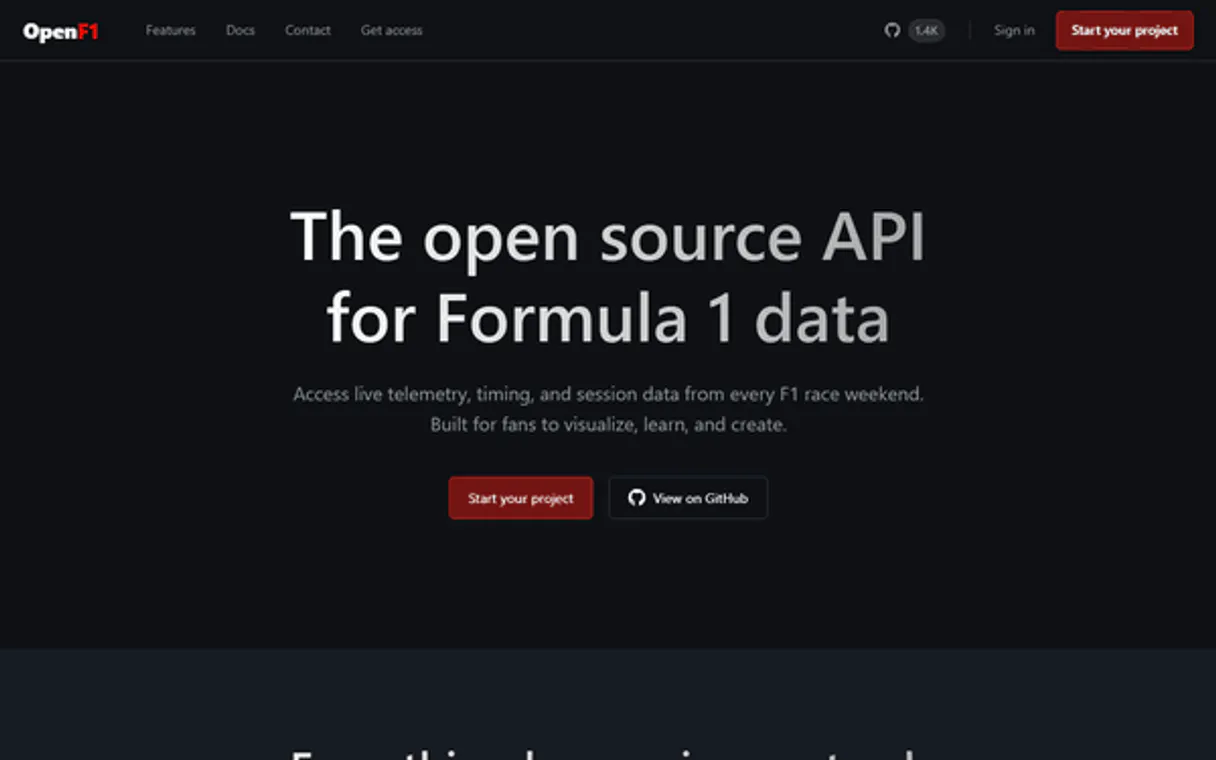
OpenF1 Live Data MCP. Analyze every metric, from RPM to pit stop time.
 Gemini
 Works with every AI agent you already use
…and any MCP-compatible client









Just plug in your AI agents and start using Vinkius.
OpenF1 Live Data & Telemetry gives your AI client access to granular, real-time Formula 1 data. You can read car telemetry (RPM, DRS usage), audit lap times and sector performance, track team radio comms, and map out tire strategies across the entire field.
It's a full analyst toolkit for race data.
What your AI agents can do
Get car telemetry
Retrieves technical telemetry data, including speed, RPM, and DRS usage for a specific car.
Get driver intervals
Calculates the time gaps and intervals between different drivers on track.
Get driver standings
Fetches the current championship standings for all F1 drivers.
Get real-time telemetry, including speed, engine RPM, and DRS usage, for any car during a session.
Track tire compounds, stint lengths, and detailed pit stop durations across all cars to map out race strategy.
Compare sector times (S1, S2, S3) and lap-by-lap data instantly to pinpoint precise performance gaps between drivers.
Follow team radio communications or official race control updates in real time to understand the flow of incidents and warnings.
Pull initial data points like the starting grid, current standings, and predicted weather conditions before the race starts.
Ask AI about this MCP
Supported MCP Clients
OAuth 2.0 Compatible Gemini Waiting for input…
OpenF1 Live Data & Telemetry: 15 Tools for Race Metrics
Use these tools to pull granular F1 data. You can analyze everything from sector-specific lap times and pit stop durations to championship standings and team radio communications.
Make your AI actually useful.
Add this MCP to Claude, Cursor, or Windsurf and your AI stops guessing. It gets real tools to look things up, take action, and handle the stuff you keep doing by hand.
Start using OpenF1 Live Data & Telemetry on Vinkius019d8466get car telemetry
Retrieves technical telemetry data, including speed, RPM, and DRS usage for a specific car.
019d8466get driver intervals
Calculates the time gaps and intervals between different drivers on track.
019d8466get driver standings
Fetches the current championship standings for all F1 drivers.
019d8466get lap times
Gets detailed lap and sector times for specified laps or sessions.
019d8466get race control messages
Retrieves official FIA race control messages regarding track limits, penalties, or warnings.
019d8466get session results
Provides the final classification and results for a completed racing session.
019d8466get starting grid
Gets the initial grid position list and starting order for an upcoming race.
019d8466get team radio
Retrieves links to recorded team radio communications between drivers and pit crews.
019d8466get team standings
Gets the current championship standing for all F1 teams.
019d8466get weather data
Provides specific track and surrounding air weather conditions for race days.
019d8466list drivers
Lists all active F1 drivers participating in a given session.
019d8466list overtakes
Compiles and lists every recorded overtake incident that occurred during the race.
019d8466list pit stops
Lists specific data points regarding pit stop durations for various cars.
019d8466list sessions
Provides a list of all recorded F1 sessions available within a given year.
019d8466list tyre stints
Lists the full history of tire compounds used and stint lengths for multiple drivers.
Choose How to Get Started
Build a custom MCP for your own tools, or connect a ready-made integration from our catalog.
Build Your Own
Turn any API into an MCP. Import a spec, define Agent Skills, or deploy with MCPFusion.
- Import from OpenAPI, Swagger, or YAML specs
- Create Agent Skills with progressive disclosure
- Deploy to edge with MCPFusion framework
- Built in DLP, auth, and compliance on every call
- Real time usage dashboard and cost metering
- Publish to catalog or keep private
Make Your AI Do More
Start with OpenF1 Live Data & Telemetry, then connect any of our 4,800+ other servers whenever your AI needs more. One click, no limits.
- Use this MCP plus 4,800+ others, all in one place
- Add new capabilities to your AI anytime you want
- Every connection is secured and compliant automatically
- Track usage and costs across all your servers
- Works with Claude, ChatGPT, Cursor, and more
- New servers added to the catalog every week
Independent Platform Disclaimer: Vinkius is an independent platform and is not affiliated with, endorsed by, sponsored by, verified by, or otherwise authorized by OpenF1. All third-party trademarks, logos, and brand names are the property of their respective owners. Their use on this website is strictly for informational purposes to identify service compatibility and interoperability.
VINKIUS INFRASTRUCTURE
Cloud Hosted
Managed infra
V8 Isolated
Sandboxed per request
Zero-Trust Proxy
No stored credentials
DLP Enforced
Policy on every call
GDPR Compliant
EU data residency
Token Compression
~60% cost reduction
Works with Claude, ChatGPT, Cursor, and more
The Model Context Protocol standardizes how applications expose capabilities to LLMs. Instead of operating in isolation, your AI gains direct access to external platforms, live data, and real-world actions through secure, standardized connections.
This server provides 15 capabilities that interface natively with Claude, ChatGPT, Cursor, and any MCP client. No middleware. No custom integration required.
Manually mapping race strategy across multiple spreadsheets is a nightmare.
Right now, if you want to audit a full weekend's worth of tire wear, you have to pull lap times from one source, pit stop data from another, and team radio comms from a third. You spend hours manually cross-referencing compound names with stint lengths just to build a basic performance model.
With this server, your agent runs `list_tyre_stints` and combines it with the full history of `list_pit_stops`. It generates the complete strategic map instantly. The output is clean: you see exactly how many laps were run on which compound, minimizing guesswork.
OpenF1 Live Data & Telemetry MCP Server gives you granular telemetry details.
Forget reading vague summaries of 'fast lap.' Previously, if you needed to prove a performance gap, you were limited to final times. You'd have to guess what variables mattered—was it engine power, cornering grip, or braking force? It was guesswork.
Now, your agent can run `get_car_telemetry`. You get specific numbers: speed at the apex, RPM drop-off in the next sector, and DRS activation times. The difference is moving from a general report to hard, verifiable engineering data.
What you can do with this MCP connector
This server hands your AI client the keys to every piece of live Formula 1 data out there. You'll get granular access to real-time telemetry and historic race metrics without having to write complicated API calls. It’s a full analyst kit for tracking everything that goes down on track.
Live Car Performance Metrics
You can grab the raw technical readouts using get_car_telemetry, which pulls speed, engine RPM, and DRS usage for any car in a session. If you're checking out race strategy, list_pit_stops gives you specific data on how long every car spent in the pits. You can map out tire strategies by listing full history of tire compounds used and stint lengths across multiple drivers using list_tyre_stints.
To really compare performance, use get_lap_times to get detailed lap and sector times for any session you specify.
Analyze Sector and Lap Consistency
Comparing how fast a driver runs through certain parts of the track is easy. You'll check out precise performance gaps between drivers by using get_driver_intervals, which calculates time gaps between cars on the circuit. For comprehensive comparison, get_lap_times lets you get detailed sector times for specified laps or sessions.
To see how the whole field stacks up, run list_drivers to list all active F1 drivers participating in a given session.
Build Pre-Race Context
before the lights go out, you can check the starting order with get_starting_grid. You'll pull the current championship status for both individuals and teams using get_driver_standings and get_team_standings, respectively. For context on what to expect, use get_weather_data to get specific track and surrounding air weather conditions for race days.
Audit Race Incidents & Communication
You can follow the narrative of the race using get_team_radio, which retrieves links to recorded team radio communications between drivers and pit crews. For official warnings or penalties, you'll pull data from get_race_control_messages, which fetches official FIA messages regarding track limits or warnings. You don't wanna miss a major move; use list_overtakes to compile every recorded overtake incident that happened during the race.
If you need final results for a completed run, get_session_results provides the classification and results immediately.
Mapping Out Sessions
You can see what data is available by running list_sessions, which gives you a list of all recorded F1 sessions within a specific year. To understand who was involved in any given event, run list_drivers. If you're investigating the whole race day, get_session_results provides final classification and results for that entire session.
The Full Scope
This server also lets you check out initial championship data by running get_driver_standings or get_team_standings. You've got the means to track every detail, from getting historical records using list_sessions, to viewing all recorded team radio comms via get_team_radio. It’s a complete set of tools for any kind of F1 analysis you wanna run.
019d8466-d9f5-70f5-826a-a351750bcd5e 
How OpenF1 Live Data MCP Works
- 1 Connect your AI client to the OpenF1 MCP Server. No API key is required for public access.
- 2 Ask your agent a specific question (e.g., 'What was Hamilton's best lap time at Silverstone?').
- 3 The agent runs the necessary tool (
get_lap_timesorlist_pit_stops) and presents the structured data and analysis directly in conversation.
The bottom line is you get deep technical intelligence on F1 racing without writing a single query.
Who Is OpenF1 Live Data MCP For?
Data journalists, sports analysts, and hardcore motorsport fans. This tool is for the people who wake up before dawn to comb through race footage, manually correlating lap times with radio chatter. You're tired of hopping between five different dashboards just to figure out why a driver pitted early. You need one source that handles the raw telemetry, the strategy data, and the official commentary.
Instantly retrieves high-frequency telemetry (using get_car_telemetry) for articles, providing verifiable details like exact RPMs or DRS usage.
Runs queries combining list_tyre_stints and list_pit_stops to model race outcomes based on tire wear and track conditions, predicting optimal pitting points.
Uses tools like get_team_radio or get_race_control_messages to monitor historical incidents and conversations that explain the narrative of a race weekend.
What Changes When You Connect
- Track performance gaps by running
get_lap_timesand comparing sector times (S1, S2, S3). This pinpoints exactly where a driver loses time—whether it’s braking or corner exit speed. It's better than just looking at the final lap differential. - Build complex race narratives using
list_tyre_stints. You can model how tire wear interacts with track conditions and pit stop timing, moving beyond simple 'Medium vs Hard' observations to genuine strategy auditing. - Understand why a race happened by checking official comms. Use
get_race_control_messagesandget_team_radioto see the immediate context of incidents or penalties that might not show up in the final classification. - Get full pre-race clarity using
get_starting_gridalongsideget_weather_data. You'll know if the predicted wet conditions will affect pole position, giving you a complete picture before the race even starts. - Track every move on track. Beyond just who finished where (
get_session_results), uselist_overtakesandget_driver_intervalsto quantify the drama—knowing exactly how many times one car passed another and by how much margin.
Real-World Use Cases
Investigating a suspicious pit stop
A fan noticed Max seemed slow on lap 40. Instead of just reading the race summary, your agent runs list_pit_stops and combines it with get_car_telemetry. You instantly see that his average speed dropped significantly after he left the pit box, suggesting a mechanical issue or tire setup problem.
Analyzing track limits violations
You're writing a piece on race control discipline. Instead of combing through old FIA reports, your agent runs get_race_control_messages for 'Track Limits' since lap 10. You get an instant list of drivers and the specific turn number cited, making reporting precise.
Modeling tire degradation over a wet race
The rain started late in the session. Your agent uses list_tyre_stints to see which cars were on older compounds and combines this with get_weather_data. You can predict which car will struggle most when the dry track returns.
Comparing team performance across eras
You want to compare Red Bull's 2019 season versus their current run. Your agent runs get_team_standings for both years and uses list_sessions to pull historical data, allowing you to benchmark consistency over time.
The Tradeoffs
Assuming single-source data is enough
A user just looks at the final race result (get_session_results) and concludes a driver was fast. They miss the nuance of the actual laps.
→
Don't rely only on final results. Always cross-reference get_lap_times to prove performance consistency, or use list_overtakes to quantify how often they had to fight for position.
Ignoring the pit stop context
A user sees a driver pitting and assumes it's purely a tire change, missing critical timing data.
→
Always use list_pit_stops to get the exact duration. Then check get_car_telemetry for that specific time window; sometimes they pit not just for tires, but to cool down a component.
Treating telemetry as static data
Asking for general car stats without specifying the session or driver, leading to irrelevant or outdated numbers.
→
Always specify parameters. Use get_car_telemetry and include the exact Session ID and Driver ID to guarantee the data is relevant to the race you're analyzing.
When It Fits, When It Doesn't
Use this MCP Server if your analysis requires correlation across multiple, distinct F1 data types: raw telemetry (RPMs/DRS), time metrics (lap times/intervals), and narrative context (radio comms/race control). If you're only checking the overall winner or current standings, a simple database query might suffice. However, if you need to understand why that result happened—for example, correlating poor lap times with specific team radio warnings—you need this comprehensive data stream. Don't use it just for 'checking scores'; use it when you need the deep mechanical evidence.
Don't use this if your goal is simply general knowledge (e.g., 'Who drives for Ferrari?'). Stick to specialized tools for simple lookups. This server excels at high-frequency, comparative analysis.
Common Questions About OpenF1 Live Data MCP
How do I check performance gaps between drivers using get_driver_intervals? +
Run get_driver_intervals and specify the session. It immediately shows you the time difference (the gap) between cars at any point on the track, allowing direct comparison.
What is the best way to audit tire wear using list_tyre_stints? +
Use list_tyre_stints to get the full stint history. You can then combine this data with get_lap_times to see if the lap time degradation matches the expected wear pattern.
Can I find out what happened when a car was penalized? (get_race_control_messages) +
Yes. Run get_race_control_messages, filtering by 'Penalty' or specific driver numbers, to retrieve the exact message and timing of the infraction from official FIA records.
Does get_car_telemetry include throttle data? +
Yes. It provides high-frequency metrics including throttle application percentage (throttle traces), which is key for understanding driver input during corner exit and braking zones.
How do I use get_driver_standings to check a driver's current championship placement? +
It returns the latest points and overall rankings for all drivers. You get their total accumulated season points, score from the most recent race, and their standing relative to the top competitors.
How do I find out which F1 sessions are available using list_sessions? +
It provides a comprehensive list of past and upcoming race weekends. You get the specific dates, track locations, and session types (Practice, Qualifying, Race). This is how you target your data requests.
What kind of context does get_weather_data provide for an analysis? +
It pulls both track and ambient air weather metrics. You retrieve temperature readings, wind speed, and general conditions for the race day. This helps you contextualize performance gaps in your reporting.
What does list_overtakes track during a race? +
It logs every recorded pass between two cars. You get the specific lap number, both vehicles involved, and the calculated gap size at the time the overtake occurred. This is useful for analyzing corner exit speed.
Can my AI automatically analyze technical performance gaps between two specific drivers in a session? +
Yes! By using tools like get_lap_times and get_car_telemetry, your agent can compare sector-by-sector data, top speeds, and braking points to identify exactly where one driver is gaining or losing time compared to another.
How do I easily listen to or read the team radio communications during a race weekend? +
Simply ask the agent to run the get_team_radio tool for a specific session and driver. It will retrieve direct URLs to the official audio recordings, allowing you to hear the narrative between drivers and engineers.
Does the integration permit tracking official FIA race control decisions in real-time? +
Yes. The get_race_control_messages action allows your agent to fetch all official updates, including yellow flags, steward investigations, and track limit warnings, mapped to specific lap numbers.
Use it with your favorite AI tools
Connect this server to Cursor, Claude, VS Code, and more.