
Pipedrive Leads MCP, Ready to Go
Connect your Pipedrive CRM to Claude or Cursor with the Pipedrive Leads MCP to manage leads and deals using AI agents.
No credit card required. Experience the power of this integration risk-free.
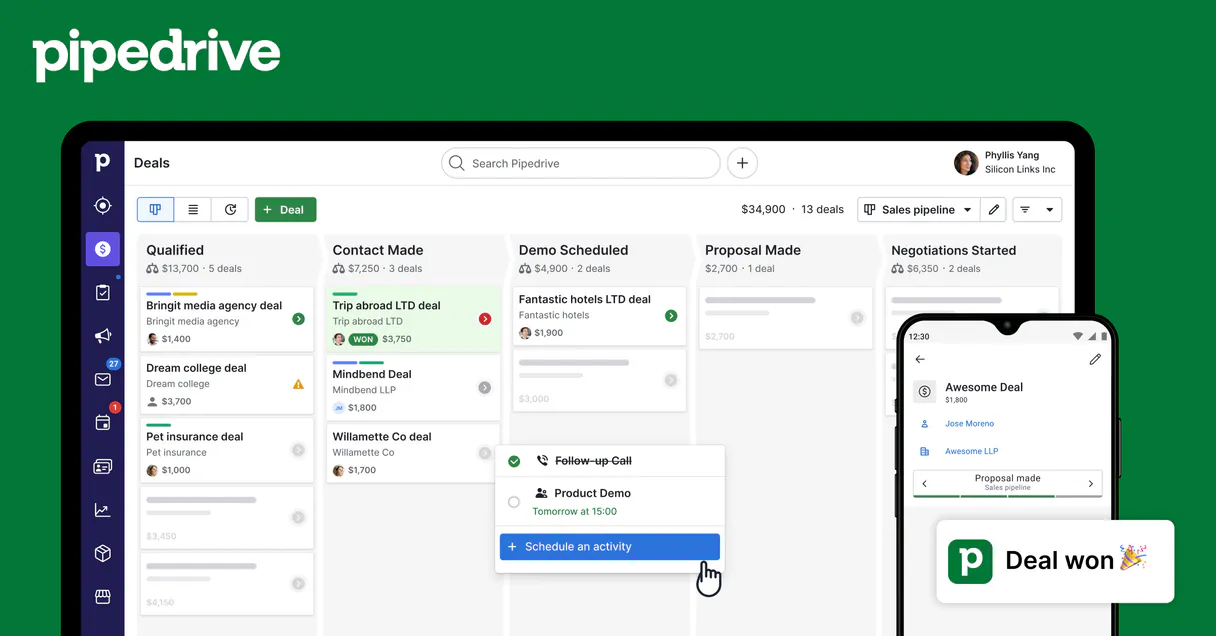
Manage your sales pipeline and lead inbox through a conversational CRM interface.
Works with every AI agent you already use
…and any MCP-compatible client









How fast is the Pipedrive Leads MCP Server?
Average time for the server to become ready for requests over the last 14 days, measured until the initialize / tools/list handshake completes. Metrics are updated daily between 00:00 and 04:00 UTC. Create a free account, use this MCP on Vinkius Cloud, and connect it to your AI agent in seconds.
Waiting for input…
What AI agents can do with Pipedrive Leads MCP 7 Tools for CRM Management
Use these 7 tools to create leads, update deals, and manage activities in Pipedrive through your AI agent.
Pd lead labels
Use pd_lead_labels to view the different labels available for your leads. This helps you categorize prospects quickly.
Pd list leads
Use pd_list_leads to see a list of all leads currently sitting in your inbox. It lets you check your queue at a glance.
Pd lead sources
Use pd_lead_sources to check the different sources where your leads are coming from. Use this to see where your best prospects originate.
Pd update lead
Use pd_update_lead to modify the details of an existing lead record. You can change names, phone numbers, or status easily.
Pd create lead
Use pd_create_lead to add a brand new lead to your Pipedrive account. This saves you from manual entry when you find a new prospect.
Pd delete lead
Use pd_delete_lead to remove a lead from your CRM when it is no longer relevant. Use this to keep your database clean.
Pd get lead
Use pd_get_lead to pull up all the specific details for a single lead. This is great for quickly reviewing a contact before a call.
One MCP enables access. Vinkius turns MCPs into production-ready infrastructure.
You're looking at one of 5,700+ managed MCPs. The real value isn't the catalog. It's the control plane that secures, governs, audits, and manages every interaction between your agents and the tools they use.
No Shadow AI
Every agent action is visible, approved, and auditable. Nothing runs outside your governance.
Absolute agent control
Fine-grained permissions for every agent, MCP, and tool. Instantly revoke access and audit every execution.
Cost control per token
Spend broken down to the token, tool, and agent. Budgets and hard limits. No surprise invoices.
Managed & monitored infra
We operate the runtime, authentication, scaling, retries, and monitoring. Your team manages AI, not infrastructure.
Data protection, DLP by design
Sensitive data is filtered before reaching the model. Access is governed so agents receive only the information they're allowed to use.
Token optimization, real savings
Lower AI costs by delivering the right context instead of unnecessary tools. Better accuracy, faster responses, and fewer wasted tokens.
Pipedrive Leads MCP for Automated CRM Data Entry
This is for sales teams who are tired of manual data entry and want to spend more time talking to prospects and less time clicking through CRM fields.
SDR
Creating leads and scheduling activities quickly during high-volume outreach.
Sales Manager
Getting a quick overview of deal stages and pipeline health through simple questions.
RevOps Specialist
Updating lead sources and labels across the CRM to ensure clean data reporting.
Frequently Asked Questions
Can the Pipedrive Leads MCP create new leads for me? +
Yes, it lets your AI agent create new records in Pipedrive using natural language. You can just describe the new lead to your agent, and it handles the data entry for you.
How does the Pipedrive Leads MCP help with my sales pipeline? +
It gives your agent visibility into your deals. You can ask for summaries of specific accounts or see what stages your deals are currently in without opening the CRM.
Can I use the Pipedrive Leads MCP to schedule meetings? +
Yes, you can create call activities and meetings directly through your chat. Your agent will log these into Pipedrive as tasks or events for your team.
Will the Pipedrive Leads MCP update my existing contacts? +
Yes, it can modify lead details like phone numbers, emails, and status labels. This keeps your CRM data current as your conversations progress.
Is the Pipedrive Leads MCP good for SDRs? +
It is a great tool for SDRs who need to move quickly. It allows you to create leads and log activities during high-volume outreach without ever leaving your primary workspace.
How do I see my lead sources with the Pipedrive Leads MCP? +
You can ask your agent to list your lead sources. This helps you see where your best prospects are coming from and helps keep your CRM data organized.
What Pipedrive data can I access? +
Deals, Persons, Organizations, Activities, Notes, and Pipelines. All data respects your Pipedrive permissions.
Can I create and update records? +
Yes! Create and update deals, contacts, activities, and notes — all through natural conversation.
How does authentication work? +
Uses your personal Pipedrive API token. Find it in Settings > Personal preferences > API. No OAuth flow needed.
Your AI, connected to everything.












No credit card required · Free tier available













Other MCPs in this category
Payrexx MCP
Accept payments online with a Swiss payment gateway that supports local and international methods with PCI compliance built in.
ESA Near Earth Objects MCP
Track near-Earth asteroids and comets, access orbital data, and monitor potential impact risks from the European Space Agency.
T-Test Statistics Engine MCP
Run exact Student's, Welch's, and Paired t-tests local. Get CPU-guaranteed p-values instead of LLM-hallucinated guesses.
Related MCPs
Chi-Square Test Engine MCP
Run exact Chi-Square independence tests on contingency tables local. Get CPU-guaranteed chi² statistics and p-values for categorical analysis.
Weglot MCP
Weglot MCP for AI Agents. Automate website translation and localization by checking language support, listing available dialects, and processing bulk text translations directly through your AI client. It connects your Weglot account to your agent so you can manage multilingual content without leaving your workspace.
An API of Ice And Fire MCP
Explore the world of A Song of Ice and Fire. Query books, characters, and noble houses of Westeros directly from any AI agent.