
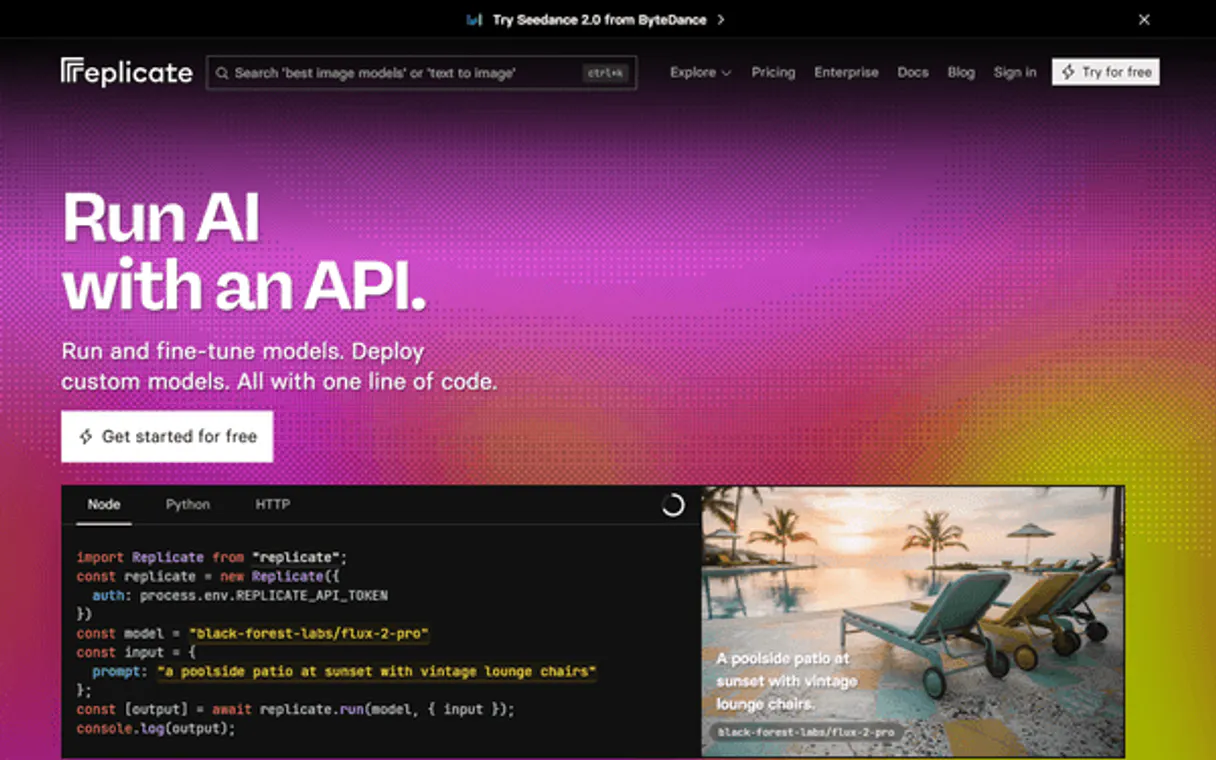
Replicate MCP. Run ML Models, From Search to Output.
 Gemini
 Works with every AI agent you already use
…and any MCP-compatible client









Just plug in your AI agents and start using Vinkius.
Replicate MCP Server connects your AI client directly to thousands of open-source machine learning models. It lets you search for, execute, and monitor complex ML predictions (like image generation or specialized LLMs) using simple text commands—all without running the code on your local hardware.
What your AI agents can do
Cancel prediction
Stops a model prediction that is currently running on Replicate by its unique ID.
Create prediction
Starts a new model run, requiring the model version ID and all necessary input variables as JSON.
Get account
Retrieves basic details about your authenticated Replicate account for verification.
Starts a new model prediction by sending the required inputs and version ID to Replicate.
Retrieves the current status, output, or final result of any given prediction run.
Immediately halts and cancels a prediction that is currently running on Replicate.
Scans the public catalog to find models that match a specific search query or category.
Retrieves curated collections of related models, like 'Image-to-Text' or 'Audio Generation'.
Pulls the full details and required parameter schema for a specific model ID.
Ask AI about this MCP
Supported MCP Clients
OAuth 2.0 Compatible Gemini Waiting for input…
Replicate MCP Server: 12 Tools for ML Model Management
These tools let your agent manage every stage of the ML lifecycle—from searching model catalogs to running complex video and image predictions.
Make your AI actually useful.
Add this MCP to Claude, Cursor, or Windsurf and your AI stops guessing. It gets real tools to look things up, take action, and handle the stuff you keep doing by hand.
Start using Replicate on Vinkius019d75fecancel prediction
Stops a model prediction that is currently running on Replicate by its unique ID.
019d75fecreate prediction
Starts a new model run, requiring the model version ID and all necessary input variables as JSON.
019d75feget account
Retrieves basic details about your authenticated Replicate account for verification.
019d75feget collection
Fetches a specific group of models using its unique collection slug (e.g., 'text-to-image').
019d75feget model
Retrieves all details, including the required input schema, for one specific model.
019d75feget prediction
Checks and retrieves the current status or final output of a previously started prediction run.
019d75felist collections
Lists all curated model collections available on Replicate, like 'Image-to-Text'.
019d75felist deployments
Shows a list of your active, deployed models and their status within Replicate.
019d75felist hardware
Lists the GPU hardware options currently available for running model inferences on Replicate.
019d75felist models
Provides a list of all public models that are generally available on the Replicate platform.
019d75felist predictions
Displays a log of your recent prediction history, including status and output links.
019d75fesearch models
Searches the public model catalog using keywords to find relevant open-source algorithms.
Choose How to Get Started
Build a custom MCP for your own tools, or connect a ready-made integration from our catalog.
Build Your Own
Turn any API into an MCP. Import a spec, define Agent Skills, or deploy with MCPFusion.
- Import from OpenAPI, Swagger, or YAML specs
- Create Agent Skills with progressive disclosure
- Deploy to edge with MCPFusion framework
- Built in DLP, auth, and compliance on every call
- Real time usage dashboard and cost metering
- Publish to catalog or keep private
Make Your AI Do More
Start with Replicate, then connect any of our 4,800+ other servers whenever your AI needs more. One click, no limits.
- Use this MCP plus 4,800+ others, all in one place
- Add new capabilities to your AI anytime you want
- Every connection is secured and compliant automatically
- Track usage and costs across all your servers
- Works with Claude, ChatGPT, Cursor, and more
- New servers added to the catalog every week
Independent Platform Disclaimer: Vinkius is an independent platform and is not affiliated with, endorsed by, sponsored by, verified by, or otherwise authorized by Replicate API. All third-party trademarks, logos, and brand names are the property of their respective owners. Their use on this website is strictly for informational purposes to identify service compatibility and interoperability.
VINKIUS INFRASTRUCTURE
Cloud Hosted
Managed infra
V8 Isolated
Sandboxed per request
Zero-Trust Proxy
No stored credentials
DLP Enforced
Policy on every call
GDPR Compliant
EU data residency
Token Compression
~60% cost reduction
Works with Claude, ChatGPT, Cursor, and more
The Model Context Protocol standardizes how applications expose capabilities to LLMs. Instead of operating in isolation, your AI gains direct access to external platforms, live data, and real-world actions through secure, standardized connections.
This server provides 12 capabilities that interface natively with Claude, ChatGPT, Cursor, and any MCP client. No middleware. No custom integration required.
Setting up local model inference used to take a day of config files and dependency hell.
Before this server, getting a new ML task running meant downloading Python environments, installing CUDA drivers, and managing complex dependencies. It was boilerplate setup that stole time from actual development—time you should spend building features, not fighting virtual machines.
Now, your agent talks to Replicate via the MCP Server. You tell it what you need ('Generate a video of a robot dancing'). The server handles all the back-end plumbing and cloud compute resources. You just get the output.
Replicate MCP Server: Run complex ML jobs from your chat.
You no longer have to switch context between a coding IDE, a model documentation website, and a separate cloud console. You ask the agent in one window, and it orchestrates the search (`search_models`), validates parameters (`get_model`), and executes the job (`create_prediction`).
The result is pure flow state. The entire complex ML lifecycle—from discovery to execution—is condensed into a single, conversational command.
What you can do with this MCP connector
Replicate MCP Server
Connect your AI client directly to Replicate for thousands of open-source machine learning models. You don't need to set up local environments or manage GPU resources yourself; your agent handles it all on the backend. It lets you use complex ML predictions—like image generation or specialized LLMs—just by sending simple text commands.
Running and Monitoring Predictions
The core function is running model predictions. You call create_prediction when you want to start a new run; this requires you to supply the exact model version ID and all necessary input variables in JSON format. To keep tabs on what's happening, use get_prediction to check the current status or grab the final output of any prediction you started earlier.
If a process runs wild or you change your mind, you can immediately halt it using cancel_prediction, which kills a running model job by its unique ID.
Finding and Inspecting Models
If you need to find a model for a specific task, use search_models to scan the public catalog with keywords. If you know the general category, try list_collections to see curated groups of models—for example, 'Image-to-Text' or 'Audio Generation.' You can also pull a list of every available public model using list_models.
When your client finds a promising candidate model ID, it needs its specific requirements; run get_model to retrieve all the details, including the exact input schema and parameter rules for that single model. To see what's currently running or deployed within your organization, you can check out list_deployments, which shows your active models and their status.
Advanced Discovery and System Checks
For a deeper dive into available tools, use get_collection by providing a specific collection slug to fetch all the related models in that group. You can also see what GPU hardware options are available for running inferences on Replicate using list_hardware. To keep track of past work, list_predictions displays your full log of recent prediction history, including status updates and links to outputs.
If you need basic verification of your access, run get_account; this tool retrieves essential details about your authenticated Replicate account.
Putting It All Together
Your AI client can build a whole workflow using these tools. You start by running search_models for 'text-to-image,' then use get_model on the best result to confirm the required JSON structure, and finally execute create_prediction. If you want to make sure everything is working right before calling it, you can check your active deployments with list_deployments or see what collections are out there using list_collections.
This server gives your agent direct control over a massive library of open-source algorithms without needing any local setup. It's all about sending the right commands to get results.
019d75fe-9426-7272-9964-c32556c42621 
How Replicate MCP Works
- 1 First, run
search_modelsto find a suitable open-source algorithm (e.g., 'video generation'). - 2 Next, call
get_modelwith the model ID found in the search results to grab its exact input parameters and schema. - 3 Finally, execute the prediction using
create_prediction, feeding it the validated variables obtained fromget_model.
The bottom line is: you use your agent to talk to Replicate's API; the server translates that conversation into a structured ML job and runs it in the cloud.
Who Is Replicate MCP For?
Data Scientists, Content Creators, and AI Developers. You wake up needing reliable access to cutting-edge algorithms without spending days setting up local computing environments. If you're tired of juggling environment dependencies or dealing with outdated model versions, this server is for you.
Uses get_model and create_prediction to test novel open-source algorithms quickly. They can prototype complex ML workflows without modifying local Python notebooks.
Directly delegates specialized tasks, like generating audio or video clips, to their agent. They use the natural language interface rather than navigating multiple web interfaces.
Manages model deployment status using list_deployments and monitors job history with list_predictions, ensuring reliable system uptime across varied models.
What Changes When You Connect
- Predict instantly: Use
create_predictionand your agent handles the entire process. You just provide the prompt; we handle the cloud computation required for image or video generation. - Avoid setup hell: Forget managing local dependencies. This server executes code remotely on Replicate's infrastructure, letting you focus purely on the ML concept, not the environment.
- Track everything: Keep a clean record of all jobs using
list_predictions. You can always see if that 'cat walking on Mars' prompt actually finished and what the output was. - Plan your workflow: Before running anything, use
get_modelto inspect the model schema. This prevents failed runs because you know exactly which variables are required for success. - Handle failures gracefully: If a job times out or fails, use
cancel_predictionto shut it down immediately and avoid wasting API credits on dead processes.
Real-World Use Cases
Generating Video Assets from Text
A content creator needs a clip of 'a cat walking on Mars.' They tell their agent to use search_models for video generation. The agent finds a model, uses get_model to validate the required text prompt and aspect ratio, then executes the job using create_prediction. The creator gets the finished video link back in the chat.
Debugging Model Inputs
A researcher finds a promising model but isn't sure what inputs it needs. Instead of wasting time, they prompt their agent to run get_model on that specific ID. The agent pulls the schema, showing them exactly which variables (e.g., 'seed', 'style') are mandatory before running create_prediction.
Batch Testing Model Reliability
An ML engineer needs to compare three different image generation models. They use list_collections to find a group, then systematically call get_model for each one. This lets them gather the precise parameters needed before running multiple predictions.
Stopping Stuck Jobs
A user runs a prediction that gets stuck in an infinite loop. They realize they need to stop it immediately and tell their agent: 'Cancel the job with ID p_xyz.' The agent then calls cancel_prediction, halting the process instantly.
The Tradeoffs
Running a prediction without knowing inputs
The user just tries to run 'generate image' and hopes for the best. They forget that every model needs specific variables (e.g., size, aspect ratio) which causes an immediate API failure.
→
Always check the model first. Use get_model to inspect the required schema. Then pass those validated inputs into create_prediction. This ensures your payload matches what the algorithm expects.
Assuming a model is ready
The user sees a cool new model listed in search results and immediately tries to use it, only for the job to fail because they didn't check if the deployment was active or stable.
→
Check the operational status before committing. Run list_deployments or get_model first. If the tools are available, your agent knows how to proceed.
Ignoring job history
The user gets a vague error message and doesn't know if it was an input issue or a server failure. They waste time re-running the same bad prompt.
→
Check list_predictions first. Reviewing your recent log gives you the exact status (Finished, Failed, Running) and often points to the specific tool call that went wrong.
When It Fits, When It Doesn't
Use this server if your core task is running specialized, open-source machine learning algorithms in a cloud environment. You need dynamic access to models for image generation, audio processing, or complex text inference. Don't use it if you are simply managing basic database records; there are better tools for that. Also, don't assume all models work the same way—you must check get_model before calling create_prediction. If your goal is just to see what ML capabilities exist in general, start with list_models, but if you need actual output, follow the full cycle: Search -> Get Details -> Create Prediction.
Common Questions About Replicate MCP
How do I find out what models are available using search_models? +
You simply ask your agent to 'Search for image generation models.' The server runs search_models and returns a list of potential model IDs you can use later.
Can I check the status of a running job using get_prediction? +
Yes. If you have an ID for a prediction, calling get_prediction tells you if it's 'Running,' 'Finished,' or 'Failed,' along with the output if it succeeded.
What is the difference between list_models and search_models? +
list_models shows a general roster of all public models. search_models lets you filter that roster by specific keywords or use cases, which is usually more direct.
If my prediction fails, how do I cancel_prediction? +
You must provide the unique ID of the job that failed. The agent runs cancel_prediction on that ID to ensure no lingering charges or processes remain open.
Before running a model, how do I verify my API credentials using the `get_account` tool? +
The get_account tool pulls your authenticated Replicate account details directly. This confirms that your AI client has access to your billing and usage limits before you start generating expensive predictions.
When using `create_prediction`, what format must the input variables be in? +
You must supply model parameters as a strict JSON object. The system requires key-value pairs that exactly match the schema defined by the specific model version ID you are calling.
How does `list_collections` differ from simply listing all public models using `list_models`? +
list_collections returns curated groups of related models (e.g., 'Audio Generation'). This helps you browse by a specific domain or use case, rather than sifting through every single model available.
If I'm planning for high-volume processing, how can I check the available GPU resources using `list_hardware`? +
list_hardware shows you the current pool of deployable hardware options. Use this to gauge capacity and select the most efficient compute resource before running a prediction.
Can the agent pass a JSON payload directly into a Replicate model? +
Yes. You can utilize the create_prediction action and attach the payload parameter filled out with any required input schema (e.g., specific prompt, num_inference_steps). Since models change inputs constantly, you should always ask your assistant to fetch the schema details first via get_model to verify keys.
Does the prediction command return results instantly? +
No, Replicate's API operates asynchronously. The initial command gives your assistant an ID. You must then ask your AI companion to query the get_prediction tool periodically using that generated ID until it displays the completed status along with the generated web URLs or generated strings.
Can the AI browse trending or curated model collections? +
Yes. Use the list_collections tool to browse curated groups of models organized by category — such as image generation, text-to-speech, or video. Each collection includes a slug and description so you can quickly identify the right set of models for your use case.
Use it with your favorite AI tools
Connect this server to Cursor, Claude, VS Code, and more.