

MCP Workflow for Legal Document Organization.
Case records reviewed, relevant documents located, client update sent , your legal work stays organized and your clients stay informed
Works with every AI agent you already use
…and any MCP-compatible client









Waiting for input…
 Gemini
 How It Works
Your AI agent reads your Coda case management document , each row represents a case with the client name, practice area, current status, next steps, upcoming deadlines, and last activity date.
For each active case, it searches Dropbox for the case folder and lists the documents inside: contracts, filed motions, correspondence, evidence files, and court orders.
The agent checks which documents are most recent and flags cases with missing files , 'Santos divorce has a custody motion filed but no financial disclosure documents in the folder.' Then it drafts a client status update email: 'Dear Ms.
Santos, here is your case update for June. The preliminary hearing was held on June 15. The next step is submitting discovery responses by June 18.
Please send any remaining financial documents at your earliest convenience.' Clients get professional, accurate updates. Attorneys save 20 minutes per client on status calls.
Connector Orchestration: 3 Connectors, one intelligent agent
Connect Coda, Dropbox and Gmail Connectors so your AI agent reads your case database, finds matching documents in Dropbox, and sends status update emails to clients with a summary of where their case stands. Attorneys who spend hours digging through folders looking for the right document and crafting client updates get both tasks handled in one conversation.
Coda
triggerReads case records with status, deadlines and client details
list_rows list_tables list_docs get_doc_details Dropbox
actionFinds case documents , contracts, filings, evidence, correspondence
search_files list_folder list_shared_links get_metadata Brevo
actionSends case status updates to clients via email
send_transactional_email list_crm_contacts create_crm_contact Run This Automation Today
Connect Claude, ChatGPT, Cursor, or any AI agent to the Vinkius catalog and run this automation in minutes.
Build Your Own Connector
Convert any internal API into a Connector. Import a spec, define Agent Skills, or deploy with MCPFusion.
- Import from OpenAPI, Swagger, or YAML specs
- Create Agent Skills with progressive disclosure
- Deploy to edge with MCPFusion framework
- Built in DLP, auth, and compliance on each call
- Real time usage dashboard and cost metering
- Publish to catalog or keep private
Connect & Automate
The 3 servers this recipe uses are ready in the catalog. Connect them once, paste a prompt, and your AI runs the full workflow.
- Coda, Dropbox & Brevo ready in the catalog right now
- Add more from 5,800+ servers whenever you need
- Connections are secured and compliant by default
- Track usage and costs across all your servers
- Works with Claude, ChatGPT, Cursor, and more
- New servers and recipes added weekly
Superpowers you didn't know your AI had
The Vinkius catalog gives your agent access to 5,800+ Connectors and the intelligence to combine them. Imagine never logging into another dashboard. Your AI handles the work across all tools, in one conversation. That's what this connectivity layer was built for.
Cross-Platform Intelligence
Your agent doesn't just connect to tools. It understands the relationships between them. Data flows where it needs to go, automatically, with full context preserved across all platforms.
Contextual Reasoning
Each decision your agent makes considers the full picture. It reads CRM data, checks calendars, reviews conversation history, and acts on everything at once. Not step by step. All at once.
Productivity at Scale
What used to take 45 minutes across five different dashboards now takes one sentence. Your agent runs the entire workflow end to end while you focus on decisions that actually matter.
Zero-Config Reliability
No API keys to paste. No webhooks to configure. No YAML to debug. Connect your Connectors once, and your agent handles the rest. Each time, without intervention.
Made for
exactly this
Your AI agent taps into the entire Vinkius AI Connectors to handle these for you. You describe what you need. It does the rest.
Solo attorneys using Coda for case tracking and Dropbox for document storage who need a bridge between the two , and proactive client communication
Small law firms where paralegals organize Dropbox folders and attorneys need a quick audit of which cases have complete file sets
Immigration attorneys managing 50+ active cases who need to send periodic status updates to clients without typing each email individually
Estate planning attorneys preparing for closings who need to verify that all required documents are in the case folder before the meeting
Frequently Asked Questions About This Connector Orchestration
Which Connectors do I need for this workflow?
Three: Coda, Dropbox and Brevo. Connect all three to your AI client before running any prompt from this page.
Does this work with Claude Desktop, Cursor or Windsurf?
Yes. Any AI client that supports the Model Context Protocol works , Claude Desktop, Cursor, Windsurf, Cline and others. Connect the Connectors and paste a prompt.
How does the agent match Dropbox folders to Coda cases?
It searches Dropbox by client name and case type. If your Dropbox folder structure follows a convention like /Cases/Santos_Maria_Divorce/, the match is precise. Specify your naming convention in the prompt for best results.
Does the agent modify or delete any documents?
No. The Dropbox MCP in this workflow only reads files and metadata. It searches, lists, and reports. No files are created, modified, or deleted.
Is my client data secure?
Connectors authenticate through API keys or OAuth. Your agent only sees Coda documents, Dropbox files and Brevo accounts you have granted access to. Vinkius does not store your data. Consult your bar association guidelines on cloud-based document management.
Can I run this for all 15 active cases at once?
Ask the agent to 'audit all active case folders and flag missing documents.' It processes every case in one pass. For client emails, you can ask it to 'draft updates for all cases with deadlines in the next 14 days.'
Consolidate Scattered Knowledge Using MCP
Half your documentation is in Notion and half is in Coda because two teams chose different tools , now nobody can find anything and onboarding a new engineer takes 3 weeks instead of 3 days
MCP Recipe for WhatsApp Legal Client Intake
Client inquiry submitted, case record created, confirmation sent on WhatsApp , your law firm intake runs itself
Connectors for Investment Committee Memos
Company enriched, funding history pulled, IC memo structured , your investment committee prep goes from 8 hours to 30 minutes
MCP Recipe for University Course Operations
Course materials organized, class sessions created, submissions tracked , your AI agent runs university operations
Match Startup Founders to Mentors Using MCP
Mentor expertise mapped, startup needs matched, introductions sent , connect each cohort company with the right advisor in minutes, not weeks
MCP Recipe for Automated Lead Qualification
A prospect fills out your agency's inquiry form at 11pm , and gets a generic 'thanks, we will be in touch' email while your competitor who responds in 5 minutes wins the deal because speed kills in agency sales
Connectors used in this workflow

Coda
Coda MCP lets your AI agent manage docs, tables, and formulas directly. It allows your agent to read your recent documents, filter table rows, and update records in real-time. Instead of switching tabs, your agent handles the data entry and lookups within your workspace.

Dropbox
Dropbox MCP. Manage cloud storage via Dropbox — list folders, search files, handle shared links, and monitor space usage directly from any AI agent. It lets you organize your workspace without switching tabs.
Brevo
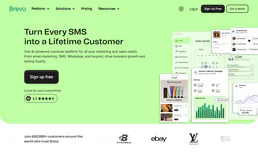
Brevo MCP lets you run your marketing and communication workflows directly from your AI client. Send transactional emails, fire off SMS alerts, and manage your CRM contacts without leaving your chat window. It handles the backend stuff like syncing data and dispatching messages so you can focus on closing deals or solving tickets.