

Screen Accelerator Applications Using MCP.
10,000 applications received, companies verified, fake traction filtered , shortlist the real startups from the noise in hours, not weeks
Works with every AI agent you already use
…and any MCP-compatible client









Waiting for input…
 Gemini
 How It Works
Here is the reality of accelerator admissions: 80% of applications are noise. Companies that exist only as a pitch deck.
Founders who describe 'traction' but have no product. Teams that claim '10,000 users' but their website gets 50 visits a month.
The selection committee's job is to find the 20% worth interviewing , and the 5% worth accepting. Your AI agent screens every application domain through Clearbit first: Does the company actually exist? How many employees? Is there a revenue signal? What sector and sub-sector? Clearbit returns: CompanyA , 8 employees, fintech, San Francisco, estimated $200K-500K revenue.
Real. CompanyB , no Clearbit match found. No employees detected. Domain registered 3 weeks ago. Suspicious. Then BuiltWith checks the product: CompanyA , React frontend, AWS hosting, Stripe Billing (charging customers), Segment analytics, Sentry monitoring.
This is a real product with paying users. CompanyB , WordPress, no analytics beyond Google Analytics, no payment system, domain trust score: 12/100.
This is a landing page. The agent creates Airtable records for every applicant with an automated tier: Tier 1 (verified company + real product + revenue signal) , 15% of applications.
Tier 2 (verified company + early product, no revenue) , 25%. Tier 3 (minimal verification + landing page only) , 40%.
Tier 4 (no verification possible) , 20%. The selection committee reads Tier 1 first. Then Tier 2. Tiers 3 and 4 get a quick scan for exceptional founding team backgrounds (which the committee assesses manually).
The result: 3,000 applications triaged in an afternoon. The committee spends their time on the 450 that deserve human attention.
Connector Orchestration: 3 Connectors, one intelligent agent
Connect Clearbit, BuiltWith and Airtable Connectors so your AI agent screens accelerator applications at scale , verifying company existence through Clearbit (real domain, real employees, real revenue signals), checking product maturity through BuiltWith (is there an actual product behind that landing page?), and organizing the scored applicants in an Airtable screening database. YC receives 30,000 applications per batch. Techstars gets 3,000 per program. Even a regional accelerator gets 500-1,000. The selection committee has 3-4 weeks to narrow thousands of applications to 20-50 companies. Reading every application manually is impossible. Your AI agent reads the data the applicants cannot fabricate , verified company profiles, real tech stacks, actual product infrastructure , and flags the applications worth reading.
Clearbit Hubspot
triggerVerifies company existence , real domain, employees, revenue signals
find_company find_person_and_company autocomplete_company find_risk Builtwith Tech Lookup
actionChecks product maturity , real tech stack vs landing page only
lookup_domain_tech get_domain_company_info get_domain_trust get_domain_keywords Airtable
actionOrganizes the scored application pipeline with automated tiers
create_records list_records update_records search_records Run This Automation Today
Connect Claude, ChatGPT, Cursor, or any AI agent to the Vinkius catalog and run this automation in minutes.
Build Your Own Connector
Convert any internal API into a Connector. Import a spec, define Agent Skills, or deploy with MCPFusion.
- Import from OpenAPI, Swagger, or YAML specs
- Create Agent Skills with progressive disclosure
- Deploy to edge with MCPFusion framework
- Built in DLP, auth, and compliance on each call
- Real time usage dashboard and cost metering
- Publish to catalog or keep private
Connect & Automate
The 3 servers this recipe uses are ready in the catalog. Connect them once, paste a prompt, and your AI runs the full workflow.
- Clearbit Hubspot, Builtwith Tech Lookup & Airtable ready in the catalog right now
- Add more from 5,800+ servers whenever you need
- Connections are secured and compliant by default
- Track usage and costs across all your servers
- Works with Claude, ChatGPT, Cursor, and more
- New servers and recipes added weekly
Superpowers you didn't know your AI had
The Vinkius catalog gives your agent access to 5,800+ Connectors and the intelligence to combine them. Imagine never logging into another dashboard. Your AI handles the work across all tools, in one conversation. That's what this connectivity layer was built for.
Cross-Platform Intelligence
Your agent doesn't just connect to tools. It understands the relationships between them. Data flows where it needs to go, automatically, with full context preserved across all platforms.
Contextual Reasoning
Each decision your agent makes considers the full picture. It reads CRM data, checks calendars, reviews conversation history, and acts on everything at once. Not step by step. All at once.
Productivity at Scale
What used to take 45 minutes across five different dashboards now takes one sentence. Your agent runs the entire workflow end to end while you focus on decisions that actually matter.
Zero-Config Reliability
No API keys to paste. No webhooks to configure. No YAML to debug. Connect your Connectors once, and your agent handles the rest. Each time, without intervention.
Made for
exactly this
Your AI agent taps into the entire Vinkius AI Connectors to handle these for you. You describe what you need. It does the rest.
Accelerator program directors managing 1,000-10,000 applications per batch who need automated pre-screening to reduce manual review burden by 60-80%
Selection committee members who need objective company verification data to supplement self-reported application metrics before interviews
Regional accelerator managers running 2-3 programs per year who need a consistent, scalable screening process across different sector verticals
Corporate innovation labs receiving startup partnership applications who need to verify which applicants have real products versus pitch-stage concepts
Frequently Asked Questions About This Connector Orchestration
Which Connectors do I need for this workflow?
Three: Clearbit, BuiltWith and Airtable. Connect all three to your AI client before running any prompt from this page.
Does this work with Claude Desktop, Cursor or Windsurf?
Yes. Any AI client that supports the Model Context Protocol works , Claude Desktop, Cursor, Windsurf, Cline and others. Connect the Connectors and paste a prompt.
Does this replace human review?
No. It replaces human data collection. The committee still decides who to interview and accept. The agent provides verified data so the committee makes faster, better-informed decisions. Every applicant can still be reviewed , the tiers simply prioritize the review order.
Can I screen 10,000+ applications?
Yes, in batches. Process 100-200 domains per session. The Airtable base accumulates results across sessions. For large programs, run the screening over several days with different application cohorts.
Is this fair to pre-product applicants?
Tier 3 and 4 applicants are not rejected , they are deprioritized for automated screening. The committee can still review them, especially if the founding team has exceptional backgrounds. The system is transparent: applicants with demonstrable products get faster review, not exclusive access.
Is applicant data secure?
Clearbit and BuiltWith analyze publicly available domain and company information. Your Airtable screening database is private to your workspace. Vinkius does not store application data or screening results.
Detect Product-Market Fit Signals Using MCP
Tech stack analyzed, company growth verified, traction signals scored , verify product-market fit from the outside before you write the check
Connectors for Investment Committee Memos
Company enriched, funding history pulled, IC memo structured , your investment committee prep goes from 8 hours to 30 minutes
Connectors to Match Founders With Peer Networks
Cohort companies profiled, mutual-benefit pairs identified, peer introductions sent , activate the most powerful part of your program: founders helping founders
Run Technical Due Diligence Using Connectors
Funding data pulled, tech stack analyzed, diligence report built , evaluate startup infrastructure without asking for a demo
Spot Competing Startups Using Connectors
Tech stacks compared, market overlap mapped, duplicate startups flagged , catch two batch companies building the same product before Demo Day embarrasses everyone
Audit Agency Websites Using Connectors
Your agency manages 15 client Webflow sites but nobody checks if last month's landing page update actually improved conversions , the designer shipped it, the PM marked it done, and the page sits there with a 0.4% conversion rate that nobody measures
Connectors used in this workflow

Clearbit (HubSpot)
Clearbit (HubSpot) MCP lets you enrich lead data directly from your AI agent. It pulls professional details, firmographics, and company insights using just an email or domain. It is built for anyone who needs to turn raw contact info into actionable B2B intelligence without switching tabs.
BuiltWith Tech Lookup
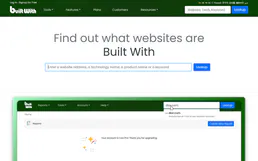
BuiltWith Tech Lookup gives your AI agent the ability to see exactly what tech powers any website. Instead of guessing, your agent can identify CMS platforms like Shopify or WordPress, find hidden analytics trackers, and map out hosting providers or CDNs. It turns your AI into a technical architect that can audit digital infrastructure in seconds.

Airtable
Airtable MCP connects your Airtable bases to your AI agent. It lets you query records, edit spreadsheets, and build automated workflows through chat. Instead of clicking through rows, you just tell your agent what to do.