
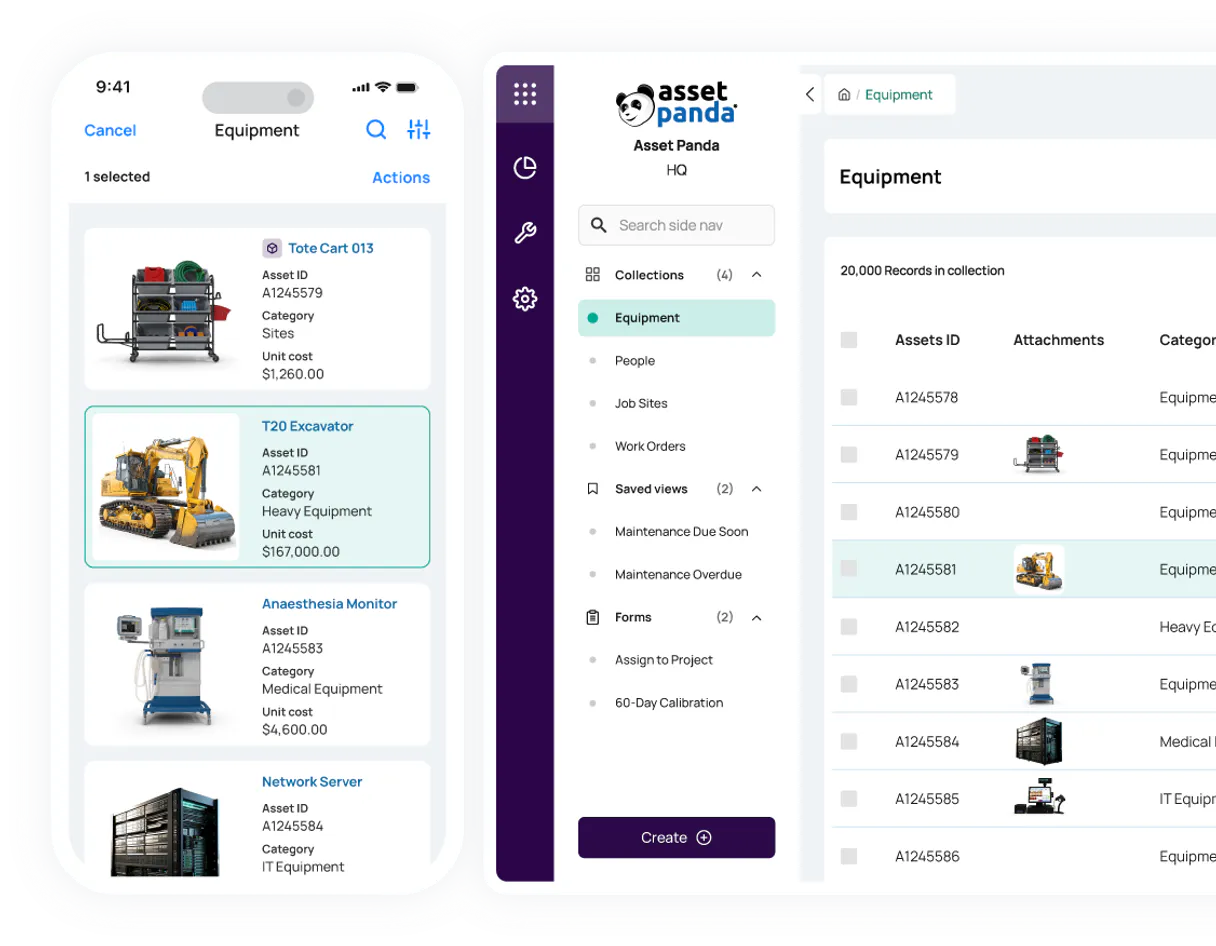
Supercharge your AI with Asset Panda. Manage your entire fixed asset inventory lifecycle.
 Gemini
 Works with every AI agent you already use
…and any MCP-compatible client









Connect to your AI in seconds.
Asset Panda MCP lets your agent manage an entire inventory lifecycle. It handles everything from listing organizational groups and locations to retrieving specific asset details, creating new records, or updating status fields for individual objects.
What your AI can do
Create object
Adds a new, trackable physical asset record into an existing organizational group.
Get account check
Verifies the connection and authorization status for your Asset Panda account.
Get group
Retrieves metadata about a specific organizational group or entity within the system.
List all major organizational groups or locations to map out how assets are categorized.
Retrieve detailed data for a single object, including custom fields and its current status.
List all individual objects within a defined group to maintain an accurate count of existing hardware.
Modify the status or details of an object, reflecting real-world changes like repairs or reassignments.
Create a brand new asset record and assign it to the correct organizational group simultaneously.
Ask an AI about this
Compatible AI Apps
OAuth 2.0 Compatible Gemini Waiting for input…
Asset Panda: 8 Tools for Inventory Management
These eight tools let you perform every necessary action—from creating a new object to updating its status—within your chat interface.
Make your AI actually useful.
Add this MCP to Claude, Cursor, or Windsurf and your AI stops guessing. It gets real tools to look things up, take action, and handle the stuff you keep doing by hand.
Start using Asset Panda on VinkiusCreate Object
Adds a new, trackable physical asset record into an existing organizational group.
Get Account Check
Verifies the connection and authorization status for your Asset Panda account.
Get Group
Retrieves metadata about a specific organizational group or entity within the system.
Get Object
Gets all current details for one specified asset, including custom fields and...
List Groups
Returns a list of all organizational entities (Groups) defined in your account.
List Locations
Provides an alias for listing all geographical or departmental locations where assets are assigned.
List Objects
Lists every single object (asset) contained within a specific, defined asset group.
Update Object
Changes the status or details of an existing asset record to reflect current reality.
Connect to your AI in seconds. Security and governance baked right in.
Pick your AI client below to get set up. Just create a Vinkius account, subscribe, and you're instantly up and running. We handle the entire backend infrastructure, delivering out-of-the-box support for HTTPS Streamable, SSE, and OAuth2—zero messy routing required.
Claude AI
Open Claude Settings
Go to claude.ai, click your profile icon, then navigate to Customize → Connectors.
Add Custom Connector
Click the "+" button and select Add custom connector. Paste your Vinkius endpoint URL:
https://edge.vinkius.com/[YOUR_TOKEN_HERE]/mcp
Replace [YOUR_TOKEN_HERE] with your token from
cloud.vinkius.com. For OAuth-protected servers, expand Advanced
settings to add credentials.
Start a conversation
Open a new chat. The Asset Panda integration is available immediately — no restart needed.
Choose How to Get Started
Build a custom MCP for your own tools, or connect a ready-made integration from our catalog.
Build Your Own
Turn any API into an MCP. Import a spec, define Agent Skills, or deploy with MCPFusion.
- Import from OpenAPI, Swagger, or YAML specs
- Create Agent Skills with progressive disclosure
- Deploy to edge with MCPFusion framework
- Built in DLP, auth, and compliance on every call
- Real time usage dashboard and cost metering
- Publish to catalog or keep private
Make Your AI Do More
Start with Asset Panda, then connect any of our 5,000+ other servers whenever your AI needs more. One click, no limits.
- Use this MCP plus 5,000+ others, all in one place
- Add new capabilities to your AI anytime you want
- Every connection is secured and compliant automatically
- Track usage and costs across all your servers
- Works with Claude, ChatGPT, Cursor, and more
- New servers added to the catalog every week
Independent Platform Disclaimer: Vinkius is an independent platform and is not affiliated with, endorsed by, sponsored by, verified by, or otherwise authorized by Asset Panda. All third-party trademarks, logos, and brand names are the property of their respective owners. Their use on this website is strictly for informational purposes to identify service compatibility and interoperability.
VINKIUS INFRASTRUCTURE
Cloud Hosted
Managed infra
V8 Isolated
Sandboxed per request
Zero-Trust Proxy
No stored credentials
DLP Enforced
Policy on every call
GDPR Compliant
EU data residency
Token Compression
~60% cost reduction
Works with Claude, ChatGPT, Cursor, and more
The Model Context Protocol standardizes how applications expose capabilities to LLMs. Instead of operating in isolation, your AI gains direct access to external platforms, live data, and real-world actions through secure, standardized connections.
This connection provides 8 powerful capabilities that interface natively with Claude, ChatGPT, Cursor, and other compatible AI platforms. No middleware. No custom integration required.
Manually auditing assets means endless clicks and copy-pasting.
Right now, if you need an inventory count for a specific group or need to update an asset's status, it's a tedious process. You have to navigate through the web UI, select the right tab, find the object record, and manually change fields, then hit save. If you're doing this across multiple groups, your day is gone.
With this MCP connected via Vinkius, that whole workflow collapses into a single conversation. You just tell your agent what to do—for example, 'Update asset obj_9988 status.' And it runs the necessary tool call (`update_object`) immediately. You get actionable data and confirmed changes without leaving your chat interface.
Manage assets using Asset Panda's tools.
The manual steps that vanish are navigating group hierarchies (you don't need to call `list_groups` manually) and running individual object queries. Instead of opening a report builder, you prompt the agent to run `get_object`, giving you the full data payload instantly.
It changes everything because you stop working in the system and start talking to it. You don't just get reports; you execute changes—like using `create_object` or `update_object`—and the record is updated live.
What your AI can actually do with this
This MCP provides a natural language interface for managing fixed assets. You can tell your AI client exactly what you need done with your inventory data. Need to know how the system is structured? Use it to list all organizational entities (Groups). Want an accurate count of laptops? List and search for specific objects within designated groups.
It handles the full asset lifecycle, letting you create new records or update existing ones directly from your chat. For instance, if a piece of equipment moves departments, you just tell your agent to adjust its status; it updates the record instantly. Since Vinkius hosts this MCP, your AI client connects once and gets access to all these critical inventory tools.
019d7553-d20e-700a-b665-d3a5011ad63a 
Here's how it actually works
The bottom line is that you tell your agent the desired state change, and it executes the necessary sequence of calls to make it happen.
First, verify connectivity using get_account_check to ensure proper authorization.
Next, scope the request by calling list_groups or list_locations to identify the relevant asset container.
Finally, execute the action (e.g., retrieving details with get_object, adding a new record via create_object, or updating status with update_object).
Who is this actually for?
This MCP targets anyone responsible for physical equipment. Think IT Asset Managers who dread manual spreadsheet audits or Operations Leads who need real-time visibility into dispersed facilities.
Using the tool to quickly audit hardware inventory, identifying gaps in assets by calling list_objects, then updating records for decommissioned equipment using update_object.
Tracking equipment locations across multiple facilities. They use this MCP to check asset status and map out where things are via get_group or list_locations.
Retrieving structured asset data for depreciation reporting. They pull raw object details using get_object without manual exports.
What Changes When You Connect
Audit hardware inventory instantly. Instead of manually running reports, you tell the agent to list all objects in a group using list_objects and get an immediate count.
Track location changes without manual entry. When equipment moves, simply ask your agent to update its record using update_object, reflecting the new site or department immediately.
Build out inventory records easily. Need to log a new piece of gear? Use create_object to add it and assign it to the proper group in one conversational step.
Understand system architecture at a glance. You can list all organizational groups using list_groups, giving you an immediate map of your entire asset classification structure.
Drill down into details immediately. If you only have an object ID, you don't need to navigate menus; just ask the agent to run get_object for full specs.
See it in action
A department needs a quick inventory count.
The Facilities Manager asks: 'How many monitors are in the 3rd-floor group?' The agent executes list_objects for that specific group, returning an immediate count and list of serial numbers.
A laptop was reported stolen or needs maintenance.
The IT team member asks: 'Change the status of asset obj_456 to Missing.' The agent calls update_object, changing the record instantly and logging the change for compliance.
A new department is established.
An Operations Lead asks: 'Create a new group called 'R&D Lab' and add 10 initial assets.' The agent uses list_groups to confirm the structure, then calls create_object multiple times.
Compliance audit requires checking asset details.
The Auditor asks: 'What are the custom fields for all printers in the main office?' The agent uses list_groups to find the group ID, then runs targeted get_object calls.
The honest tradeoffs
Using a search engine.
Searching Google for 'Asset Panda list objects' only gives you documentation links and requires manual data extraction. You can't action anything.
Use the Vinkius catalog to connect your AI client directly. Then, use list_objects by specifying the target group ID in a prompt, which executes the query for you.
Exporting CSV files.
The finance team exports large CSVs every month just to find one asset's current status or change its assignment. This is slow and error-prone.
Instead of exporting, prompt the agent with get_object for the specific asset ID. You get the live data right in your chat, no file handling required.
Updating via the web UI (multiple clicks).
A user needs to update 20 assets across 3 groups. They have to navigate between tabs and click 'Save' twenty times.
Give the agent a structured prompt: 'Update asset obj_123 status in group X to Retired.' The agent handles the update_object call with minimal input.
When It Fits, When It Doesn't
Use this MCP if your core job involves managing, auditing, or tracking physical assets across defined groups and locations. You need to perform CRUD operations (Create, Read, Update) on asset records using natural language. Don't use it if you just need a list of department names; list_groups handles that fine. But don't rely on this if your primary goal is deep financial modeling or calculating depreciation curves—you'll pull the raw data with get_object, but the calculation has to happen elsewhere.
Questions you might have
How do I check if my account connection works with `get_account_check`? +
Running get_account_check confirms your authorization credentials. The agent verifies connectivity and reports on the current access status, letting you know if further action is needed.
Can I list all assets in a group using `list_objects`? +
Yes. You specify the target asset group ID or name, and the agent calls list_objects, returning every single object ID and basic status for that container.
What if I need to add a new asset? Do I use `create_object`? +
That's right. Use create_object. You just tell the agent what the new object is and which group it belongs to, and the record gets written directly.
Is there a better way than using `list_locations`? +
list_locations works because it's an alias for listing groups. However, if you need detailed metadata about that location itself, calling get_group is more precise.
When I use `get_object`, how do I retrieve all the custom field values and detailed metadata for a specific asset? +
It returns every piece of data stored on that object. You'll get access to all custom fields, including historical notes and attached details, letting you audit everything about one asset in a single call.
What does calling `get_group` do if I need to know the structural metadata of an entire group? +
This function fetches the full schema for an asset group. It lets your agent see how the container is structured and what properties it is designed to hold, which is useful before listing individual assets inside.
When I use `update_object`, how do I make sure I'm only modifying specific fields and not accidentally changing everything? +
You must specify the exact data points you want to change and provide the new values. The system prevents accidental overhauls, so your agent controls precisely which updates are applied to the asset record.
If I run `list_groups` and don't see a group name I expected, what steps should I take? +
First, check for variations in naming or required permissions. If the group still doesn't appear, it may be nested under a different entity type; you might need to adjust your prompt parameters.
How do I find my Asset Panda Client ID and Secret? +
Log in to Asset Panda, go to Settings (cog icon) > API Configuration. Your Client ID and Client Secret will be displayed at the bottom of the page.
What is a 'Group ID' in Asset Panda? +
Groups (or Entities) are the categories for your records (e.g., Assets, Employees). You can find a group's ID in its URL when editing it in Settings > Group Settings.
How do I provide data for creating or updating assets? +
Use the jsonData parameter with a valid JSON string where keys are field IDs (e.g., {"field_123": "New Value"}). You can find field IDs by using the get_group tool.
We've already built the connector for Asset Panda. Just plug in your AI agents and start using Vinkius.
No hosting. No infrastructure. No complex setup.
All 8 tools are live and waiting.
You're up and running in seconds.
Gemini Vinkius gives your AI agents access to the full catalog of app connectors, all fully managed, secure, and enterprise-ready. One subscription, every tool you need.
Built, hosted, and secured by Vinkius. You just connect and go.