
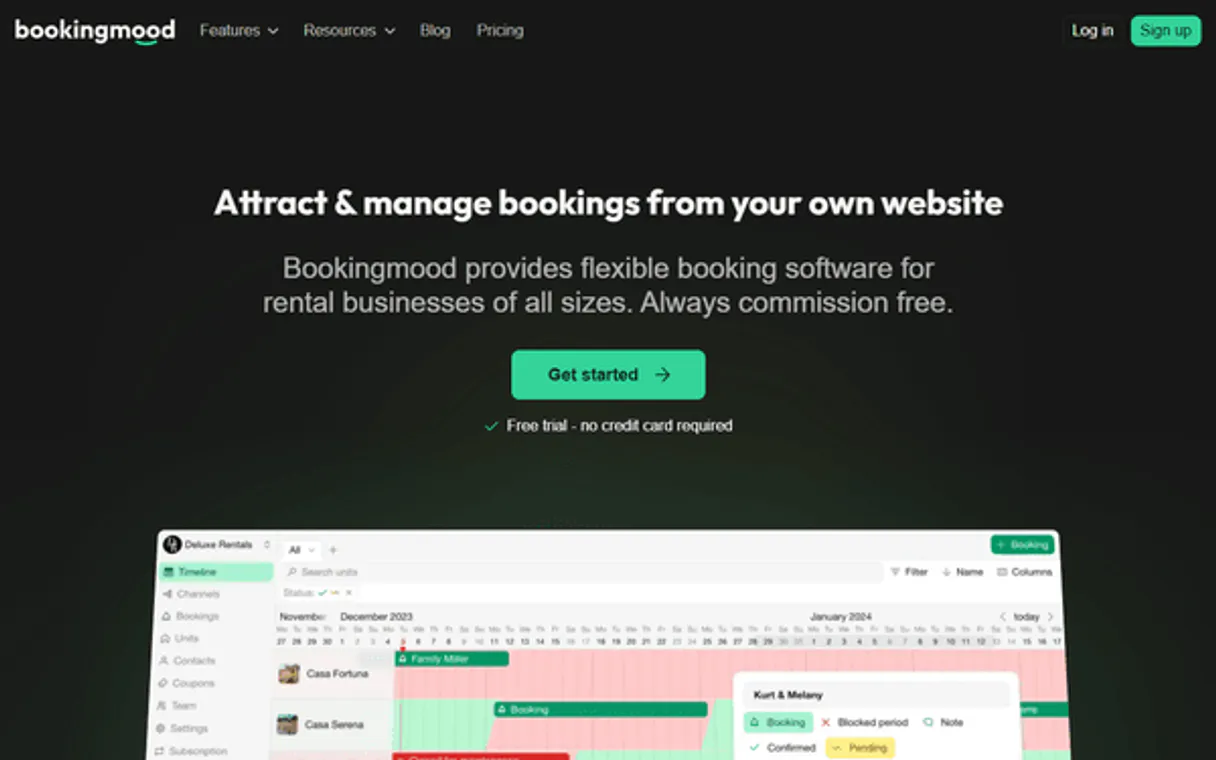
Supercharge your AI with Bookingmood. Manage every booking and guest detail instantly.
 Gemini
 Works with every AI agent you already use
…and any MCP-compatible client









Connect to your AI in seconds.
Bookingmood manages your entire rental property portfolio through natural conversation. Check availability across multiple units, create new bookings for guests, update reservation details, and manage all contact information without ever logging into a separate dashboard.
What your AI can do
Create booking
Creates a brand new reservation in the system.
Delete booking
Permanently cancels or deletes an existing booking record.
Get product
Fetches all specific details for a single rental unit.
List every rental unit and get specific details about each product available for booking.
Search across a range of dates to see which products are free, or check availability for units on specific days.
Make new reservations, update existing bookings (like changing dates), or cancel them completely.
Access and manage your directory of guest contacts linked to specific properties or stays.
Ask an AI about this
Compatible AI Apps
OAuth 2.0 Compatible Gemini Waiting for input…
Bookingmood MCP: 10 Tools for Property Management
Use these tools to interact with every part of your Bookingmood account—from listing units to creating new reservations.
Make your AI actually useful.
Add this MCP to Claude, Cursor, or Windsurf and your AI stops guessing. It gets real tools to look things up, take action, and handle the stuff you keep doing by hand.
Start using Bookingmood on VinkiusCreate Booking
Creates a brand new reservation in the system.
Delete Booking
Permanently cancels or deletes an existing booking record.
Get Product
Fetches all specific details for a single rental unit.
List Bookings
Retrieves a list of every current reservation on file.
List Calendar Events
Shows raw data for all calendar blocks and scheduled events.
List Contacts
Pulls up the directory of stored guest names and contact details.
List Products
Lists all available rental units in the portfolio.
Query Availability
Checks if specific products are free on a defined list of dates.
Search Availability
Searches for all available units across a broad date range.
Update Booking
Modifies an existing booking, such as changing the dates or guest name.
Connect to your AI in seconds. Security and governance baked right in.
Pick your AI client below to get set up. Just create a Vinkius account, subscribe, and you're instantly up and running. We handle the entire backend infrastructure, delivering out-of-the-box support for HTTPS Streamable, SSE, and OAuth2—zero messy routing required.
Claude AI
Open Claude Settings
Go to claude.ai, click your profile icon, then navigate to Customize → Connectors.
Add Custom Connector
Click the "+" button and select Add custom connector. Paste your Vinkius endpoint URL:
https://edge.vinkius.com/[YOUR_TOKEN_HERE]/mcp
Replace [YOUR_TOKEN_HERE] with your token from
cloud.vinkius.com. For OAuth-protected servers, expand Advanced
settings to add credentials.
Start a conversation
Open a new chat. The Bookingmood integration is available immediately — no restart needed.
Choose How to Get Started
Build a custom MCP for your own tools, or connect a ready-made integration from our catalog.
Build Your Own
Turn any API into an MCP. Import a spec, define Agent Skills, or deploy with MCPFusion.
- Import from OpenAPI, Swagger, or YAML specs
- Create Agent Skills with progressive disclosure
- Deploy to edge with MCPFusion framework
- Built in DLP, auth, and compliance on every call
- Real time usage dashboard and cost metering
- Publish to catalog or keep private
Make Your AI Do More
Start with Bookingmood, then connect any of our 5,000+ other servers whenever your AI needs more. One click, no limits.
- Use this MCP plus 5,000+ others, all in one place
- Add new capabilities to your AI anytime you want
- Every connection is secured and compliant automatically
- Track usage and costs across all your servers
- Works with Claude, ChatGPT, Cursor, and more
- New servers added to the catalog every week
Independent Platform Disclaimer: Vinkius is an independent platform and is not affiliated with, endorsed by, sponsored by, verified by, or otherwise authorized by Bookingmood. All third-party trademarks, logos, and brand names are the property of their respective owners. Their use on this website is strictly for informational purposes to identify service compatibility and interoperability.
VINKIUS INFRASTRUCTURE
Cloud Hosted
Managed infra
V8 Isolated
Sandboxed per request
Zero-Trust Proxy
No stored credentials
DLP Enforced
Policy on every call
GDPR Compliant
EU data residency
Token Compression
~60% cost reduction
Works with Claude, ChatGPT, Cursor, and more
The Model Context Protocol standardizes how applications expose capabilities to LLMs. Instead of operating in isolation, your AI gains direct access to external platforms, live data, and real-world actions through secure, standardized connections.
This connection provides 10 powerful capabilities that interface natively with Claude, ChatGPT, Cursor, and other compatible AI platforms. No middleware. No custom integration required.
Dealing with booking details means logging into four different places.
Today, if you want to check availability or update a reservation, you're forced to jump through hoops. You open the dashboard to see the calendar; then you switch tabs to check product specs; after that, you maybe open a separate contact manager just for guest names. Every single task requires clicks and context switching.
With this MCP, your agent handles all those steps in the background. You simply talk to it. It reads the unit list, checks the calendar status, verifies the guest record, and gives you one clear answer back. The manual clicking is gone.
Bookingmood MCP: Control Reservations from Your Chat.
You no longer have to copy reservation IDs or cross-reference dates across three different screens just to book a simple stay. You ask the agent, and it executes the `create_booking` tool for you.
Now your workflow stays in one place—your chat window. You manage everything from availability checks (`search_availability`) to final confirmation updates, making the whole process feel natural.
What your AI can actually do with this
Managing rentals used to mean jumping between three different dashboards: the calendar view, the product inventory list, and the guest directory. Now, you can keep it simple. Connect your account through Vinkius and let your AI agent handle the whole workflow just by talking to it. Need to know if a cabin is free next month? Just ask.
Want to add John Doe's reservation and update his contact info at the same time? It happens in one go. The system reads all that data—inventory, availability, bookings, contacts—and gives you clean answers instantly.
019d7561-2611-72ef-b1f3-a7384903d36d 
Here's how it actually works
The bottom line is, your AI client handles the complicated API calls; you just talk to it like normal.
First, subscribe this MCP using your Bookingmood API key in Vinkius.
Next, tell your AI agent what you need—for example, 'Check availability for the Beachfront Villa next Friday.'
The system retrieves and processes all necessary data, giving you a clear answer right back to your chat window.
Who is this actually for?
This is for Property Managers and Vacation Rental Owners who hate logging into five different dashboards a day. If manual data entry or cross-checking calendars slows down your process, this MCP saves you time.
Needs to check occupancy rates for 20 units across multiple dates and update guest details without opening a single web browser tab.
Wants an instant way to know if their property is booked out next month and needs to create tentative bookings right from their workflow tool.
What Changes When You Connect
Instead of manually opening the dashboard to see what's open, you can use search_availability to check units across a whole month in seconds. You get instant visibility into your entire portfolio.
Need to book a stay for a new client? Use create_booking and link it immediately to their contact information from the list_contacts tool—all without leaving your chat window.
If a guest changes plans, you don't need to call them. Just run update_booking through your agent; they handle the modification of dates or details automatically.
You can quickly see what's coming up by running list_bookings, giving you an immediate overview of every active reservation without digging into complex reports.
The system lets you get detailed product specs using get_product and then use that info to guide your booking process, making sure the client knows exactly what they're getting.
See it in action
Checking availability for a group event
A property owner needs to know if five different units are free for a corporate retreat next quarter. They ask their agent to search_availability across the date range, getting an immediate list of open options so they can book them all in one go.
Onboarding a new guest
A Property Manager gets a walk-in inquiry. They use the agent to list_products to pick a suitable unit, then use create_booking and list_contacts to log both the stay and the guest info simultaneously.
Correcting a booking error
A booking was made for the wrong dates. Instead of manually finding the reservation ID, they ask their agent to look up the record and use update_booking to change the stay from October 1st to October 5th.
Auditing calendar conflicts
The owner suspects double-bookings. They run list_calendar_events to pull raw data, which helps them confirm exactly what's scheduled and spot any overlaps that need fixing.
The honest tradeoffs
Checking availability via a spreadsheet
Manually updating a giant Google Sheet with dates for every single unit. You spend hours cross-referencing what's booked against what's available, and you always miss something.
Use search_availability or query_availability. Just tell your agent the date range, and it pulls the live data directly from Bookingmood, saving you hours of work.
Changing a booking via email
Receiving an email asking to move a reservation. You have to log into the dashboard, find the guest's name, search for the ID, and manually change the dates.
Use update_booking. Tell your agent: 'Change John Doe’s booking by two days.' It executes the update directly against the system.
Listing units piecemeal
Running separate searches for each unit (e.g., 'Show Villa A' then 'Show Cabin B'). You lose context and have to piece together a full picture of availability.
Run list_products first, then use search_availability. This gives you the master list, and the agent filters it all for open dates in one shot.
When It Fits, When It Doesn't
Use this MCP if your core job involves tracking inventory, managing reservations, or communicating with guests about stays. You need to know if a unit is free, create a booking, or update guest details—that's it. Don't use this if you only need to read simple, static data that doesn't change (like just viewing general area maps). If your task requires complex financial reporting or interacting with payroll systems, then you need an entirely different kind of connector. This is for the day-to-day operations of running a rental business.
Questions you might have
How do I check if a unit is available using query_availability? +
You provide your agent with the specific product ID and the exact date range. The system then confirms whether that particular unit is free during those days, helping you plan quickly.
How do I list all my units in Bookingmood using list_products? +
Running list_products pulls up the full inventory of every rental unit you have. This lets you keep track of everything and know what's rentable.
What if I need to change a reservation date? Do I use update_booking? +
Yes, that’s right. You use update_booking when a guest needs to shift their stay. Just tell the agent what to change and for whom.
Can I find contact info before booking? Do I need list_contacts? +
Absolutely. If you have an existing client, running list_contacts retrieves all stored guest data first. You can then use that to make a seamless new reservation.
What data inputs does the `create_booking` tool require when reserving a unit? +
You must provide the product ID, start date, end date, and guest details. This action logs the booking into your system and updates real-time availability for that specific rental period.
If I need to permanently cancel an existing stay, is `delete_booking` the correct tool? +
Yes, use delete_booking. This function immediately cancels and removes the reservation record from your entire portfolio. Since this action is permanent, confirm you want to delete it via your AI agent.
How do I get a comprehensive list of all reservations using `list_bookings`? +
The list_bookings tool fetches every reservation record currently held in the system. It’s the best way to audit or review your entire portfolio's occupancy history at once.
If I need detailed specs on one unit, is it better to use `get_product` than listing all products? +
Using get_product is much more efficient. It pulls the full profile and specifications for one specific rental ID. This gives you deep metadata without sifting through every single item.
Can I check if a rental is available for a specific weekend? +
Yes! Use the query_availability tool with the Product IDs. Your agent will check the real-time calendar status in Bookingmood to confirm if the unit is free or booked.
How do I see the contact details for a guest with a confirmed booking? +
Simply ask the agent to list_contacts. You can filter for specific guests linked to bookings to retrieve their names, emails, and phone numbers directly from the directory.
Does the integration allow updating the price of a rental? +
The current toolset focuses on availability, booking management, and contact oversight. Updating core pricing calendars or complex rate seasons should be done through the Bookingmood dashboard.
We've already built the connector for Bookingmood. Just plug in your AI agents and start using Vinkius.
No hosting. No infrastructure. No complex setup.
All 10 tools are live and waiting.
You're up and running in seconds.
Gemini Vinkius gives your AI agents access to the full catalog of app connectors, all fully managed, secure, and enterprise-ready. One subscription, every tool you need.
Built, hosted, and secured by Vinkius. You just connect and go.