
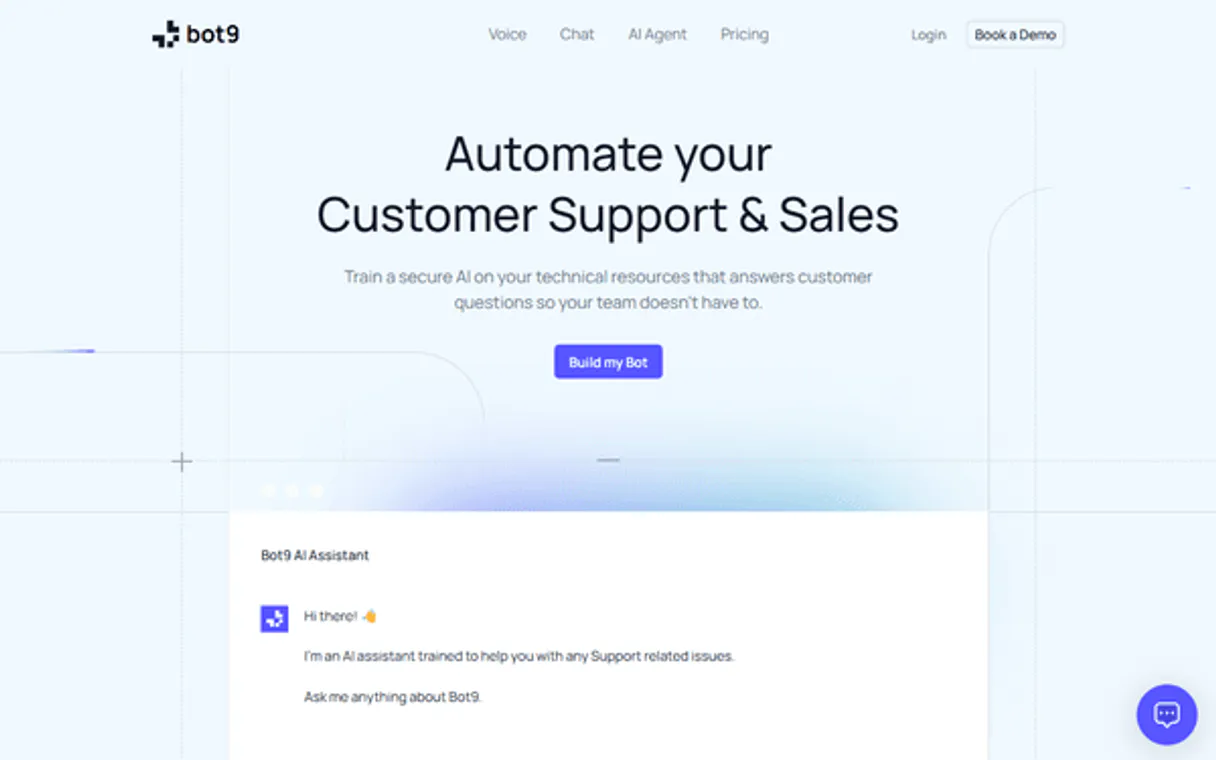
Supercharge your AI with Bot9. Orchestrate your entire conversational AI workflow.
 Gemini
 Works with every AI agent you already use
…and any MCP-compatible client









Connect to your AI in seconds.
Bot9 manages your entire conversational AI fleet. This MCP lets you programmatically create, configure, and train custom chatbots for customer support automation.
You can manage knowledge sources, track conversation transcripts, and simulate user interactions directly from any agent client.
What your AI can do
Add data source
Feeds a new URL into the bot's knowledge base so it can learn from that data.
Create bot
Builds and provisions an entirely new, dedicated AI chatbot instance.
Get bot
Pulls the specific configuration details for one bot by its name or ID.
List and retrieve the configuration details for every custom AI chatbot you run.
Add new URLs to the bot's knowledge base, allowing it to learn from updated documentation or websites.
List active chats and pull full transcripts of historical customer interactions for review.
Send messages directly to a bot programmatically, allowing you to test its replies before real users encounter them.
Ask an AI about this
Compatible AI Apps
OAuth 2.0 Compatible Gemini Waiting for input…
Bot9: 8 Tools for Conversational AI
Use these eight tools to create, train, monitor, and automate every aspect of your customer support chatbot infrastructure.
Make your AI actually useful.
Add this MCP to Claude, Cursor, or Windsurf and your AI stops guessing. It gets real tools to look things up, take action, and handle the stuff you keep doing by hand.
Start using Bot9 on VinkiusAdd Data Source
Feeds a new URL into the bot's knowledge base so it can learn from that data.
Create Bot
Builds and provisions an entirely new, dedicated AI chatbot instance.
Get Bot
Pulls the specific configuration details for one bot by its name or ID.
Get Conversation History
Retrieves the complete transcript, including all messages, from a past conversation...
List Bots
Lists every chatbot currently configured in your Bot9 account.
List Conversations
Shows the list of current, active conversation sessions for a given bot.
List Data Sources
Displays all knowledge base URLs currently assigned to a specific bot.
Send Message
Sends an arbitrary message to the bot and immediately gets back its generated...
Connect to your AI in seconds. Security and governance baked right in.
Pick your AI client below to get set up. Just create a Vinkius account, subscribe, and you're instantly up and running. We handle the entire backend infrastructure, delivering out-of-the-box support for HTTPS Streamable, SSE, and OAuth2—zero messy routing required.
Claude AI
Open Claude Settings
Go to claude.ai, click your profile icon, then navigate to Customize → Connectors.
Add Custom Connector
Click the "+" button and select Add custom connector. Paste your Vinkius endpoint URL:
https://edge.vinkius.com/[YOUR_TOKEN_HERE]/mcp
Replace [YOUR_TOKEN_HERE] with your token from
cloud.vinkius.com. For OAuth-protected servers, expand Advanced
settings to add credentials.
Start a conversation
Open a new chat. The Bot9 integration is available immediately — no restart needed.
Choose How to Get Started
Build a custom MCP for your own tools, or connect a ready-made integration from our catalog.
Build Your Own
Turn any API into an MCP. Import a spec, define Agent Skills, or deploy with MCPFusion.
- Import from OpenAPI, Swagger, or YAML specs
- Create Agent Skills with progressive disclosure
- Deploy to edge with MCPFusion framework
- Built in DLP, auth, and compliance on every call
- Real time usage dashboard and cost metering
- Publish to catalog or keep private
Make Your AI Do More
Start with Bot9, then connect any of our 5,000+ other servers whenever your AI needs more. One click, no limits.
- Use this MCP plus 5,000+ others, all in one place
- Add new capabilities to your AI anytime you want
- Every connection is secured and compliant automatically
- Track usage and costs across all your servers
- Works with Claude, ChatGPT, Cursor, and more
- New servers added to the catalog every week
Independent Platform Disclaimer: Vinkius is an independent platform and is not affiliated with, endorsed by, sponsored by, verified by, or otherwise authorized by Bot9. All third-party trademarks, logos, and brand names are the property of their respective owners. Their use on this website is strictly for informational purposes to identify service compatibility and interoperability.
VINKIUS INFRASTRUCTURE
Cloud Hosted
Managed infra
V8 Isolated
Sandboxed per request
Zero-Trust Proxy
No stored credentials
DLP Enforced
Policy on every call
GDPR Compliant
EU data residency
Token Compression
~60% cost reduction
Works with Claude, ChatGPT, Cursor, and more
The Model Context Protocol standardizes how applications expose capabilities to LLMs. Instead of operating in isolation, your AI gains direct access to external platforms, live data, and real-world actions through secure, standardized connections.
This connection provides 8 powerful capabilities that interface natively with Claude, ChatGPT, Cursor, and other compatible AI platforms. No middleware. No custom integration required.
Manual Bot Oversight Is a Time Sink
Today, managing your conversational agents feels like juggling tabs across five different dashboards. You have to manually check if the latest pricing PDF was uploaded somewhere, then copy-paste URLs into the bot's training module, and finally, jump over to a separate log page just to see if the conversation actually worked.
With this MCP, you eliminate that manual chore. Instead of clicking around, your agent calls `add_data_source` directly from your prompt—it updates the entire knowledge base in one step. You get immediate confirmation that the bot is now trained on the new material.
Bot Management with Bot9 MCP
You stop having to remember which bots exist, where their data sources are, or what conversation they were last talking about. You simply ask your agent client: 'List all my bots' (`list_bots`), and it gives you the full picture. Then, if you need context, running `get_conversation_history` pulls the whole transcript for review.
You don't just manage individual tools; you orchestrate the entire bot lifecycle—from creation (`create_bot`) to training to deep auditing. It’s all done through one simple command line.
What your AI can actually do with this
Need to keep up with multiple bots or constantly feed them new company data? Bot9 connects your AI agents to a centralized system for running and refining conversational workflows. Instead of logging into the bot platform's dashboard, you just use your agent to talk to it—all through natural language.
This MCP gives you control over everything: from listing every configured chatbot instance to adding new URLs so they can learn about pricing or policies. You can pull full conversation history for analysis or programmatically send a test message to verify bot responses. Connecting Bot9 via Vinkius means your agent client handles the whole orchestration, giving you one place to manage all of it.
019d7561-8fdd-704d-9ab9-7cbbdd01023b 
Here's how it actually works
The bottom line is: you treat bot management like any other function call from your agent client.
Subscribe to the MCP and provide your Bot9 API key.
Tell your agent what needs doing—like 'list all my bots' or 'add this URL for training'.
Your agent executes the action via the MCP, and you get a direct, structured response detailing the result.
Who is this actually for?
This connector is for operations teams and support managers who aren't just using a chatbot, but who are actively building and maintaining the system that powers it. If you spend time checking bot logs or updating knowledge bases via multiple dashboards, you need this.
Needs to pull conversation history for root cause analysis after a major service issue.
Uses the MCP to programmatically send test messages and verify if bot responses meet new quality standards.
Needs to add data sources by feeding the chatbot URLs whenever core company documentation changes.
What Changes When You Connect
Stop manually checking bot status. Use list_bots to see every chatbot you run in one go, giving you immediate visibility into your whole support stack.
When company policies change, don't wait for a manual update. Run add_data_source to feed new URLs directly, keeping the bot informed instantly.
Need to audit how a conversation went? Use get_conversation_history to pull full transcripts and analyze exactly what was said on both sides of the chat.
Testing your bots used to mean opening multiple dashboards. Now, you can use send_message to simulate user interactions instantly from your agent client.
The ability to list all active chats via list_conversations means you never lose sight of a critical support ticket in progress.
See it in action
Post-Launch Audit
A QA lead needs to check if the new 'billing' bot is correctly referencing updated tax rate documentation. They use list_data_sources first, then run a targeted send_message call to verify the response accuracy.
Onboarding New Knowledge
The technical writing team finishes drafting the new product manual. Instead of manually logging into the bot dashboard, they use their agent to execute add_data_source, pointing it straight at the draft's URL.
Root Cause Analysis
A support manager notices a customer complained about a billing error. They ask their agent to retrieve the chat history using get_conversation_history for that specific conversation ID, instantly finding where the bot gave outdated information.
Scaling Chatbot Deployment
A product team needs three new specialized bots (Sales, Tech Support, Billing). They use create_bot three times in a row to provision all necessary instances without logging into a separate platform.
The honest tradeoffs
Treating the bot as static
Manually checking if the chatbot has access to new legal documents, requiring someone to remember to log in and update sources.
Use list_data_sources to check what's available, then use add_data_source to automatically feed the updated URLs into the bot’s knowledge base.
Testing by guessing
Simply asking a friend to talk to the bot and hoping they cover all edge cases (e.g., billing, refunds, setup).
Use send_message repeatedly with specific prompts—like 'What is the warranty period?' or 'How do I reset my password?'—to guarantee coverage.
Overlooking active chats
Assuming an issue was handled because it wasn't visible on a main dashboard, losing track of ongoing customer complaints.
Use list_conversations to get a real-time overview of all open chat threads that need attention.
When It Fits, When It Doesn't
Use this MCP if your primary pain point is the management or content updating of multiple, specialized chatbots. This toolset excels at orchestration: listing bots (list_bots), setting up data (add_data_source), and auditing interactions (get_conversation_history). Don't use it if you need complex reasoning that goes beyond simple retrieval; for example, if the bot needs to cross-reference five different databases to form a single answer. In those cases, you might need an MCP designed for advanced data querying or workflow modeling. If all you need is a basic chat widget without any backend management tools, this isn't necessary.
Questions you might have
How do I start using the `list_bots` tool with Bot9 MCP? +
You ask your agent client simply to 'list all my bots.' The MCP returns a list of every bot ID and name you've configured in your account.
Can I use `add_data_source` multiple times for the same bot? +
Yes, you can. You run add_data_source with a new URL every time your knowledge base content changes, making sure the bot always learns from fresh data.
What is the difference between `list_conversations` and `get_conversation_history`? +
list_conversations only gives you a list of currently active chats. To read what was actually said, you must use get_conversation_history with a specific conversation ID.
Is there a tool to check if the bot is working? +
Yes, use the send_message tool. You send a test message and immediately get back the bot's generated response, confirming its current status.
How do I handle API key authentication when using the `list_data_sources` tool? +
You must provide a valid Bot9 API Key during setup. The system validates this key upon connection; if keys expire or are incorrect, all calls will return an authentication failure error.
Are there rate limits for using the `add_data_source` tool? +
Yes, Bot9 enforces usage limits to prevent abuse. If you exceed the allowed requests per minute, subsequent calls will fail until your quota resets. Check the provider documentation for current thresholds.
What should I do if the `create_bot` tool returns an error? +
An error usually means a required parameter is missing or invalid. Review the specific error message, which will point to the failing field (e.g., bot name or description). Correcting that single input often solves the issue.
How can I measure the response latency using `send_message`? +
You must implement timing logic outside of the MCP call. By recording the time difference between sending the message and receiving the final bot payload, you get accurate performance data.
Can I train my bot with a new URL through the agent? +
Yes! Use the add_data_source tool and provide the Bot ID and the target URL. The bot will automatically scrape and learn from that page.
How do I review the chat history of a specific user conversation? +
First, use list_conversations to find the active sessions. Then, use get_conversation_history with the Conversation ID to retrieve the full log of messages.
Does the integration allow me to create a completely new bot? +
Yes. Use the create_bot action and provide a name and a system prompt/instructions. The bot will be instantly created in your account.
We've already built the connector for Bot9. Just plug in your AI agents and start using Vinkius.
No hosting. No infrastructure. No complex setup.
All 8 tools are live and waiting.
You're up and running in seconds.
Gemini Vinkius gives your AI agents access to the full catalog of app connectors, all fully managed, secure, and enterprise-ready. One subscription, every tool you need.
Built, hosted, and secured by Vinkius. You just connect and go.