
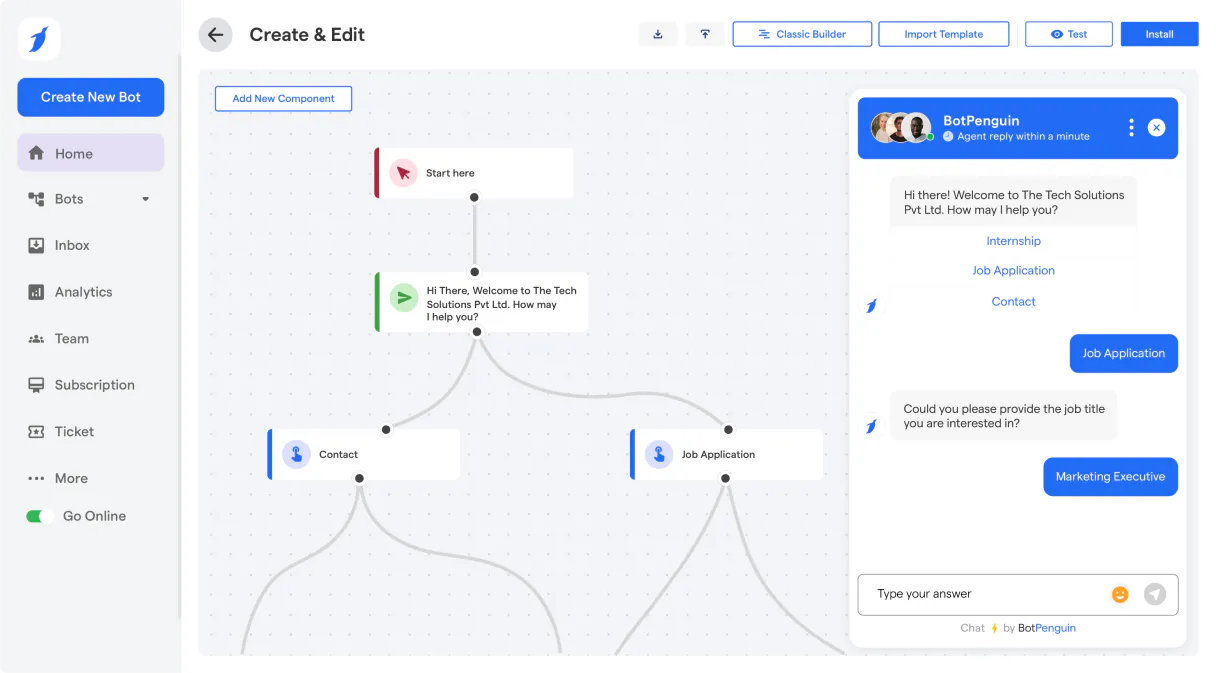
Supercharge your AI with BotPenguin. Manage every lead and chat conversation from your agent.
 Gemini
 Works with every AI agent you already use
…and any MCP-compatible client









Connect to your AI in seconds.
BotPenguin manages your live chat and chatbot conversations through natural language commands. Use this MCP to list contacts, deep-dive into full chat history, send messages, and even trigger verification SMS codes for lead qualification.
What your AI can do
Get chat history
Retrieves all past messages from a specific chat session ID.
Get contact
Fetches all available information for one particular contact record.
List agents
Provides a directory of human operators and agents configured in the system.
List all recorded contacts or fetch the specific details for any lead by searching their name.
View entire message threads, whether they are active now or happened months ago, to understand the full context of a conversation.
Send messages directly into an ongoing chat session to guide the user or escalate information programmatically.
Programmatically trigger a one-time password (OTP) SMS to verify a user's phone number.
Get a list of all human agents and the configured tags, ensuring leads go to the right person every time.
Ask an AI about this
Compatible AI Apps
OAuth 2.0 Compatible Gemini Waiting for input…
BotPenguin MCP: 8 Tools
These eight tools let your agent perform every action needed in a conversational support environment, from reading old chats to sending live follow-ups.
Make your AI actually useful.
Add this MCP to Claude, Cursor, or Windsurf and your AI stops guessing. It gets real tools to look things up, take action, and handle the stuff you keep doing by hand.
Start using BotPenguin on VinkiusGet Chat History
Retrieves all past messages from a specific chat session ID.
Get Contact
Fetches all available information for one particular contact record.
List Agents
Provides a directory of human operators and agents configured in the system.
List Chats
Gives you a list of all currently active chat sessions happening right now.
List Contacts
Lists all contacts and leads managed by the chatbot system.
List Tags
Shows every tag or label you can assign to a contact for better segmentation.
Send Message
Sends a custom message directly into an existing, active chat conversation.
Send Otp
Sends a one-time password SMS to verify a user's provided phone number.
Connect to your AI in seconds. Security and governance baked right in.
Pick your AI client below to get set up. Just create a Vinkius account, subscribe, and you're instantly up and running. We handle the entire backend infrastructure, delivering out-of-the-box support for HTTPS Streamable, SSE, and OAuth2—zero messy routing required.
Claude AI
Open Claude Settings
Go to claude.ai, click your profile icon, then navigate to Customize → Connectors.
Add Custom Connector
Click the "+" button and select Add custom connector. Paste your Vinkius endpoint URL:
https://edge.vinkius.com/[YOUR_TOKEN_HERE]/mcp
Replace [YOUR_TOKEN_HERE] with your token from
cloud.vinkius.com. For OAuth-protected servers, expand Advanced
settings to add credentials.
Start a conversation
Open a new chat. The BotPenguin integration is available immediately — no restart needed.
Choose How to Get Started
Build a custom MCP for your own tools, or connect a ready-made integration from our catalog.
Build Your Own
Turn any API into an MCP. Import a spec, define Agent Skills, or deploy with MCPFusion.
- Import from OpenAPI, Swagger, or YAML specs
- Create Agent Skills with progressive disclosure
- Deploy to edge with MCPFusion framework
- Built in DLP, auth, and compliance on every call
- Real time usage dashboard and cost metering
- Publish to catalog or keep private
Make Your AI Do More
Start with BotPenguin, then connect any of our 5,000+ other servers whenever your AI needs more. One click, no limits.
- Use this MCP plus 5,000+ others, all in one place
- Add new capabilities to your AI anytime you want
- Every connection is secured and compliant automatically
- Track usage and costs across all your servers
- Works with Claude, ChatGPT, Cursor, and more
- New servers added to the catalog every week
Independent Platform Disclaimer: Vinkius is an independent platform and is not affiliated with, endorsed by, sponsored by, verified by, or otherwise authorized by BotPenguin. All third-party trademarks, logos, and brand names are the property of their respective owners. Their use on this website is strictly for informational purposes to identify service compatibility and interoperability.
VINKIUS INFRASTRUCTURE
Cloud Hosted
Managed infra
V8 Isolated
Sandboxed per request
Zero-Trust Proxy
No stored credentials
DLP Enforced
Policy on every call
GDPR Compliant
EU data residency
Token Compression
~60% cost reduction
Works with Claude, ChatGPT, Cursor, and more
The Model Context Protocol standardizes how applications expose capabilities to LLMs. Instead of operating in isolation, your AI gains direct access to external platforms, live data, and real-world actions through secure, standardized connections.
This connection provides 8 powerful capabilities that interface natively with Claude, ChatGPT, Cursor, and other compatible AI platforms. No middleware. No custom integration required.
Juggling dashboards to manage a single lead is exhausting.
Think about how it goes today: A new lead comes in. You have to jump from the chatbot dashboard to check their name, then open a separate CRM tab to see if they're already tagged 'VIP,' and finally copy the chat ID into an email system just to send them a follow-up link. It’s constant clicking, copying, and switching between windows.
With this MCP, you don't do that. You tell your agent: 'Check Jane Smith. Pull her history and see if she's tagged high value.' The agent runs the necessary checks—using `list_contacts`, then `get_contact`—and gives you a clean summary of everything in one go.
BotPenguin MCP provides real-time chat oversight.
Before this, monitoring conversations meant manually checking the 'Active Chats' queue and then digging into the message history for every single ID. You could only see what was happening right now or what someone bothered to log.
Now, your agent can handle it all. It pulls active sessions using `list_chats`, retrieves deep context with `get_chat_history`, and even sends a targeted reply via `send_message`—all without you needing to open the chat platform itself.
What your AI can actually do with this
Need to manage customer leads without jumping between five different dashboards? This connector lets you handle entire support workflows using just your agent's conversational ability. You can pull lists of all existing contacts or search for details on a single person. If a user needs help, you retrieve the full message history and use that context to figure out what went wrong.
Need to talk to a human? List available team agents. And if a lead needs verification before moving to sales, your agent can trigger an OTP SMS right from the conversation flow. It’s all about making sure every interaction, whether support or lead-gen, is fully managed and documented. Connecting this through Vinkius gives you access to these tools without ever leaving your AI client.
019d7561-a912-7275-b4a4-8c8e509c75a0 
Here's how it actually works
The bottom line is, you give your AI client permission to use these tools so that complex chat management happens with a simple request.
Subscribe to this MCP and input your BotPenguin API token.
Your AI client connects and authenticates with the platform's APIs.
You prompt your agent: 'List all leads tagged 'High Priority'.' The agent executes the tool call, retrieves the data, and presents it back to you.
Who is this actually for?
Marketing ops specialists and support managers who spend their days copy-pasting conversation IDs or switching between CRMs. It's for the person tired of manually cross-referencing lead history across multiple systems.
Uses this to monitor performance by running list_chats and then pulling old conversations using get_chat_history for quality assurance.
Uses the MCP to quickly pull contact details via get_contact, check their tags with list_tags, and trigger an immediate verification code with send_otp.
Integrates this into workflows to list leads using list_contacts and then send targeted follow-up messages via the send_message tool.
What Changes When You Connect
Never miss context again. Use get_chat_history to pull full message threads, letting you know exactly what was said weeks ago when reviewing a lead today.
Speed up qualification. Instead of manually checking CRMs, use list_contacts and then call get_contact to gather all necessary details on demand.
Automate the handoff. When your agent detects an issue, it can run send_otp to verify the user's phone number instantly, moving them closer to a sale.
Keep leads organized. Running list_tags and then using get_contact lets you segment users based on labels without manual data entry.
Control the conversation flow. You can use send_message to send targeted instructions or follow-ups directly into an active chat, keeping the user engaged.
See it in action
Onboarding a New Lead
A sales rep needs to know everything about Jane Doe. They ask their agent to run get_contact and list_tags. The agent pulls her details, shows the tags (like 'High Value'), and tells the rep where she stands in the funnel.
Handling a Support Escalation
A user complains about a billing error. The support manager asks their agent to use list_chats to find the relevant session, then run get_chat_history on that ID so they can see the initial complaint and what steps were already taken.
Verifying Contact Information
A marketing campaign captured a new phone number. To validate it before adding them to a list, the agent triggers send_otp. The user gets the code via SMS, and the system verifies the account.
Targeted Follow-Up
A chat session closed but needs one last piece of info. Instead of leaving a note for someone else to follow up on, the agent uses send_message to send a quick, direct question into the now-closed conversation thread.
The honest tradeoffs
Listing tags then forgetting contact data
Running list_tags just tells you what labels exist (e.g., 'VIP', 'Web'). You still have no idea which specific people actually have those labels.
First, use list_contacts to get the pool of leads, and then run get_contact on a specific lead to see all their assigned tags and details.
Sending messages without context
You try to send an automated message but forget which chat ID it belongs to. The system fails because you don't know the target session.
Always start by using list_chats or get_chat_history to confirm the correct, active session ID before attempting a send_message call.
Over-relying on chat list alone
You only run list_chats, which just gives you IDs and titles. This doesn't tell you who the human agents are or what tags were used in that specific conversation.
Check list_agents first to see who is on duty, then use get_chat_history to pull details about past interactions.
When It Fits, When It Doesn't
Use this MCP if your core problem involves managing the lifecycle of customer conversations—from initial contact capture through support escalation and lead qualification. You need tools that cover both state (reading history, getting contact data) and action (sending messages, triggering OTPs). Don't use it just because you want to list tags; if all you need is a simple roster, a dedicated user directory tool will be faster.
If your goal is pure reporting or deep analytics on raw database tables, this MCP isn't designed for that. It’s built around the messaging layer. If you only need basic contact creation without chat integration, look into standalone CRM connectors instead.
Questions you might have
How do I find out what tags are available in BotPenguin MCP? +
Run the list_tags tool. This simply shows every configured tag label, letting you know how your leads are currently being segmented.
Can I use get_contact to find a lead's chat history? +
No. The get_chat_history tool requires an active chat session ID. You must first run list_chats or be provided the specific conversation ID.
What is the purpose of send_otp in BotPenguin MCP? +
The send_otp tool sends a one-time password SMS to verify a phone number. This is crucial for confirming that a lead actually owns the contact information you have.
Does list_agents tell me which agents are available 24/7? +
list_agents shows all configured human operators in the system. It confirms who can handle chats, but it doesn't guarantee their real-time availability.
What are the best practices for bulk messaging when I use send_message? +
The MCP handles API rate limiting automatically, so you don't need to worry about hitting hard limits. If your agent sends too many messages too fast, it will receive a specific error code. It's recommended to batch message sends rather than sending them one by one for reliable bulk outreach.
Can I filter the leads when calling list_contacts? +
Yes, you can pass optional filters to narrow down your search results effectively. You can typically refine the contact list by criteria like date range or specific lead status. This helps your agent target only the most relevant contacts.
Does get_chat_history retrieve media content? +
Yes, the history function pulls more than just text; it includes metadata for attached files and images. Your agent can process rich content alongside the conversation transcript to understand the full context of a lead's interaction.
How do I determine if a chat session is active using list_chats? +
The output from list_chats provides the current status for every listed session. You can filter results by 'active' or 'ended' status directly in your agent workflow. This helps you manage which conversations need immediate human attention.
Can I search for a specific lead or contact by name? +
Yes! Use the list_contacts tool and provide the search_text parameter with the name, email, or details you are looking for. The agent will return the matching profiles.
How do I review the chat history of a conversation? +
First, use list_chats to find the active or historical session. Then, use get_chat_history with the Chat ID to retrieve the full log of messages.
Can I send an OTP SMS to a user? +
Yes. Use the send_otp action and provide the user's phone number (with the country code). BotPenguin will handle the integration to send the verification code.
We've already built the connector for BotPenguin. Just plug in your AI agents and start using Vinkius.
No hosting. No infrastructure. No complex setup.
All 8 tools are live and waiting.
You're up and running in seconds.
Gemini Vinkius gives your AI agents access to the full catalog of app connectors, all fully managed, secure, and enterprise-ready. One subscription, every tool you need.
Built, hosted, and secured by Vinkius. You just connect and go.