
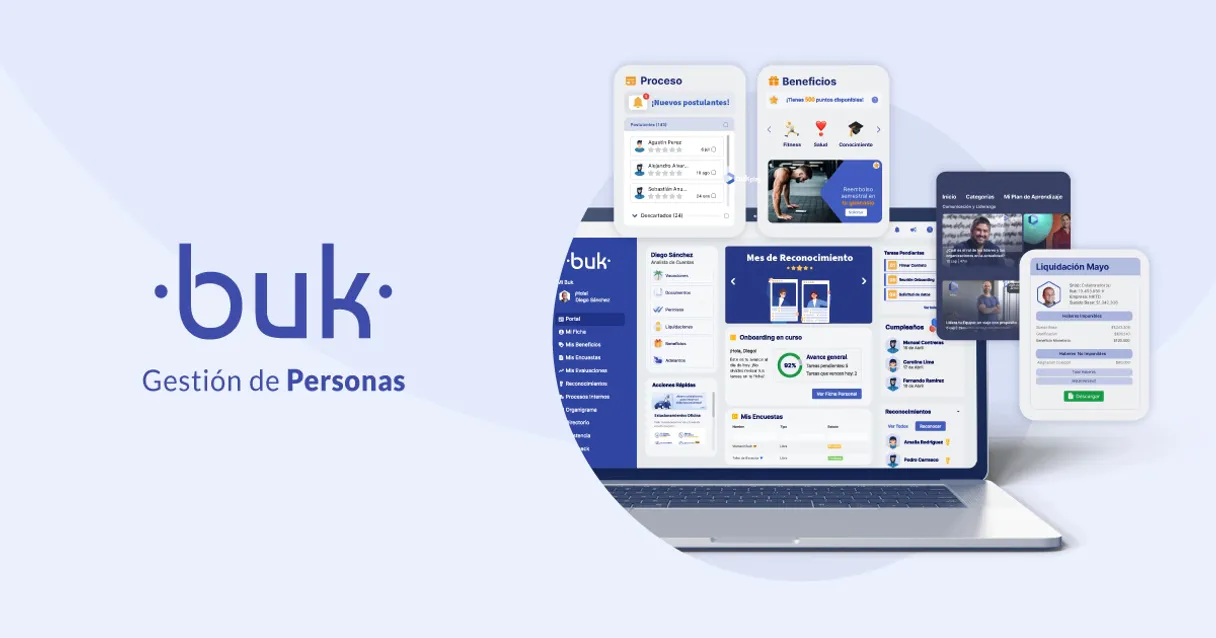
Buk MCP. Manage HR and Payroll data in natural conversation.
 Gemini
 Works with every AI agent you already use
…and any MCP-compatible client









Just plug in your AI agents and start using Vinkius.
Buk connects your AI client to HR and Payroll data for Latin American companies. Use it to query employee records, list departmental structures, get payroll snapshots, or approve leave requests via natural conversation.
What your AI agents can do
Approve leave
Allows you to formally approve pending requests for employee leave.
Create employee
Onboards a brand new person, setting up their identity in the system.
Delete employee
Removes an employee's record when they leave the company.
Get the complete record for a specific staff member, including IDs and roles.
Review historical or upcoming leaves to see who is out of the office.
Extract detailed department lists and cross-reference cost centers across the company.
Pull aggregate statistics, like total active employees or payroll summaries for reporting.
Perform core actions like onboarding new hires or officially removing employee records.
Ask AI about this MCP
Supported MCP Clients
OAuth 2.0 Compatible Gemini Waiting for input…
Buk with 14 Tools
These tools let you manage every aspect of the employee lifecycle—from onboarding to payroll reporting—without leaving your chat window.
Make your AI actually useful.
Add this MCP to Claude, Cursor, or Windsurf and your AI stops guessing. It gets real tools to look things up, take action, and handle the stuff you keep doing by hand.
Start using Buk on Vinkius019d8421approve leave
Allows you to formally approve pending requests for employee leave.
019d8421create employee
Onboards a brand new person, setting up their identity in the system.
019d8421delete employee
Removes an employee's record when they leave the company.
019d8421get attendance
Fetches a daily report showing who was present or absent from work.
019d8421get company stats
Pulls high-level, aggregate statistics about the entire company's workforce and HR metrics.
019d8421get department
Retrieves detailed information about a specific internal department or cost center.
019d8421get employee
Gets all the personal and professional details for one particular staff member.
019d8421get payroll
Generates a detailed snapshot of an employee's pay information.
019d8421list benefits
Shows all the company-provided extras, like insurance or other perks available to staff.
019d8421list departments
Lists every defined organizational department (cost center) within Buk.
019d8421list employees
Retrieves a list of all active employee accounts in the platform.
019d8421list jobs
Pulls the official, registered taxonomy of job titles used inside the company.
019d8421list leaves
Shows a list of all recorded absences or leaves taken by employees.
019d8421list vacations
Lists all scheduled vacation time that has been booked or approved.
Choose How to Get Started
Build a custom MCP for your own tools, or connect a ready-made integration from our catalog.
Build Your Own
Turn any API into an MCP. Import a spec, define Agent Skills, or deploy with MCPFusion.
- Import from OpenAPI, Swagger, or YAML specs
- Create Agent Skills with progressive disclosure
- Deploy to edge with MCPFusion framework
- Built in DLP, auth, and compliance on every call
- Real time usage dashboard and cost metering
- Publish to catalog or keep private
Make Your AI Do More
Start with Buk, then connect any of our 4,900+ other servers whenever your AI needs more. One click, no limits.
- Use this MCP plus 4,900+ others, all in one place
- Add new capabilities to your AI anytime you want
- Every connection is secured and compliant automatically
- Track usage and costs across all your servers
- Works with Claude, ChatGPT, Cursor, and more
- New servers added to the catalog every week
Independent Platform Disclaimer: Vinkius is an independent platform and is not affiliated with, endorsed by, sponsored by, verified by, or otherwise authorized by Buk. All third-party trademarks, logos, and brand names are the property of their respective owners. Their use on this website is strictly for informational purposes to identify service compatibility and interoperability.
VINKIUS INFRASTRUCTURE
Cloud Hosted
Managed infra
V8 Isolated
Sandboxed per request
Zero-Trust Proxy
No stored credentials
DLP Enforced
Policy on every call
GDPR Compliant
EU data residency
Token Compression
~60% cost reduction
Works with Claude, ChatGPT, Cursor, and more
The Model Context Protocol standardizes how applications expose capabilities to LLMs. Instead of operating in isolation, your AI gains direct access to external platforms, live data, and real-world actions through secure, standardized connections.
This server provides 14 capabilities that interface natively with Claude, ChatGPT, Cursor, and any MCP client. No middleware. No custom integration required.
The headache of checking team capacity
Right now, figuring out who can actually work is a multi-step nightmare. You have to jump into the HR portal for current employees, then open the leave management system to check vacations, and finally cross-reference those dates against departmental charts just to confirm if enough people are available for next week's launch.
With this MCP, you simply ask your agent, 'Who is free in Engineering next Tuesday?' The tool handles querying `list_vacations` against the current department structure. It gives you a clean answer instantly—no tabs, no logins, just the facts.
Get instant payroll and staff snapshots using Buk
Before, getting a full company picture required exporting data from several separate modules: one for employee counts, another for department cost centers, and a third for aggregate pay totals. This meant hours of manual cleanup in spreadsheets.
Now, you ask the agent to 'Give me the current headcount and payroll overview.' It calls `get_company_stats` and returns a unified report right away. You get immediate insight into your company's financial health relative to its people.
What you can do with this MCP connector
Connect Buk to any AI agent and manage your HR operations without logging into multiple web portals. This MCP lets you talk to your company's core employee data—from department charts to active payroll numbers. You don't have to pull reports manually; just ask your agent what you need, and it retrieves the details for you.
Need to know who's on vacation next month? Just ask. Want a snapshot of how many employees are in Engineering versus Sales? It tells you instantly. If your current AI client doesn't support this level of integration, check out Vinkius; they host Buk right alongside thousands of other industry tools, making it easy to get everything you need in one place.
019d8421-b031-701a-a08e-39996eb8dea0 
How Buk MCP Works
- 1 Subscribe to this MCP and provide your Buk API Key and company domain.
- 2 Your AI agent connects to the service, validating your credentials against your corporate environment.
- 3 You ask a natural language question (e.g., 'Who reports to Department X?'), and the tool runs the query and returns structured data.
The bottom line is you get full access to Buk's HR database through conversation, without needing to touch any dashboards or forms.
Who Is Buk MCP For?
HR Directors who are tired of cross-referencing payroll sheets and vacation calendars. Operations Leads who need real-time talent availability for project planning. SysAdmins who must constantly audit employee IDs against other internal systems.
Needs to analyze department staffing levels or check aggregate payroll stats without logging into the main HR portal.
Must quickly verify employee IDs and availability across multiple departments when planning a project timeline.
Needs to debug or cross-reference active internal employees instantly against other datasets for compliance checks.
What Changes When You Connect
- Stop jumping between systems. You can query staff directories, list vacations using
list_vacations, and check company stats—all from your single AI client chat window. - Automate the employee lifecycle. Use tools like
create_employeefor onboarding ordelete_employeefor offboarding without manual form submission. - Get accurate workforce data instantly. Need to know how many people are in Sales? Run
get_company_statsand get a real-time number, not an estimate from an old spreadsheet. - Streamline leave management. Instead of emailing managers, ask your agent about team capacity by using
list_leavesor checking pending time withapprove_leave. - Understand company structure instantly. You can call
list_departmentsto see every cost center and then useget_departmentto drill down into its details.
Real-World Use Cases
Planning a cross-functional project launch
The Ops Lead needs to know who is available. They ask the agent, 'Who on the Engineering team isn't on leave?' The agent runs list_vacations and filters by department using get_department, giving the lead an accurate list of working staff.
Processing a new hire
The HR Manager needs to onboard someone. Instead of filling out multiple forms, they tell the agent to run create_employee and provide the necessary details, updating the system identity in one go.
Auditing payroll discrepancies
A manager suspects an error. They ask the agent for a paycheck snapshot using get_payroll and compare it against the daily attendance report generated by get_attendance. This pinpoints exactly where the data mismatch occurred.
Mapping organizational changes
The Director needs to know about new departments. They ask the agent for a list of cost centers using list_departments and then use get_company_stats to see how those new departments impact overall headcount.
The Tradeoffs
Manually tracking PTO status
A team lead keeps a massive Google Sheet, manually updating every employee's vacation dates and hoping no one forgets to update the shared document.
→
Don't use spreadsheets. Ask your agent directly about scheduling using list_vacations or checking historical leaves with list_leaves. The data comes straight from Buk.
Confusing job roles vs actual departments
A user assumes that because 'Marketing' is a department, they can find all related jobs by searching the employee directory.
→
First, get the list of official cost centers with list_departments. Then use get_department to see what job roles (list_jobs) are assigned within that structure.
Ignoring offboarding protocols
An employee leaves and their access credentials remain active in the directory until someone manually notices it weeks later.
→
Use delete_employee immediately after an employee's departure. This action removes them from the system identity, ensuring compliance.
When It Fits, When It Doesn't
Use this MCP if your primary pain point is accessing and manipulating structured HR data (payroll, staff records, organizational charts) across multiple functions within Latin America. If you need to know 'Who works here,' 'How much are they paid,' or 'When can they take time off?' then this is for you. Don't use it if your only goal is general internal communication—that's a messaging tool problem. Also, don't rely on it for external HR compliance checks; the data must come from Buk itself. This MCP requires an API key and company domain setup because all its power comes from deep access to your specific corporate records.
Common Questions About Buk MCP
How do I list all available job titles using Buk? +
You call list_jobs. This function pulls the official, standard list of every job role defined in your company's internal taxonomy. It’s helpful for ensuring consistency when creating new employee records.
Can I approve a leave using Buk? What is the process? +
Yes, you use approve_leave. You tell the agent which pending leave request needs approval, and it executes the action directly in your Buk system. This saves going through the manual approval workflow.
What information does get_employee provide? +
get_employee provides a full profile of one person, pulling together their personal details, department affiliation, and current role into one data block for you to review.
Do I need to know the Cost Center ID to check departments? +
No. You can use list_departments first to see all available cost centers, or simply ask the agent by name, and it will help you find the correct department details using get_department.
When I use `create_employee`, what mandatory details must I provide? +
The tool requires core identifiers like the employee's full name, associated department ID, and start date. If any of these fields are missing or malformed, the API call will fail immediately, telling you exactly which piece of information needs fixing.
How does `get_payroll` handle different types of compensation data? +
It pulls a snapshot covering current pay rates, accrued hours, and recorded deductions. Since this is sensitive HR data, make sure your agent client only runs the query when absolutely necessary.
What are the consequences or security considerations for running `delete_employee`? +
Running this tool permanently removes an employee's identity from the system. This action is irreversible, so confirm with your HR leadership before executing any offboarding command.
How should I manage large data sets when calling `get_attendance`? +
The tool fetches the daily attendance matrix for a specified date range. To maintain performance and avoid timeouts, it's best practice to request data in smaller batches, ideally 30 days or less at a time.
Use it with your favorite AI tools
Connect this server to Cursor, Claude, VS Code, and more.