
Supercharge your AI with Chatham Financial. Analyze risk, valuations, and market rates via chat.
 Gemini
 Works with every AI agent you already use
…and any MCP-compatible client









Connect to your AI in seconds.
Chatham Financial connects your enterprise account to any AI client, allowing you to manage complex financial risk and valuations conversationally.
You can query market data, track debt payments, review derivative trades, and check hedge accounting details—all without opening a single dashboard.
It gives you full control of institutional finance insights right where you work.
What your AI can do
Get trade accounting
Gets detailed accounting information for a particular transaction or trade.
Get hedge effectiveness
Pulls the specific results from hedge effectiveness tests.
Get chatham market data
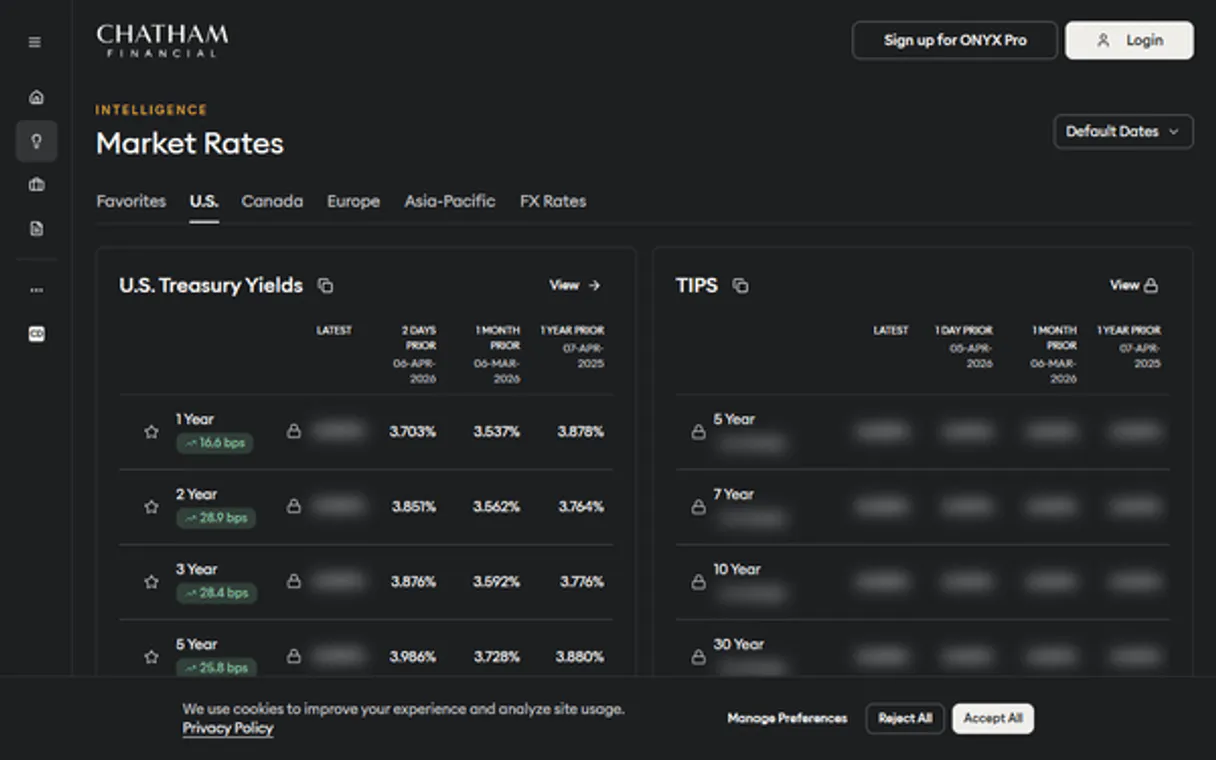
Retrieves current benchmark rates and future forward curves (like SOFR).
Retrieve current and forward-looking benchmark rates, such as SOFR or EURIBOR curves.
List all your financial transactions and trades to get a complete overview of positions.
Get the current or historical mark-to-market valuation for any specific trade.
View payment schedules and history across all configured financial instruments.
Check hedge effectiveness test results and detailed hedge accounting records.
List every legal entity and managed portfolio connected to your account.
Ask an AI about this
Compatible AI Apps
OAuth 2.0 Compatible Gemini Waiting for input…
Chatham Financial: 8 Tools for Finance
These tools let you programmatically retrieve everything from benchmark interest curves to the payment history of specific financial trades.
Make your AI actually useful.
Add this MCP to Claude, Cursor, or Windsurf and your AI stops guessing. It gets real tools to look things up, take action, and handle the stuff you keep doing by hand.
Start using Chatham Financial on VinkiusGet Trade Accounting
Gets detailed accounting information for a particular transaction or trade.
Get Hedge Effectiveness
Pulls the specific results from hedge effectiveness tests.
Get Chatham Market Data
Retrieves current benchmark rates and future forward curves (like SOFR).
Get Trade Valuations
Calculates and retrieves the current and historical mark-to-market value for any...
List Chatham Entities
Provides a list of all legal entities configured within your account.
List Trade Payments
Lists the payment history and future payment schedules for any transaction.
List Chatham Portfolios
Lists every managed portfolio set up in the system.
List Chatham Transactions
Gathers a list of all financial transactions and trades associated with your account.
Connect to your AI in seconds. Security and governance baked right in.
Pick your AI client below to get set up. Just create a Vinkius account, subscribe, and you're instantly up and running. We handle the entire backend infrastructure, delivering out-of-the-box support for HTTPS Streamable, SSE, and OAuth2—zero messy routing required.
Claude AI
Open Claude Settings
Go to claude.ai, click your profile icon, then navigate to Customize → Connectors.
Add Custom Connector
Click the "+" button and select Add custom connector. Paste your Vinkius endpoint URL:
https://edge.vinkius.com/[YOUR_TOKEN_HERE]/mcp
Replace [YOUR_TOKEN_HERE] with your token from
cloud.vinkius.com. For OAuth-protected servers, expand Advanced
settings to add credentials.
Start a conversation
Open a new chat. The Chatham Financial integration is available immediately — no restart needed.
Choose How to Get Started
Build a custom MCP for your own tools, or connect a ready-made integration from our catalog.
Build Your Own
Turn any API into an MCP. Import a spec, define Agent Skills, or deploy with MCPFusion.
- Import from OpenAPI, Swagger, or YAML specs
- Create Agent Skills with progressive disclosure
- Deploy to edge with MCPFusion framework
- Built in DLP, auth, and compliance on every call
- Real time usage dashboard and cost metering
- Publish to catalog or keep private
Make Your AI Do More
Start with Chatham Financial, then connect any of our 5,000+ other servers whenever your AI needs more. One click, no limits.
- Use this MCP plus 5,000+ others, all in one place
- Add new capabilities to your AI anytime you want
- Every connection is secured and compliant automatically
- Track usage and costs across all your servers
- Works with Claude, ChatGPT, Cursor, and more
- New servers added to the catalog every week
Independent Platform Disclaimer: Vinkius is an independent platform and is not affiliated with, endorsed by, sponsored by, verified by, or otherwise authorized by Chatham Financial. All third-party trademarks, logos, and brand names are the property of their respective owners. Their use on this website is strictly for informational purposes to identify service compatibility and interoperability.
VINKIUS INFRASTRUCTURE
Cloud Hosted
Managed infra
V8 Isolated
Sandboxed per request
Zero-Trust Proxy
No stored credentials
DLP Enforced
Policy on every call
GDPR Compliant
EU data residency
Token Compression
~60% cost reduction
Works with Claude, ChatGPT, Cursor, and more
The Model Context Protocol standardizes how applications expose capabilities to LLMs. Instead of operating in isolation, your AI gains direct access to external platforms, live data, and real-world actions through secure, standardized connections.
This connection provides 8 powerful capabilities that interface natively with Claude, ChatGPT, Cursor, and other compatible AI platforms. No middleware. No custom integration required.
The manual process of tracking financial risk is a nightmare.
Today, getting a full picture of your company's risk involves opening the main ledger dashboard. You have to navigate tabs for derivatives, then open another window for market rates, and finally pull up the payment schedule from a separate debt management system. You spend half your time clicking between these tools just to compile a single summary.
With this MCP, that process vanishes. Your AI agent handles all the switching. You simply talk through the required checks—'Check the valuation for X using Y rate'—and you get a clean, definitive answer in conversation. It’s direct and fast.
Using Chatham Financial MCP delivers actionable trade accounting details.
Manual reconciliation requires pulling the transaction list, then cross-referencing that data with the hedge accounting documentation to verify if the write-downs match. This is tedious and prone to human error because the systems don't talk to each other.
Now, you can ask your agent to pull specific `get_trade_accounting` details directly against a transaction ID. The system handles the data mapping and verification behind the scenes. You get accuracy; period.
What your AI can actually do with this
This MCP lets your AI agent talk directly to your Chatham Financial account, giving you visibility into complex financial risk management and valuations through natural conversation. Instead of digging through dense dashboards, you just ask questions about your debt or derivatives. You can get current mark-to-market valuations for trades, check what the market expects rates (like SOFR) to do over time, and track payment schedules for every instrument.
It's all housed within one place on the Vinkius catalog that your AI client connects to. This capability means you never have to manually reconcile data from multiple sources again; you just talk to your agent.
019d756d-9a46-7317-b2aa-08e01b32468d 
Here's how it actually works
The bottom line is you get direct, conversational access to complex financial data streams without needing to log into the source system.
Subscribe to this MCP on Vinkius and provide your API Key and Client ID (these credentials come from your relationship manager).
Connect your preferred AI client, like Cursor or Claude, using the established MCP connection.
Ask a natural language question—for example, 'What is the current valuation for my FX Forwards?'—and the agent executes the required calls.
Who is this actually for?
Anyone dealing with institutional finance—from managing daily debt payments to reviewing quarterly risk reports. This is for the person tired of navigating 15 different tabs just to get a single, reliable number.
Needs to monitor hedge performance and review trade valuations across multiple instruments without leaving their chat window.
Must audit accounting entries and verify payment schedules quickly, avoiding the deep dive into clunky dashboard interfaces.
Requires immediate verification of market rates or hedge effectiveness results straight from their agent interface for compliance checks.
What Changes When You Connect
Stop clicking through tabs. You can get the current mark-to-market value for a trade instantly by calling get_trade_valuations and getting the answer in plain text.
Never manually look up benchmark data again. Ask for the SOFR or EURIBOR forward curve using get_chatham_market_data and get a clear market projection right away.
Audit transactions faster than ever. Instead of opening complex sheets, use the agent to list all trades with list_chatham_transactions, then drill down into payments via list_trade_payments.
Stay compliant without extra effort. You can check hedge effectiveness results by calling get_hedge_effectiveness and getting confirmation you need for reporting.
Get full visibility across your corporate setup. Use list_chatham_entities to quickly map out all legal structures connected to the account, which is critical for compliance checks.
See it in action
Quarterly Risk Review
A risk officer needs to confirm that a specific derivative position hasn't drifted. They ask their agent: 'What is the current valuation and hedge effectiveness for trade T-123?' The MCP runs get_trade_valuations and get_hedge_effectiveness, giving them one consolidated answer, saving an hour of dashboard work.
Debt Covenant Check
A financial controller needs to verify if all debt payments are scheduled correctly for the next quarter. They ask their agent to check 'the payment schedule for the corporate bond portfolio.' The MCP runs list_trade_payments and provides a clear, actionable list.
Market Rate Comparison
An investment analyst needs to compare current market interest rates against historical data. They ask their agent: 'Show me the 3-month SOFR curve.' The MCP runs get_chatham_market_data and returns the expected rate movements immediately.
Portfolio Mapping
A new analyst needs to understand all assets under management. They ask their agent, 'List all portfolios and entities.' The MCP runs list_chatham_portfolios and list_chatham_entities, giving them the full scope of what they're working with.
The honest tradeoffs
Over-reliance on raw listings
The user runs list_chatham_transactions and gets a massive list of IDs, but then has to manually copy those IDs into another system to check the valuation.
Don't just list transactions. Ask your agent directly: 'What is the current mark-to-market value for the trades listed in portfolio X?' This combines list_chatham_transactions and get_trade_valuations automatically.
Assuming market data is static
A user asks 'What was the valuation last month?' but forgets to provide the necessary benchmark date. The agent returns an error, forcing manual investigation.
Always reference the required rate or curve in your prompt. Asking, 'Using the SOFR forward curve for 3 months, what is the valuation?' ensures get_chatham_market_data feeds correctly into get_trade_valuations.
Mixing unrelated concepts
A user asks: 'How many entities do I have and what is my SOFR curve for next year?' This mixes a structural request with a time-sensitive market data query.
Break it up. Run list_chatham_entities in one prompt to get the list, then run get_chatham_market_data in a separate prompt for clean results.
When It Fits, When It Doesn't
Use this MCP if your job involves cross-referencing complex financial data across multiple dimensions: current valuation, historical payments, and market benchmarks. If you need to link 'What is the value?' with 'What rate are we using?' or 'Who owns what?', this is for you. Don't use it if you just need simple record keeping (e.g., creating a new client record) — that’s outside its scope. Also, don't rely on it to solve basic accounting errors; always verify critical numbers with internal policy first. This MCP excels at providing read-only insight into existing, complex data.
Questions you might have
How do I check market rates using get_chatham_market_data? +
You ask your agent for a specific rate, like 'What is the 3-month SOFR curve?' The tool retrieves the current and historical benchmark rates needed to calculate valuations.
Can I use list_chatham_transactions to see payments? +
No. While list_chatham_transactions shows the trade itself, you must use the dedicated tool, list_trade_payments, to view payment schedules and history.
Does get_trade_valuations give me just today's price? +
No. This tool provides both the current mark-to-market value and historical valuations, letting you track performance changes over time for a trade.
What is the difference between list_chatham_portfolios and list_chatham_entities? +
Portfolios (list_chatham_portfolios) are groups of assets or trades you manage. Entities (list_chatham_entities) refer to the legal organizations that own or operate those portfolios.
When I use get_trade_accounting, how do I audit a specific transaction's entries? +
It provides the full accounting details for any trade. You pass in the relevant transaction ID to see exactly how hedge rules applied and what adjustments were made.
Does list_trade_payments let me view payment history for multiple transactions at once? +
No, you must specify a single transaction ID. This ensures that the tool only retrieves payments directly linked to that specific financial instrument.
If I run get_chatham_market_data frequently, are there rate limits on my MCP connection? +
Yes, the MCP adheres to standard API rate limiting. If you exceed the call quota for a given period, your agent will return an error code specifying when you can try again.
Does get_hedge_effectiveness only calculate results for recently traded instruments? +
No, it accesses historical records. You control the time window and trade dates used to run the effectiveness test, giving you full audit capability.
Can I see the mark-to-market valuation for a specific trade? +
Yes! Use the get_trade_valuations tool with the trade ID. The agent will return the latest calculated valuation from ChathamDirect.
How do I check current SOFR or EURIBOR rates? +
Use the get_chatham_market_data tool and specify the index (e.g., 'SOFR'). Your agent will fetch the latest benchmark rates and available forward curves.
Where do I find my Chatham API credentials? +
API access is typically provided to ChathamDirect clients. Contact your Chatham Relationship Manager to request API access and obtain your API Key and Client ID.
We've already built the connector for Chatham Financial. Just plug in your AI agents and start using Vinkius.
No hosting. No infrastructure. No complex setup.
All 8 tools are live and waiting.
You're up and running in seconds.
Gemini Vinkius gives your AI agents access to the full catalog of app connectors, all fully managed, secure, and enterprise-ready. One subscription, every tool you need.
Built, hosted, and secured by Vinkius. You just connect and go.