
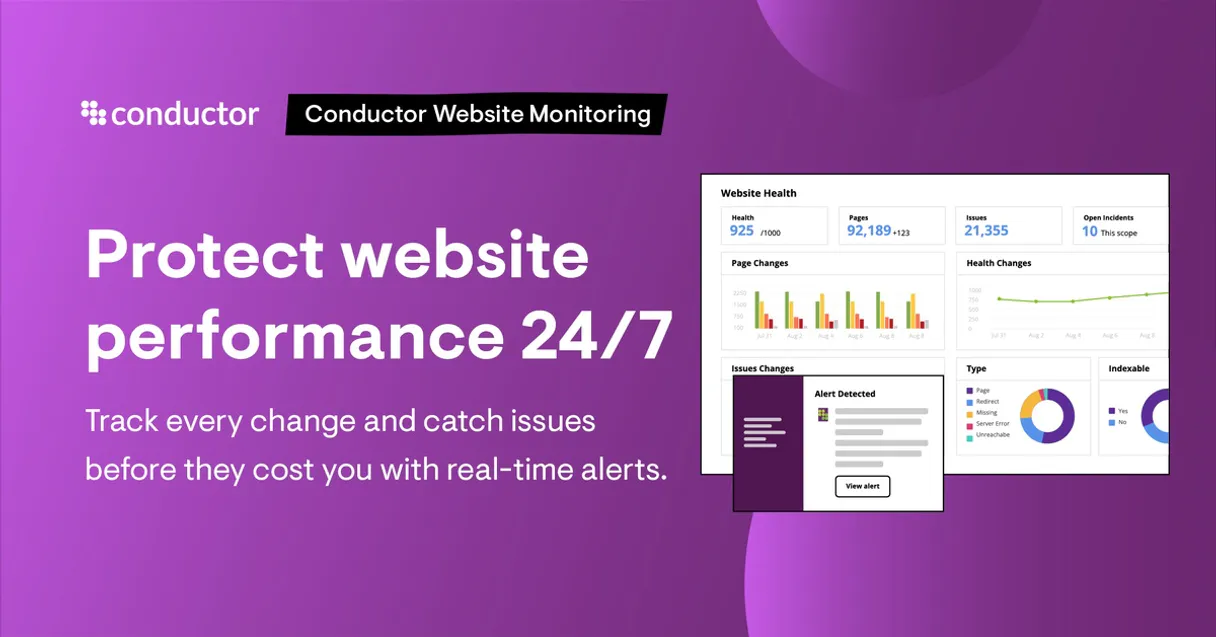
Supercharge your AI with ContentKing. Real-time SEO audits, instantly.
 Gemini
 Works with every AI agent you already use
…and any MCP-compatible client









Connect to your AI in seconds.
ContentKing lets your AI agent fetch real-time SEO audit metrics and monitor site health across multiple domains. It instantly identifies technical errors, tracks changes, and pulls page-level data without you opening a dashboard.
Stop guessing about performance; get the hard numbers on what's broken right now.
What your AI can do
Get active alerts
Retrieves all current monitoring alerts for a specific website.
Get issue details
Provides deep, descriptive details about one particular SEO issue.
Get portfolio summary
Generates a single health score overview across all monitored websites.
Get a high-level summary of the SEO health across every website you monitor.
Fetch the current health score and detailed technical status for any single domain.
List all critical, real-time SEO warnings or monitoring alerts that have triggered recently.
Get detailed explanations for any particular SEO problem found on a page (e.g., missing alt tags).
Retrieve monitoring data and status reports for all pages tracked on a given site.
Find specific monitored web pages simply by providing a keyword or part of the URL.
Ask an AI about this
Compatible AI Apps
OAuth 2.0 Compatible Gemini Waiting for input…
ContentKing: 10 Monitoring Tools
Use these ten tools to perform deep audits on website health, list specific issues, track alerts, and manage content updates.
Make your AI actually useful.
Add this MCP to Claude, Cursor, or Windsurf and your AI stops guessing. It gets real tools to look things up, take action, and handle the stuff you keep doing by hand.
Start using ContentKing on VinkiusGet Active Alerts
Retrieves all current monitoring alerts for a specific website.
Get Issue Details
Provides deep, descriptive details about one particular SEO issue.
Get Portfolio Summary
Generates a single health score overview across all monitored websites.
Get Website Health
Pulls the current overall status and health score for one website.
List Seo Issues
Lists all known SEO problems detected for a specific website.
List Monitored Pages
Returns a list of all tracked pages on a site, along with their individual monitoring data.
List Websites
Outputs a comprehensive list of every domain monitored within ContentKing.
Notify Page Update
Signals ContentKing that a specific web page has been changed and needs to be...
Notify Sitemap Update
Alerts ContentKing that the site's sitemap file has been updated, triggering a new...
Search Pages By Url
Searches for monitored pages using a keyword or partial URL match.
Connect to your AI in seconds. Security and governance baked right in.
Pick your AI client below to get set up. Just create a Vinkius account, subscribe, and you're instantly up and running. We handle the entire backend infrastructure, delivering out-of-the-box support for HTTPS Streamable, SSE, and OAuth2—zero messy routing required.
Claude AI
Open Claude Settings
Go to claude.ai, click your profile icon, then navigate to Customize → Connectors.
Add Custom Connector
Click the "+" button and select Add custom connector. Paste your Vinkius endpoint URL:
https://edge.vinkius.com/[YOUR_TOKEN_HERE]/mcp
Replace [YOUR_TOKEN_HERE] with your token from
cloud.vinkius.com. For OAuth-protected servers, expand Advanced
settings to add credentials.
Start a conversation
Open a new chat. The ContentKing integration is available immediately — no restart needed.
Choose How to Get Started
Build a custom MCP for your own tools, or connect a ready-made integration from our catalog.
Build Your Own
Turn any API into an MCP. Import a spec, define Agent Skills, or deploy with MCPFusion.
- Import from OpenAPI, Swagger, or YAML specs
- Create Agent Skills with progressive disclosure
- Deploy to edge with MCPFusion framework
- Built in DLP, auth, and compliance on every call
- Real time usage dashboard and cost metering
- Publish to catalog or keep private
Make Your AI Do More
Start with ContentKing, then connect any of our 5,000+ other servers whenever your AI needs more. One click, no limits.
- Use this MCP plus 5,000+ others, all in one place
- Add new capabilities to your AI anytime you want
- Every connection is secured and compliant automatically
- Track usage and costs across all your servers
- Works with Claude, ChatGPT, Cursor, and more
- New servers added to the catalog every week
Independent Platform Disclaimer: Vinkius is an independent platform and is not affiliated with, endorsed by, sponsored by, verified by, or otherwise authorized by ContentKing. All third-party trademarks, logos, and brand names are the property of their respective owners. Their use on this website is strictly for informational purposes to identify service compatibility and interoperability.
VINKIUS INFRASTRUCTURE
Cloud Hosted
Managed infra
V8 Isolated
Sandboxed per request
Zero-Trust Proxy
No stored credentials
DLP Enforced
Policy on every call
GDPR Compliant
EU data residency
Token Compression
~60% cost reduction
Works with Claude, ChatGPT, Cursor, and more
The Model Context Protocol standardizes how applications expose capabilities to LLMs. Instead of operating in isolation, your AI gains direct access to external platforms, live data, and real-world actions through secure, standardized connections.
This connection provides 10 powerful capabilities that interface natively with Claude, ChatGPT, Cursor, and other compatible AI platforms. No middleware. No custom integration required.
The Pain of Manual SEO Auditing
Today, checking site health means jumping between dashboards. You check Page A's score, then switch to the Alerts tab, copy a warning over to a spreadsheet, and repeat for Site B. It’s slow, manual, and you always miss something because you can't compare 50 sites simultaneously.
With this MCP, your agent handles that whole process. You ask it for a portfolio summary, and it instantly aggregates the data from every corner of your site stack. The result is one single report telling you exactly what’s wrong across all domains.
Getting Insights with ContentKing
You don't have to manually check if a page was updated or if the sitemap changed. By triggering `notify_page_update` or `notify_sitemap_update`, you force the monitoring system to re-crawl and update its records immediately.
The difference is control. You move from reacting to reports that are hours old, to getting real-time status updates that let you fix things before anyone even notices a problem.
What your AI can actually do with this
This MCP connects your AI agent directly to ContentKing’s real-time SEO monitoring platform. You can run full site audits and get instant reports on technical risks or infrastructure changes impacting search ranking. Instead of manually reviewing dozens of dashboard tabs, you ask your agent for a summary of the entire portfolio's health score.
Need to check if meta tags were modified? Ask it. Want to see all critical alerts today? Just ask. When connected via Vinkius, this MCP gives your AI client immediate access to deep data that used to require dedicated manual research. You can pull current health scores for any domain and list out specific issues found on monitored pages, making performance diagnosis instant.
019d757a-e1f6-7318-83df-42ffb91d7985 
Here's how it actually works
The bottom line is that your agent performs complex SEO analysis by calling specific tools you don't even have to know exist.
Add the ContentKing integration to your AI toolset and supply the necessary API Key.
Direct your agent with natural language commands, specifying the domain and the data you need (e.g., 'What is the health score for X?').
The MCP runs the required audit or query against ContentKing's live metrics and sends back a clean, actionable summary.
Who is this actually for?
This MCP is for the SEO specialist who gets tired of clicking through dashboards at 2 am. It’s for web developers needing quick validation after deployment, and digital marketers who need to prove domain health fast.
Diagnoses organic performance issues by pulling comparative domain health data or listing specific SEO problems.
Audits a website after code changes to quickly validate infrastructure health and check for technical errors.
Pulls high-level, comparative domain data to assess the overall performance of an entire client portfolio.
What Changes When You Connect
Stop wasting time manually reviewing dashboards. Use get_portfolio_summary to get an instant health check across your entire site portfolio.
Need to know why a page is ranking poorly? Instead of searching through logs, run list_seo_issues and then use get_issue_details for the exact fix.
Content changes happen fast. When you use notify_page_update, your agent tells ContentKing to re-crawl immediately, so you don't wait hours for a manual check.
Auditing post-deployment is quick. Use get_website_health right after a dev push to validate the site’s score before it hits production.
Finding a specific page? Skip URL guessing and use search_pages_by_url to pull up monitoring data using just keywords.
Monitoring large sites is easy. Use list_websites first to see every domain you track, then dive into individual checks with get_website_health.
See it in action
Investigating a sudden ranking drop
The Digital Marketer notices poor performance. They ask their agent to run list_active_alerts. The agent finds multiple warnings, which points the marketer directly toward developer attention.
Pre-launch audit validation
A Web Developer just pushed a new feature. Instead of waiting for manual QA, they ask their agent to use get_website_health and confirm the score is stable before going live.
Mass site performance comparison
The Marketing Director needs to compare 10 client sites. They call get_portfolio_summary once, instantly seeing which three domains need immediate attention.
Fixing a broken sitemap link
An SEO Specialist realizes the sitemap is outdated. They use notify_sitemap_update, forcing ContentKing to re-crawl and update their internal records immediately.
The honest tradeoffs
Checking only one metric
A user just asks, 'Is the site healthy?' and gets a score of 90. They assume everything is fine.
Don't rely on just the number. Always follow up by asking for list_seo_issues or running get_active_alerts. That gives you the specific reasons why it’s not perfect.
Ignoring change notifications
A developer makes a meta tag change but doesn't tell the system. The score dips, and the root cause is unknown.
When changes happen, always use notify_page_update or notify_sitemap_update. This ensures ContentKing knows exactly when to check the site again.
Manual dashboard navigation
Manually clicking through 20 different pages to see if they are indexed correctly.
Use list_monitored_pages first. This gives you a bulk view, and then use search_pages_by_url if you need to track down one specific piece of content.
When It Fits, When It Doesn't
Use this MCP when the core problem is technical audit or real-time monitoring: When your job requires knowing why a score dropped, or needing a list of all current risks. If you only need simple traffic volume numbers (e.g., 'How many people visited?'), this isn't it—you need an analytics tool. But if you need to know about technical errors, like canonical loops or missing meta tags, ContentKing is the right call. Specifically, use get_issue_details when you find a list of issues via list_seo_issues, because that gives you the actionable fix for development teams.
Questions you might have
How do I check the overall health of all my sites using ContentKing MCP? +
You use the get_portfolio_summary tool. This single call gives you an aggregate score across your entire list of monitored domains, eliminating the need to check each site individually.
What does `list_seo_issues` show me? +
list_seo_issues provides a comprehensive list of all detected SEO problems for a single website. If you find an issue you don't understand, follow up with the get_issue_details tool.
Do I need to use `notify_page_update` every time I change content? +
Yes, if a page changes outside of ContentKing’s normal crawl schedule, you should use notify_page_update. This forces an immediate re-crawl and updates your monitoring metrics right away.
Can I find specific pages using the ContentKing MCP? +
Yes, run search_pages_by_url. You can search for monitored content by providing a keyword or matching part of the URL to quickly locate data points.
When should I run `get_active_alerts` to catch urgent SEO issues? +
You use this tool when you need immediate awareness of critical problems. It pulls real-time alerts, like sudden meta tag removals or severe crawl errors that require a developer's attention right away.
What does `get_issue_details` show me about a technical SEO problem? +
It provides deep context on any specific issue. You get not just the error name, but details like the root cause and suggested fixes for that precise piece of content.
Should I use `notify_sitemap_update` instead of individual notifications for a site overhaul? +
Yes, running notify_sitemap_update is better when you make large-scale changes. It tells the system about structural updates across many pages simultaneously, ensuring comprehensive re-crawling.
What does `list_websites` show me regarding my domain connections? +
This tool gives a clear inventory of every site currently monitored in ContentKing. It helps you quickly see which domains are connected and actively being tracked by your agent.
How do I get a ContentKing API Key? +
Log in to ContentKing, go to Account Settings > API, and click Create API Key. Copy the key and paste it into the field below.
Can the agent make changes to my SEO settings? +
No. The integration operates in read-only mode. It reads metrics, lists alerts, and retrieves data for analysis, but cannot modify any SEO settings or configurations.
What types of metrics can I check? +
You can fetch domain health scores, tracked URL counts, active alerts by severity, page load times, and summaries of issues found during the latest crawls.
We've already built the connector for ContentKing. Just plug in your AI agents and start using Vinkius.
No hosting. No infrastructure. No complex setup.
All 10 tools are live and waiting.
You're up and running in seconds.
Gemini Vinkius gives your AI agents access to the full catalog of app connectors, all fully managed, secure, and enterprise-ready. One subscription, every tool you need.
Built, hosted, and secured by Vinkius. You just connect and go.