
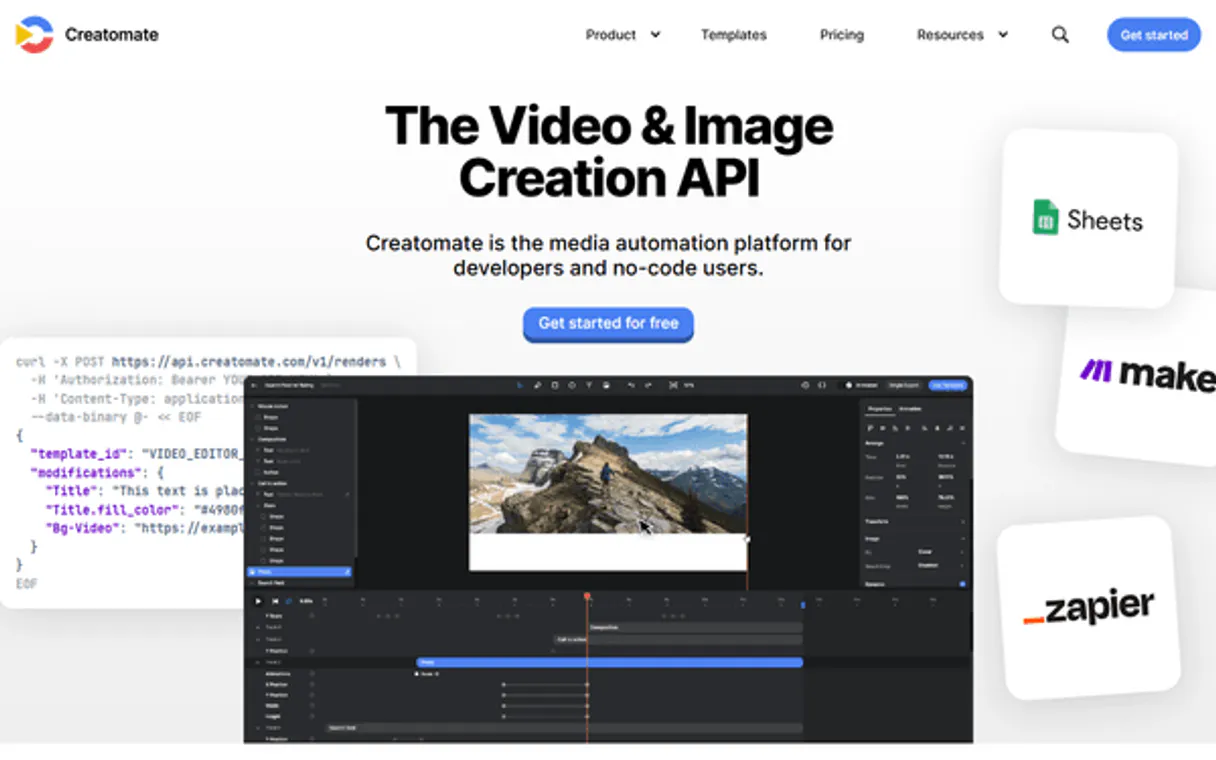
Supercharge your AI with Creatomate. Automate video rendering and asset management.
 Gemini
 Works with every AI agent you already use
…and any MCP-compatible client









Connect to your AI in seconds.
Creatomate MCP automates your entire video production pipeline using conversation. Your AI agent handles everything from listing available video templates and checking project settings to triggering complex renders.
It manages media assets, tracks render progress in real-time, and allows you to generate high-quality videos simply by talking to it.
What your AI can do
Get project settings
Retrieves the configuration details and metadata for your current video project.
Get render status
Checks if a specific video render is complete, providing its URL when ready.
Get template details
Retrieves the exact structure and dynamic fields used within a specific video template.
Start a new video render by selecting a template and providing custom modifications like text or images.
List, inspect, and retrieve details for all available media assets, including images, videos, and audio files.
View current project settings and list all available video templates to understand your content options.
Monitor the progress of a video render job, getting real-time updates until the final URL is available for download.
Get lists of recent rendering tasks and automated workflows to see what's already been created or scheduled.
Ask an AI about this
Compatible AI Apps
OAuth 2.0 Compatible Gemini Waiting for input…
Creatomate: 9 Tools for Video Automation
Manage media assets, trigger renders, audit templates, and check video statuses using all nine specialized tools in the Creatomate MCP.
Make your AI actually useful.
Add this MCP to Claude, Cursor, or Windsurf and your AI stops guessing. It gets real tools to look things up, take action, and handle the stuff you keep doing by hand.
Start using Creatomate on VinkiusGet Project Settings
Retrieves the configuration details and metadata for your current video project.
Get Render Status
Checks if a specific video render is complete, providing its URL when ready.
Get Template Details
Retrieves the exact structure and dynamic fields used within a specific video...
List Media Assets
Lists all images, videos, and audio files currently stored in your project library.
List Video Automations
Lists all automated workflows configured to create videos based on certain triggers.
List Recent Renders
Shows a history of completed or failed video rendering jobs, along with their status.
List Video Templates
Retrieves a complete catalog of every video template available in your project.
Render Video
Starts the rendering process for a new video using specified templates and content...
Search Templates By Name
Searches through your available templates to find one matching a specific name or...
Connect to your AI in seconds. Security and governance baked right in.
Pick your AI client below to get set up. Just create a Vinkius account, subscribe, and you're instantly up and running. We handle the entire backend infrastructure, delivering out-of-the-box support for HTTPS Streamable, SSE, and OAuth2—zero messy routing required.
Claude AI
Open Claude Settings
Go to claude.ai, click your profile icon, then navigate to Customize → Connectors.
Add Custom Connector
Click the "+" button and select Add custom connector. Paste your Vinkius endpoint URL:
https://edge.vinkius.com/[YOUR_TOKEN_HERE]/mcp
Replace [YOUR_TOKEN_HERE] with your token from
cloud.vinkius.com. For OAuth-protected servers, expand Advanced
settings to add credentials.
Start a conversation
Open a new chat. The Creatomate integration is available immediately — no restart needed.
Choose How to Get Started
Build a custom MCP for your own tools, or connect a ready-made integration from our catalog.
Build Your Own
Turn any API into an MCP. Import a spec, define Agent Skills, or deploy with MCPFusion.
- Import from OpenAPI, Swagger, or YAML specs
- Create Agent Skills with progressive disclosure
- Deploy to edge with MCPFusion framework
- Built in DLP, auth, and compliance on every call
- Real time usage dashboard and cost metering
- Publish to catalog or keep private
Make Your AI Do More
Start with Creatomate, then connect any of our 5,000+ other servers whenever your AI needs more. One click, no limits.
- Use this MCP plus 5,000+ others, all in one place
- Add new capabilities to your AI anytime you want
- Every connection is secured and compliant automatically
- Track usage and costs across all your servers
- Works with Claude, ChatGPT, Cursor, and more
- New servers added to the catalog every week
Independent Platform Disclaimer: Vinkius is an independent platform and is not affiliated with, endorsed by, sponsored by, verified by, or otherwise authorized by Creatomate. All third-party trademarks, logos, and brand names are the property of their respective owners. Their use on this website is strictly for informational purposes to identify service compatibility and interoperability.
VINKIUS INFRASTRUCTURE
Cloud Hosted
Managed infra
V8 Isolated
Sandboxed per request
Zero-Trust Proxy
No stored credentials
DLP Enforced
Policy on every call
GDPR Compliant
EU data residency
Token Compression
~60% cost reduction
Works with Claude, ChatGPT, Cursor, and more
The Model Context Protocol standardizes how applications expose capabilities to LLMs. Instead of operating in isolation, your AI gains direct access to external platforms, live data, and real-world actions through secure, standardized connections.
This connection provides 9 powerful capabilities that interface natively with Claude, ChatGPT, Cursor, and other compatible AI platforms. No middleware. No custom integration required.
Managing video assets used to be a nightmare of logins and clicks.
Today, getting a new video campaign off the ground means jumping between five different web dashboards: the asset library to grab images; the template selector to find the right structure; the project settings page to define parameters; and finally, clicking through multiple forms just to initiate the render. It's tedious copy-pasting, constant tab switching, and a sinking feeling that you missed one required field.
With this MCP, your agent handles all of that in conversation. You simply tell it what you want—say, 'Make an ad using the latest product shots.' The system automatically checks `list_media_assets` for current files, uses `get_template_details` to confirm the template works with those assets, and triggers the render without you ever leaving your chat window.
The Creatomate MCP delivers full control over video rendering workflows.
Previously, monitoring a batch of 50 videos meant manually checking the status page for each job ID. If one failed or was stuck in 'processing,' you had to start a whole new manual troubleshooting process. It felt reactive and unreliable.
Now, your agent monitors the entire flow. You trigger renders and then ask it to use `get_render_status` on multiple IDs simultaneously. The system gives you a clear report—completed, failed, or in-progress—giving you immediate oversight across the whole batch.
What your AI can actually do with this
This MCP connects the Creatomate platform directly into your AI workflow, letting your agent handle all the heavy lifting of video content creation. You can now manage an entire media library—listing assets, checking project parameters, and finding available templates—all through natural conversation. Need a new ad? Your agent can trigger a full render using dynamic templates and custom text inputs with a single chat command.
It monitors the task progress, letting you retrieve the final video URL as soon as it's ready. If your team is building complex content pipelines, integrating this via Vinkius lets you manage all these functions from one place, without ever having to open the web dashboard.
019d757e-2ed2-7078-bd6a-167191799dc9 
Here's how it actually works
The bottom line is that you guide the content creation process through conversation; your AI client handles all the API communication.
Connect the Creatomate MCP to your AI client and authenticate using your API key.
Use conversational prompts to select templates, list assets, or set project parameters via the agent.
The agent executes the necessary calls (like triggering a render) and reports status updates directly in the chat.
Who is this actually for?
Anyone who manages video content production—from small agency marketers to large e-commerce teams. If your job involves taking raw assets and turning them into finished, high-volume ad videos, this is for you.
Needs to quickly generate variations of promotional content (e.g., 10 different social media ads) based on a single core template.
Requires continuous access to the asset library and the ability to check render status without switching between multiple tabs.
Needs to audit complex rendering pipelines, list video automations, and manage project configurations programmatically for stability checks.
What Changes When You Connect
Stop guessing if your ad is done. Use get_render_status to check the progress of a render job, getting real-time updates until the final MP4 link pops up.
Never start from scratch again. Instead of manually building ads, use list_video_templates or search_templates_by_name to instantly find proven structures for any campaign.
Streamline content creation by having your agent handle asset management. Call list_media_assets to verify which images and videos are available before you even start a render.
Manage complex projects without hitting the dashboard. You can audit project parameters using get_project_settings, ensuring all variables are correctly defined for success.
Build predictable content pipelines by viewing all automated workflows via list_video_automations and understanding how different pieces fit together.
See it in action
Batch generating social media ad variations
A marketing manager needs 50 versions of a product launch video. Instead of manually creating each one, they ask their agent to run render_video using the 'Product Launch' template and list five different key messages as text modifications.
Auditing an old content library
A developer needs to know what assets are available for a new project. They use list_media_assets to get a comprehensive inventory of all images, videos, and audio files before configuring the project.
Tracking overdue campaign renders
The content team has several high-priority ads waiting for approval. Instead of refreshing the website repeatedly, they ask their agent to check list_recent_renders and then use get_render_status on the specific job ID.
Finding the right ad template quickly
A team needs a new testimonial video but doesn't know which template works best. They use search_templates_by_name to narrow down options and then run get_template_details on the top choice to verify its dynamic fields.
The honest tradeoffs
Treating it like a simple file list
A user tries to copy-paste asset names into a text prompt and expects the agent to magically know they need to check if those assets exist or what formats they are in.
First, call list_media_assets to confirm your available resources. Then, use get_template_details on the target template to verify which specific asset fields it requires before attempting any render.
Overloading one prompt
The user tries to list all templates, check project settings, and trigger a render in one giant block of text. The agent gets confused about the desired sequence.
Break it down into steps. First, run list_video_templates. Second, use that name to call get_template_details. Finally, initiate the action with render_video.
Ignoring status checks
The user triggers a render and then walks away without checking if it finished or what format it was saved in.
Always follow up any render call by asking the agent to use get_render_status with the provided job ID. This confirms completion and gives you the final download link.
When It Fits, When It Doesn't
You should use this MCP if your core business function involves high-volume, template-driven video content creation where asset management is as critical as rendering itself. If you need to manage media assets alongside project parameters (using get_project_settings and list_media_assets), this tool provides the necessary orchestration layer.
Don't use this if your only goal is pure data processing—for example, if you just need to count records in a database. In that case, a dedicated CRM or spreadsheet MCP is better. Also, don't use it if you are generating videos from scratch without any pre-defined templates; this tool requires the template structure and asset inputs.
Questions you might have
How do I check if my video render using `get_render_status` is finished? +
You ask your agent to run get_render_status with the job ID. The response will tell you the percentage complete and provide the final downloadable URL when it hits 100%.
Which tool do I use to see all my available video templates? +
Use list_video_templates to get a comprehensive catalog of every template your project has. You can then refine this list using search_templates_by_name if you know the general topic.
`list_media_assets` only shows finished videos, right? +
No, list_media_assets pulls everything—images, raw video clips, and audio files. It's your main source of truth for all stored media.
What do I need to know before running a render with `render_video`? +
Before rendering, you should check get_template_details. This confirms the template is ready and shows exactly what dynamic fields (like text or background images) it expects from you.
When I use `get_template_details`, how do I find out what dynamic fields a specific video template requires? +
The tool returns the complete schema for that template. You'll see all mandatory and optional input fields, which tells you exactly what data your render needs to run successfully.
What information does `get_project_settings` provide about my overall Creatomate project? +
This tool retrieves the core metadata for your entire account. It lets you review global settings, API keys, and high-level parameters that affect all subsequent rendering tasks.
If I want to audit or see which automated video pipelines I've set up, should I use `list_video_automations`? +
Yes, using list_video_automations shows a comprehensive catalog of all your defined workflows. This helps you manage and organize complex, multi-step processes beyond simple template rendering.
How can I check the history or find details about a failed render job by using `list_recent_renders`? +
Running this tool lists all your recent video tasks, including their final status. This is essential for debugging because it provides detailed logs and IDs for jobs that didn't complete properly.
How do I get a Creatomate API Key? +
Log in to your Creatomate account, select your project, and navigate to Project Settings > API Keys to generate a secret key.
Can I provide dynamic text for videos? +
Yes, you can use the 'modifications' parameter in the render_video tool to swap text, images, or colors defined in your template.
What is the rendering time? +
Rendering time depends on video length and complexity, but Creatomate is optimized for speed. You can use the get_render_status tool to check when it's done.
We've already built the connector for Creatomate. Just plug in your AI agents and start using Vinkius.
No hosting. No infrastructure. No complex setup.
All 9 tools are live and waiting.
You're up and running in seconds.
Gemini Vinkius gives your AI agents access to the full catalog of app connectors, all fully managed, secure, and enterprise-ready. One subscription, every tool you need.
Built, hosted, and secured by Vinkius. You just connect and go.