
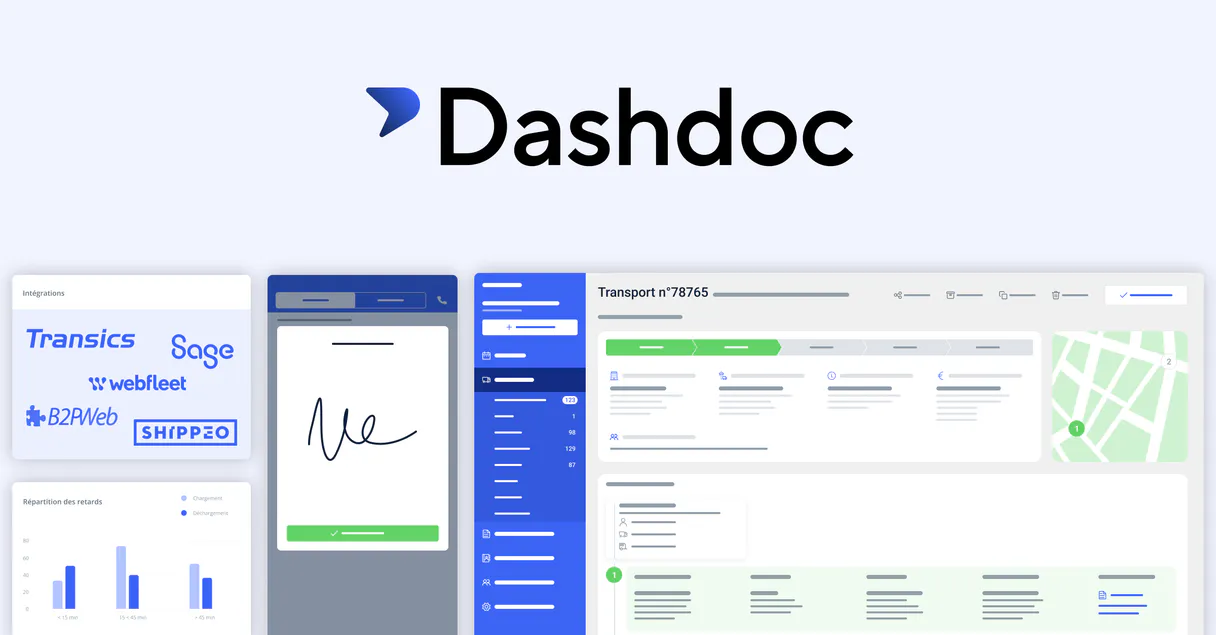
Supercharge your AI with Dashdoc. Manage your entire logistics network conversationally.
 Gemini
 Works with every AI agent you already use
…and any MCP-compatible client









Connect to your AI in seconds.
Dashdoc connects your AI agent directly to a major transport management system, letting you manage everything from delivery addresses and contact lists to real-time fleet tracking and order status.
You can check if a truck is active, find specific cargo details for an order, or instantly add new pickup locations using natural language prompts.
What your AI can do
Create new address
Adds a new site location to your address book record using name, city, and postal code.
Get my user info
Retrieves the account's user ID, role, and associated company configuration details.
Get transport details
Pulls a full report for one transport order, including addresses, contact numbers, cargo items, and status history.
Retrieve detailed information about any specific shipment, including its current location and cargo contents.
Get comprehensive lists of available trucks, trailers, and drivers registered in the system.
Add new delivery addresses or search through saved locations using GPS coordinates and contact details.
Pull up legal names, tax identifiers, and primary contacts for any associated company or partner.
Ask an AI about this
Compatible AI Apps
OAuth 2.0 Compatible Gemini Waiting for input…
Dashdoc: 10 Tools for Logistics Operations
Use these ten tools to read, write, and validate operational data across transport orders, vehicle fleets, and customer addresses.
Make your AI actually useful.
Add this MCP to Claude, Cursor, or Windsurf and your AI stops guessing. It gets real tools to look things up, take action, and handle the stuff you keep doing by hand.
Start using Dashdoc on VinkiusCreate New Address
Adds a new site location to your address book record using name, city, and postal code.
Get My User Info
Retrieves the account's user ID, role, and associated company configuration details.
Get Transport Details
Pulls a full report for one transport order, including addresses, contact numbers...
List Saved Addresses
Returns a list of all saved pickup or delivery addresses, including GPS coordinates...
List Transport Contacts
Lists contacts and business partners by resolving their legal names and tax...
List Fleet Drivers
Lists all registered drivers with their professional names and internal system identifiers.
List Fleet Trailers
Provides a list of all trailers, noting their type (like refrigerated) and assignment status.
List Transports
Gives a summary list of all transport orders, showing their current status and...
List Fleet Trucks
Lists every truck in the fleet, showing license plates, vehicle types, and maximum...
Search Transports By Reference
Searches for specific transport orders using a partial reference keyword that...
Connect to your AI in seconds. Security and governance baked right in.
Pick your AI client below to get set up. Just create a Vinkius account, subscribe, and you're instantly up and running. We handle the entire backend infrastructure, delivering out-of-the-box support for HTTPS Streamable, SSE, and OAuth2—zero messy routing required.
Claude AI
Open Claude Settings
Go to claude.ai, click your profile icon, then navigate to Customize → Connectors.
Add Custom Connector
Click the "+" button and select Add custom connector. Paste your Vinkius endpoint URL:
https://edge.vinkius.com/[YOUR_TOKEN_HERE]/mcp
Replace [YOUR_TOKEN_HERE] with your token from
cloud.vinkius.com. For OAuth-protected servers, expand Advanced
settings to add credentials.
Start a conversation
Open a new chat. The Dashdoc integration is available immediately — no restart needed.
Choose How to Get Started
Build a custom MCP for your own tools, or connect a ready-made integration from our catalog.
Build Your Own
Turn any API into an MCP. Import a spec, define Agent Skills, or deploy with MCPFusion.
- Import from OpenAPI, Swagger, or YAML specs
- Create Agent Skills with progressive disclosure
- Deploy to edge with MCPFusion framework
- Built in DLP, auth, and compliance on every call
- Real time usage dashboard and cost metering
- Publish to catalog or keep private
Make Your AI Do More
Start with Dashdoc, then connect any of our 5,000+ other servers whenever your AI needs more. One click, no limits.
- Use this MCP plus 5,000+ others, all in one place
- Add new capabilities to your AI anytime you want
- Every connection is secured and compliant automatically
- Track usage and costs across all your servers
- Works with Claude, ChatGPT, Cursor, and more
- New servers added to the catalog every week
Independent Platform Disclaimer: Vinkius is an independent platform and is not affiliated with, endorsed by, sponsored by, verified by, or otherwise authorized by Dashdoc. All third-party trademarks, logos, and brand names are the property of their respective owners. Their use on this website is strictly for informational purposes to identify service compatibility and interoperability.
VINKIUS INFRASTRUCTURE
Cloud Hosted
Managed infra
V8 Isolated
Sandboxed per request
Zero-Trust Proxy
No stored credentials
DLP Enforced
Policy on every call
GDPR Compliant
EU data residency
Token Compression
~60% cost reduction
Works with Claude, ChatGPT, Cursor, and more
The Model Context Protocol standardizes how applications expose capabilities to LLMs. Instead of operating in isolation, your AI gains direct access to external platforms, live data, and real-world actions through secure, standardized connections.
This connection provides 10 powerful capabilities that interface natively with Claude, ChatGPT, Cursor, and other compatible AI platforms. No middleware. No custom integration required.
Finding out what's wrong with a shipment feels like detective work today.
Right now, figuring out the full story on a single order means opening the TMS portal, getting the reference number. Then you might open a separate asset management system to check if the right trailer is available. You're copying data from one screen, pasting it into an email, and maybe logging into a third site just for contact details. It’s slow, frustrating, and prone to human error.
With this MCP connection, your agent handles that entire sequence in one go. You simply ask: 'What's the status of Order #XYZ?' And you get back the full narrative—the location, the cargo contents, the contact points, and even if a driver is assigned—all without ever leaving your chat window.
The Dashdoc MCP gives you immediate visibility into all transport assets.
You no longer have to rely on phone calls or emails just to confirm basic availability. You can run `list_fleet_trucks` and immediately see the current status of every vehicle, knowing exactly what capacity is free for assignment today. Similarly, you check out all your available trailers using `list_fleet_trailers` without needing a manager's sign-off.
The difference now is control. You get real-time data on demand. Your logistics planning moves from 'hope this works' to 'I know this will work.'
What your AI can actually do with this
This MCP lets your AI agent talk directly to the Dashdoc platform. Forget jumping between multiple portals just to figure out where a shipment is or who needs to be contacted at the destination. You can ask it to list all active transport orders, search for details based only on a reference number, or pull up the full profile of a specific truck, including its license plate and capacity.
It also handles your site data; need to create a new pickup address? Done. Want to see who's working today? The agent can list registered drivers and even show you which trailers are available for assignment. Because this connection is hosted on Vinkius, you get access to all these logistics tools in one spot, letting your AI client handle the heavy lifting so you don’t have to.
019d7581-558f-7149-8103-be2507bf83f0 
Here's how it actually works
The bottom line is you can manage complex logistics operations by just talking to it.
First, you authorize your AI client using the Dashdoc API Key. You'll need this key, which is found in the platform's settings.
Once authorized, your agent can access all ten tools and execute commands based on natural language instructions (e.g., 'Find all trailers that are refrigerated').
The system returns structured data—like a list of active trucks or the details for a specific order—which your AI client then formats into an easy-to-read, conversational response.
Who is this actually for?
This MCP serves the Logistics Manager who needs a single source of truth for fleet and order data. It's perfect for Dispatchers tired of clicking through multiple tabs, or Supply Chain Coordinators needing to verify complex shipment routes quickly.
Uses the MCP to list all saved addresses and contacts while simultaneously checking the status of pending transport orders for route planning.
Runs checks on fleet availability by listing available trucks and trailers, then assigning drivers using the system's contact information.
Uses the MCP to get detailed records for all associated business partners, ensuring legal names and tax IDs are correct before a major shipment is booked.
What Changes When You Connect
Instantly check shipment status: Need to know if Order #XYZ is confirmed? Just ask the agent. It calls get_transport_details and gives you the full story, including cargo details and arrival estimates.
Never lose an address: Instead of guessing coordinates, use list_saved_addresses to pull up a list with GPS data and site-specific instructions, like gate codes or loading bay requirements.
Optimize fleet assignment: Quickly audit your vehicles by running list_fleet_trucks and then cross-reference available units against list_fleet_trailers to ensure you have the right combination for a job.
Keep contacts accurate: Before calling a partner, run list_transport_contacts. This tool confirms their legal name and tax ID, preventing billing mixups when planning multi-stage shipments.
Handle massive order lists: When you need an overview of everything happening this week, running list_transports gives you the status summary instantly. If a specific reference is needed, use search_transports_by_reference for precision.
See it in action
A client calls asking about a shipment delay.
The agent uses search_transports_by_reference to find the order, then executes get_transport_details. It reports back that the container is delayed due to weather and provides the new estimated arrival time, all without you needing to navigate the Dashdoc portal.
A dispatcher needs to assign a vehicle for tomorrow's run.
The agent first runs list_fleet_trucks to check capacity and then calls list_fleet_trailers to see what equipment is ready. It compiles this data, recommending the perfect truck/trailer pair for the job.
A new warehouse needs a pickup spot added.
Instead of manually inputting coordinates in three different forms, you tell your agent to create_new_address. It handles persisting the metadata and gives you back the system ID immediately for tracking.
A planner needs to audit all partner details before an international shipment.
The agent uses list_transport_contacts to pull up every associated business partner, ensuring that all required tax identifiers and primary communication channels are recorded correctly for customs forms.
The honest tradeoffs
Assuming data consistency
Trying to get a complete picture of an order by simply asking 'What's happening with this shipment?' without specifying the reference number.
Don't ask generally. Always start by providing a clear identifier, like running search_transports_by_reference or calling get_transport_details using the specific transport ID.
Mixing up asset types
Asking for 'all assets' without clarifying if you mean trucks, trailers, or drivers. This leads to incomplete data and confusion.
Be explicit: ask the agent to run list_fleet_trucks OR list_fleet_trailers. Keep your requests focused on one type of asset at a time.
Forgetting necessary metadata
Creating an address record but forgetting critical site-specific instructions like gate codes or loading bay requirements.
When you need to save a location, use create_new_address and make sure you include all the technical contact details and specific site notes.
When It Fits, When It Doesn't
Use this MCP if your primary workflow involves coordinating physical movement: checking order status, assigning assets (trucks/trailers), or managing locations. You need a centralized view of who's moving what, where, and when.
Don't use it if you only need to perform single, isolated actions like generating invoices or updating accounting ledgers; those require specialized finance tools. If your goal is simply to read historical data without needing active status updates, consider an archival data connector instead of one built for real-time operational monitoring.
Questions you might have
How do I find an order using the Dashdoc MCP? (search_transports_by_reference) +
You search for orders by reference keyword. This tool allows you to partially match identifiers, so you don't need the full number—just a key piece of information like the customer name or partial ID.
What if I have multiple addresses and want to save them? (create_new_address) +
You use create_new_address to persist site metadata. When you run it, the system returns a newly generated unique ID for that specific address record.
Can I check driver details using the Dashdoc MCP? (list_fleet_drivers) +
Yes, running list_fleet_drivers pulls up profiles including professional names and internal system identifiers, letting you confirm who is assigned to which job.
How do I get the detailed history of a transport order? (get_transport_details) +
You use get_transport_details for deep dives. It resolves IDs into human-readable names and provides historical status logs, making it perfect for reporting.
Do I need to know the user ID before listing contacts? (list_transport_contacts) +
No. You can use list_transport_contacts directly to resolve business partner identities by name or tax identifier, regardless of which user is authenticated.
How can I use `list_fleet_trucks` to check the status of my entire vehicle inventory? +
It provides a detailed list including license plates, vehicle types, and current operational status. You immediately know which trucks are active versus those that require maintenance.
If I need to see all my stored sites, how does `list_saved_addresses` work? +
This function returns a collection of site objects with GPS coordinates and technical instructions. It's the best way to get an overview of every pickup or delivery point you use.
When should I use `get_my_user_info` to check my current connection details? +
This tool retrieves account-level metadata like your User ID, role, and company configuration. Run this first whenever you need to confirm the context of the operational data.
How do I get a Dashdoc API Key? +
Log in to your Dashdoc account, navigate to Settings > API, and you can generate or retrieve your API Key there. Ensure your account has API access enabled.
Can the agent update transport statuses? +
This integration currently focuses on listing and retrieving transport data for analysis. Status updates should be managed via the Dashdoc dashboard or driver mobile app.
Is fleet data included? +
Yes, you can list your trucks, trailers, and drivers, allowing the agent to provide information on your available transport resources.
We've already built the connector for Dashdoc. Just plug in your AI agents and start using Vinkius.
No hosting. No infrastructure. No complex setup.
All 10 tools are live and waiting.
You're up and running in seconds.
Gemini Vinkius gives your AI agents access to the full catalog of app connectors, all fully managed, secure, and enterprise-ready. One subscription, every tool you need.
Built, hosted, and secured by Vinkius. You just connect and go.