
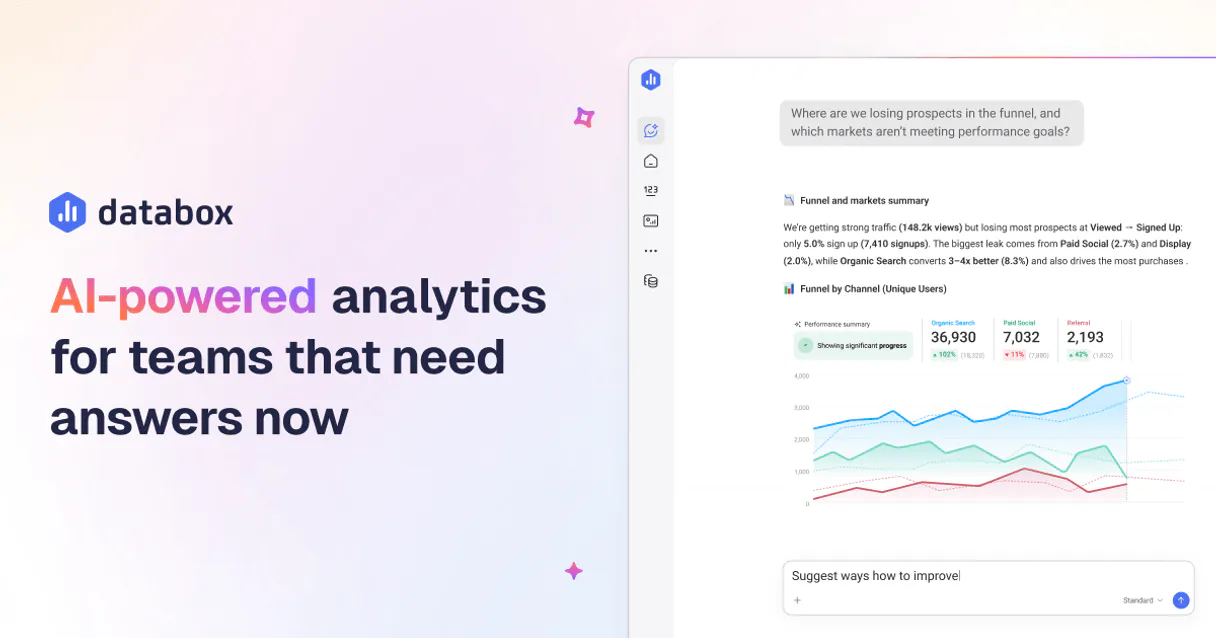
Databox MCP. Manage your metrics and datasets with plain conversation.
 Gemini
 Works with every AI agent you already use
…and any MCP-compatible client









Just plug in your AI agents and start using Vinkius.
Databox helps you manage and analyze business intelligence metrics directly through natural conversation. Connect any AI agent to Databox via Vinkius to read data schemas, push raw records into datasets, and check API activity logs for real-time reporting.
What your AI agents can do
Create data source
Creates and registers a connection to an external data source within Databox.
Create dataset
Initializes a brand new, empty dataset collection in the system.
Delete dataset
Permanently removes an existing dataset and all its associated data.
Your agent lists, retrieves schema details for, and deletes entire database collections (tables) within Databox.
The MCP allows pushing arrays of new, raw data records directly into a specified dataset to update real-time dashboards.
You can check current storage consumption statistics, review authenticated user profiles, and access API activity logs for auditing purposes.
Ask AI about this MCP
Supported MCP Clients
OAuth 2.0 Compatible Gemini Waiting for input…
Databox MCP - 12 Tools
Use these tools within the Vinkius catalog to programmatically list, create, delete, and ingest data into Databox datasets.
Make your AI actually useful.
Add this MCP to Claude, Cursor, or Windsurf and your AI stops guessing. It gets real tools to look things up, take action, and handle the stuff you keep doing by hand.
Start using Databox on Vinkius019dd0dccreate data source
Creates and registers a connection to an external data source within Databox.
019dd0dccreate dataset
Initializes a brand new, empty dataset collection in the system.
019dd0dcdelete dataset
Permanently removes an existing dataset and all its associated data.
019dd0dcget dataset details
Fetches specific schema information, including primary keys, for a named dataset.
019dd0dcget current user
Retrieves and reports the authenticated profile details for the connected user account.
019dd0dcget storage statistics
Reports current data storage usage and consumption metrics for the account.
019dd0dclist accounts
Lists all Databox accounts connected or managed under the primary API key.
019dd0dclist data sources
Displays a directory of all active and configured external data source integrations.
019dd0dclist datasets
Retrieves a comprehensive list of every available dataset collection in the account.
019dd0dclist activity logs
Retrieves a chronological record of recent API interactions and data operations performed.
019dd0dclist dataset metrics
Lists all defined metrics, fields, and column types within a specific dataset.
019dd0dcpush metrics data
Ingests structured, raw data records directly into a specified dataset for immediate visualization.
Choose How to Get Started
Build a custom MCP for your own tools, or connect a ready-made integration from our catalog.
Build Your Own
Turn any API into an MCP. Import a spec, define Agent Skills, or deploy with MCPFusion.
- Import from OpenAPI, Swagger, or YAML specs
- Create Agent Skills with progressive disclosure
- Deploy to edge with MCPFusion framework
- Built in DLP, auth, and compliance on every call
- Real time usage dashboard and cost metering
- Publish to catalog or keep private
Make Your AI Do More
Start with Databox, then connect any of our 5,000+ other servers whenever your AI needs more. One click, no limits.
- Use this MCP plus 5,000+ others, all in one place
- Add new capabilities to your AI anytime you want
- Every connection is secured and compliant automatically
- Track usage and costs across all your servers
- Works with Claude, ChatGPT, Cursor, and more
- New servers added to the catalog every week
Independent Platform Disclaimer: Vinkius is an independent platform and is not affiliated with, endorsed by, sponsored by, verified by, or otherwise authorized by Databox. All third-party trademarks, logos, and brand names are the property of their respective owners. Their use on this website is strictly for informational purposes to identify service compatibility and interoperability.
VINKIUS INFRASTRUCTURE
Cloud Hosted
Managed infra
V8 Isolated
Sandboxed per request
Zero-Trust Proxy
No stored credentials
DLP Enforced
Policy on every call
GDPR Compliant
EU data residency
Token Compression
~60% cost reduction
Works with Claude, ChatGPT, Cursor, and more
The Model Context Protocol standardizes how applications expose capabilities to LLMs. Instead of operating in isolation, your AI gains direct access to external platforms, live data, and real-world actions through secure, standardized connections.
This server provides 12 capabilities that interface natively with Claude, ChatGPT, Cursor, and any MCP client. No middleware. No custom integration required.
Dealing with Data Silos and Schema Drift
Currently, updating a dashboard metric requires jumping between tabs: checking the source system's documentation for the schema, manually running sample queries to confirm column names, then either writing complex SQL or physically copying data into a staging area.
With this MCP, you just tell your agent what you need. It automatically validates the dataset structure using `get_dataset_details` and tells you if the source has changed before you even start building the report.
Pushing Live Metrics with `push_metrics_data`
Manual metric logging involves running batch scripts, formatting arrays of data into JSON or CSV, and then uploading them to a dedicated dashboard service. This process is slow and error-prone.
Now, you tell the agent: 'Push these metrics.' It executes `push_metrics_data`, handles the schema mapping, and updates your live dashboards instantly. The process goes from hours of scripting down to a single prompt.
What you can do with this MCP connector
Stop manually querying databases just to update a metric or check usage quotas. This MCP lets your AI client take over your entire data ingestion workflow. You talk to it—'What were the sales numbers last week?'—and it handles the complex steps: first, it finds the correct dataset; second, it runs the necessary checks on the schema and current storage limits; finally, it pulls the clean metrics you need for instant visualization.
It’s like having a dedicated data engineer sitting at your desk who answers questions in plain English. Vinkius hosts this connection so your AI agent can access all of Databox's tools from one place.
019dd0dc-ca96-728d-b59d-9663243fc5f9 
How Databox MCP Works
- 1 Subscribe to this MCP on Vinkius. Then, grab your Databox API Key (v1) from the dashboard settings.
- 2 Connect your preferred AI client and prompt it with a data task—for example, asking it to list all available datasets or push new sales figures.
- 3 Your agent uses the appropriate tool to perform the action, giving you instant confirmation of success, status, or required input parameters.
The bottom line is that your AI client acts as a universal interface for Databox, translating conversational requests into specific data commands.
Who Is Databox MCP For?
Data Analysts who are tired of writing boilerplate SQL queries just to check a schema. Operations Leads whose job requires tracking API quota usage across multiple dashboards. Sales Ops professionals needing automated, reliable reporting that doesn't break when the source data changes.
They use this MCP to instantly list all available datasets and verify structures using natural language commands before building a query.
They automate the reporting of custom metrics, pushing new data points for campaigns into dashboards without leaving their main workspace.
What Changes When You Connect
- You bypass manual data entry. Instead of copying raw CSVs, you can tell the agent to push new records using
push_metrics_data, keeping dashboards current instantly. - Stay within budget by checking quotas automatically. Use
get_storage_statisticsor view API activity logs vialist_activity_logsbefore running major data pushes. - Schema guesswork is gone. Before you build anything, ask the agent to run
get_dataset_detailson a dataset name and get the exact structure back. - Manage your entire infrastructure in one chat session. You can list all connected accounts with
list_accountsand audit which data sources are active withlist_data_sources. - The AI handles complexity by allowing you to query metadata like available metrics using
list_dataset_metricswithout writing a single SQL line.
Real-World Use Cases
Need to update yesterday's sales data quickly
The Ops Lead needs to record 50 new transactions that haven't hit the main database yet. The agent handles this by first listing the correct dataset (list_datasets) and then executing push_metrics_data with the raw transaction records.
Auditing data access for compliance
The Security Analyst needs to prove who accessed which datasets yesterday. They ask the agent, and it runs list_activity_logs, providing a detailed record of successful pushes or schema reads.
Discovering all available metrics
A new Data Scientist joins the project. Instead of reading documentation, they ask the agent to run list_dataset_metrics on 'User Engagement' and instantly get a list of every trackable field.
Setting up a new data feed
The team needs metrics from a newly acquired source. They use create_data_source to link the external API, followed by list_data_sources to confirm the connection is active and working.
The Tradeoffs
Assuming data structure
A user tries to write a complex query against 'Daily Sales' because they assume it has a 'Revenue' column, but the actual schema is different.
→
Don't guess. First, ask the agent to run get_dataset_details on 'Daily Sales'. This confirms the correct columns and primary key structure before you attempt any data push or analysis.
Over-relying on manual dashboard fixes
The user has a metric that fails daily because an upstream system changed its column name, requiring a manual dashboard edit.
→
Use the agent to list available metrics with list_dataset_metrics. This lets you quickly verify if the required data field still exists after upstream changes.
Forgetting about usage limits
A user runs a massive, unoptimized report that exceeds the monthly API quota, resulting in an error and lost time.
→
Always start by checking get_storage_statistics. Knowing your current budget prevents failed reports and keeps your analysis running smoothly.
When It Fits, When It Doesn't
Use this MCP if your workflow is defined by data management actions—if you need to create a dataset, check schema details, or feed raw metrics into existing dashboards. The core strength here is turning technical CRUD operations into simple conversations.
Don't use it just because you want to query the results of the analysis; for pure querying against live read-only data marts, another SQL-based tool might be simpler. But if your bottleneck is getting the data ready—connecting sources (create_data_source), validating structure (get_dataset_details), or feeding new records (push_metrics_data)—this MCP is exactly what you need.
Common Questions About Databox MCP
How do I check my data usage with Databox? (using get_storage_statistics) +
Run get_storage_statistics in your agent. It immediately reports how much storage you've used and what the remaining quota is, so you can plan major data ingestion jobs.
What if I need to change a dataset name? (using delete_dataset) +
You first list all available datasets using list_datasets to confirm the exact ID. Then you use delete_dataset to remove it, making sure you have backups before running that command.
Can I see who has accessed my data? (using list_activity_logs) +
Yes. The agent runs list_activity_logs, providing a detailed log of every API call and data operation performed on your account for auditing purposes.
What is the difference between listing datasets and listing metrics? (using list_datasets vs list_dataset_metrics) +
Using list_datasets shows you the container names (the tables). Using list_dataset_metrics tells you the specific columns, fields, and types inside one of those containers.
How can I check my profile and permissions using get_current_user? +
The tool returns your authenticated user details. This confirms which account the AI agent is operating under, ensuring data security before making changes or running reports.
When should I use create_data_source? +
You run this when you need to establish connection credentials for an external system. It initializes the link so your agent can start pulling metrics from that brand-new source into Databox.
Using get_dataset_details, what metadata can I retrieve about a specific collection? +
It provides deep structural information, including schema definitions and primary key setups. This is essential for understanding exactly how your data is organized before you push metrics.
If I need to ingest new records, how do I use push_metrics_data? +
You pass an array of raw data records along with the target dataset ID. The agent pushes this batch directly into Databox for real-time visualization and immediate metric processing.
How do I find my Databox API Key? +
Log in to your account, navigate to Account Settings > API Tokens, and copy your unique v1 API Key.
Can I create new datasets via AI? +
Yes! Use the create_dataset tool. You'll need to specify a title, a source ID, and an array of primary keys for the table structure.
Does it support real-time data pushing? +
The push_metrics_data tool allows for immediate ingestion of data records, making them available for visualization in Databox instantly.
Use it with your favorite AI tools
Connect this server to Cursor, Claude, VS Code, and more.