
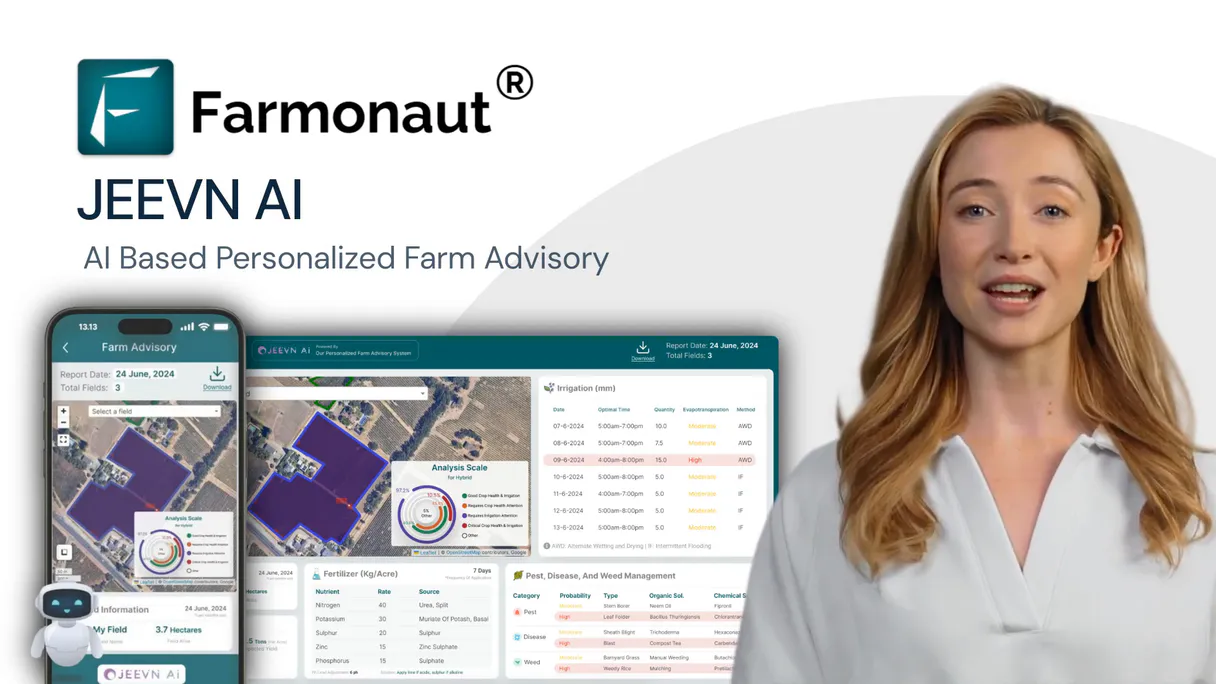
Supercharge your AI with Farmonaut. Analyze field data from satellite imagery & weather.
 Gemini
 Works with every AI agent you already use
…and any MCP-compatible client









Connect to your AI in seconds.
Farmonaut provides immediate access to advanced satellite data for farming. Monitor crop health using NDVI and EVI indices, track soil moisture levels across different depths, and get long-range weather forecasts—all from any AI agent conversation.
It also detects land use changes and offers AI-driven advice on everything from irrigation scheduling to pest control.
What your AI can do
Get soil moisture
Provides current soil moisture levels at multiple depths (surface, root zone) to guide immediate irrigation decisions.
Get weather forecast
Delivers forward-looking forecasts spanning weeks or months, essential for seasonal planning and harvesting.
Get weather
Retrieves historical weather data like temperature, precipitation, and wind for past season analysis.
You define new fields by providing their boundary coordinates or GeoJSON polygon for continuous tracking.
The system calculates specific indexes like NDVI and EVI to quantify crop vigor, identifying stress before it's visible to the naked eye.
It provides detailed soil moisture readings at various depths and offers multi-month weather forecasts for irrigation planning.
You receive alerts identifying areas of deforestation or significant land use changes over time, vital for compliance checks.
The MCP pulls together all data—weather, soil, spectral analysis—to recommend specific actions for fertilizer, pest control, and harvesting.
Ask an AI about this
Compatible AI Apps
OAuth 2.0 Compatible Gemini Waiting for input…
Farmonaut: Geospatial Analysis (12 Tools)
These tools allow your agent to run specialized analyses—from calculating vegetation indices to checking for land clearing—to build a complete picture of farm health.
Make your AI actually useful.
Add this MCP to Claude, Cursor, or Windsurf and your AI stops guessing. It gets real tools to look things up, take action, and handle the stuff you keep doing by hand.
Start using Farmonaut on VinkiusGet Soil Moisture
Provides current soil moisture levels at multiple depths (surface, root zone) to guide immediate irrigation decisions.
Get Weather Forecast
Delivers forward-looking forecasts spanning weeks or months, essential for seasonal...
Get Weather
Retrieves historical weather data like temperature, precipitation, and wind for past...
Add Field
Registers a new farm field by accepting its boundary coordinates, crop type, and...
Get Crop Advisory
Generates specific recommendations on irrigation timing, fertilizer use, or pest...
Get Deforestation Alerts
Scans satellite imagery to detect any loss of tree cover or major land clearing in a specified area.
Get Evi
Calculates the enhanced vegetation index (EVI) for detailed monitoring, especially useful for dense tropical canopies.
Get Fields
Lists all monitored agricultural fields, providing their names, boundaries, and...
Get Ndvi
Calculates the Normalized Difference Vegetation Index (NDVI) to assess general...
Get Ndwi
Measures the Normalized Difference Water Index (NDWI), helping determine current...
Get Sar Analysis
Performs Synthetic Aperture Radar analysis, providing all-weather monitoring that...
Get Satellite Images
Retrieves visual composites of the field using different spectral bands, including true-color and false-color overlays.
Connect to your AI in seconds. Security and governance baked right in.
Pick your AI client below to get set up. Just create a Vinkius account, subscribe, and you're instantly up and running. We handle the entire backend infrastructure, delivering out-of-the-box support for HTTPS Streamable, SSE, and OAuth2—zero messy routing required.
Claude AI
Open Claude Settings
Go to claude.ai, click your profile icon, then navigate to Customize → Connectors.
Add Custom Connector
Click the "+" button and select Add custom connector. Paste your Vinkius endpoint URL:
https://edge.vinkius.com/[YOUR_TOKEN_HERE]/mcp
Replace [YOUR_TOKEN_HERE] with your token from
cloud.vinkius.com. For OAuth-protected servers, expand Advanced
settings to add credentials.
Start a conversation
Open a new chat. The Farmonaut integration is available immediately — no restart needed.
Choose How to Get Started
Build a custom MCP for your own tools, or connect a ready-made integration from our catalog.
Build Your Own
Turn any API into an MCP. Import a spec, define Agent Skills, or deploy with MCPFusion.
- Import from OpenAPI, Swagger, or YAML specs
- Create Agent Skills with progressive disclosure
- Deploy to edge with MCPFusion framework
- Built in DLP, auth, and compliance on every call
- Real time usage dashboard and cost metering
- Publish to catalog or keep private
Make Your AI Do More
Start with Farmonaut, then connect any of our 5,000+ other servers whenever your AI needs more. One click, no limits.
- Use this MCP plus 5,000+ others, all in one place
- Add new capabilities to your AI anytime you want
- Every connection is secured and compliant automatically
- Track usage and costs across all your servers
- Works with Claude, ChatGPT, Cursor, and more
- New servers added to the catalog every week
Independent Platform Disclaimer: Vinkius is an independent platform and is not affiliated with, endorsed by, sponsored by, verified by, or otherwise authorized by Farmonaut. All third-party trademarks, logos, and brand names are the property of their respective owners. Their use on this website is strictly for informational purposes to identify service compatibility and interoperability.
VINKIUS INFRASTRUCTURE
Cloud Hosted
Managed infra
V8 Isolated
Sandboxed per request
Zero-Trust Proxy
No stored credentials
DLP Enforced
Policy on every call
GDPR Compliant
EU data residency
Token Compression
~60% cost reduction
Works with Claude, ChatGPT, Cursor, and more
The Model Context Protocol standardizes how applications expose capabilities to LLMs. Instead of operating in isolation, your AI gains direct access to external platforms, live data, and real-world actions through secure, standardized connections.
This connection provides 12 powerful capabilities that interface natively with Claude, ChatGPT, Cursor, and other compatible AI platforms. No middleware. No custom integration required.
Analyzing crop health used to be a manual mess of cross-referencing reports.
Today, if you want a full picture, you're clicking through separate dashboards: one for Sentinel-2 images, another for historical weather records, and yet another for soil moisture readings. You then have to manually overlay maps and write up the executive summary yourself. It takes hours just to gather enough data points.
With this MCP, your agent pulls all those disparate reports together instantly. You simply ask it what the crop health looks like, and it combines get_ndvi outputs with recent weather trends, giving you a single, synthesized answer in seconds.
Get AI-powered crop advisory
Before this MCP, receiving advice meant paying an agronomist or waiting for seasonal reports. You'd get general guidance: 'Monitor pests.' It was vague and reactive.
Now you get specific instructions. The get_crop_advisory tool analyzes your data—like the current soil moisture versus projected rainfall—and gives actionable directives, such as 'Apply 25mm of water within three days,' making it truly proactive.
What your AI can actually do with this
Managing a farm used to mean juggling multiple platforms: one for weather reports, another for soil readings, and a third for satellite imagery analysis. Now, you connect Farmonaut via Vinkius and keep it all in one chat. Your AI agent acts like a dedicated agronomist on call. You can ask it to compare the current crop vigor against historical data, or check if recent deforestation alerts might threaten a section of your property.
It doesn't just pull images; it analyzes them. Need to know how much water is in the roots? The MCP handles that. Want to plan for harvest six months out? Get the weather forecast and soil moisture readings needed to make that call, all without leaving your chat window.
019d7596-c3ec-7265-b0bf-e11303ec176d 
Here's how it actually works
The bottom line is that you talk to your AI agent like you're talking to an expert agronomist; it handles all the complex data retrieval and analysis behind the scenes.
First, connect your API key to the Farmonaut MCP via Vinkius. This grants your AI agent access to all satellite data feeds.
Next, ask your AI client a question—for instance, 'What is the soil moisture and expected rainfall for my wheat field?'
The system runs multiple analyses (weather forecast, get_soil_moisture) and compiles the results into a single, actionable report ready in conversation.
Who is this actually for?
This MCP is for farm managers, agronomists, and environmental consultants who are tired of jumping between GIS software, weather portals, and spectral index calculators. It centralizes all critical geospatial data streams so you can make high-stakes decisions using one conversational interface.
They analyze vegetation indices (get_ndvi, get_evi) to pinpoint early signs of stress or nutrient deficiencies across different crops.
They use the MCP to schedule irrigation and resource inputs by cross-referencing current soil moisture readings with long-term weather forecasts.
They monitor land compliance and detect illegal activity using deforestation alerts and multi-satellite imagery review.
What Changes When You Connect
Instead of checking 10 different dashboards, you ask your AI agent to combine multiple tools like get_ndvi and get_soil_moisture into one report, making diagnosis immediate.
The MCP allows for all-weather monitoring using the get_sar_analysis tool. You don't need clear skies; it penetrates clouds to give structural data on crops.
You can track seasonal changes by combining historical weather (get_weather) with long-term forecasts (get_weather_forecast), letting you predict yield risks months out.
The system calculates various spectral indices, like get_ndwi and get_evi. This gives deeper insight into water stress or canopy density than basic visuals alone.
It centralizes the entire workflow—from registering a new plot (add_field) to getting final instructions (get_crop_advisory)—into one conversation flow.
See it in action
Diagnosing early crop stress
An agronomist needs to know if a field is stressed. They prompt the agent: 'What's wrong with Field 4?' The MCP uses get_ndvi and get_ndwi, cross-referencing them against current soil moisture (get_soil_moisture) to pinpoint water scarcity as the primary issue.
Planning for a bumper harvest
A farm manager needs to know when to plant. They ask the agent: 'When is the best time to start planting Field 7?' The MCP checks get_weather_forecast and get_soil_moisture, advising on optimal temperature ranges and soil readiness.
Addressing environmental compliance
A consultant needs to prove no illegal logging occurred. They prompt: 'Check for land use changes in Sector B.' The MCP runs the get_deforestation_alerts tool, providing time-stamped evidence of any unauthorized tree cover loss.
Optimizing resource usage
A farmer needs to reduce fertilizer waste. They ask: 'Based on my field's current health, what should I apply?' The MCP runs get_crop_advisory, which synthesizes NDVI data and local weather predictions for a precise recommendation.
The honest tradeoffs
Only looking at pretty pictures
A user only downloads raw satellite images (get_satellite_images) and tries to manually interpret the subtle color shifts or cloud shadows.
Don't just download the image. Use get_ndvi or get_evi instead. These tools calculate specific metrics that give you a quantifiable, actionable number for crop health.
Ignoring environmental context
The user asks 'Should I irrigate Field X?' but forgets to include the date range or current weather conditions.
Always check the historical and forecast data first. Use get_weather and get_soil_moisture together. This prevents over-watering when rain is due.
Treating indices as single sources
Relying only on NDVI to assess water stress, which can be misleading if the soil type changes.
Cross-reference. Combine get_ndvi results with get_ndwi and get_soil_moisture data. This layered approach confirms the source of the stress.
When It Fits, When It Doesn't
Use this MCP if your primary goal is diagnosis: figuring out why a field looks bad, or predicting resource needs months in advance. You need to combine environmental context (get_weather, get_soil_moisture) with physical measurements (get_ndvi, get_evi). Don't use it if you just need simple mapping; for that, basic image retrieval may suffice. However, if your task involves planning or optimizing inputs—like when and how much fertilizer to apply—this MCP is necessary because only the get_crop_advisory tool synthesizes all these data layers into a single recommendation.
Questions you might have
How do I get historical weather data using get_weather? +
Use the get_weather tool by specifying the field ID and date range. It pulls records for temperature, precipitation, wind speed, and solar radiation from that period.
Can I use get_ndwi to check my irrigation status? +
Yes. The get_ndwi tool measures water content in crops, which is essential for determining if you need to irrigate right now or wait out a storm.
Does get_deforestation_alerts require clear skies? +
No. Because it uses satellite imagery and focuses on land cover change detection, it's designed to detect changes regardless of cloud cover.
What is the difference between NDVI and EVI using get_ndvi and get_evi? +
NDVI measures general vigor. EVI (get_evi) is better for high-biomass crops and dense canopies, offering a more refined analysis when atmospheric interference is a factor.
How do I start monitoring a new field with add_field? +
Use the add_field tool by providing its boundaries (GeoJSON or coordinates), the crop type, and the planting date. The MCP then activates all necessary monitoring protocols for that plot.
When I use get_fields, how do I ensure that all my boundaries are recognized for analysis? +
The tool returns field boundaries as GeoJSON polygons. This standardized format ensures every subsequent monitoring request—whether it's calculating NDVI or checking soil moisture—can map accurately and reliably to your defined agricultural area.
If my location has heavy cloud cover, can I still get reliable data using get_sar_analysis? +
Yes. SAR technology sends radio waves that penetrate clouds and operates day or night. This capability lets you monitor crop structure and detect soil moisture even when standard optical satellites are blocked by weather.
To get the most accurate recommendations from get_crop_advisory, what data points should I provide? +
The advisory works best with multiple inputs. Pairing it with current soil moisture levels and recent historical weather data helps the AI generate precise, actionable advice for irrigation scheduling and fertilizer use.
Can my AI calculate NDVI for my rice field and show me the crop health trend? +
Yes! Use the get_ndvi tool with your field ID and date range (e.g., date_from=2025-04-01, date_to=2025-10-31). This returns NDVI values for each satellite overpass from Sentinel-2, Landsat, or PlanetScope, showing vegetation health progression. You can also use get_crop_advisory for AI-powered recommendations based on the NDVI trends and current growth stage.
How do I get soil moisture and weather forecast data to plan irrigation? +
Use get_soil_moisture with your field ID and date range to check current soil moisture levels at root zone depth. Combine with get_weather_forecast (forecast_range=7_days or 15_days) to see upcoming precipitation. Together these tools help determine if and when irrigation is needed. For AI-powered irrigation recommendations, use get_crop_advisory with advisory_type=irrigation.
Can I monitor my crops during cloudy season when optical satellites cannot see? +
Yes! Use the get_sar_analysis tool which uses Synthetic Aperture Radar (SAR) data that penetrates clouds and works day/night. SAR provides backscatter values, soil moisture estimates, and crop structure information regardless of weather conditions. This is essential for monitoring in tropical regions, monsoon seasons, or any cloudy conditions where optical satellites like Sentinel-2 cannot provide clear imagery.
We've already built the connector for Farmonaut. Just plug in your AI agents and start using Vinkius.
No hosting. No infrastructure. No complex setup.
All 12 tools are live and waiting.
You're up and running in seconds.
Gemini Vinkius gives your AI agents access to the full catalog of app connectors, all fully managed, secure, and enterprise-ready. One subscription, every tool you need.
Built, hosted, and secured by Vinkius. You just connect and go.