
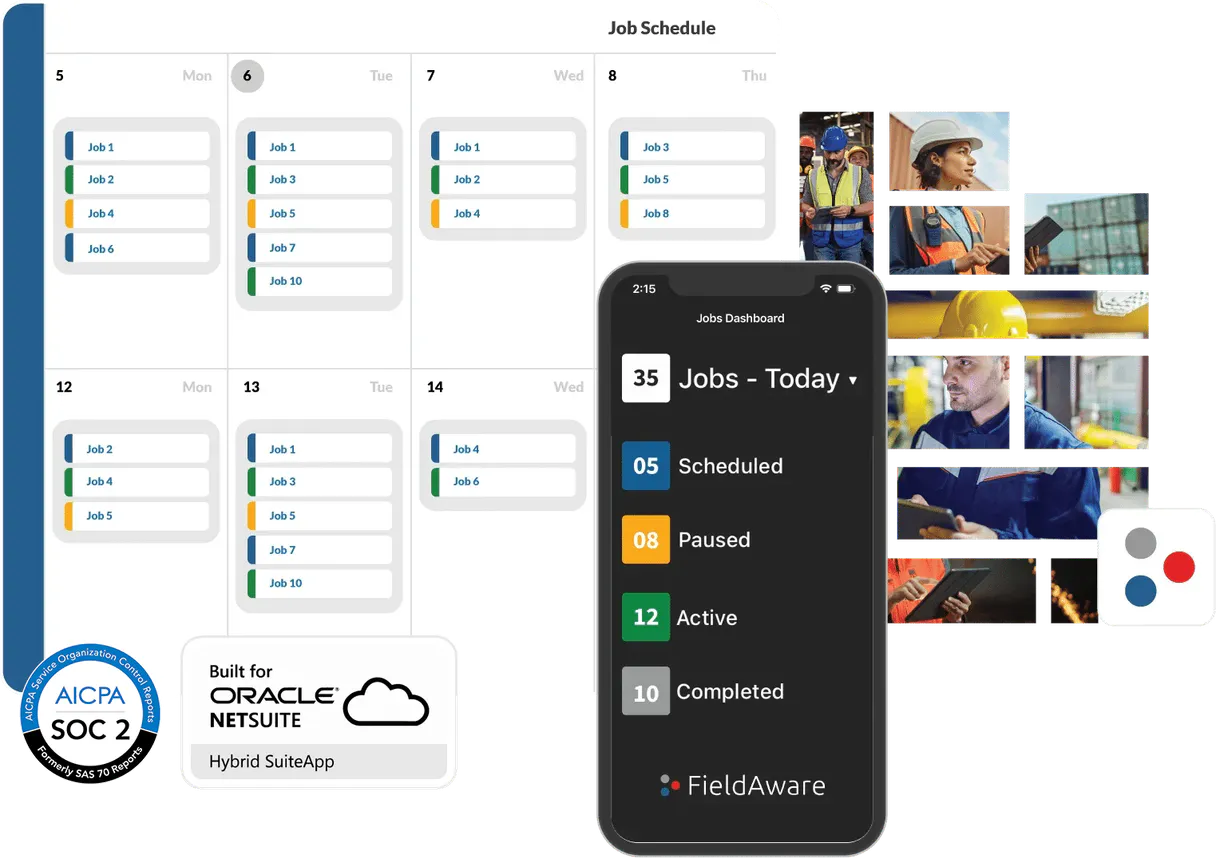
Supercharge your AI with FieldAware. Manage jobs, customers, and billing cycles from chat.
 Gemini
 Works with every AI agent you already use
…and any MCP-compatible client









Connect to your AI in seconds.
FieldAware connects your AI agent directly to field service management data. You can manage entire job lifecycles—from listing customers and retrieving contact info, to creating new work orders and pulling invoices for billing.
This MCP lets you handle complex field operations entirely through natural conversation.
What your AI can do
Create job
Generates a brand new work order in FieldAware.
Get customer
Fetches all details for one specific customer using their ID.
Get invoice
Retrieves the full detail record for a single invoice number.
You can create new assignments or pull detailed metadata for existing work orders.
Quickly find a customer's profile, view their list of contacts, and see all associated service records.
Retrieve lists or specific details for invoices and active quotes to check billing status.
List all managed assets and query product or service items available in the catalog.
Ask an AI about this
Compatible AI Apps
OAuth 2.0 Compatible Gemini Waiting for input…
FieldAware MCP: 12 Tools for Service Management
These tools allow you to perform every core function of field service management—from creating work orders to querying financial statements—all through your agent.
Make your AI actually useful.
Add this MCP to Claude, Cursor, or Windsurf and your AI stops guessing. It gets real tools to look things up, take action, and handle the stuff you keep doing by hand.
Start using FieldAware on VinkiusCreate Job
Generates a brand new work order in FieldAware.
Get Customer
Fetches all details for one specific customer using their ID.
Get Invoice
Retrieves the full detail record for a single invoice number.
Get Job
Gets all metadata and status details for one specific job ID.
Get Whoami
Identifies the user account that owns this MCP key, verifying your permissions.
List Assets
Lists every managed piece of equipment or asset record in FieldAware.
List Contacts
Retrieves a list of all contacts associated with the account.
List Customers
Gets a complete directory listing of every customer in your account.
List Invoices
Lists all invoices, allowing you to check for unpaid or pending bills.
List Items
Provides a list of every product and service item in your catalog.
List Jobs
Lists all active, completed, or pending jobs for the account.
List Quotes
Retrieves a list of all open quotes that need to be reviewed and converted into work orders.
Connect to your AI in seconds. Security and governance baked right in.
Pick your AI client below to get set up. Just create a Vinkius account, subscribe, and you're instantly up and running. We handle the entire backend infrastructure, delivering out-of-the-box support for HTTPS Streamable, SSE, and OAuth2—zero messy routing required.
Claude AI
Open Claude Settings
Go to claude.ai, click your profile icon, then navigate to Customize → Connectors.
Add Custom Connector
Click the "+" button and select Add custom connector. Paste your Vinkius endpoint URL:
https://edge.vinkius.com/[YOUR_TOKEN_HERE]/mcp
Replace [YOUR_TOKEN_HERE] with your token from
cloud.vinkius.com. For OAuth-protected servers, expand Advanced
settings to add credentials.
Start a conversation
Open a new chat. The FieldAware integration is available immediately — no restart needed.
Choose How to Get Started
Build a custom MCP for your own tools, or connect a ready-made integration from our catalog.
Build Your Own
Turn any API into an MCP. Import a spec, define Agent Skills, or deploy with MCPFusion.
- Import from OpenAPI, Swagger, or YAML specs
- Create Agent Skills with progressive disclosure
- Deploy to edge with MCPFusion framework
- Built in DLP, auth, and compliance on every call
- Real time usage dashboard and cost metering
- Publish to catalog or keep private
Make Your AI Do More
Start with FieldAware, then connect any of our 5,000+ other servers whenever your AI needs more. One click, no limits.
- Use this MCP plus 5,000+ others, all in one place
- Add new capabilities to your AI anytime you want
- Every connection is secured and compliant automatically
- Track usage and costs across all your servers
- Works with Claude, ChatGPT, Cursor, and more
- New servers added to the catalog every week
Independent Platform Disclaimer: Vinkius is an independent platform and is not affiliated with, endorsed by, sponsored by, verified by, or otherwise authorized by FieldAware. All third-party trademarks, logos, and brand names are the property of their respective owners. Their use on this website is strictly for informational purposes to identify service compatibility and interoperability.
VINKIUS INFRASTRUCTURE
Cloud Hosted
Managed infra
V8 Isolated
Sandboxed per request
Zero-Trust Proxy
No stored credentials
DLP Enforced
Policy on every call
GDPR Compliant
EU data residency
Token Compression
~60% cost reduction
Works with Claude, ChatGPT, Cursor, and more
The Model Context Protocol standardizes how applications expose capabilities to LLMs. Instead of operating in isolation, your AI gains direct access to external platforms, live data, and real-world actions through secure, standardized connections.
This connection provides 12 powerful capabilities that interface natively with Claude, ChatGPT, Cursor, and other compatible AI platforms. No middleware. No custom integration required.
The old way means jumping between five different browser tabs just to get one answer.
Right now, figuring out if a job is ready for billing requires logging into the CRM to check customer details. Then you switch to the Job Board to see the work order status and completion date. Finally, you jump to the accounting portal just to confirm the invoice hasn't been paid yet. It’s tedious copy-pasting and manual cross-checking.
With this MCP, you tell your agent: 'Check job 5501 for customer X, and let me know if it's ready to bill.' The system pulls all that data—the job status, the customer history, and the invoice records—and gives you a single answer. It just works.
Get your service workflow running with `create_job`.
Before this MCP, if a client called with a new issue, the manual process was: 1) Find their contact info. 2) Confirm their asset list is accurate. 3) Log into the job board and manually fill out all necessary fields to start a work order.
Now, you simply instruct your agent to create a job using `create_job`. It uses the customer data, cross-references the assets via `list_assets`, and populates the new record instantly. The complexity disappears.
What your AI can actually do with this
Managing a field service business requires juggling multiple systems: customer databases, job boards, equipment inventories, and accounting software. Traditionally, this means logging into five different portals just to check on one client. With this connection, your agent handles the complexity for you. You can ask it to list all active jobs, get detailed information on a specific customer's history, or pull up the last invoice associated with that service call—all without clicking anything.
It lets you query product catalogs and even create new work orders just by talking to it. This is how your AI client connects directly to real business processes. If you need this level of deep integration into core field operations data, check out the entire catalog on Vinkius.
019d7598-9118-7101-9eb4-e4a4d26d52f4 
Here's how it actually works
The bottom line is that you talk to your chat interface, and it talks to FieldAware for you.
Subscribe to this MCP on Vinkius and enter your FieldAware API Key (you find this key in your developer settings).
Connect your preferred AI client, like Cursor or Claude, to the Vinkius platform.
Start asking questions. Your agent uses the provided tools to pull data directly into your conversation.
Who is this actually for?
Service Dispatchers who hate switching between job boards and CRM systems. Operations Managers tired of manually reconciling invoices against service records. Anyone whose job requires deep visibility into a client's history, assets, and billing status.
Monitor job progress, review customer contact details, and check the status of outstanding invoices without navigating multiple web portals.
Sync work orders with equipment data and build new service jobs based on a client's historical needs or asset list.
Pull up specific invoices or check the status of active quotes to reconcile payments against completed field services.
What Changes When You Connect
Stop switching tabs. Instead of checking the CRM for customer details, then logging into the job board to find the work order, you just ask your agent. It pulls everything together instantly.
Never lose track of payments again. You can check if there are outstanding invoices or see the status of open quotes without visiting the accounting portal; just ask the MCP.
Streamline dispatching by querying customer history and asset lists first. Before creating a job, you confirm who they are, what equipment they have, and what services they need based on their past records.
Build new service assignments faster. If you know a client needs work done, you can use the MCP to create a new job directly from your chat interface, populating it with necessary details.
Reduce data entry errors across departments. By centralizing access—whether listing assets or creating jobs—you ensure that the data used by dispatch knows exactly what the billing department sees.
See it in action
The overdue invoice check
A client calls about a service they received last month. Instead of manually cross-referencing dates, your agent first uses get_customer to confirm the client's details. Then it checks list_invoices and pulls up any unpaid bills using get_invoice, immediately giving you a billing status before the conversation ends.
Onboarding a new service call
A sales team member needs to schedule a repair. They use the MCP's ability to list available products with list_items and then immediately kick off the process by calling create_job, attaching all the necessary parts and labor codes in one step.
Pre-dispatch asset check
Before sending a technician out, you need to know if they have the right gear. You ask the agent to run list_assets to verify which equipment is assigned to that job and cross-reference it with the client's known setup.
Reviewing potential jobs
The team reviews a large list of service requests. Instead of manually checking every one, they use list_jobs to see all open tasks and then drill down using get_job on the most complex ones for immediate status updates.
The honest tradeoffs
Manually updating data across systems
A dispatcher finds an asset discrepancy. They manually log into the Asset Portal, then open the Job Board, and update the work order status—a process that takes five minutes and requires three logins.
You simply instruct your agent to list assets and compare them against the job details using list_assets and get_job. The AI handles the data comparison and flags discrepancies immediately.
Forgetting related records
A team member sees a completed job but forgets to check if there were pending quotes or necessary follow-up tasks, leading to revenue loss.
Always ask your agent to run list_quotes after completing an assignment. This ensures you capture any potential new business before the client hangs up.
Overlooking who's authorized
An unfamiliar user tries to pull sensitive billing records, and the system doesn't warn them until they hit a dead end.
Start by running get_whoami. This verifies your permissions right away, ensuring you have the necessary authorization before pulling any sensitive data like invoices.
When It Fits, When It Doesn't
Use this MCP if your core pain point is stitching together multiple business domains (jobs, billing, assets) into one conversation. You need a system that acts as a central command layer for field service operations. Don't use it just because you have job listings; you must also care about the related data—the customer history, the invoices, and the equipment list. If your workflow is simple (e.g., 'just get me today's appointments'), this MCP might be overkill. But if your process involves: 1) Identifying the client (get_customer), 2) Checking their financial standing (list_invoices), AND 3) Creating a new service task (create_job)—then you need this, period.
Questions you might have
How do I check if there are any outstanding payments with list_invoices? +
You use list_invoices to pull all invoice records. You can then ask the agent to filter that list for specific payment statuses, letting you see exactly what needs follow-up.
Can I check a customer's full history using get_customer? +
Yes, get_customer retrieves all core details. Beyond basic contact info, it aggregates historical data about their service calls and associated assets for a complete profile view.
Does list_assets only show equipment I own? +
No. The tool helps you list every managed asset record in your FieldAware account, ensuring you have the full context of what needs to be tracked during any job or service visit.
What is the difference between get_job and list_jobs? +
list_jobs gives you a high-level directory of all jobs. get_job, however, takes one specific Job ID and returns every single piece of detailed metadata for that singular work order.
How do I confirm my API key is working and authorized using get_whoami? +
It immediately returns the user profile associated with your current API key. This confirms two things for you: that the connection is live and that your agent has the correct permissions.
What mandatory information do I need when using create_job? +
You must provide core details, including a valid customer ID and job type. This ensures the new work order gets properly linked to existing client records right away.
Are there limits on how often I can call list_customers? +
Yes, like most APIs, excessive requests will trigger standard rate limiting. It's best practice to use batch requests or implement a short delay between calls when running large data pulls.
Does get_invoice require me to know the associated job ID? +
No, you only need the unique Invoice ID to pull up all its details. But keep in mind that the returned record will include related job and customer IDs for easy cross-referencing.
How do I obtain my FieldAware API Key? +
You can request or generate your API Key from your FieldAware account administrator or within the Developer/API Settings section of your FieldAware portal.
What is the format for the API Key in the settings? +
The agent automatically handles the 'Token' prefix. You only need to paste the literal API key provided by FieldAware.
Can I create new jobs through this agent? +
Yes! The create_job tool allows you to programmatically generate new work orders by providing a customer ID and description.
We've already built the connector for FieldAware. Just plug in your AI agents and start using Vinkius.
No hosting. No infrastructure. No complex setup.
All 12 tools are live and waiting.
You're up and running in seconds.
Gemini Vinkius gives your AI agents access to the full catalog of app connectors, all fully managed, secure, and enterprise-ready. One subscription, every tool you need.
Built, hosted, and secured by Vinkius. You just connect and go.