
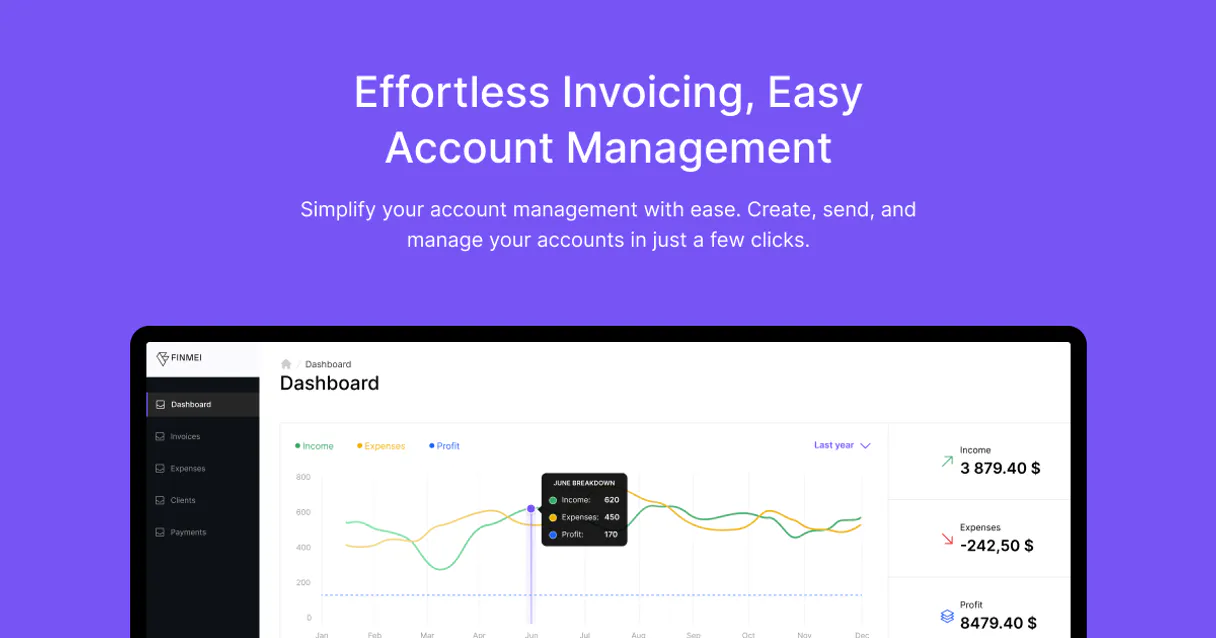
Supercharge your AI with Finmei. Manage expenses and payments via conversation.
 Gemini
 Works with every AI agent you already use
…and any MCP-compatible client









Connect to your AI in seconds.
Finmei connects your AI agent directly to your business accounts so you can handle expenses, payments, and tax rates using natural conversation.
Forget logging into separate accounting portals; just ask your agent for a report or tell it to log a receipt.
It’s built for freelancers and small businesses that need accurate financial tracking without the headache of complex software.
What your AI can do
Create expense
Records a brand new business expense entry into your account.
Delete expense
Removes an existing expense record from your records.
Delete payment
Permanently removes a recorded payment transaction.
You can create new expense records or modify existing ones using simple voice commands.
Retrieve payment history, check specific transaction details, or delete old entries when needed.
View all configured tax types and rates to ensure your books stay compliant.
Retrieve your core business profile metadata, giving the agent accurate details for reports or invoices.
Check supported global currencies and manage transactions across 180+ countries.
Ask an AI about this
Compatible AI Apps
OAuth 2.0 Compatible Gemini Waiting for input…
Finmei: 12 Financial Tools
Use these tools to perform every financial action imaginable—from creating a new receipt record to listing all available tax types.
Make your AI actually useful.
Add this MCP to Claude, Cursor, or Windsurf and your AI stops guessing. It gets real tools to look things up, take action, and handle the stuff you keep doing by hand.
Start using Finmei on VinkiusCreate Expense
Records a brand new business expense entry into your account.
Delete Expense
Removes an existing expense record from your records.
Delete Payment
Permanently removes a recorded payment transaction.
Get Expense
Retrieves full details for one specific expense entry you reference by ID or date.
Get Payment
Pulls all the detailed information associated with a single payment transaction.
Get Profile
Fetches your core business profile details, giving context to subsequent financial calls.
List Categories
Shows you a list of all the expense categories available for use in your records.
List Currencies
Provides a full list of supported global currencies for international transactions.
List Expenses
Generates a summary list of your recent and historical business expenses.
List Payments
Shows you a general overview list of all payments associated with your account.
List Tax Types
Retrieves a list of every tax rate configured for your business, like VAT or sales...
Update Expense
Modifies existing details on an expense record, such as changing the description or amount.
Connect to your AI in seconds. Security and governance baked right in.
Pick your AI client below to get set up. Just create a Vinkius account, subscribe, and you're instantly up and running. We handle the entire backend infrastructure, delivering out-of-the-box support for HTTPS Streamable, SSE, and OAuth2—zero messy routing required.
Claude AI
Open Claude Settings
Go to claude.ai, click your profile icon, then navigate to Customize → Connectors.
Add Custom Connector
Click the "+" button and select Add custom connector. Paste your Vinkius endpoint URL:
https://edge.vinkius.com/[YOUR_TOKEN_HERE]/mcp
Replace [YOUR_TOKEN_HERE] with your token from
cloud.vinkius.com. For OAuth-protected servers, expand Advanced
settings to add credentials.
Start a conversation
Open a new chat. The Finmei integration is available immediately — no restart needed.
Choose How to Get Started
Build a custom MCP for your own tools, or connect a ready-made integration from our catalog.
Build Your Own
Turn any API into an MCP. Import a spec, define Agent Skills, or deploy with MCPFusion.
- Import from OpenAPI, Swagger, or YAML specs
- Create Agent Skills with progressive disclosure
- Deploy to edge with MCPFusion framework
- Built in DLP, auth, and compliance on every call
- Real time usage dashboard and cost metering
- Publish to catalog or keep private
Make Your AI Do More
Start with Finmei, then connect any of our 5,000+ other servers whenever your AI needs more. One click, no limits.
- Use this MCP plus 5,000+ others, all in one place
- Add new capabilities to your AI anytime you want
- Every connection is secured and compliant automatically
- Track usage and costs across all your servers
- Works with Claude, ChatGPT, Cursor, and more
- New servers added to the catalog every week
Independent Platform Disclaimer: Vinkius is an independent platform and is not affiliated with, endorsed by, sponsored by, verified by, or otherwise authorized by Finmei. All third-party trademarks, logos, and brand names are the property of their respective owners. Their use on this website is strictly for informational purposes to identify service compatibility and interoperability.
VINKIUS INFRASTRUCTURE
Cloud Hosted
Managed infra
V8 Isolated
Sandboxed per request
Zero-Trust Proxy
No stored credentials
DLP Enforced
Policy on every call
GDPR Compliant
EU data residency
Token Compression
~60% cost reduction
Works with Claude, ChatGPT, Cursor, and more
The Model Context Protocol standardizes how applications expose capabilities to LLMs. Instead of operating in isolation, your AI gains direct access to external platforms, live data, and real-world actions through secure, standardized connections.
This connection provides 12 powerful capabilities that interface natively with Claude, ChatGPT, Cursor, and other compatible AI platforms. No middleware. No custom integration required.
Dealing with multiple financial portals is exhausting.
Right now, logging business expenses means jumping between your bank portal to get the transaction amount, then switching to a receipt storage app just to categorize it. You copy-paste amounts into a spreadsheet, cross-reference tax codes in another tab, and finally log it all manually into your accounting software.
With this MCP, that entire multi-step process vanishes. You talk to your agent, tell it the expense details, and it handles the whole sequence—from logging the receipt data using `create_expense` to making sure the correct category is applied.
List Tax Types: Know Your Rates Instantly
Before you log a single transaction, you used to have to remember which tax rate applies—is it VAT? Is it local sales tax? If you guessed wrong, your entire filing could be off. You'd spend time searching documentation just to confirm the right code.
Now, asking your agent to `list_tax_types` gives you a live list of all configured rates for your account. It’s immediate verification that lets you move on.
What your AI can actually do with this
Finmei lets you automate core business finance tasks through conversational AI, completely bypassing traditional accounting dashboards. You can manage every detail of your cash flow—from logging receipts and updating expense categories to monitoring recent payments. Your agent handles it all; just talk to it. It keeps track of global currencies for international sales and makes sure you always have the correct tax rates applied when generating records.
Because this MCP is hosted on Vinkius, you connect once from any compatible client and get access to dozens of other tools, making your financial stack simpler than ever.
019d7599-4b15-7021-a6b7-d18547586c0f 
Here's how it actually works
The bottom line is that you talk to your agent, and it talks directly to Finmei to get or send data.
Subscribe to the Finmei MCP through Vinkius Marketplace.
Enter your unique Finmei API token into your agent's settings.
Directly ask your AI client to perform a financial action, like 'List my last 5 payments,' and it executes the task.
Who is this actually for?
This is for anyone who spends too much time jumping between QuickBooks, bank portals, and spreadsheet tabs. It’s the freelancer whose afternoon routine involves logging receipts from different currencies, or the small business owner who needs a quick overview of tax rates without opening an accounting program.
Logging every single client expense and ensuring they're categorized correctly before invoicing.
Quickly checking available tax types or retrieving the 10 most recent payments to keep a finger on cash flow.
Automating data retrieval for client reports, compiling expense history and payment details into one conversational output.
What Changes When You Connect
You stop losing time manually updating receipts. By using create_expense or update_expense, you log and correct financial details instantly through chat, no web form needed.
Keep your books accurate globally. The ability to call list_currencies means you can manage payments from over 180 currencies without switching tools.
Tax compliance is simple. Instead of guessing rates, asking the agent to use list_tax_types gives you a full view of all configured tax rules for your region.
Never lose track of money flow again. With list_payments, you get an immediate summary list of recent transactions and who paid what.
Get context on demand. Calling get_profile ensures the agent has the latest business details, which is critical when running reports or invoices.
See it in action
Handling a foreign trip expense
You just got back from Mexico and have 15 receipts in USD, EUR, and MXN. Instead of manually converting everything on a spreadsheet, you ask your agent to 'List my recent expenses,' specifying the currencies. The agent uses list_currencies to confirm support and then logs all details using create_expense, keeping your records clean.
Correcting an old payment record
Your client paid twice, but only one was recorded. You tell your agent to 'Get payment details' for the date in question. The agent retrieves the full data using get_payment, and you instruct it to flag or delete the duplicate entry via delete_payment.
Quarterly tax audit prep
It’s time to file taxes, but you don't know which rates apply. You ask your agent to 'Show me all available tax rates.' The agent uses list_tax_types and presents the options directly, so you can accurately map future expenses.
Quickly logging a cash expense
You bought office supplies for cash. Instead of opening an app, you simply tell your agent: 'Create new expense for $45 Office Supplies.' The agent calls create_expense and ensures the record is immediately available.
The honest tradeoffs
Trying to read everything at once
Asking, 'Tell me all my expenses, payments, and tax info.' This vague prompt forces the agent to make multiple redundant calls and gives you a massive wall of text.
Be specific. If you need an overview, call list_expenses. If you only care about cash flow for last month, ask specifically for 'List my payments from June.' Always narrow your focus.
Updating data manually in a spreadsheet
You find an error and have to open the app, copy the ID, go to the edit screen, change it, and save. This takes several minutes of clicking.
Tell your agent directly: 'Update expense XYZ by changing the category.' The agent handles the API call using update_expense in one step.
Assuming current rates
Thinking you know the tax rate, but missing a jurisdictional update. You might apply an old VAT rate to a new transaction.
Always verify first. Before logging anything, ask your agent to list_tax_types. This confirms the most up-to-date rates are available.
When It Fits, When It Doesn't
Use this MCP if your primary goal is maintaining granular data integrity across financial transactions. Specifically, you need to track expenses, payments, and tax rules with precision—things like creating a new record (create_expense) or modifying an old one (update_expense) are core functions here. Don't use it, however, if all you need is simple arithmetic, like calculating sales tax on three numbers you already know. For basic math, a dedicated calculator tool works better. If your process relies on structured financial data—like needing to confirm available payment details via list_payments or check currency support using list_currencies—this MCP is exactly what you need.
Questions you might have
How do I use the `create_expense` tool? +
You simply tell your agent to create an expense. You just need to provide three things: a title, an amount, and a date for the new record.
What is the difference between `list_expenses` and `get_expense`? +
list_expenses gives you a summary list of many entries. You use get_expense when you want all the specific details for one single expense ID.
Can I check if a currency is supported using `list_currencies`? +
Yes, calling list_currencies confirms which of the 180+ currencies Finmei supports. This is vital before logging any international payment data.
How do I change an old expense record using `update_expense`? +
Tell your agent to update the specific expense by ID, and then provide the exact changes you want—like correcting a category or changing the amount.
What information do I need to ensure my agent can successfully run `get_profile`? +
You must connect your MCP using valid credentials with read/write scope access. The system uses the API token you provide, which verifies your identity and ensures your agent has permission to pull accurate business metadata.
If I run `delete_expense`, how does the MCP handle attempts to delete non-existent records? +
The tool first validates the expense ID you provide. If the record doesn't exist, it returns a specific error message instead of failing entirely, allowing your agent to continue processing other tasks.
When listing expenses using `list_expenses`, can I filter results by specific categories listed via `list_categories`? +
Yes. You pass the category ID from list_categories as an optional parameter when calling list_expenses. This lets you narrow down your search to only view records matching a defined classification.
Does the MCP support paginating results when using `list_payments` for large datasets? +
Yes. To handle large volumes of payments, subsequent calls to list_payments require passing a cursor token. This ensures your agent efficiently retrieves data in manageable chunks without timing out.
Can I create an expense with a specific currency using the agent? +
Yes! The 'create_expense' tool allows you to specify the currency code (e.g., USD, EUR, BRL). You can use the 'list_currencies' tool to find all supported codes.
How do I manage different tax rates for my business? +
You can use the 'list_tax_types' tool to see all tax rates configured in your Finmei account. This helps ensuring your recorded expenses have the correct tax data applied.
Is it possible to delete an accidental expense entry? +
Absolutely. The 'delete_expense' tool allows you to remove any expense record by providing its unique UUID. Just ask your agent to find the expense first if you need the ID.
We've already built the connector for Finmei. Just plug in your AI agents and start using Vinkius.
No hosting. No infrastructure. No complex setup.
All 12 tools are live and waiting.
You're up and running in seconds.
Gemini Vinkius gives your AI agents access to the full catalog of app connectors, all fully managed, secure, and enterprise-ready. One subscription, every tool you need.
Built, hosted, and secured by Vinkius. You just connect and go.