
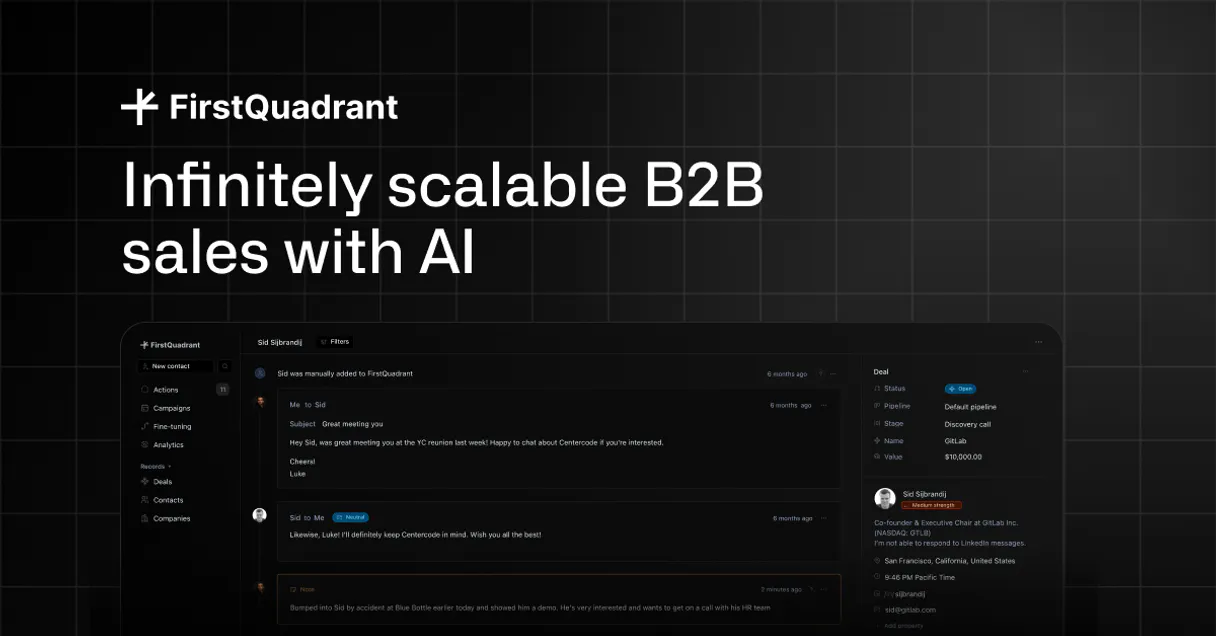
FirstQuadrant MCP. Automate your entire B2B sales pipeline from chat.
 Gemini
 Works with every AI agent you already use
…and any MCP-compatible client









Just plug in your AI agents and start using Vinkius.
FirstQuadrant MCP handles all your B2B sales prospecting actions through natural conversation. Use this to automate research, create new leads, enrich existing contacts with deep context, and manage follow-up campaigns without ever leaving your AI client.
It lets you control the full lifecycle of a lead—from initial contact discovery to campaign enrollment.
What your AI agents can do
Add to campaign
Adds one or more contacts directly into an available sales sequence or email campaign.
Create contact
Creates a brand new lead or contact record in the system, initializing their profile.
Enrich contact ai
Triggers an automated research workflow to gather external data and update a specific contact's profile.
List and filter your contacts by specific criteria like email address or creation date.
Create a brand new lead record directly inside FirstQuadrant using just text prompts.
Run autonomous research workflows to gather deep company data and update the contact profile automatically.
Enroll contacts into predefined email sequences or campaigns instantly.
Retrieve a complete log of all sales activities, including calls and emails.
Ask AI about this MCP
Supported MCP Clients
OAuth 2.0 Compatible Gemini Waiting for input…
FirstQuadrant: 8 Tools for Sales & Contact Management
These tools let you perform every step of the B2B sales lifecycle—from listing contacts to running deep AI research and enrolling them in a sequence.
Make your AI actually useful.
Add this MCP to Claude, Cursor, or Windsurf and your AI stops guessing. It gets real tools to look things up, take action, and handle the stuff you keep doing by hand.
Start using FirstQuadrant on Vinkius019dd0f1add to campaign
Adds one or more contacts directly into an available sales sequence or email campaign.
019dd0f1create contact
Creates a brand new lead or contact record in the system, initializing their profile.
019dd0f1enrich contact ai
Triggers an automated research workflow to gather external data and update a specific contact's profile.
019dd0f1get contact details
Retrieves the full, detailed information for any single contact record.
019dd0f1list activities
Pulls up a chronological list of all sales activities associated with an account or contact.
019dd0f1list campaigns
Shows all existing sales campaigns and sequences available for use.
019dd0f1list contacts
Lists your entire database of contacts, supporting filtering by email or date range.
019dd0f1list properties schema
Displays the available custom fields and property structure used across all contact records.
Choose How to Get Started
Build a custom MCP for your own tools, or connect a ready-made integration from our catalog.
Build Your Own
Turn any API into an MCP. Import a spec, define Agent Skills, or deploy with MCPFusion.
- Import from OpenAPI, Swagger, or YAML specs
- Create Agent Skills with progressive disclosure
- Deploy to edge with MCPFusion framework
- Built in DLP, auth, and compliance on every call
- Real time usage dashboard and cost metering
- Publish to catalog or keep private
Make Your AI Do More
Start with FirstQuadrant, then connect any of our 5,000+ other servers whenever your AI needs more. One click, no limits.
- Use this MCP plus 5,000+ others, all in one place
- Add new capabilities to your AI anytime you want
- Every connection is secured and compliant automatically
- Track usage and costs across all your servers
- Works with Claude, ChatGPT, Cursor, and more
- New servers added to the catalog every week
Independent Platform Disclaimer: Vinkius is an independent platform and is not affiliated with, endorsed by, sponsored by, verified by, or otherwise authorized by FirstQuadrant. All third-party trademarks, logos, and brand names are the property of their respective owners. Their use on this website is strictly for informational purposes to identify service compatibility and interoperability.
VINKIUS INFRASTRUCTURE
Cloud Hosted
Managed infra
V8 Isolated
Sandboxed per request
Zero-Trust Proxy
No stored credentials
DLP Enforced
Policy on every call
GDPR Compliant
EU data residency
Token Compression
~60% cost reduction
Works with Claude, ChatGPT, Cursor, and more
The Model Context Protocol standardizes how applications expose capabilities to LLMs. Instead of operating in isolation, your AI gains direct access to external platforms, live data, and real-world actions through secure, standardized connections.
This server provides 8 capabilities that interface natively with Claude, ChatGPT, Cursor, and any MCP client. No middleware. No custom integration required.
The old way was clicking through 8 different tabs just to get one answer.
You know the drill. You find a prospect's email, so you open the CRM. Then you switch to the 'Activity Log' tab to see if you talked to them last month. If you need to research their company size, you have to navigate to another section of the dashboard and run a search. It’s constant switching; it kills your flow.
With this MCP, that entire process becomes a conversation. You simply tell your agent: 'Give me a full profile on John Doe.' The system automatically pulls up the interaction history using `list_activities`, confirms their details with `get_contact_details`, and even checks if they're already in a campaign.
Automated Enrichment via enrich_contact_ai
Before, running deep research meant manually looking up company domains on Google or using expensive third-party tools just to find the latest funding round. You had to copy and paste that data somewhere else.
Now, you prompt your agent: 'Run an AI enrichment on this contact.' The MCP takes care of calling `enrich_contact_ai` in the background, gathering all the necessary external context and updating the record automatically. It just happens.
What you can do with this MCP connector
Managing an outbound sales pipeline used to mean toggling between spreadsheets, digging through databases, and manually researching every single prospect before sending a message. Now, your agent handles it all. You simply ask for what you need. It can pull up your entire lead roster and run deep research on any contact to add company size or recent funding details automatically.
Need to start a campaign? Just tell the agent who to enroll, and it sends them into the right sequence. Plus, if you ever need to check the history of interactions—emails sent, calls logged—it pulls up the full activity log instantly. Because Vinkius hosts this MCP, your AI client can access all these functions in one place, keeping your entire sales process running from a single conversation.
019dd0f1-bd52-7394-b6b6-42a5b8d71448 
How FirstQuadrant MCP Works
- 1 Subscribe to the FirstQuadrant MCP on Vinkius.
- 2 Grab your API Key and Organization ID from your FirstQuadrant developer settings.
- 3 Use your AI client's natural language interface to run commands, like asking it to list all leads or enrich a specific contact.
The bottom line is, you talk to the MCP using plain English, and it executes complex, multi-step actions in FirstQuadrant for you.
Who Is FirstQuadrant MCP For?
This is for anyone who spends too much time manually moving data between CRMs or digging through old spreadsheets. If your job involves prospecting, follow-ups, or managing a large list of accounts, this saves hours of clicking and copying.
Using natural language to quickly identify high-value leads and trigger enrichment workflows on the fly during discovery calls.
Retrieving full interaction histories for an account instantly, so they can jump into a conversation without leaving their workspace.
Automating lead discovery and ensuring that every new contact is properly added to a personalized outreach campaign.
What Changes When You Connect
- Never manually research a prospect again. The agent can run the
enrich_contact_aitool to automatically gather deep context on company size and funding, updating the record instantly. - Stop wasting time toggling campaigns. You can use the MCP to enroll contacts directly using
add_to_campaign, triggering personalized follow-ups without touching a dashboard. - Need to find a lead? Instead of guessing, you can run
list_contactswith advanced filters (like 'created last month') and then get detailed reports on any individual record viaget_contact_details. - Maintain perfect data hygiene. Use the MCP to confirm your property structure by calling
list_properties_schema, ensuring all incoming sales data is properly categorized for analysis. - Track everything in one place. The agent can pull up a complete timeline of every interaction using
list_activities, giving you full context on any account instantly.
Real-World Use Cases
Cold Prospecting Research
An SDR needs to qualify 10 leads for a call. Instead of opening 10 tabs, they prompt the agent: 'Find all contacts created last week and enrich them.' The MCP uses list_contacts followed by multiple calls to enrich_contact_ai, delivering 10 fully researched profiles in one response.
Onboarding a New Client
An Account Manager just closed a deal. They tell the agent: 'Add this new contact and all their colleagues to the Q3 Discovery Sequence.' The MCP handles create_contact for each person, then uses add_to_campaign to get them into the right flow.
Reviewing a Stalled Deal
A Growth Team member needs to know why a deal stalled. They ask the agent to 'Show me all activity for John Doe.' The MCP uses list_activities and get_contact_details, showing exactly when the last email was sent and who opened it.
Data Cleanup Audit
The Ops team suspects some contact records are missing necessary fields. They ask the agent to 'List all contacts that don't have a company size listed.' The MCP uses list_contacts and cross-references property data using list_properties_schema.
The Tradeoffs
Listing then Retrieving Details
The user first calls list_contacts to find a lead ID, and then has to call get_contact_details separately just to see that person's phone number.
→ Instead of two separate actions, ask the agent to 'List all contacts matching X criteria AND give me their phone numbers.' The MCP handles both steps in one conversational exchange.
Forgetting Campaign Steps
The user thinks they just need to send an email, so they only use a simple messaging tool instead of the system's formal sequence process.
→
Always use add_to_campaign after creating or finding the contact. This ensures the lead gets into the structured workflow that manages follow-ups automatically.
Manual Data Entry
A user has to manually copy and paste data from a spreadsheet into FirstQuadrant because they forgot which fields were available.
→
Before importing, check the structure by calling list_properties_schema. This tells you exactly what custom fields (like 'Industry' or 'Revenue') are ready to accept new data.
When It Fits, When It Doesn't
Use this MCP if your core problem is moving B2B sales intelligence from structured CRM records into conversational action. You need the ability to chain together actions: read contact details, research them, and then enroll them in a campaign, all without leaving your chat window. Don't use it if you simply want to write an email draft; that requires a separate writing tool. Also, don't rely on this MCP for complex financial modeling or deep data visualization—it handles the action layer of sales, not the reporting layer. If your goal is purely internal knowledge management (like searching documentation), use a dedicated search engine type tool instead.
Common Questions About FirstQuadrant MCP
How do I start with FirstQuadrant MCP? Do I need to list_contacts first? +
No. You don't have to call list_contacts manually. Just ask your agent, 'What are my top 10 leads?' The MCP will handle the listing process and present you with the results.
Can I use enrich_contact_ai to update contact fields? +
Yes. That's its whole job. It triggers an automated research workflow that gathers external context (like company size) and automatically updates the relevant contact profile field.
If I create a new lead, do I have to use create_contact? Is it optional? +
Yes, you must use create_contact if you want the record in the system. It initializes the lead and gives them an ID so the agent can track them for later campaigns.
What is the difference between list_contacts and get_contact_details? +
list_contacts shows you a summarized view of many people (a roster). get_contact_details pulls up every single available piece of information for one specific person.
When I call `list_properties_schema`, what happens if my team adds a new custom field to FirstQuadrant? +
You'll have to manually update the schema in your FirstQuadrant settings. The MCP reads the available fields, but it doesn't create or manage the underlying data types themselves.
If I use `add_to_campaign`, can one contact be enrolled in multiple sales sequences at once? +
Yes, you can enroll a single person into several campaigns. The system tracks all associated sequence activity for that contact across every active campaign.
When listing activities using `list_activities`, how do I restrict the results to only show emails sent by our AI tools? +
You must pass a specific 'activity source' parameter when calling the tool. The API supports filtering by source, letting you isolate automated tasks from manual human actions.
When I use `list_contacts`, does it automatically handle pagination for thousands of records? +
No. For large datasets, always pass specific filters like date ranges or status flags to keep requests efficient and under rate limits. Pagination requires multiple calls from your agent.
How do I find my Organization ID in FirstQuadrant? +
Log in to your FirstQuadrant dashboard and navigate to Settings > Developer Settings. Your unique Organization ID will be listed there.
Can the agent update custom properties? +
Yes! Use the create_contact or enrich_contact_ai tools to manage standard and custom data points defined in your property schema.
How does AI enrichment work through the agent? +
The enrich_contact_ai tool triggers FirstQuadrant's autonomous research engine to scan public sources and update the contact record with high-fidelity insights.
Use it with your favorite AI tools
Connect this server to Cursor, Claude, VS Code, and more.