
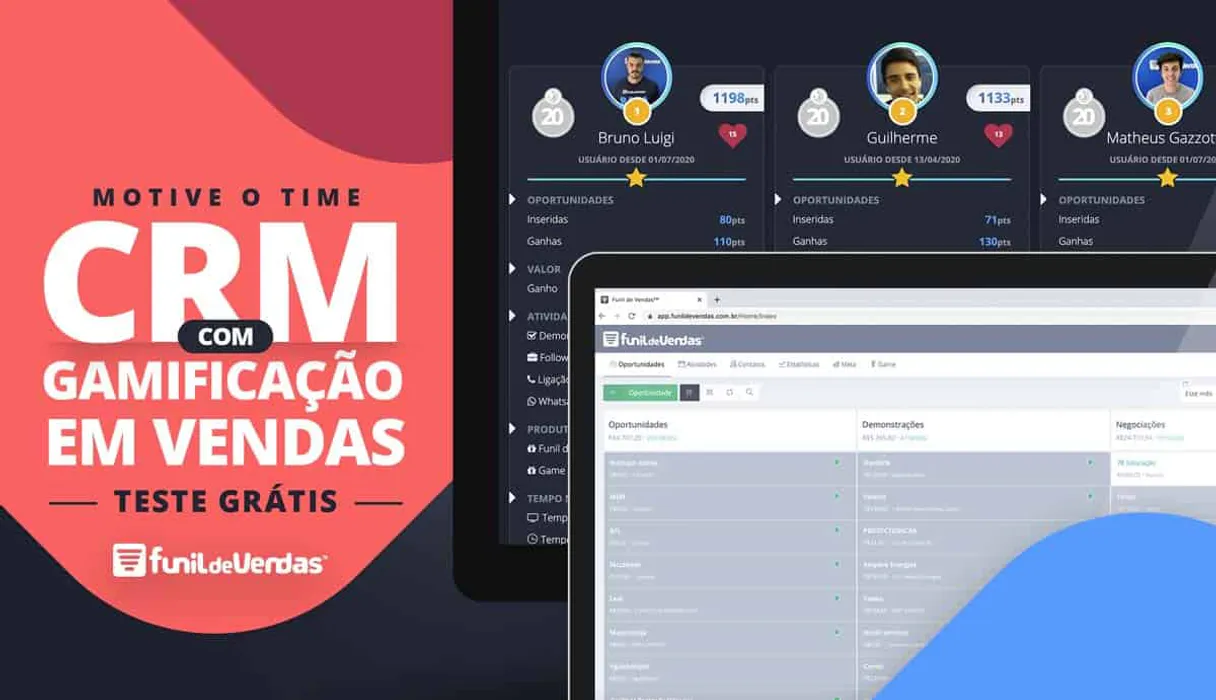
Funil de Vendas MCP. Track deals, log activities, and manage leads instantly.
 Gemini
 Works with every AI agent you already use
…and any MCP-compatible client









Just plug in your AI agents and start using Vinkius.
Funil de Vendas lets you manage your entire sales pipeline, track deals, and log every activity directly through your AI agent.
It connects to your CRM to register new leads, find specific opportunities across multiple funnels, and update follow-up tasks without logging into the platform.
What your AI agents can do
Check crm api health
Verifies that the connection between your AI client and the CRM is active and working.
Create crm activity
Adds a new follow-up task or activity record to an existing deal based on its ID and subject.
Create new deal lead
Registers a brand new lead or opportunity using data provided, typically from a form submission.
Find all current or past deals by filtering criteria like date range or specific funnels.
Automatically add fresh contact information, turning raw data into a formal lead record in the CRM.
Create, view, or adjust any required sales interaction or reminder task tied to a specific deal.
Access foundational CRM information like product catalogs, lead sources, and user accounts.
Ask AI about this MCP
Supported MCP Clients
OAuth 2.0 Compatible Gemini Waiting for input…
Funil de Vendas: 12 Available Utilities
Use these tools to control and govern all aspects of your CRM data, including opportunities, activities, and lead origins.
Make your AI actually useful.
Add this MCP to Claude, Cursor, or Windsurf and your AI stops guessing. It gets real tools to look things up, take action, and handle the stuff you keep doing by hand.
Start using Funil de Vendas on Vinkius019dd0f6check crm api health
Verifies that the connection between your AI client and the CRM is active and working.
019dd0f6create crm activity
Adds a new follow-up task or activity record to an existing deal based on its ID and subject.
019dd0f6create new deal lead
Registers a brand new lead or opportunity using data provided, typically from a form submission.
019dd0f6list crm activities
Retrieves and displays a list of all past and scheduled activities and tasks in the CRM.
019dd0f6list crm custom fields
Shows you what custom data fields your CRM has set up for tracking specific information.
019dd0f6list sales funnels
Shows all the configured sales methodologies (funnels) used by your company in the CRM.
019dd0f6list loss motives
Provides a catalogue of reasons why deals were lost, helping track sales patterns.
019dd0f6list crm opportunities
Lists all sales deals, allowing you to filter them by date range, funnel code, or text search terms.
019dd0f6list lead origins
Displays a list of the original sources where leads came from (e.g., Google, Facebook).
019dd0f6list crm products
List registered products/services
019dd0f6list sales vendors
Lists all user accounts or vendors within the CRM system.
019dd0f6update crm activity
Changes details on an activity or task that already exists in the CRM record.
Choose How to Get Started
Build a custom MCP for your own tools, or connect a ready-made integration from our catalog.
Build Your Own
Turn any API into an MCP. Import a spec, define Agent Skills, or deploy with MCPFusion.
- Import from OpenAPI, Swagger, or YAML specs
- Create Agent Skills with progressive disclosure
- Deploy to edge with MCPFusion framework
- Built in DLP, auth, and compliance on every call
- Real time usage dashboard and cost metering
- Publish to catalog or keep private
Make Your AI Do More
Start with Funil de Vendas, then connect any of our 5,000+ other servers whenever your AI needs more. One click, no limits.
- Use this MCP plus 5,000+ others, all in one place
- Add new capabilities to your AI anytime you want
- Every connection is secured and compliant automatically
- Track usage and costs across all your servers
- Works with Claude, ChatGPT, Cursor, and more
- New servers added to the catalog every week
Independent Platform Disclaimer: Vinkius is an independent platform and is not affiliated with, endorsed by, sponsored by, verified by, or otherwise authorized by Funil de Vendas. All third-party trademarks, logos, and brand names are the property of their respective owners. Their use on this website is strictly for informational purposes to identify service compatibility and interoperability.
VINKIUS INFRASTRUCTURE
Cloud Hosted
Managed infra
V8 Isolated
Sandboxed per request
Zero-Trust Proxy
No stored credentials
DLP Enforced
Policy on every call
GDPR Compliant
EU data residency
Token Compression
~60% cost reduction
Works with Claude, ChatGPT, Cursor, and more
The Model Context Protocol standardizes how applications expose capabilities to LLMs. Instead of operating in isolation, your AI gains direct access to external platforms, live data, and real-world actions through secure, standardized connections.
This server provides 12 capabilities that interface natively with Claude, ChatGPT, Cursor, and any MCP client. No middleware. No custom integration required.
Tracking deal movement used to mean switching between three apps.
Today, if you need to check on a lead, you'd pull up Funil de Vendas. Then, if you want to log the meeting notes, you might switch over to your calendar app or email client just to copy-paste details. If a manager needs an overview of the whole pipeline, they jump into the dashboard and run reports—a process that takes serious clicking and context switching.
With this MCP, all of that happens in one conversation. You simply tell your agent what you need: 'Show me all opportunities from Marketing last month.' The agent accesses list_crm_opportunities instantly. It centralizes the view, so you only have to talk to your AI client.
Logging an activity with create_crm_activity makes follow-ups instant.
Before this, logging a single call meant navigating to the correct opportunity record, finding the 'Activity' tab, and manually filling out fields like date, subject, and details. It was slow, error-prone work that got pushed to the end of the day.
Now, you just tell your agent what happened. The MCP handles calling create_crm_activity using the right Opportunity ID. You get the task logged immediately, without ever leaving your workspace.
What you can do with this MCP connector
When you work with a lot of different data sources, staying in one place is tough. This MCP gives your AI client direct access to your sales pipeline—everything from initial lead entry to final deal closure. You can ask it to check on specific opportunities or find out which funnels are active right now.
Need to log that follow-up call you just had? Just tell the agent, and it handles creating the activity record for you. This centralized view means your team stays focused on selling, not switching tabs. Because Vinkius hosts this MCP in its catalog, connecting is simple: you connect once from any compatible AI client, and you get full access to managing your sales data.
019dd0f6-4d09-7151-b0f5-fa740e28ebe5 
How Funil de Vendas MCP Works
- 1 Subscribe to this MCP and provide your Funil de Vendas account credentials.
- 2 Your AI client authenticates the connection, granting access to all sales data tools.
- 3 You prompt your agent with a natural language request (e.g., 'List opportunities in the Referral Funnel'), and it executes the action using the available tools.
The bottom line is you talk to your AI client, and it talks directly to your CRM for you.
Who Is Funil de Vendas MCP For?
This MCP is essential for anyone whose job revolves around sales tracking or lead management. It's built for the person who gets frustrated having to copy-paste data between a spreadsheet, email, and the actual CRM platform.
Logging every phone call, meeting summary, or quick follow-up task immediately after it happens so nothing falls through the cracks.
Checking team performance and the overall health of the sales pipeline without having to manually run reports in the CRM dashboard.
Capturing leads from a website form or campaign list and feeding them directly into the correct funnel for follow-up.
What Changes When You Connect
- Don't waste time looking up deal status. You can use list_crm_opportunities to immediately pull a filtered list of all current prospects by funnel code or date range.
- Stop manual data entry for new clients. Use create_new_deal_lead to capture fresh lead information and put it directly into the CRM with a single prompt.
- Keep your records clean. You can use create_crm_activity or update_crm_activity to log every follow-up call or meeting note against an opportunity ID, keeping history accurate.
- Understand where leads come from. By using list_lead_origins, you instantly see if the source was Google or a specific referral channel, helping marketing target better.
- Get a full picture of your setup. You can use list_sales_funnels and list_crm_products to understand exactly what sales stages and services are tracked in the system.
Real-World Use Cases
Logging an immediate follow-up call
A rep just finished a meeting. Instead of logging into Funil de Vendas, they prompt their agent: 'Log a follow-up call for Deal 123; the subject is pricing discussion.' The agent uses create_crm_activity to record it instantly.
Auditing pipeline bottlenecks
A sales manager needs to check if any deals stalled in a specific stage. They ask the agent to list_crm_opportunities, filtering by the 'Negotiation' funnel code and checking for opportunities older than 30 days.
Onboarding new marketing leads
Marketing gets a batch of names from an event. They prompt the agent to use create_new_deal_lead, feeding in the name, email, and source origin, making sure the lead starts in the correct funnel.
Verifying system access
Before a major campaign launch, an admin needs to confirm connectivity. They run check_crm_api_health to ensure all data calls will work when needed.
The Tradeoffs
Listing opportunities without filters
Asking the agent simply, 'Show me my deals.' The resulting list is massive, forcing you to manually scroll through irrelevant or closed-out accounts.
→ Always narrow the scope. Use list_crm_opportunities and specify the funnel code or date range you care about. For example: 'List opportunities in Funnel XYZ between last week and today.'
Updating an activity without context
Trying to tell the agent, 'Update that task.' The tool fails because it doesn't know which task you mean or what deal it belongs to.
→ You must provide identifiers. Use update_crm_activity and specify both the existing Opportunity ID AND a clear subject line so the change goes into the right place.
Confusing lead data with opportunities
Trying to use list_crm_opportunities on a brand new, unvetted name. The tool expects an established deal record, not just raw contact info.
→ Always start by using create_new_deal_lead first. This registers the person as a lead before you can treat them like an opportunity.
When It Fits, When It Doesn't
Use this MCP if your core job involves tracking sales progress, managing specific deal stages, and logging direct interactions in a structured way. If you need to know what happened (e.g., what the last activity was), use list_crm_activities. Don't use this if you only need general project management or calendar reminders; those require different tools. However, if your primary goal is just viewing reports without making any changes, consider using a dedicated BI connector instead, as this MCP excels at writing data back into the CRM.
Common Questions About Funil de Vendas MCP
How do I list all my sales funnels in Funil de Vendas? +
You use list_sales_funnels to see every configured funnel. This shows you the full range of methodologies tracked by your company.
Can I add a new lead using create_new_deal_lead? +
Yes, that's exactly what it's for. It takes raw data—like a name and email—and registers them as a clean lead or opportunity record in the CRM.
What if I need to update an existing activity? Do I use update_crm_activity? +
Yes, you call update_crm_activity when you need to modify details on a task that already exists. You must provide the specific ID and what needs changing.
How do I check if my CRM connection is working right now? Use check_crm_api_health. +
You run check_crm_api_health to verify connectivity instantly. This confirms that the MCP has live access and can talk to your backend.
I need to filter my deals by date or funnel code; how do I use list_crm_opportunities? +
You can narrow down your view using list_crm_opportunities. This tool lets you search across multiple funnels and deal statuses, so you don't have to sift through every record manually. You simply pass specific filters like the date range or funnel ID to get a targeted list of active deals.
I want to know what custom data fields exist in my CRM; should I use list_crm_custom_fields? +
Yes, list_crm_custom_fields provides the schema overview. It lists every defined custom field available in your Funil de Vendas instance. This is essential before trying to log or read data that might be stored in a unique spot.
How can I find out where a lead originated from? Do I need list_lead_origins? +
Use list_lead_origins to see all recognized sources for incoming leads. This tool lists categories like Google, Referral, or Facebook so you know exactly how to categorize the source data when registering new contacts.
I need a master list of our products and services before logging any deals; what do I use? +
list_crm_products retrieves your full catalog of registered products. This allows your AI agent to accurately pull the correct product names and service IDs when you are creating or updating deal records.
Where do I get my login credentials? +
Use the same Email and Password you use to log in to your Funil de Vendas account.
Can the agent move deals between stages? +
Yes, by using the update_crm_activity or lead entry tools, the agent can interact with the status and progress of your opportunities.
Is it possible to list all sales funnels? +
Absolutely. The list_sales_funnels tool retrieves all methodologies configured in your account along with their unique codes.
Use it with your favorite AI tools
Connect this server to Cursor, Claude, VS Code, and more.