
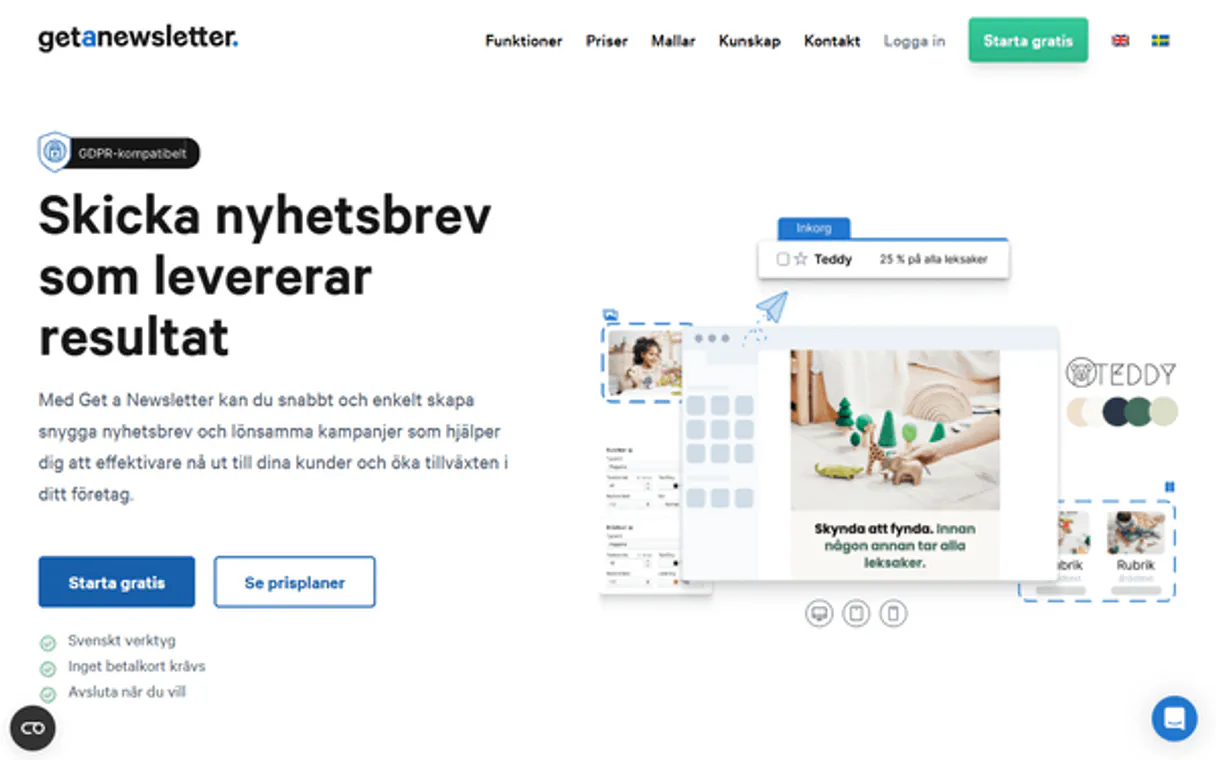
Get a Newsletter MCP. Control your email lists and campaign tracking from anywhere.
 Gemini
 Works with every AI agent you already use
…and any MCP-compatible client









Just plug in your AI agents and start using Vinkius.
Get a Newsletter MCP manages your entire email marketing life cycle through natural conversation. List, segment, and update contacts, or pull detailed reports on past campaigns—all without logging into the web platform.
It gives you full control over subscriber lists and campaign performance directly from any AI client.
What your AI agents can do
Create contact
Adds a new subscriber record into your audience.
Create list
Builds a brand new, empty list for segmenting subscribers.
Delete contact
Removes an existing subscriber record from your audience.
Create new subscribers, modify existing contact details, or remove accounts entirely.
See all active lists and create segmented groups for targeted emails.
Fetch deep details on any specific subscriber, including their current status and metadata.
List all past campaigns or get the full report for one specific email send.
Ask AI about this MCP
Supported MCP Clients
OAuth 2.0 Compatible Gemini Waiting for input…
Get a Newsletter: 10 Tools
Use these ten tools to manage every aspect of your subscriber base, from creating new records to auditing campaign performance.
Make your AI actually useful.
Add this MCP to Claude, Cursor, or Windsurf and your AI stops guessing. It gets real tools to look things up, take action, and handle the stuff you keep doing by hand.
Start using Get a Newsletter on Vinkius019dd0f8create contact
Adds a new subscriber record into your audience.
019dd0f8create list
Builds a brand new, empty list for segmenting subscribers.
019dd0f8delete contact
Removes an existing subscriber record from your audience.
019dd0f8get campaign
Pulls detailed information about one specific email campaign.
019dd0f8get contact
Retrieves all metadata for a single subscriber by their address or ID.
019dd0f8get list
Gets the full details and membership count of a specific list.
019dd0f8list campaigns
Lists every campaign you've ever created or sent.
019dd0f8list contacts
Retrieves a full roster of all current subscribers in your account.
019dd0f8list lists
Shows you every segment list currently available.
019dd0f8update contact
Modifies specific data points for an existing subscriber, like updating a name or status.
Choose How to Get Started
Build a custom MCP for your own tools, or connect a ready-made integration from our catalog.
Build Your Own
Turn any API into an MCP. Import a spec, define Agent Skills, or deploy with MCPFusion.
- Import from OpenAPI, Swagger, or YAML specs
- Create Agent Skills with progressive disclosure
- Deploy to edge with MCPFusion framework
- Built in DLP, auth, and compliance on every call
- Real time usage dashboard and cost metering
- Publish to catalog or keep private
Make Your AI Do More
Start with Get a Newsletter, then connect any of our 5,000+ other servers whenever your AI needs more. One click, no limits.
- Use this MCP plus 5,000+ others, all in one place
- Add new capabilities to your AI anytime you want
- Every connection is secured and compliant automatically
- Track usage and costs across all your servers
- Works with Claude, ChatGPT, Cursor, and more
- New servers added to the catalog every week
Independent Platform Disclaimer: Vinkius is an independent platform and is not affiliated with, endorsed by, sponsored by, verified by, or otherwise authorized by Get a Newsletter. All third-party trademarks, logos, and brand names are the property of their respective owners. Their use on this website is strictly for informational purposes to identify service compatibility and interoperability.
VINKIUS INFRASTRUCTURE
Cloud Hosted
Managed infra
V8 Isolated
Sandboxed per request
Zero-Trust Proxy
No stored credentials
DLP Enforced
Policy on every call
GDPR Compliant
EU data residency
Token Compression
~60% cost reduction
Works with Claude, ChatGPT, Cursor, and more
The Model Context Protocol standardizes how applications expose capabilities to LLMs. Instead of operating in isolation, your AI gains direct access to external platforms, live data, and real-world actions through secure, standardized connections.
This server provides 10 capabilities that interface natively with Claude, ChatGPT, Cursor, and any MCP client. No middleware. No custom integration required.
Manually checking campaign performance is a time sink.
Today, figuring out if your 'Holiday Sale' email hit its goals means logging into the platform, finding the specific campaign report, and scrolling through multiple pages of data. You copy down key metrics—sent count, open rate, click-throughs—and then paste them into a spreadsheet for analysis. It’s tedious clicking, prone to versioning errors, and it takes you away from whatever else you were working on.
With this MCP, your agent handles the whole process. You simply ask, 'What was the performance of the Holiday Sale campaign?' and the agent uses `get_campaign` to pull the full details right into your chat window. You get the data instantly, without ever leaving your workspace.
Using Get a Newsletter MCP for Contact Management
Right now, if you need to update a contact’s job title or move them from one list to another, you're forced into the platform interface. You find the person, click 'edit,' manually type in the change, and save. If you forget a step, the data is wrong.
Now, your agent manages it all. Just tell it: 'Update John Doe’s status and move him to the VIP list.' The agent executes `update_contact` and handles the internal logic of moving him to that segment. It's reliable, fast, and you don't have to click a single button.
What you can do with this MCP connector
Need to manage subscribers or track campaign performance but don't want to open a new browser tab? This MCP lets your agent handle all of that. You talk to it like talking to an experienced marketing assistant, and the tool executes complex actions against your Get a Newsletter account. Instead of jumping between tabs just to check if a user is active or pull last month's campaign metrics, you ask your AI client for the data.
It pulls everything—from checking specific contacts to building brand new subscriber lists, all while keeping your workflow in one place. When using Vinkius, this MCP syncs up with your preferred agent, making it feel like a dedicated marketing backend that just listens to what you need done.
019dd0f9-084c-71c6-b268-1d6052429eb8 
How Get a Newsletter MCP Works
- 1 First, subscribe to this MCP and provide your Get a Newsletter API Token.
- 2 Your AI client recognizes the connection and makes the tools available in conversation.
- 3 You simply ask your agent for what you need—for example, 'Show me all contacts who haven't opened an email in 90 days.' — and get the data back.
The bottom line is that your AI client uses the API token to talk directly to Get a Newsletter's backend on your behalf.
Who Is Get a Newsletter MCP For?
Marketers who dread manual list building, Product Managers needing audience metrics for feature design, and Engineering teams verifying CRM hooks. Use this if you need data consistency between your code editor and your email platform.
Needs to instantly pull campaign statuses or run a check on contacts before launching a new segment.
Must verify contact details and list memberships when preparing for a major content rollout.
Needs to programmatically add or check subscribers directly from the code editor while testing integrations.
What Changes When You Connect
- You can instantly see which campaigns were sent or are still drafts by asking the agent to
list_campaigns, without ever navigating to the marketing dashboard. This saves time and keeps you in flow. - Need to add a new lead? Just ask your agent to use
create_contactwith their email, name, and metadata. It handles the submission process immediately. - Before running any campaign, verify the list structure. The MCP lets you run
list_liststo see all segments or useget_listto audit a specific group's membership size. - If a subscriber changes their job title or status, instead of logging in and finding them, just prompt your agent to execute
update_contact. It handles the record change instantly. - Want to clean up old data? Use
delete_contactvia the MCP. You can remove accounts safely without leaving your current terminal window or application.
Real-World Use Cases
Auditing a Campaign Launch
A Marketing Manager needs to check if last week's 'Product Update' campaign ran successfully. They ask their agent, and it immediately uses list_campaigns to show the name, status, and date of the send. This avoids manually digging through reports.
Onboarding a New Client
An Engineering Team is setting up a new data pipeline hook. They use get_contact to pull a test user's full metadata, verifying that the integration can read and write all required fields before going live.
Segmenting Leads After an Event
A Content Strategist just gathered 50 new sign-ups. They ask the agent to create a list called 'Conference Attendees' using create_list, and then use create_contact for each person, keeping their data organized immediately.
Cleaning Up Inactive Records
A Founder realizes they have many old contacts who never engaged. They ask the agent to list_contacts and identify users who haven't opened an email in a year, allowing them to run a mass deletion through delete_contact.
The Tradeoffs
Assuming contact data is fresh
Running a major campaign send based on a list you saw two weeks ago. The contacts might have changed status or moved to a different segment since then.
→
Always start by running list_contacts and confirming the roster. If you need specific details, use get_contact first before relying on any data point for your campaign.
Forgetting list structure
Trying to add a contact to a segment that doesn't exist or is misnamed, leading to failed sends and wasted effort.
→
First use list_lists to see all available segments. Then, if you need a new one, run create_list. This guarantees the target exists.
Doing partial updates
Only updating one field (like a name) without checking other required fields for compliance or data integrity.
→
Use get_contact to retrieve all current details first. Then, use update_contact with the full set of verified information. This ensures nothing gets missed.
When It Fits, When It Doesn't
Use this MCP if your core job involves managing contact lifecycles or running scheduled email campaigns and you need real-time data visibility across systems. You absolutely must use it when you need to validate subscriber status, create new segments (create_list), or pull campaign history that isn't visible in your main application dashboard. Don't use this if all you are doing is writing an email draft—a basic text editor works fine. If your goal is merely reading contact data, get_contact and list_contacts are sufficient; otherwise, the full suite of tools ensures transactional consistency.
Common Questions About Get a Newsletter MCP
How do I use the get_campaign tool with Get a Newsletter MCP? +
You ask your agent to run get_campaign and specify the campaign name or ID. It pulls all the detailed information, including send status, recipient count, and overall performance metrics.
Can I use list_contacts for bulk operations? +
Yes. You can ask your agent to run list_contacts to get a full roster of all subscribers. From there, you can guide it through using tools like delete_contact or grouping them into lists.
What is the difference between create_list and list_lists? +
list_lists shows you every existing segment right now. If you need a new segment, you use create_list. It handles making sure your audience segmentation is accurate.
Does update_contact overwrite all data if I forget a field? +
No. The tool only updates the fields you specify in the command. This lets you safely modify just one piece of information, like a name or status, without risking other contact details.
If I use `delete_contact` for an email address that isn't in my system, will it throw an error? +
No, it won't fail. The tool is designed to handle missing records gracefully; instead of throwing an error, it simply reports back that the contact wasn't found so your script doesn't crash.
What specific metadata does `get_contact` return for a single subscriber? +
It pulls all current details for that specific contact, including their precise subscription status and any custom fields assigned to them. This gives you the full context without having to list every person.
How does `get_list` help me check an audience segment's scope? +
It returns the list's name, its total member count, and whether or not that list is currently active. This helps confirm which segments are ready for you to send campaigns from.
If I suspect my connection is down, what is the best way to verify it using `list_campaigns`? +
Running list_campaigns is the fastest test. If you receive a list of campaign names—even if that list happens to be empty—it means your API token works and the MCP can talk to the marketing platform.
Can my AI automatically create a new subscriber and assign them a name? +
Yes! Use the create_contact tool with the email address and optional first/last name. Your agent will instantly register them in your Get a Newsletter database.
How do I check my previous or active email campaigns? +
Simply ask the agent to run the list_campaigns action. It will retrieve the latest sent, scheduled, or drafted email campaigns available in your account.
Can this integration delete my entire account or lists? +
No. The integration allows targeted deletions of specific contacts (delete_contact), but it does not expose destructive actions to wipe entire lists or account-level configurations.
Use it with your favorite AI tools
Connect this server to Cursor, Claude, VS Code, and more.