
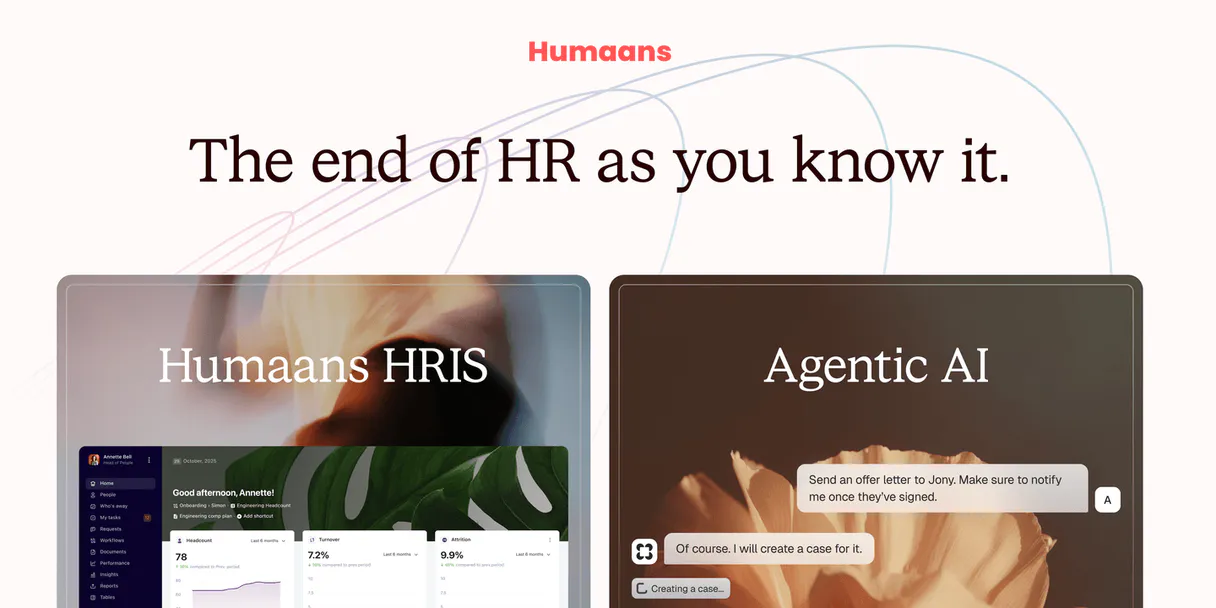
Supercharge your AI with Humaans. Pull employee data from your HRIS.
 Gemini
 Works with every AI agent you already use
…and any MCP-compatible client









Connect to your AI in seconds.
Humaans MCP connects your AI agent directly to a modern HRIS system. You can run operational queries against employee records, track leave status, and map out organizational structures using available tools like `list_employees` or `get_employee`.
It pulls data on departments, roles, teams, offices, and public holidays needed for automating HR workflows.
What your AI can do
Get employee
Retrieves specific profile information for one employee.
Get me
Returns the profile details of the authenticated user running the agent.
List departments
Gets a list of all defined departments within the organization.
Get the full profile of an individual using their ID.
Fetch a directory list of every active employee or job role within the company.
Pull current records to see who requested time off or when leaves are scheduled.
List departments, offices, and teams to understand the company's hierarchy.
Find a list of official company or employee-specific documents.
Ask an AI about this
Compatible AI Apps
OAuth 2.0 Compatible Gemini Waiting for input…
Humaans: 10 Tools for HR Management
Use these ten tools to query everything from individual staff profiles to the complete organizational structure of your company.
Make your AI actually useful.
Add this MCP to Claude, Cursor, or Windsurf and your AI stops guessing. It gets real tools to look things up, take action, and handle the stuff you keep doing by hand.
Start using Humaans on VinkiusGet Employee
Retrieves specific profile information for one employee.
Get Me
Returns the profile details of the authenticated user running the agent.
List Departments
Gets a list of all defined departments within the organization.
List Documents
Provides an index of company and employee-specific documents.
List Employees
Generates a full directory list of all employees.
List Leaves
Lists active or historical leave requests for staff members.
List Offices
Retrieves a directory listing of corporate office locations.
List Public Holidays
Fetches the dates for company-recognized public holidays.
List Roles
Provides a list of all job titles and roles available in the company.
List Teams
Lists all operational teams within the organization's structure.
Connect to your AI in seconds. Security and governance baked right in.
Pick your AI client below to get set up. Just create a Vinkius account, subscribe, and you're instantly up and running. We handle the entire backend infrastructure, delivering out-of-the-box support for HTTPS Streamable, SSE, and OAuth2—zero messy routing required.
Claude AI
Open Claude Settings
Go to claude.ai, click your profile icon, then navigate to Customize → Connectors.
Add Custom Connector
Click the "+" button and select Add custom connector. Paste your Vinkius endpoint URL:
https://edge.vinkius.com/[YOUR_TOKEN_HERE]/mcp
Replace [YOUR_TOKEN_HERE] with your token from
cloud.vinkius.com. For OAuth-protected servers, expand Advanced
settings to add credentials.
Start a conversation
Open a new chat. The Humaans integration is available immediately — no restart needed.
Choose How to Get Started
Build a custom MCP for your own tools, or connect a ready-made integration from our catalog.
Build Your Own
Turn any API into an MCP. Import a spec, define Agent Skills, or deploy with MCPFusion.
- Import from OpenAPI, Swagger, or YAML specs
- Create Agent Skills with progressive disclosure
- Deploy to edge with MCPFusion framework
- Built in DLP, auth, and compliance on every call
- Real time usage dashboard and cost metering
- Publish to catalog or keep private
Make Your AI Do More
Start with Humaans, then connect any of our 5,000+ other servers whenever your AI needs more. One click, no limits.
- Use this MCP plus 5,000+ others, all in one place
- Add new capabilities to your AI anytime you want
- Every connection is secured and compliant automatically
- Track usage and costs across all your servers
- Works with Claude, ChatGPT, Cursor, and more
- New servers added to the catalog every week
Independent Platform Disclaimer: Vinkius is an independent platform and is not affiliated with, endorsed by, sponsored by, verified by, or otherwise authorized by Humaans. All third-party trademarks, logos, and brand names are the property of their respective owners. Their use on this website is strictly for informational purposes to identify service compatibility and interoperability.
VINKIUS INFRASTRUCTURE
Cloud Hosted
Managed infra
V8 Isolated
Sandboxed per request
Zero-Trust Proxy
No stored credentials
DLP Enforced
Policy on every call
GDPR Compliant
EU data residency
Token Compression
~60% cost reduction
Works with Claude, ChatGPT, Cursor, and more
The Model Context Protocol standardizes how applications expose capabilities to LLMs. Instead of operating in isolation, your AI gains direct access to external platforms, live data, and real-world actions through secure, standardized connections.
This connection provides 10 powerful capabilities that interface natively with Claude, ChatGPT, Cursor, and other compatible AI platforms. No middleware. No custom integration required.
HR staff spend hours cross-referencing basic directory info.
Right now, if you need a list of employees in the Chicago office who aren't on vacation next week, you gotta juggle three separate systems: the main HRIS dashboard for employee lists, the leave management portal to check PTO status, and then maybe an internal wiki just to confirm the current office location. It’s copy-pasting IDs between five different tabs.
With this MCP, your agent handles that sequence of calls internally. You prompt it with a single request: 'Which employees in Chicago are available next week?' The result comes back clean and actionable. That's all you get.
Humaans MCP delivers reliable employee data.
Before, checking the full organizational structure meant logging into a specific system just for teams, then another one for departments, and a third to see who reported to whom. It was always fragmented and prone to delay.
Now, you simply call `list_teams` or `list_departments`. The MCP gives you an immediate, consolidated view of the structure. You don't have to switch tabs; you just get the data.
What your AI can actually do with this
Need to pull specific employee details or run reports based on current company structure? This MCP connects your agent to the Humaans HRIS API. You can automate routine HR operations that usually require logging into a dashboard. For example, you can list all active employees, check who is currently out on leave, or quickly find out which department an office belongs to.
Whether it’s checking for public holidays in Q4 or pulling the records for every person in the marketing department, this MCP handles it. It gives your agent access to foundational company data like teams, roles, and document libraries. All of these tools are hosted on Vinkius, so you connect once from any compatible client and gain immediate access to HR operations.
It’s built for anyone needing reliable organizational data—from simple directory lookups to complex leave balance checks.
019d75b5-4932-73a9-bcb4-b595fbf29bdb 
Here's how it actually works
The bottom line is: you prompt an action, and the agent executes the necessary API calls to get clean, structured HR data back.
Tell your agent exactly what data you need. For example, 'List all employees in the London office.'
Your agent selects and executes the appropriate tool (e.g., list_employees combined with department filtering).
The MCP runs the query against Humaans and returns a structured set of results to your client for immediate use.
Who is this actually for?
This MCP targets People Operations teams, Payroll Specialists, and IT Support staff. It's for people who spend time manually cross-referencing employee details across multiple systems—like checking a department list against an active leave calendar before running payroll.
Using this MCP, you can automate directory lookups and check if employees have enough PTO available by calling list_leaves.
You use it to pull lists of active staff (list_employees) and cross-reference them with public holidays or department data for accurate payroll runs.
When a user asks for contact info, you can run get_employee to pull the necessary details instantly without searching internal wikis.
What Changes When You Connect
Instantly get a complete directory of staff. Instead of manually searching through multiple spreadsheets, use list_employees to pull a comprehensive list of everyone on the books.
Automate PTO tracking. You can check who is away or how many leave requests are pending by running list_leaves, which eliminates manual calendar checks and follow-ups.
Map out organizational structure quickly. Use tools like list_departments and list_teams to understand the hierarchy without clicking through a complex org chart view.
Handle time off planning reliably. Before scheduling, use list_public_holidays and list_leaves together to ensure nobody is booked on a non-working day.
Get immediate user info. If you need details for yourself or another team member, the get_employee tool pulls accurate records straight from the source.
See it in action
Running an offsite headcount check
A manager needs to know which employees are available next week. They ask their agent, and it uses list_employees combined with filtering logic based on current leave status from list_leaves. The result gives a clean list of people who can attend.
Onboarding new staff
An HR assistant needs to know which teams and departments exist for a new hire. They query the MCP, which runs list_departments and then list_teams, giving them all available options to assign.
Payroll deadline data collection
A payroll specialist needs to confirm all staff are accounted for before running checks. They run the MCP, which uses list_employees and cross-references it with list_offices to ensure every location is covered.
Drafting an internal announcement
A communications lead needs a list of contacts for all managers. They prompt the agent, which uses list_roles and then filters that against get_employee to pull manager-level contact information.
The honest tradeoffs
Querying data in batches
Trying to list every single employee's personal documents, department, and leave balance in one massive request. This usually fails or times out.
Break it down. Start by running list_employees to get IDs, then run targeted calls like get_employee for specific details, or use list_departments first to narrow the scope.
Relying on outdated records
Assuming a team structure is still correct because it was listed last quarter. The manual process often misses role changes.
Always check the source of truth by running list_teams and cross-checking that output with list_roles. This ensures your data reflects current assignments.
Mixing up employee vs. organizational data
Using a list of job roles (list_roles) as if it were the same thing as an active department name. They are different concepts.
If you need to know where someone works, use list_departments or get_employee. If you just need to know what titles exist, run list_roles.
When It Fits, When It Doesn't
Use this MCP if your process requires fetching structured data about people and company structure. Specifically, if the query involves staff directories (list_employees), time off tracking (list_leaves), or corporate hierarchy mapping (list_departments). Don't use it if you are only trying to read general knowledge (e.g., 'What is the history of our company?'); for that, you need a document search tool. Also, don't try to manage financial data; this MCP handles HR records, not payroll accounting.
Questions you might have
How do I use the list_employees tool with Humaans MCP? +
You run list_employees to pull a master directory. If you need to narrow it down, ask your agent to filter that list by criteria like department or office location.
What is the best tool for checking if an employee needs PTO? +
Use list_leaves. This function checks current leave requests and helps you see who's scheduled off, which is more accurate than just looking at a calendar.
Can I find out what roles exist using list_roles in Humaans MCP? +
Yes. list_roles gives you the official job titles recognized by the company. This helps validate if an employee's title is current or standard.
Does get_employee show me all their documents? +
get_employee shows core profile data, but for a list of attached files, you need to run list_documents. They are separate functions.
How do I use the get_me tool to verify my own user details? +
It retrieves your current authenticated user information directly. You can run this tool anytime to confirm which user context your AI agent is operating under before fetching sensitive employee data.
What does list_departments return about the organizational structure? +
It provides a complete list of all existing departments within your organization. This lets you filter other searches, such as finding employees or documents, by their specific department ID.
If I need to check which offices are available, should I use list_offices? +
Yes, using list_offices gives you a current inventory of all physical locations. This is helpful for filtering employee directories or understanding regional operational boundaries.
Can I find out what holidays are coming up with list_public_holidays? +
It lists all recognized public holidays according to the system calendar. This ensures your agent knows when paid time off is automatically granted, preventing unnecessary leave requests.
How do I get Humaans API credentials? +
You can generate an Access Token in your Humaans user profile settings under 'API'. Ensure you have the necessary permissions to access organizational data.
Can I see salary information? +
Access to sensitive fields like salary depends on the permissions of the Access Token provided. This MCP uses the standard people and organization endpoints.
Does it support leave management? +
Yes, the list_leaves tool allows you to track and monitor employee leave requests.
We've already built the connector for Humaans. Just plug in your AI agents and start using Vinkius.
No hosting. No infrastructure. No complex setup.
All 10 tools are live and waiting.
You're up and running in seconds.
Gemini Vinkius gives your AI agents access to the full catalog of app connectors, all fully managed, secure, and enterprise-ready. One subscription, every tool you need.
Built, hosted, and secured by Vinkius. You just connect and go.