
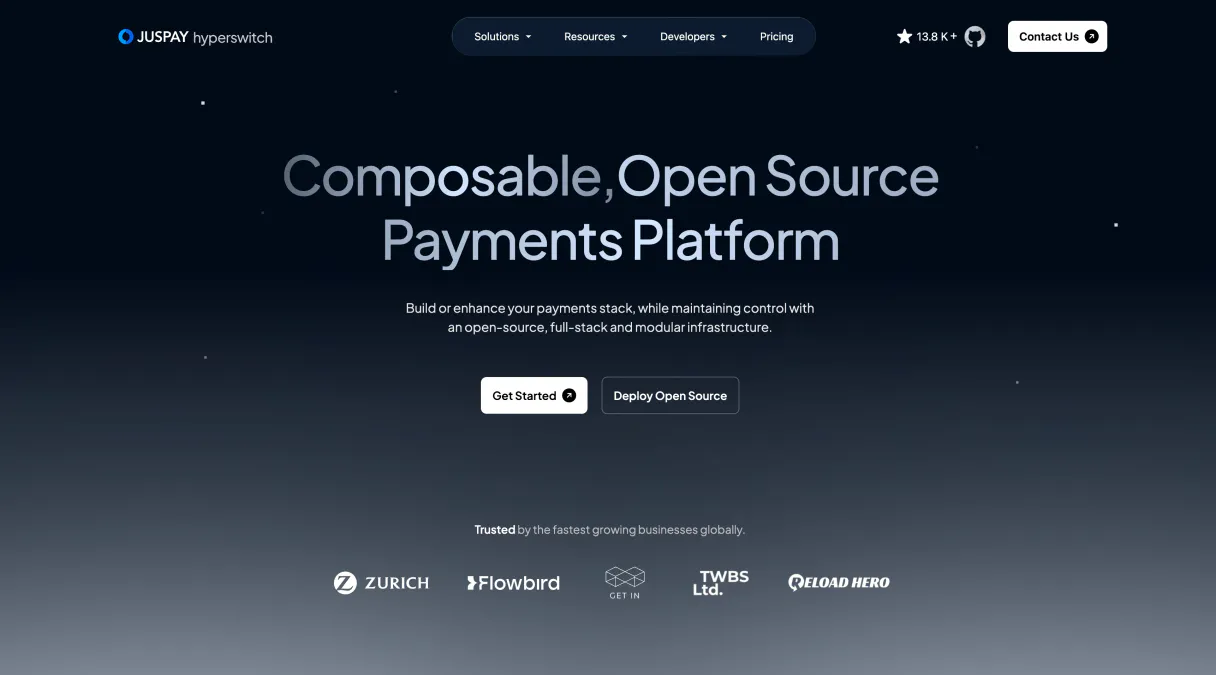
Supercharge your AI with Hyperswitch. Audit payments, customers, and refunds instantly.
 Gemini
 Works with every AI agent you already use
…and any MCP-compatible client









Connect to your AI in seconds.
Hyperswitch MCP manages complex payment infrastructure operations, giving your AI client direct access to core financial data. You can list and retrieve details for customers, payments, refunds, payouts, and disputes, all through one interface.
It's built for automating fintech workflows, monitoring payment health, and reconciling ledgers without manual API calls.
What your AI can do
Get customer
Fetches detailed information for a specific client by ID.
Get dispute
Retrieves all details associated with one particular dispute case.
Get payment
Gets the full record for a single payment transaction.
Retrieves complete profiles for individual customers, including associated activity.
Lists and retrieves specific details for every payment transaction recorded in the system.
Gathers current payout information, allowing you to verify funds dispersal and status.
Provides access to all refund records, letting you track when money was returned and why.
Retrieves detailed information on active disputes or lists historical dispute logs for review.
Ask an AI about this
Compatible AI Apps
OAuth 2.0 Compatible Gemini Waiting for input…
Hyperswitch: 10 Financial Tools
These ten tools let you list or retrieve all core financial records—from customer profiles to specific dispute details—via the Hyperswitch API.
Make your AI actually useful.
Add this MCP to Claude, Cursor, or Windsurf and your AI stops guessing. It gets real tools to look things up, take action, and handle the stuff you keep doing by hand.
Start using Hyperswitch on VinkiusGet Customer
Fetches detailed information for a specific client by ID.
Get Dispute
Retrieves all details associated with one particular dispute case.
Get Payment
Gets the full record for a single payment transaction.
Get Payout
Retrieves specific details regarding a disbursed payout.
Get Refund
Fetches the complete record for a single refund transaction.
List Customers
Generates a comprehensive list of all registered customers in the system.
List Disputes
Provides an overview and listing of all currently active disputes.
List Payments
Returns a list summary of multiple payment transactions over time.
List Payouts
Lists and summarizes all payouts that have been processed or are pending.
List Refunds
Generates a list of historical refund records, useful for auditing purposes.
Connect to your AI in seconds. Security and governance baked right in.
Pick your AI client below to get set up. Just create a Vinkius account, subscribe, and you're instantly up and running. We handle the entire backend infrastructure, delivering out-of-the-box support for HTTPS Streamable, SSE, and OAuth2—zero messy routing required.
Claude AI
Open Claude Settings
Go to claude.ai, click your profile icon, then navigate to Customize → Connectors.
Add Custom Connector
Click the "+" button and select Add custom connector. Paste your Vinkius endpoint URL:
https://edge.vinkius.com/[YOUR_TOKEN_HERE]/mcp
Replace [YOUR_TOKEN_HERE] with your token from
cloud.vinkius.com. For OAuth-protected servers, expand Advanced
settings to add credentials.
Start a conversation
Open a new chat. The Hyperswitch integration is available immediately — no restart needed.
Choose How to Get Started
Build a custom MCP for your own tools, or connect a ready-made integration from our catalog.
Build Your Own
Turn any API into an MCP. Import a spec, define Agent Skills, or deploy with MCPFusion.
- Import from OpenAPI, Swagger, or YAML specs
- Create Agent Skills with progressive disclosure
- Deploy to edge with MCPFusion framework
- Built in DLP, auth, and compliance on every call
- Real time usage dashboard and cost metering
- Publish to catalog or keep private
Make Your AI Do More
Start with Hyperswitch, then connect any of our 5,000+ other servers whenever your AI needs more. One click, no limits.
- Use this MCP plus 5,000+ others, all in one place
- Add new capabilities to your AI anytime you want
- Every connection is secured and compliant automatically
- Track usage and costs across all your servers
- Works with Claude, ChatGPT, Cursor, and more
- New servers added to the catalog every week
Independent Platform Disclaimer: Vinkius is an independent platform and is not affiliated with, endorsed by, sponsored by, verified by, or otherwise authorized by Hyperswitch. All third-party trademarks, logos, and brand names are the property of their respective owners. Their use on this website is strictly for informational purposes to identify service compatibility and interoperability.
VINKIUS INFRASTRUCTURE
Cloud Hosted
Managed infra
V8 Isolated
Sandboxed per request
Zero-Trust Proxy
No stored credentials
DLP Enforced
Policy on every call
GDPR Compliant
EU data residency
Token Compression
~60% cost reduction
Works with Claude, ChatGPT, Cursor, and more
The Model Context Protocol standardizes how applications expose capabilities to LLMs. Instead of operating in isolation, your AI gains direct access to external platforms, live data, and real-world actions through secure, standardized connections.
This connection provides 10 powerful capabilities that interface natively with Claude, ChatGPT, Cursor, and other compatible AI platforms. No middleware. No custom integration required.
Reconciling a payment ledger feels like forensic accounting today.
Right now, figuring out why money moved from point A to point B requires clicking through multiple dashboards. You check the main payments tab, copy an ID, then switch over to the payouts dashboard and paste it there; if that fails, you open a separate dispute log just for context. It's tedious, slow, and every manual step is a risk.
With this MCP, your agent handles that sequence for you. You ask: 'Why did payment X fail?' And instead of clicking through four tabs, the agent calls `get_payment` and then cross-checks against `list_disputes`. The answer comes back instantly.
The Hyperswitch MCP gives you full control over your transaction visibility.
You no longer have to wait for a human to pull reports. You can initiate comprehensive audits by running `list_payments`, followed immediately by checking the corresponding payout records via `list_payouts`. This confirms that both sides of the ledger match up.
It's not just about reading data; it's about reducing operational latency. Your agent gives you real-time, structured answers on complex financial queries, which is a massive shift from waiting for manual reports.
What your AI can actually do with this
Need to track down a specific customer refund or reconcile a batch of payments? This MCP connects your AI agent directly to the Hyperswitch API endpoints. Instead of building complex multi-step sequences just to get basic data points, you can ask for it naturally. Your agent handles the necessary lookups—whether that means gathering all recent payments, checking an active dispute's status, or pulling a specific customer's profile.
It makes automating core fintech operations simple. Vinkius hosts this MCP so your AI client can treat payment monitoring like any other native capability; you just connect once and get access to the full suite of financial tools.
019d75b6-009b-711b-a1ea-58ed7cfea02a 
Here's how it actually works
The bottom line is, it lets your agent perform complex financial queries without you writing any repetitive boilerplate code.
Your agent determines the required financial action, such as checking a payout status or listing customers.
The MCP maps that request to the appropriate tool (e.g., get_payout or list_customers), executing the call against the Hyperswitch API.
It returns structured data directly to your AI client, which then formats it into conversational text for you.
Who is this actually for?
This MCP is critical for Reconciliation Specialists, FinOps Engineers, and Payments Analysts. If your job involves checking ledgers, tracking down failed transactions, or confirming fund status at the end of a quarter, this connector saves hours of manual investigation.
They use this MCP to audit payment flows; for example, checking if every customer listed in the database has corresponding payout records.
They run reports on disputes or refunds, using tools like list_disputes and get_refund to build a picture of transaction risk.
They use the MCP to verify customer data against recent payment history, ensuring billing accuracy after service changes.
What Changes When You Connect
Automate dispute investigation. Instead of manually checking multiple dashboards, your agent can use list_disputes followed by get_dispute to give you a full status report immediately.
Simplify customer onboarding validation. You can cross-reference new user data using get_customer against their recent payment history via list_payments, verifying identity and account health in one go.
Eliminate reconciliation delays. When money moves, it's recorded somewhere. Use the MCP to query specific payout statuses with get_payout or audit refund trails using list_refunds, knowing exactly where funds are.
Improve fraud detection speed. Quickly check transaction patterns by comparing a general list of payments (list_payments) against current payouts (list_payouts) to spot anomalies faster than manual review.
Standardize financial lookups. All critical data—from listing all customers with list_customers to getting details on one refund via get_refund—is routed through a single, predictable interface.
See it in action
Investigating Missing Funds
A payments analyst notices a discrepancy between the expected revenue and the recorded payouts. The agent first calls list_payouts to get the general timeframe, then uses get_payment on specific transaction IDs; finally, it pulls up list_refunds to see if any clawbacks or refunds account for the missing amount.
Customer Service Account Audit
A customer calls about a billing issue. The agent first uses get_customer with the provided ID, then checks both list_payments and list_disputes. This gives the service rep all necessary context—payment failure history and active dispute status—in minutes.
Quarterly Ledger Review
The finance team needs to prove that every customer who received a payout has also had their corresponding payments recorded. The agent runs list_customers, cross-references this list against results from list_payments and list_payouts to flag any discrepancies.
Handling Chargebacks
When a dispute arises, the system needs background context. The agent first calls get_dispute, then uses get_payment for the original transaction details and reviews the customer record using get_customer to understand the account's full history.
The honest tradeoffs
Trying to find all refunds via general logs
A developer writes a custom query that joins the main payment table with other internal logging tables, hoping to capture all refund data. This fails because refund status is managed by specific endpoints.
Don't write complex join queries for financial records. Instead, use list_refunds and then use get_refund when you need the full detail on a single ID. It keeps the query scope clean.
Assuming payments equal payouts
A user sees money in list_payments but assumes it's available funds, failing to realize that payout processing introduces a delay or requires verification.
Always check the actual status using get_payout. Payments are transactions; payouts are disbursements. These require separate checks.
Asking for all customer data in one query
A request asks to retrieve everything about a user, including their dispute history and payments. This is inefficient and often hits rate limits.
Break it down: first call get_customer for core details; then run separate calls like list_disputes and get_payment as needed.
When It Fits, When It Doesn't
Use this MCP if your primary need is to audit or query specific, discrete financial records—like a single refund record (get_refund), checking dispute status (get_dispute), or listing historical payouts. It's the right tool when you need verifiable data points from an established payment gateway.
Don't use this if your requirement is to write custom business logic that processes all data (e.g., calculating tax on every transaction). For complex, algorithmic processing across multiple datasets, you should build a separate data warehouse layer first. If you only need general account information or basic user lists, list_customers works well.
Basically: if the answer is 'Yes, that's in the Hyperswitch API,' use this MCP.
Questions you might have
How do I use the `list_payments` tool to check payment history? +
The list_payments tool returns an overview of multiple transactions. Use it when you need a summary or list view, not just one specific transaction's details.
Can I use `get_customer` to see their payment history? +
get_customer retrieves core profile data only. To see the full financial activity, you must call separate tools like list_payments or list_disputes using the customer's ID.
What is the difference between `get_payout` and `list_payouts`? +
list_payouts gives you a list summary of payouts. Use it for an overview; use get_payout when you need every single detail on one specific payout record.
Does the MCP help with reconciliation across all tools? +
It doesn't run the math itself, but by providing structured access to list_payments, get_payout, and list_refunds, it gives your agent all the necessary inputs for you to reconcile manually or programmatically.
What parameters do I pass to `list_disputes` to filter by status? +
The API allows you to narrow down results. You can restrict the list using a dedicated status parameter (like 'open' or 'resolved') directly in your call to list_disputes. This saves you from having to process large volumes of irrelevant disputes.
When running bulk checks across multiple endpoints like `list_payments` and `list_payouts`, should I worry about rate limits? +
Yes, watch for rate limiting errors when processing high volume. If you expect to handle thousands of records in a single session, implement an exponential backoff strategy or check the Hyperswitch documentation for bulk processing endpoints.
If I use `get_refund`, does it require the original payment ID? +
Yes. You must provide a specific transaction identifier. The system requires linking the refund request to its originating payment via IDs so that your agent can accurately retrieve the correct details using get_refund.
How can I efficiently get payment details after listing multiple customers using `list_customers`? +
You should first use list_customers to gather all necessary IDs. Then, iterate through those IDs calling the relevant tools for each customer—like get_customer or related endpoints—to build your full data set.
How do I get Hyperswitch API credentials? +
You can find your API Secret Key in the Hyperswitch dashboard under 'API Keys'.
Does it support multiple processors? +
Hyperswitch is a payment switch that abstracts multiple processors. This MCP interacts with the Hyperswitch unified API.
Can I process refunds with this MCP? +
This version focus on listing and retrieving refund details. Actions to trigger new refunds may be added in future updates.
We've already built the connector for Hyperswitch. Just plug in your AI agents and start using Vinkius.
No hosting. No infrastructure. No complex setup.
All 10 tools are live and waiting.
You're up and running in seconds.
Gemini Vinkius gives your AI agents access to the full catalog of app connectors, all fully managed, secure, and enterprise-ready. One subscription, every tool you need.
Built, hosted, and secured by Vinkius. You just connect and go.