
Measure account health & user cohorts from your agent  Claude
  ChatGPT
  Cursor
  Gemini
  Windsurf
  VS Code
  JetBrains
  Vercel
Gemini Works with every AI agent you already use
…and any MCP-compatible client









Connect to your AI in seconds.
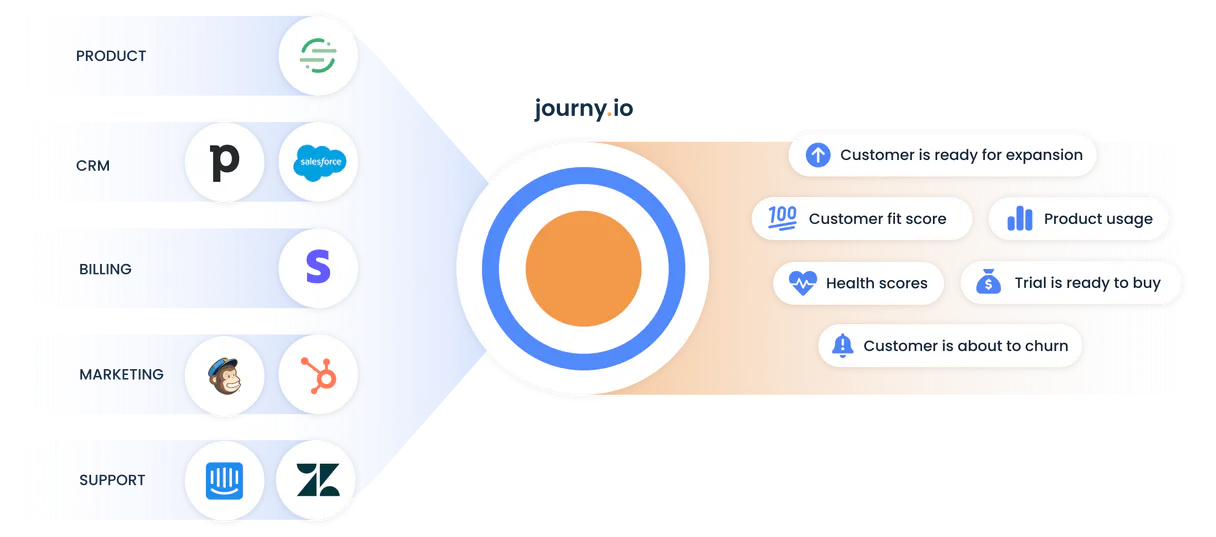
journy.io MCP manages SaaS growth data for your AI agent. It lets you list users, track events like 'Plan Upgraded', get account health scores, and analyze defined audience segments.
Use this MCP when you need deep customer intelligence to automate success or marketing campaigns.
What your AI can do
Get account
Retrieves the status and key details for a specific business account.
Get me
Verifies your own API identity credentials for system authentication checks.
Get user
Pulls detailed intelligence on a single user, including their event history and custom properties.
Get a specific account’s current status and lifecycle details.
Pull detailed intelligence on any user, including their event history and custom properties.
List every tracked event to understand how users interact with the product.
Identify defined audience segments, like 'High Churn Risk' or 'Power Users', for targeted actions.
List all tracked accounts to get a high-level overview of the customer base health.
Ask an AI about this
Compatible AI Apps
OAuth 2.0 Compatible Gemini Waiting for input…
journy.io: 10 Tools for Customer Intelligence
These tools let you manage everything from listing all users to checking the detailed status of a single business account.
Make your AI actually useful.
Add this MCP to Claude, Cursor, or Windsurf and your AI stops guessing. It gets real tools to look things up, take action, and handle the stuff you keep doing by hand.
Start using journy.io on VinkiusGet Account
Retrieves the status and key details for a specific business account.
Get Me
Verifies your own API identity credentials for system authentication checks.
Get User
Pulls detailed intelligence on a single user, including their event history and...
List Accounts
Lists all companies tracked in journy.io to give a high-level view of the customer...
List Campaigns
Lists all marketing campaigns that are currently being tracked by the platform.
List Events
Provides a list of every user interaction or system event captured on the platform.
List Goals
Lists all configured growth goals, like activation or retention targets for tracking progress.
List Properties
Shows all available metadata fields for users and accounts (e.g., 'industry' or...
List Segments
Lists defined audience groups, helping you identify specific cohorts for action.
List Users
Returns a list of all tracked users, including their names and current health scores.
Connect to your AI in seconds. Security and governance baked right in.
Pick your AI client below to get set up. Just create a Vinkius account, subscribe, and you're instantly up and running. We handle the entire backend infrastructure, delivering out-of-the-box support for HTTPS Streamable, SSE, and OAuth2—zero messy routing required.
Claude AI
Open Claude Settings
Go to claude.ai, click your profile icon, then navigate to Customize → Connectors.
Add Custom Connector
Click the "+" button and select Add custom connector. Paste your Vinkius endpoint URL:
https://edge.vinkius.com/[YOUR_TOKEN_HERE]/mcp
Replace [YOUR_TOKEN_HERE] with your token
from cloud.vinkius.com. For OAuth-protected servers, expand
Advanced settings to add credentials.
Start a conversation
Open a new chat. The journy.io integration is available immediately — no restart needed.
Choose How to Get Started
Build a custom MCP for your own tools, or connect a ready-made integration from our catalog.
Build Your Own
Turn any API into an MCP. Import a spec, define Agent Skills, or deploy with MCPFusion.
- Import from OpenAPI, Swagger, or YAML specs
- Create Agent Skills with progressive disclosure
- Deploy to edge with MCPFusion framework
- Built in DLP, auth, and compliance on every call
- Real time usage dashboard and cost metering
- Publish to catalog or keep private
Make Your AI Do More
Start with journy.io, then connect any of our 5,000+ other servers whenever your AI needs more. One click, no limits.
- Use this MCP plus 5,000+ others, all in one place
- Add new capabilities to your AI anytime you want
- Every connection is secured and compliant automatically
- Track usage and costs across all your servers
- Works with Claude, ChatGPT, Cursor, and more
- New servers added to the catalog every week
Independent Platform Disclaimer: Vinkius is an independent platform and is not affiliated with, endorsed by, sponsored by, verified by, or otherwise authorized by journy.io. All third-party trademarks, logos, and brand names are the property of their respective owners. Their use on this website is strictly for informational purposes to identify service compatibility and interoperability.
VINKIUS INFRASTRUCTURE
Cloud Hosted
Managed infra
V8 Isolated
Sandboxed per request
Zero-Trust Proxy
No stored credentials
DLP Enforced
Policy on every call
GDPR Compliant
EU data residency
Token Compression
~60% cost reduction
Works with Claude, ChatGPT, Cursor, and more
The Model Context Protocol standardizes how applications expose capabilities to LLMs. Instead of operating in isolation, your AI gains direct access to external platforms, live data, and real-world actions through secure, standardized connections.
This connection provides 10 powerful capabilities that interface natively with Claude, ChatGPT, Cursor, and other compatible AI platforms. No middleware. No custom integration required.
Manually piecing together the customer story is a nightmare.
Today, if you need to understand why user adoption stalled, you jump between five different dashboards. You check the event log for activity, then open the account dashboard to see billing status, and finally navigate to the segment list to find out who belongs in your target group. It’s a cycle of tabs, copies, and manual cross-referencing that eats half your Tuesday.
With this MCP, you ask your agent one question—like, 'Show me all high-risk users whose accounts haven't been updated in 90 days.' The agent runs `list_users` and checks account health via `get_account`, delivering a single, filtered list. You get the answer instantly.
Using journy.io MCP for Account & User Data
The tedious process of checking user details manually disappears. Instead of logging into one system to check event history, and then another system to see account ownership, you simply call `get_user`. The tool pulls the full profile data—event history summary, custom properties, and associations—in a single API call.
The difference is depth and speed. You stop guessing based on limited views. Now your agent provides immediate, comprehensive intelligence, letting you focus purely on strategy instead of data retrieval.
What your AI can actually do with this
Need to know how a specific user is performing in your SaaS product? This MCP connects your AI agent directly to journy.io's growth platform. You can retrieve detailed information on any single account, see every event that happened—like when a user logged in or upgraded their plan—and check which segments they belong to.
It’s built for teams automating customer success and growth marketing workflows. Instead of relying on multiple dashboards, your agent pulls together the full picture: who is using the product, how healthy is the associated company account, and what goals are they working toward? You access this powerful data layer through Vinkius, giving any MCP-compatible client the intelligence needed to make real-time decisions about user retention or feature adoption.
It's all about turning raw usage logs into actionable customer insights.
019d75be-321f-72e3-83c9-c804e5febba3 
Here's how it actually works
The bottom line is, your AI client aggregates complex SaaS data into simple, targeted inputs for automation.
Your agent first runs list_users to identify the IDs of key individuals you want to investigate.
Next, it uses the specific user ID with get_user to pull their full profile—this includes event history and custom properties.
Finally, if you need a broader view, it can call list_segments or list_accounts to contextualize that individual within the larger customer base.
Who is this actually for?
Growth Marketing Managers and Customer Success Leads need this. They're the ones staring at fragmented dashboards trying to figure out why user activation rates dropped last quarter. They don't have time to manually cross-reference event logs with account status; they need automated, structured data access.
Uses this MCP to check a client’s recent activity and associated account health before jumping on a call. They quickly verify if the user has hit a key milestone or if their usage dropped off suddenly.
Runs reports using list_events and get_user to pinpoint exactly which feature adoption rates are falling behind, guiding product improvements.
Automates the identification of specific user cohorts via list_segments, allowing marketing campaigns to target only high-potential users or those flagged as needing re-engagement.
What Changes When You Connect
Know the full story on any customer, not just surface-level data. Use get_user to get a deep dive into one person's activity, pulling together their event history and custom properties.
Stop guessing which campaigns work. Run list_campaigns to analyze which marketing efforts are actually driving high-value users and achieving the stated growth goals (list_goals).
Quickly identify who needs attention. Use list_users combined with account health scores to prioritize outreach, focusing only on key individuals or accounts.
Segmenting is easier than it sounds. Call list_segments to find groups like 'Power Users' and target your campaigns precisely, instead of sending generic messages.
Understand the data structure first. Use list_properties if you aren't sure what metadata fields are available for users or accounts; this tells you exactly what information can be gathered.
See it in action
Determining a User’s Status Before a Call
A CSM needs to call a client but isn't sure if they should talk about product adoption or billing. They ask their agent to run get_user for the specific user ID, which returns recent events and properties. The AI then informs them that the user recently triggered 'Plan Upgraded', so the conversation must focus on maximizing value from the new plan.
Finding Users At Risk of Churn
A Growth Manager needs to find everyone who hasn't logged in recently. They ask their agent to run list_users and filter by health score, then use that list to create a targeted re-engagement campaign.
Auditing Business Health Post-Sale
A Sales Ops team needs to check if all company accounts are set up correctly. They ask the agent to run list_accounts and then use get_account on specific IDs to verify that necessary properties, like 'setup_wizard_completed', have been filled out.
Analyzing Campaign ROI
The marketing team wants to know which campaigns drove the best users. They ask the agent to list all list_campaigns and correlate that data with the overall growth goals found via list_goals.
The honest tradeoffs
Over-relying on a single view
Just checking the dashboard for 'active users' gives you a count, but doesn't tell you why they are active or what their account health is.
Don't just list all users. Use list_users to get IDs, then pass those specific IDs into get_user and cross-reference the results with list_accounts to understand both individual activity and overall business health.
Ignoring metadata availability
Assuming a field like 'industry' exists when you actually need to know if it was ever tracked.
Before writing any code that relies on custom data, run list_properties. This tells you exactly what metadata keys (like 'industry') are available for users and accounts.
Trying to list everything at once
Asking the agent to retrieve all data—users, events, segments, and properties—in one shot, which results in an overwhelming, unusable blob of JSON.
Break it down. Run specific tools: list_segments first to define the group, then run get_user on a sample user from that segment. This keeps the data focused and actionable.
When It Fits, When It Doesn't
Use this MCP if your goal is deep customer intelligence; specifically, when you need to link behavior (events/properties) to account status (health metrics). For example, 'Did the user who triggered X event belong to a segment that has high churn risk?' This requires combining get_user data with list_segments. Don't use this if you only need simple counts; for instance, simply counting total users is enough for basic reporting. In those cases, a dedicated analytics tool might suffice. If your goal involves managing complex, structured workflows across multiple systems (e.g., CRM to ERP), you should look at other integration-focused MCPs instead.
Questions you might have
How do I find out what kind of data points are available for users? +
Run the list_properties tool. This shows every piece of metadata that can be attached to a user or account, letting you know exactly what information is trackable.
What is the best way to check if an entire company has been set up correctly? +
Use list_accounts first. Then, call get_account on specific IDs; this gives you the full health metrics required to confirm setup completion.
Can I track what users are doing without listing every single event? +
Yes. Run list_users to get a list of active individuals, and then use that data with get_user for an immediate history summary on the key people.
What if I want to target only 'Power Users'? +
You run list_segments. This tool lists all defined audience groups, and you can then filter your actions based on those specific segment names.
How do I verify my connection and permissions using the `get_me` tool? +
It immediately verifies your credentials. The tool returns a detailed JSON payload confirming your authenticated identity and API access scope, letting you know exactly what data your agent can interact with.
If I run `list_users` for thousands of records, will there be rate limits? +
No, the MCP manages rate limiting automatically. It handles pagination behind the scenes, returning data in manageable chunks so your agent can process large user bases without hitting any hard quotas.
When I use `get_user`, does it provide a comprehensive view of customer history? +
Yes. The tool pulls together custom properties, event history summaries, and account associations into one call. This gives your agent deep context on the user's journey before any action is taken.
What data can I retrieve by running `list_campaigns`? +
You get a list of all tracked marketing campaigns. This allows your agent to pull campaign identifiers and names, which you can then cross-reference with user activity to see what drove high-value signups.
How do I get journy.io API credentials? +
Log in to your journy.io account, navigate to Settings > API, and find your API Key.
Can I see user properties? +
Yes, the list_properties and get_user tools allow you to retrieve all data points associated with your tracked users.
Does it support event tracking? +
Yes, you can list tracked events using the list_events tool to monitor user interactions.
We've already built the connector for journy.io. Just plug in your AI agents and start using Vinkius.
No hosting. No infrastructure. No complex setup.
All 10 tools are live and waiting.
You're up and running in seconds.
Gemini Vinkius gives your AI agents access to the full catalog of app connectors, all fully managed, secure, and enterprise-ready. One subscription, every tool you need.
Built, hosted, and secured by Vinkius. You just connect and go.