
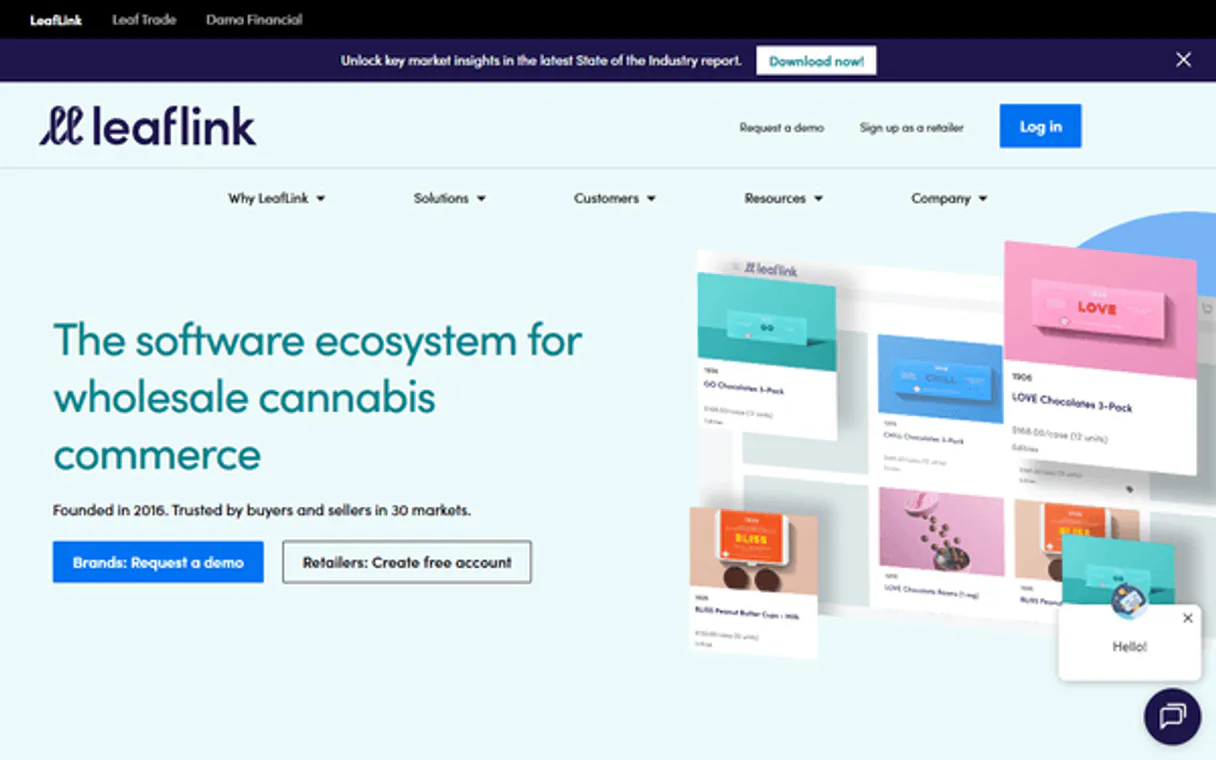
Automate wholesale order and inventory tasks.  Claude
  ChatGPT
  Cursor
  Gemini
  Windsurf
  VS Code
  JetBrains
  Vercel
Gemini Works with every AI agent you already use
…and any MCP-compatible client









Connect to your AI in seconds.
LeafLink MCP connects your AI agent directly into wholesale cannabis operations. Manage product listings, track inventory in real-time, process incoming orders, and update order statuses using natural language commands.
Automate everything from catalog updates to fulfillment tracking without touching a dashboard.
What your AI can do
List wholesale brands
Returns a list of all registered brands within the account.
Create new product
Adds a product with full details to the wholesale catalog.
List wholesale customers
Provides a roster of every buyer and customer in your network.
Adds brand-new products to the wholesale catalog with full details.
Gets all necessary data points for a specific, existing order ID.
Pulls real-time inventory counts and availability across the entire catalog.
Lists all received buyer orders or moves an order through its lifecycle (accept, cancel, etc.).
Adjusts the stock level for any given SKU based on incoming shipments or sales.
Ask an AI about this
Compatible AI Apps
OAuth 2.0 Compatible Gemini Waiting for input…
LeafLink MCP with 9 Tools
Use these tools to execute core business functions like creating products, updating stock counts, listing orders, and managing your wholesale customer base.
Make your AI actually useful.
Add this MCP to Claude, Cursor, or Windsurf and your AI stops guessing. It gets real tools to look things up, take action, and handle the stuff you keep doing by hand.
Start using LeafLink on VinkiusList Wholesale Brands
Returns a list of all registered brands within the account.
Create New Product
Adds a product with full details to the wholesale catalog.
List Wholesale Customers
Provides a roster of every buyer and customer in your network.
Get Order Details
Retrieves detailed information for one specific order ID.
Get Product Details
Gets all data points for a single product SKU.
List Received Orders
Lists every wholesale order that has been received from buyers.
List Wholesale Products
Pulls an inventory list of all available products in the catalog.
Update Order Status
Changes an order's status (accept, fulfill, cancel) within its lifecycle.
Update Product Inventory
Adjusts the current stock count for a specific product SKU.
Connect to your AI in seconds. Security and governance baked right in.
Pick your AI client below to get set up. Just create a Vinkius account, subscribe, and you're instantly up and running. We handle the entire backend infrastructure, delivering out-of-the-box support for HTTPS Streamable, SSE, and OAuth2—zero messy routing required.
Claude AI
Open Claude Settings
Go to claude.ai, click your profile icon, then navigate to Customize → Connectors.
Add Custom Connector
Click the "+" button and select Add custom connector. Paste your Vinkius endpoint URL:
https://edge.vinkius.com/[YOUR_TOKEN_HERE]/mcp
Replace [YOUR_TOKEN_HERE] with your token
from cloud.vinkius.com. For OAuth-protected servers, expand
Advanced settings to add credentials.
Start a conversation
Open a new chat. The LeafLink integration is available immediately — no restart needed.
Choose How to Get Started
Build a custom MCP for your own tools, or connect a ready-made integration from our catalog.
Build Your Own
Turn any API into an MCP. Import a spec, define Agent Skills, or deploy with MCPFusion.
- Import from OpenAPI, Swagger, or YAML specs
- Create Agent Skills with progressive disclosure
- Deploy to edge with MCPFusion framework
- Built in DLP, auth, and compliance on every call
- Real time usage dashboard and cost metering
- Publish to catalog or keep private
Make Your AI Do More
Start with LeafLink, then connect any of our 5,000+ other servers whenever your AI needs more. One click, no limits.
- Use this MCP plus 5,000+ others, all in one place
- Add new capabilities to your AI anytime you want
- Every connection is secured and compliant automatically
- Track usage and costs across all your servers
- Works with Claude, ChatGPT, Cursor, and more
- New servers added to the catalog every week
Independent Platform Disclaimer: Vinkius is an independent platform and is not affiliated with, endorsed by, sponsored by, verified by, or otherwise authorized by LeafLink. All third-party trademarks, logos, and brand names are the property of their respective owners. Their use on this website is strictly for informational purposes to identify service compatibility and interoperability.
VINKIUS INFRASTRUCTURE
Cloud Hosted
Managed infra
V8 Isolated
Sandboxed per request
Zero-Trust Proxy
No stored credentials
DLP Enforced
Policy on every call
GDPR Compliant
EU data residency
Token Compression
~60% cost reduction
Works with Claude, ChatGPT, Cursor, and more
The Model Context Protocol standardizes how applications expose capabilities to LLMs. Instead of operating in isolation, your AI gains direct access to external platforms, live data, and real-world actions through secure, standardized connections.
This connection provides 9 powerful capabilities that interface natively with Claude, ChatGPT, Cursor, and other compatible AI platforms. No middleware. No custom integration required.
Tracking orders and updating inventory used to be a multi-tab nightmare.
Today, moving an item from 'received' to 'fulfilled' often requires logging into the dashboard, navigating to the specific order, clicking status dropdowns, confirming the change, and then cross-referencing that data with your separate inventory sheet. It’s tedious, and you always worry about missing a click or refreshing the wrong page.
With this MCP, your agent handles the entire sequence in natural conversation. You tell it what needs to happen—like moving an order to 'fulfilled'—and it executes the necessary calls using tools like `update_order_status` and potentially triggers inventory adjustments automatically.
Update product listings and manage your full catalog with LeafLink.
Before, if you needed to add a new brand or update the pricing for an existing SKU, it meant filling out complex forms across multiple pages. You had to ensure every piece of data—the name, description, price, and metadata—was copied correctly into one system.
Now, your agent uses `create_new_product` to ingest all that structured data in a single interaction. It's cleaner, faster, and significantly reduces the risk of human error across your product catalog.
What your AI can actually do with this
This connector lets you manage the full lifecycle of your wholesale business—from listing new products to fulfilling complex orders. You can ask your agent to check current stock levels for specific SKUs, list all pending buyer accounts, or pull up detailed information on any received order ID. If an order needs moving along, simply tell your agent to accept it or cancel it; it handles the status change right away.
It also manages your product catalog, letting you create new listings and update inventory counts instantly based on sales data. Because this is integrated into Vinkius, your agent can access these tools alongside hundreds of others, giving you a single point of control for all your B2B commerce needs.
019d75c5-d724-70cd-9dcb-58ddb613ff2f 
Here's how it actually works
The bottom line is you tell your agent what you need done using plain English, and it executes the necessary API calls in the background.
Subscribe to this MCP and enter your LeafLink API Key (JWT Bearer Token) in Vinkius.
Connect your preferred AI client (Claude, Cursor, etc.) to the Vinkius catalog.
Use natural language prompts with your agent; it routes the request through the appropriate tool.
Who is this actually for?
Wholesale managers who spend too much time switching between order portals, operations leads needing instant stock visibility, or sales directors who require quick access to brand/buyer data for planning.
Uses the MCP to automate inventory updates and move orders through their lifecycle without logging into the LeafLink dashboard.
Asks the agent for a list of active buyers or checks product details to verify pricing before making a purchase commitment.
Runs reports on all available products and updates stock levels immediately following a shipment receipt, using tools like update_product_inventory.
What Changes When You Connect
Process orders instantly. Instead of logging in to update an order, you just tell your agent to use update_order_status on Order #ORD-101, and the status updates immediately.
Get real-time stock data without manual checks. You can check product availability for any item using list_wholesale_products, knowing the number is current.
Streamline catalog maintenance. Need to add a new SKU? Use create_new_product directly via your agent, providing all necessary metadata and pricing details in one prompt.
Maintain clear vendor visibility. Quickly list registered brands or buyers using list_wholesale_brands or list_wholesale_customers, keeping your wholesale network data current.
Reduce fulfillment delays. When a shipment arrives, you can update the stock count right away with update_product_inventory, making the product available for sale immediately.
See it in action
Fulfilling an urgent order
A buyer calls about Order #ORD-102. Instead of checking the dashboard, the agent uses get_order_details to verify items and then runs update_order_status to mark it as 'fulfilled', giving instant confirmation.
Catalog audit before a sale
Sales Director needs to know how many products exist. They ask the agent to run list_wholesale_products, which gives them the full, current inventory list in seconds for planning purposes.
Handling new shipment receipts
The warehouse team just got a pallet of product X. The agent uses update_product_inventory to increase the stock count immediately, making it visible and available for sale without manual data entry.
The honest tradeoffs
Checking order status manually
Going into the LeafLink portal, finding Order #ORD-103, clicking through several tabs just to confirm if it's accepted or canceled.
Tell your agent to use get_order_details and specify the Order ID. The agent retrieves all status information in one go.
Forgetting to update stock
A sale happens, but no one remembers to manually adjust the inventory count after confirming the order.
Always run update_product_inventory immediately after a confirmed sale or shipment receipt to keep your data accurate.
Adding products piecewise
Creating product details in one spot and pricing them in another, leading to mismatched records.
Use create_new_product with a single JSON payload that includes all necessary details, metadata, and pricing points.
When It Fits, When It Doesn't
Use this MCP if your core workflow involves managing the physical movement of goods—you need to track orders, count inventory, or modify product listings. It's built for operational execution. Don't use it if you only need historical reporting (e.g., 'What were our sales last quarter?'). For pure data analysis and deep dives into past performance metrics, connect your agent to a dedicated business intelligence tool instead. However, if the goal is to act on that data—like changing an order status or adjusting stock based on a report—this LeafLink MCP is exactly what you need.
Questions you might have
How do I check inventory using LeafLink MCP? +
You simply ask your agent to list all products or check a specific SKU. The agent uses list_wholesale_products or get_product_details to pull real-time stock levels for you.
Can I change an order status with LeafLink MCP? +
Yes, you can tell your agent to update the order status. It uses the update_order_status tool to move orders through their required lifecycle stages like accepting or cancelling.
What if I need to add a new product? Which LeafLink MCP tool do I use? +
Use the create_new_product tool. You provide all the necessary product details in one go, and it adds the item directly to your wholesale catalog.
Does LeafLink MCP handle buyer information? +
Yes. Your agent can list all registered buyers using list_wholesale_customers or get specific data on brands with list_wholesale_brands.
How do I retrieve a complete list of all pending and past orders using the `list_received_orders` tool? +
The list_received_orders tool retrieves an exhaustive list of every wholesale order associated with your account. This allows you to quickly identify which buyers placed recent or historical purchases that require attention.
What process should I use if I need to adjust inventory levels manually? How does `update_product_inventory` work? +
You use the update_product_inventory tool by specifying the exact product and the new stock quantity. This is essential for recording physical shipments, handling write-offs, or adjusting counts outside of a standard order cycle.
How can I list all available products in my catalog to check pricing details? Do I use `list_wholesale_products`? +
Yes, the list_wholesale_products tool retrieves a comprehensive listing of every product you carry. This function provides crucial metadata and current pricing across your entire inventory for planning or auditing.
What authentication credentials are needed to connect LeafLink MCP? +
This MCP requires your specific LeafLink API Key, which must be provided as a JWT Bearer Token. This ensures that only authorized agents can interact with your wholesale data securely.
How do I update the inventory level for a product? +
Use the update_product_inventory tool with the unique product ID and the new total quantity. This will update the quantity field in LeafLink.
Can I fulfill an order using the agent? +
Yes, use the update_order_status tool with the order number and set the action to 'fulfill' to transition the order status.
Is it possible to see my buyer list? +
Absolutely. The list_wholesale_customers tool retrieves all organizational buyers and dispensary accounts registered in your LeafLink network.
We've already built the connector for LeafLink. Just plug in your AI agents and start using Vinkius.
No hosting. No infrastructure. No complex setup.
All 9 tools are live and waiting.
You're up and running in seconds.
Gemini Vinkius gives your AI agents access to the full catalog of app connectors, all fully managed, secure, and enterprise-ready. One subscription, every tool you need.
Built, hosted, and secured by Vinkius. You just connect and go.