
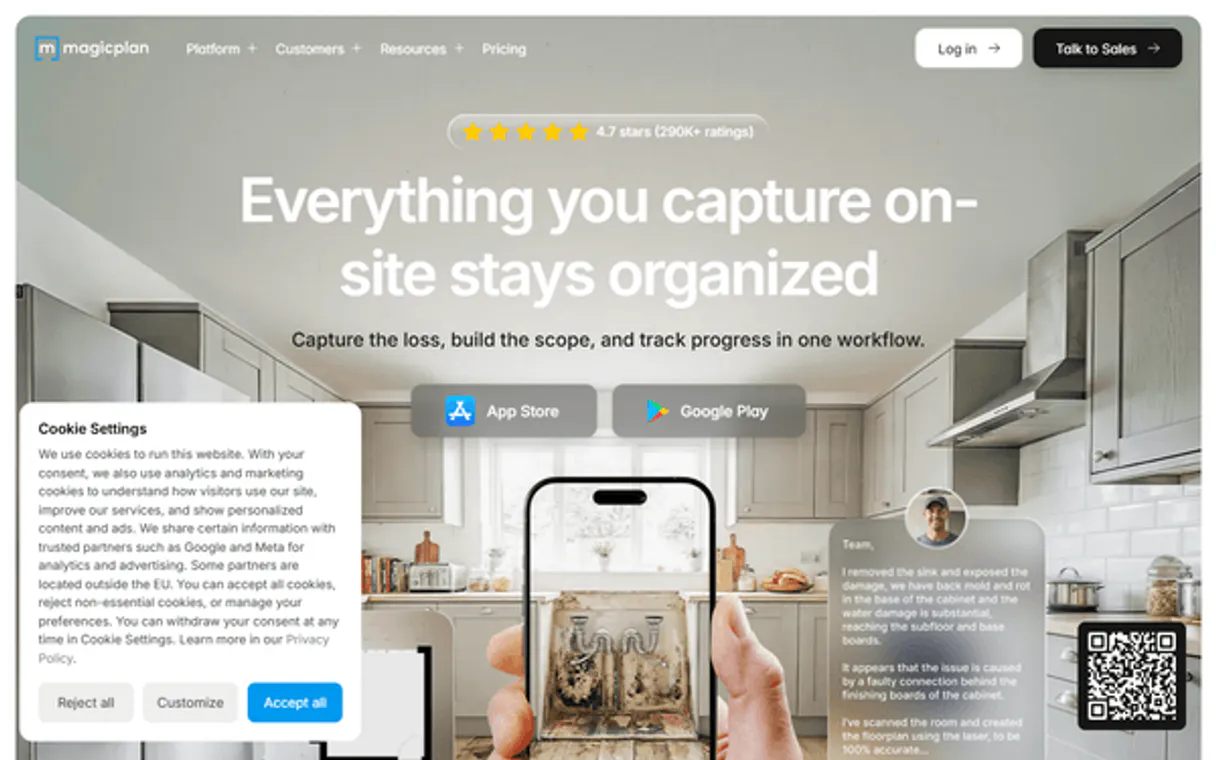
Get measurements, budgets, and project status instantly.  Claude
  ChatGPT
  Cursor
  Gemini
  Windsurf
  VS Code
  JetBrains
  Vercel
Gemini Works with every AI agent you already use
…and any MCP-compatible client









Connect to your AI in seconds.
Magicplan connects your AI agent directly to professional architectural data, financial estimates, and spatial plans. It lets you query project metadata, retrieve precise measurements (area, perimeter), audit detailed costs, and pull survey forms—all from natural language commands.
Stop switching between plan viewers and spreadsheets.
What your AI can do
List project estimates
Lists every financial estimate created for a specific project ID.
List available forms
Lists every type of data collection form or checklist available in your workspace.
Get estimate details
Fetches the complete financial breakdown for a specific project estimate ID.
Retrieves a list of every architectural project available in your Magicplan workspace.
Fetches detailed information, including the current status and general details for a specific project ID.
Pulls all structural data for a project, listing rooms, floors, and object placements.
Calculates specific metrics like total area, perimeter, or volume for a plan or a defined room.
Provides a granular breakdown of an estimate, separating costs into labor, materials, taxes, and other line items.
Lists all users in your team or retrieves structured data from attached inspection checklists.
Ask an AI about this
Compatible AI Apps
OAuth 2.0 Compatible Gemini Waiting for input…
Magicplan MCP Server: 10 Tools for Real Estate & Architecture
Use these tools within your AI client to manage every aspect of a property lifecycle—from initial measurements to final financial audit.
Make your AI actually useful.
Add this MCP to Claude, Cursor, or Windsurf and your AI stops guessing. It gets real tools to look things up, take action, and handle the stuff you keep doing by hand.
Start using Magicplan on VinkiusList Project Estimates
Lists every financial estimate created for a specific project ID.
List Available Forms
Lists every type of data collection form or checklist available in your workspace.
Get Estimate Details
Fetches the complete financial breakdown for a specific project estimate ID.
Get Project Floor Plan
Pulls the complete spatial data map, detailing all rooms and object placements...
Get Project Details
Retrieves core metadata (client name, status) for a specified Magicplan project ID.
Get Plan Form Data
Retrieves structured data from inspection forms or checklists linked to a single floor plan.
Get Plan Measurements
Calculates and returns numeric metrics like area, perimeter, and volume for any given plan ID.
List Magicplan Projects
Retrieves a list of all projects currently set up in the Magicplan account.
List Workspace Users
Shows all user accounts and collaborators within the Magicplan workspace.
Get Workspace Info
Gets configuration details for the current Magicplan workspace environment.
Connect to your AI in seconds. Security and governance baked right in.
Pick your AI client below to get set up. Just create a Vinkius account, subscribe, and you're instantly up and running. We handle the entire backend infrastructure, delivering out-of-the-box support for HTTPS Streamable, SSE, and OAuth2—zero messy routing required.
Claude AI
Open Claude Settings
Go to claude.ai, click your profile icon, then navigate to Customize → Connectors.
Add Custom Connector
Click the "+" button and select Add custom connector. Paste your Vinkius endpoint URL:
https://edge.vinkius.com/[YOUR_TOKEN_HERE]/mcp
Replace [YOUR_TOKEN_HERE] with your token
from cloud.vinkius.com. For OAuth-protected servers, expand
Advanced settings to add credentials.
Start a conversation
Open a new chat. The Magicplan integration is available immediately — no restart needed.
Choose How to Get Started
Build a custom MCP for your own tools, or connect a ready-made integration from our catalog.
Build Your Own
Turn any API into an MCP. Import a spec, define Agent Skills, or deploy with MCPFusion.
- Import from OpenAPI, Swagger, or YAML specs
- Create Agent Skills with progressive disclosure
- Deploy to edge with MCPFusion framework
- Built in DLP, auth, and compliance on every call
- Real time usage dashboard and cost metering
- Publish to catalog or keep private
Make Your AI Do More
Start with Magicplan, then connect any of our 5,000+ other servers whenever your AI needs more. One click, no limits.
- Use this MCP plus 5,000+ others, all in one place
- Add new capabilities to your AI anytime you want
- Every connection is secured and compliant automatically
- Track usage and costs across all your servers
- Works with Claude, ChatGPT, Cursor, and more
- New servers added to the catalog every week
Independent Platform Disclaimer: Vinkius is an independent platform and is not affiliated with, endorsed by, sponsored by, verified by, or otherwise authorized by Magicplan. All third-party trademarks, logos, and brand names are the property of their respective owners. Their use on this website is strictly for informational purposes to identify service compatibility and interoperability.
VINKIUS INFRASTRUCTURE
Cloud Hosted
Managed infra
V8 Isolated
Sandboxed per request
Zero-Trust Proxy
No stored credentials
DLP Enforced
Policy on every call
GDPR Compliant
EU data residency
Token Compression
~60% cost reduction
Works with Claude, ChatGPT, Cursor, and more
The Model Context Protocol standardizes how applications expose capabilities to LLMs. Instead of operating in isolation, your AI gains direct access to external platforms, live data, and real-world actions through secure, standardized connections.
This connection provides 10 powerful capabilities that interface natively with Claude, ChatGPT, Cursor, and other compatible AI platforms. No middleware. No custom integration required.
Tracking project data right now feels like working in 2005.
Today, getting full status and measurements means jumping between three different systems: the CAD viewer, the financial spreadsheet, and the internal ticketing system. You export a plan to get area metrics; you open a separate budget PDF for costs; and you email someone else's report just to see who was assigned to the job.
With this MCP server, all that data lives in one place. Your agent handles the handoff. You ask, 'What is the total square footage of Project 456, and are we over budget on labor?' And it gives you a direct answer combining `get_plan_measurements` with the cost breakdown from `get_estimate_details`. Period.
Getting plan measurements with get_plan_measurements
Manually calculating room dimensions involves opening a plan, using scale rulers, and then re-calculating the numbers in Excel. It's slow, it's prone to human error, and you have to manually account for every single wall segment.
Now, your agent runs `get_plan_measurements`. You ask for 'the total perimeter of all first-floor rooms.' The server returns one clean number, calculated against the source plan data. It’s accurate, instant, and requires zero manual effort.
What your AI can actually do with this
Magicplan connects your AI agent directly to architectural data, financial ledgers, and spatial plans. You stop switching between plan viewers and spreadsheets because your agent handles it all in natural language. It reads floor plans and hands you concrete numbers on area, perimeter, project status, and costs.
To start, list_magicplan_projects gives your agent a complete roster of every architectural project set up in the workspace. For any specific job ID, get_project_details pulls core metadata, giving you immediate access to the client name or the current project status.
When you need to know what's physically built, get_project_floor_plan provides a complete spatial data map for a project, detailing every room and object placement. You can then run get_plan_measurements, which calculates metrics like total area, perimeter, or volume using any plan ID you provide. The agent uses this same mechanism to calculate precise measurements for defined rooms within the structure.
For financials, you first use list_project_estimates to see every financial estimate created for a specific project. You then call get_estimate_details, and the server gives you the full breakdown of that estimate: it separates costs into labor, materials, taxes, and all other line items so you can audit exactly where the money's going.
Compliance and documentation are handled by two key tools. First, list_available_forms shows your agent every type of data collection form or checklist attached to the workspace. When you need specific historical data from a plan, get_plan_form_data retrieves structured information directly from inspection forms or checklists linked to that single floor plan.
For managing the team and environment itself, list_workspace_users shows every user account and collaborator within your Magicplan workspace. get_workspace_info gets you configuration details for the entire current workspace setup. You've got all the mechanisms—from listing projects and getting metadata to calculating precise measurements, auditing costs, and managing team forms—all in one place.
019d75cb-e400-7204-8a54-26a659735e60 
Here's how it actually works
The bottom line is, your AI client runs the query through the server, gets the number back, and then talks to you like a human did.
Subscribe to the server and input your Magicplan Customer ID and API Key.
Your AI client sends a request (e.g., 'What is the area of Project 123?').
The agent calls the appropriate tool (get_plan_measurements), which queries Magicplan's backend and returns the raw measurement data to your agent.
Who is this actually for?
This is for anyone who spends time correlating physical plans with spreadsheets. If you're tired of manually exporting measurements or cross-referencing budgets from different documents, this server saves your sanity. It turns siloed data into conversational facts.
Uses the server to quickly query plan dimensions and check project status before making design decisions.
Runs financial audits using get_estimate_details to verify material costs against current budgets without leaving their dev tools.
Retrieves structured data from attached inspection forms or lists all available plans to confirm boundaries and measurements.
What Changes When You Connect
Automate Measurement Checks: Don't rely on manual scaling or PDF measurement tools. Use get_plan_measurements to get precise square meterage and perimeters for any room or entire plan in a single query.
Instant Financial Audits: Instead of opening multiple spreadsheets, call get_estimate_details. You immediately see the full breakdown—labor costs versus material costs—allowing you to audit budgets on the fly.
Centralized Project View: Need to know what's happening across 10 projects? Use list_magicplan_projects and then get_project_details to pull status updates for every single one, all without leaving your dev environment.
Structured Data Retrieval: Forget digging through image-based reports. The server uses get_plan_form_data to extract structured data from inspection checklists and survey forms attached to plans.
User Management at Scale: Use list_workspace_users and list_magicplan_projects together to get a full picture of who has access, what projects exist, and how the team is organized.
See it in action
Auditing Budget vs. Plan
A Construction Manager needs to know if the budgeted materials for Project 456 are adequate. They ask their agent: 'What is the required area, and what's the cost?' The agent runs get_project_floor_plan (for total area) and then uses that data point with get_estimate_details. It returns the actual spatial requirements alongside the full financial line-item breakdown, flagging discrepancies immediately.
Verifying Survey Data
A Surveyor has just completed an inspection on a new building. Instead of emailing photos and paper checklists, they ask their agent to pull data for Project 123. The agent runs list_available_forms to identify the correct checklist type, then uses get_plan_form_data to retrieve all structured metrics—like utility readings or structural notes—directly into the conversation.
Quick Project Status Check
A Real Estate Professional needs a list of all active properties for due diligence. They ask their agent to 'List projects and their status.' The agent runs list_magicplan_projects followed by get_project_details, providing the full roster of IDs, names, and current project statuses in one clean response.
Calculating Room Area on the Fly
An Architect is revising a layout and needs to know the exact area of the Master Bedroom (Room ID: abc) without opening the dedicated plan tool. They ask their agent: 'What is the area of room abc in project 123?' The agent executes get_plan_measurements and gets the precise square footage instantly.
The honest tradeoffs
Mixing up IDs
The user tries to run 'Show me the measurements for the project.' The server fails because it doesn't know which project ID or plan ID you mean. It just sees general text.
Always start by listing available projects first using list_magicplan_projects to confirm the correct Project ID, then use that specific ID with get_project_details and finally pass it to get_plan_measurements.
Asking for general status
The user asks: 'How is everything going with the budget?' This query is too vague. The server can't determine if you mean materials, labor, or overall project health.
Be specific about what data you need. Instead of asking vaguely about budgets, use list_project_estimates to find the estimate ID, then pass that ID into get_estimate_details for a precise breakdown.
Ignoring initial setup
The user tries to run any tool without providing credentials. The server rejects the call with an authentication error.
Remember that before running anything, you must subscribe and provide your Magicplan Customer ID and API Key to establish a secure connection.
When It Fits, When It Doesn't
Use this if your workflow involves linking spatial data (measurements, rooms) directly with financial or structural records. This is ideal for auditing: 'Does the plan support the budget?' If you need to know the area of Room X AND whether that material cost was accounted for in Estimate Y, use this server.
Don't use it if you just need simple project listing (use list_magicplan_projects) or if your query is purely descriptive ('Tell me about Magicplan'). If you only need to manage user accounts without referencing any plans or budgets, the dedicated workspace management tools might be simpler. But for anything involving dimensions or money tied to a plan, this server is required.
Questions you might have
How do I list all projects using list_magicplan_projects? +
Run list_magicplan_projects to get a full roster of every project ID in your workspace. This is the first step before you can query details for any specific project.
What if I need measurements for multiple rooms? Can get_plan_measurements handle it? +
Yes. You don't have to run the tool repeatedly. Give the agent a list of Room IDs and ask for 'the area and perimeter of these three specific rooms,' and get_plan_measurements handles the batch query.
Can I check project status using get_project_details? +
Yes. After you use list_magicplan_projects to find a Project ID, running get_project_details pulls the current metadata and operational status for that exact project.
How do I see if the budget is correct for a plan? +
You need two tools: first, use get_plan_measurements to confirm the required area. Then, pass that data point into get_estimate_details so the agent can cross-reference the size with the budgeted materials.
What specific data fields does `get_plan_form_data` retrieve for a plan? +
It retrieves structured data from attached forms. You get key-value pairs, including checklist answers and survey notes, ensuring the output is always usable JSON.
Does `list_workspace_users` provide detailed security roles or just user names? +
It lists all active users within your workspace. While it confirms membership, you must use the Magicplan UI to manage specific permission levels and roles for compliance.
What information is required before I can successfully run `list_project_estimates`? +
You need the Project ID first. The function uses this identifier to pull a complete list of all financial estimate records tied specifically to that project.
When I call `get_project_floor_plan`, what kind of geometry data does it return? +
It returns comprehensive spatial JSON. This includes coordinates for floors, rooms, and object boundaries, making the data ready for immediate CAD or measurement calculations.
How do I get my Customer ID and API Key? +
Log in to the magicplan Cloud dashboard as an admin, navigate to Workspace Settings > API to generate your credentials.
Can I see the measurements of a specific room? +
Yes, the get_plan_measurements tool returns numeric data for the entire plan, individual floors, and every room within those floors.
What is included in the financial estimate details? +
The get_estimate_details tool retrieves customer contact info, financial totals (labor, material, tax), and a full list of itemized positions/tasks.
We've already built the connector for Magicplan. Just plug in your AI agents and start using Vinkius.
No hosting. No infrastructure. No complex setup.
All 10 tools are live and waiting.
You're up and running in seconds.
Gemini Vinkius gives your AI agents access to the full catalog of app connectors, all fully managed, secure, and enterprise-ready. One subscription, every tool you need.
Built, hosted, and secured by Vinkius. You just connect and go.