
Octoboard MCP. Manage dashboards and push metrics via conversation.
 Gemini
 Works with every AI agent you already use
…and any MCP-compatible client









Just plug in your AI agents and start using Vinkius.
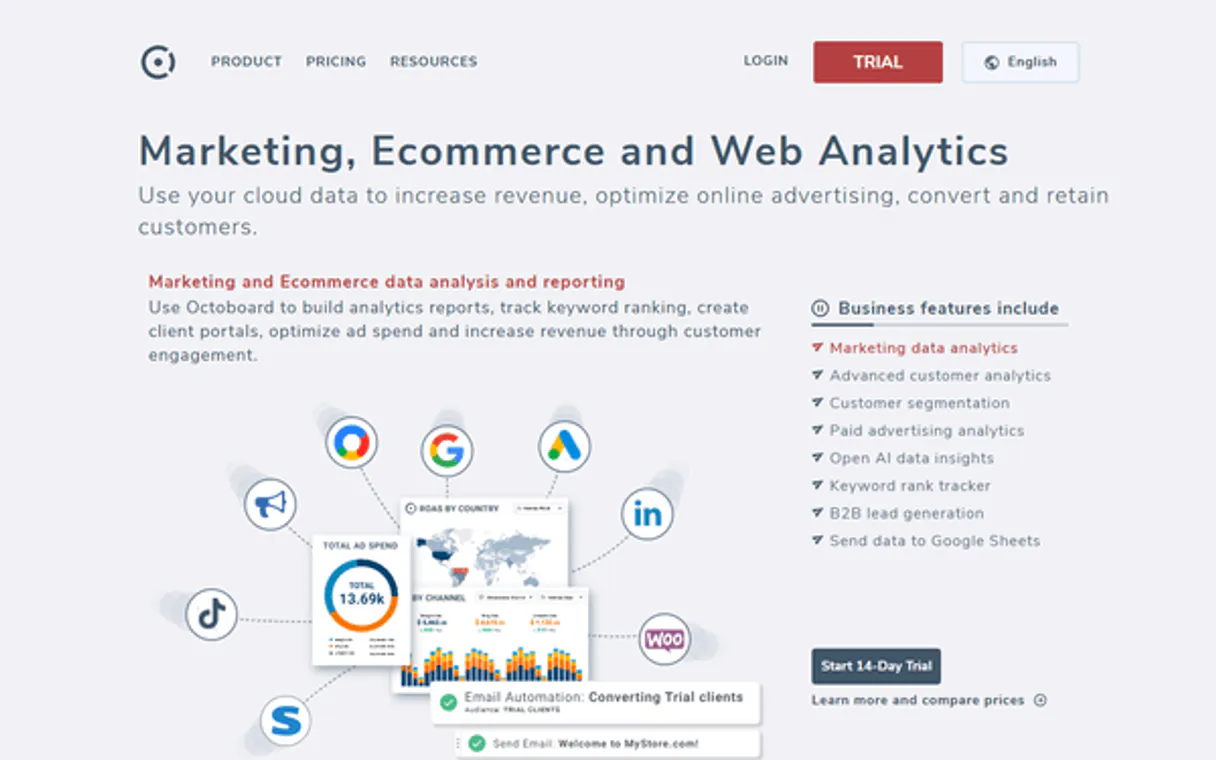
Octoboard lets your AI client manage and update complex marketing dashboards directly from chat. It pulls data from Google, Facebook, HubSpot, and dozens of other sources into widgets.
Use it to list active reports, push specific numbers (like revenue or status), or check API usage without ever opening the dashboard UI.
What your AI agents can do
Get api status
Verifies if the server connection and credentials are working correctly.
Check api usage
Checks the current data limits for your Octoboard account.
List agency clients
Lists every managed client associated with your Octoboard account.
Check current data limits and verify the connection status of the Octoboard account.
List all active dashboards and retrieve their detailed metadata to understand what reports are running.
Retrieve a list of managed clients within the Octoboard platform for quick account overview.
Inject specific values—like revenue numbers, text descriptions, or status indicators—into live widgets on any dashboard.
Send structured data sets, such as bar chart arrays or full data tables, to drive visual reporting updates.
Ask AI about this MCP
Supported MCP Clients
OAuth 2.0 Compatible Gemini Waiting for input…
Octoboard MCP Server: 12 Tools for Data Visualization & Metrics
Use these tools to manage data retrieval, run system audits, and push metrics directly into your Octoboard dashboards through natural conversation.
Make your AI actually useful.
Add this MCP to Claude, Cursor, or Windsurf and your AI stops guessing. It gets real tools to look things up, take action, and handle the stuff you keep doing by hand.
Start using Octoboard on Vinkius019dd12fget api status
Verifies if the server connection and credentials are working correctly.
019dd12fcheck api usage
Checks the current data limits for your Octoboard account.
019dd12flist agency clients
Lists every managed client associated with your Octoboard account.
019dd12flist active dashboards
Retrieves a list of all active dashboards configured in your account.
019dd12flist automated reports
Provides details and schedules for all automated reports configured to run regularly.
019dd12fpush bar chart
Updates a dashboard widget by sending structured bar chart data arrays.
019dd12fpush numeric metric
Updates a specific widget on a dashboard with a new numeric value (e.g., total revenue).
019dd12fpush status update
Changes the visual status indicator of a widget (e.g., 'Active' to 'Paused').
019dd12fpush data table
Overwrites the content of an existing dashboard widget with a full, updated data table.
019dd12fpush text metric
Updates a simple text field or title within a dashboard widget.
019dd12fpush variation metric
Updates a widget to show both a new value and its percentage change from the previous period.
019dd12ftest octoboard auth
Runs a basic test to confirm that the API key and credentials are valid for data access.
Choose How to Get Started
Build a custom MCP for your own tools, or connect a ready-made integration from our catalog.
Build Your Own
Turn any API into an MCP. Import a spec, define Agent Skills, or deploy with MCPFusion.
- Import from OpenAPI, Swagger, or YAML specs
- Create Agent Skills with progressive disclosure
- Deploy to edge with MCPFusion framework
- Built in DLP, auth, and compliance on every call
- Real time usage dashboard and cost metering
- Publish to catalog or keep private
Make Your AI Do More
Start with Octoboard, then connect any of our 5,000+ other servers whenever your AI needs more. One click, no limits.
- Use this MCP plus 5,000+ others, all in one place
- Add new capabilities to your AI anytime you want
- Every connection is secured and compliant automatically
- Track usage and costs across all your servers
- Works with Claude, ChatGPT, Cursor, and more
- New servers added to the catalog every week
Independent Platform Disclaimer: Vinkius is an independent platform and is not affiliated with, endorsed by, sponsored by, verified by, or otherwise authorized by Octoboard. All third-party trademarks, logos, and brand names are the property of their respective owners. Their use on this website is strictly for informational purposes to identify service compatibility and interoperability.
VINKIUS INFRASTRUCTURE
Cloud Hosted
Managed infra
V8 Isolated
Sandboxed per request
Zero-Trust Proxy
No stored credentials
DLP Enforced
Policy on every call
GDPR Compliant
EU data residency
Token Compression
~60% cost reduction
Works with Claude, ChatGPT, Cursor, and more
The Model Context Protocol standardizes how applications expose capabilities to LLMs. Instead of operating in isolation, your AI gains direct access to external platforms, live data, and real-world actions through secure, standardized connections.
This server provides 12 capabilities that interface natively with Claude, ChatGPT, Cursor, and any MCP client. No middleware. No custom integration required.
Checking account metrics shouldn't require navigating three different tabs.
Today, checking simple operational details means opening Octoboard, clicking 'API Settings,' finding the usage graph, and then copying a number to put it somewhere else. It takes five clicks just to see if your API is nearing its limit.
With this MCP server, you simply ask your agent: 'Check my data limits.' The agent runs `check_api_usage` and returns that specific metric right in the chat window. You get the number instantly.
Octoboard MCP Server lets you update metrics with push_variation_metric.
Before, if a key performance indicator (KPI) changed, you had to manually calculate the percentage change, find the right widget, and then update it. The system often lost the 'compared to last period' context.
Now, you ask your agent to update the metric: 'Push revenue of 120k with a 15% increase.' The tool runs `push_variation_metric` and updates the dashboard widget perfectly—showing both the $120k value AND the +15% change indicator. Period.
What you can do with this MCP connector
You can use Octoboard’s MCP Server to run your AI client directly against complex marketing dashboards. This lets you manage reporting data—retrieving metadata and pushing custom metrics—all through natural language commands right in your chat interface, without ever opening the actual dashboard UI.
Checking the Setup
You gotta make sure everything's wired up first. You can run test_octoboard_auth to confirm that the API key you pasted is actually valid for data access. If you wanna check the connection itself, use get_api_status to verify if the server credentials are working right. For an operational overview, you'll also check your limits using check_api_usage, which tells you what the current data caps are on your Octoboard account.
Mapping Out What You Got
Need to know what dashboards exist? Call list_active_dashboards and it gives you a full list of every dashboard configured in your account. If you wanna get deep into the setup, you can pull detailed report metadata using that same function. To see which reports are running automatically, use list_automated_reports; this tells you about all the scheduled reports and their details.
For an agency overview, run list_agency_clients to get a list of every client managed within your Octoboard account.
Pushing Specific Data Points
This is where the real power is. You can inject specific values into live widgets on any dashboard. If you just need to update a simple title or text field, use push_text_metric. To change a status indicator—say, flipping it from 'Active' to 'Paused'—you call push_status_update. For pure number updates, like total revenue for the quarter, push_numeric_metric lets you overwrite that widget with a brand-new value.
If those numbers change by percentage, use push_variation_metric; this pushes both the new figure and its corresponding percentage change from the previous period. You can also push structured data sets to update widgets; for example, if you have an entire dataset ready, push_data_table overwrites the content of an existing widget with a full, updated table.
When you gotta send complex visualizations, like bar charts, push_bar_chart updates the dashboard by sending structured arrays designed specifically for that chart type.
Basically, you use these tools to push data—whether it's a simple metric or a massive data array—to keep your proprietary performance numbers updated in real time. You don't open tabs; you just talk to your agent and tell it what needs changing on the board.
019dd12f-e51a-7394-92dd-943ff6bfa151 
How Octoboard MCP Works
- 1 Subscribe to the Octoboard server and enter your specific API Key from your account settings.
- 2 Your AI client connects and authenticates against the platform using that key.
- 3 You prompt your agent with a request (e.g., 'Push Q3 revenue of 120,500 to the KPI widget'). The agent executes the correct tool call.
The bottom line is: you manage marketing data and reporting metrics via conversational prompts instead of clicking through multiple apps.
Who Is Octoboard MCP For?
This is for agency owners, internal data analysts, and business managers who spend too much time switching between dashboards to manually update KPIs. It’s perfect for the ops engineer who needs to check API usage or push a revenue number without leaving their chat window.
Uses this to monitor overall account usage and quickly push updated metrics for multiple clients across different dashboards.
Automates the process of feeding proprietary, newly calculated business data into visualization widgets so reports stay current without manual intervention.
Runs commands to list all configured automated reports and check their delivery schedules for compliance and oversight.
What Changes When You Connect
- Don't switch apps to update numbers. You can use
push_numeric_metricorpush_variation_metricto send real-time revenue figures directly into a widget, keeping the dashboard current instantly. - Get an immediate overview of your entire operation by running
list_agency_clients. This gives you a quick list of all managed accounts without navigating through client portals. - Keep track of compliance and health. Run
get_api_statusorcheck_api_usageto verify the server connection is active and you haven't hit your data limits. - Automate reporting oversight by using
list_automated_reports. You get a clear list of what reports are running, when they run, and who receives them. - Inject complex visual data easily. Use
push_bar_chartorpush_data_tableto update widgets with structured arrays—not just single numbers—for deep reporting insights.
Real-World Use Cases
Updating a Quarterly KPI
The marketing director needs to show the updated Q4 revenue number. Instead of logging into Octoboard and clicking through, they prompt their agent: 'Push 120500 to the Executive KPI dashboard.' The agent runs push_numeric_metric, updating the widget instantly.
Auditing Client Accounts
An agency manager needs to verify which clients are active and if any accounts are underutilized. They prompt: 'List all managed clients.' The agent runs list_agency_clients, providing a full, actionable list right in the chat.
Checking Reporting Health
The ops team notices dashboards aren't refreshing and needs to check why. They prompt: 'Check Octoboard API status.' The agent runs get_api_status, telling them immediately if the connection is broken or if credentials need updating.
Building a Performance Summary
A data analyst needs to summarize multiple performance metrics for a weekly review. They use the agent to run push_bar_chart with last week's ad spend, then follow up with push_text_metric to add a summary comment.
The Tradeoffs
Assuming manual updates are enough
Just logging into the dashboard and manually typing in numbers. This is slow, error-prone, and requires context switching.
→
Use push_numeric_metric to send the required number directly from your chat interface. Your agent handles the data injection and updates the widget instantly.
Forgetting report schedules
Wondering if the 'SEO Summary' ran this week, or when it runs next. You might have to check three different internal documentation tabs.
→
Run list_automated_reports. This tool gives you a definitive list of all scheduled reports and their exact delivery times.
Using the wrong data format
Trying to push complex chart data using only push_text_metric results in garbled, unreadable widgets that don't show trends.
→
You need structured input. Use push_bar_chart or push_data_table. These tools expect arrays and tables, making sure the widget displays complex visuals correctly.
When It Fits, When It Doesn't
Use this server if your primary pain point is updating data visualization widgets or retrieving metadata about existing reports. Specifically, if you need to push a number (push_numeric_metric), list clients (list_agency_clients), or check system health (get_api_status). Don't use this if you are building an entirely new reporting pipeline from scratch; for that, you might look at dedicated data warehouse connectors. If your goal is purely to view a dashboard and nothing else, the native Octoboard UI is fine—you only need MCP when your agent needs to act on the data.
Common Questions About Octoboard MCP
How do I check if my Octoboard connection is working using get_api_status? +
Run get_api_status. This tool checks the live connection between your AI agent and the server. It confirms whether credentials are valid, which is step one before doing anything else.
What tools can I use to update a number on my dashboard? +
You have several options depending on what you're changing. Use push_numeric_metric for raw values, push_text_metric for simple descriptions, or push_variation_metric if you need the percentage change included.
I need to see which reports are set up automatically; what tool do I use? +
Use list_automated_reports. This command shows you a full list of every automated report, along with its specific schedule and who gets the delivery.
Can I see which clients are managed through Octoboard using list_agency_clients? +
Yep. list_agency_clients pulls a comprehensive roster of all your managed client accounts into the chat, giving you an immediate overview.
How do I verify my Octoboard credentials are correct before pushing data using test_octoboard_auth? +
Running test_octoboard_auth confirms that your API key is valid and the server can connect to your account. If the tool runs successfully, it means you're good to go; otherwise, double-check your keys in the Octoboard settings.
How do I check if I’m hitting any data limits or rate caps using check_api_usage? +
The check_api_usage tool returns a detailed report on your current consumption and available capacity. This lets you manage your usage proactively so your reporting pipelines never get blocked by limits.
Which dashboards are active in my account if I use list_active_dashboards? +
list_active_dashboards retrieves a complete list of all environments and dashboard names connected to Octoboard. This is useful for knowing exactly where you can push or pull data from.
If I need to update a value along with its percentage change, what do I use? Should I use push_variation_metric? +
Yes, push_variation_metric handles updates that require both a new number and the associated change indicator. It lets you accurately report metrics like 'up 12%' or 'down 5%,' making your dashboards much clearer.
Can my AI automatically find the Widget ID for a custom data widget? +
The Widget ID is found in the Octoboard dashboard settings for any 'Custom Data' widget. You must provide this ID when using the send_numeric_metric or similar tools.
How do I find my Octoboard API Key? +
Log in to Octoboard, navigate to your Account Settings > API, and you will find your unique secret token there.
Can I push table data to Octoboard using the AI? +
Yes! Use the send_table_data tool. Provide the Widget ID, headers, and a 2D array of rows, and your agent will update the corresponding data table widget instantly.
Use it with your favorite AI tools
Connect this server to Cursor, Claude, VS Code, and more.