
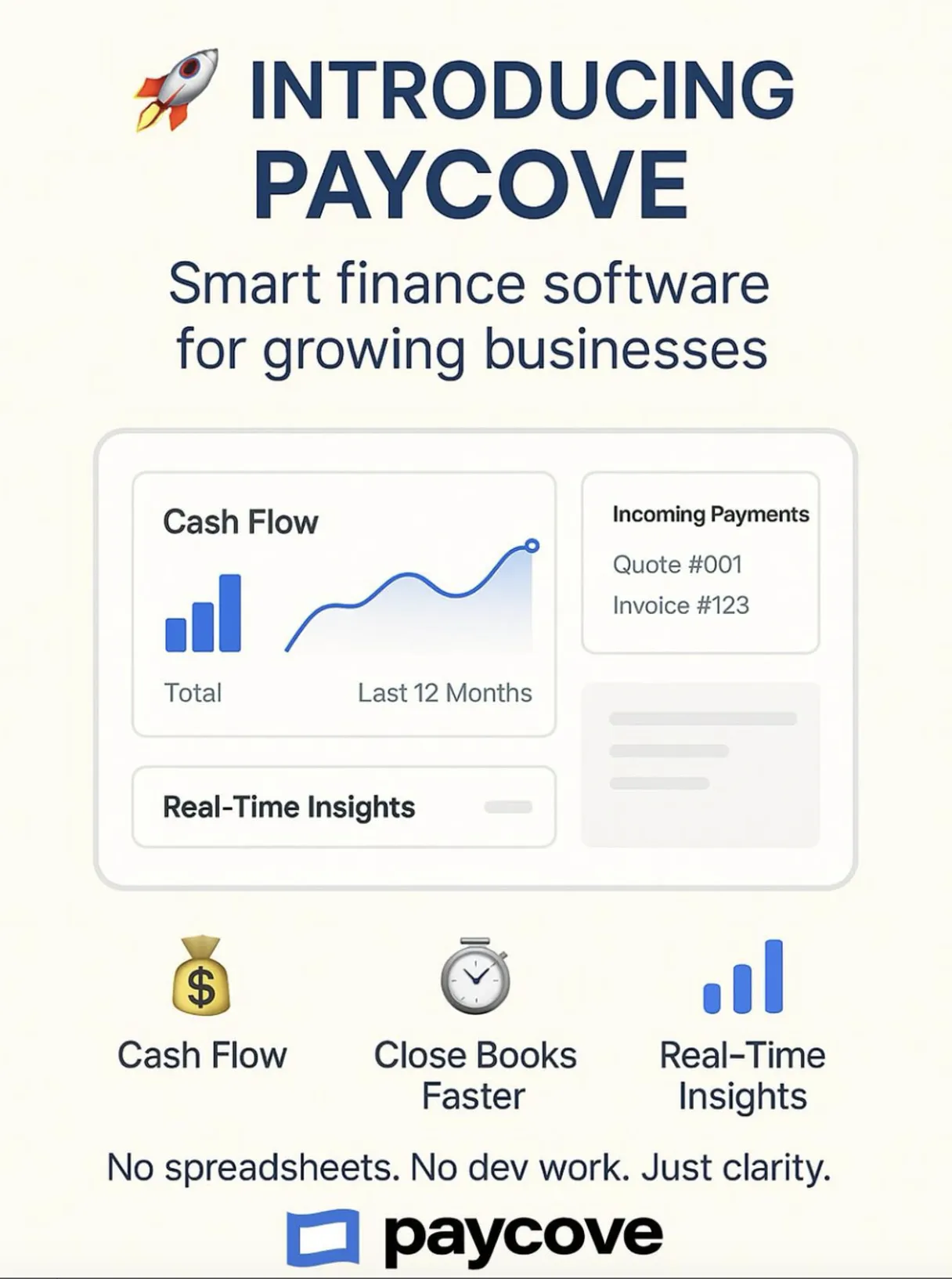
Paycove MCP. Automate Quote-to-Cash Billing Workflows
 Gemini
 Works with every AI agent you already use
…and any MCP-compatible client









Just plug in your AI agents and start using Vinkius.
Paycove provides direct API access for automating your entire billing lifecycle through an AI agent. Your agent can draft custom quotes, create client profiles, generate invoices on demand, and track real-time payment statuses without manual CRM hops.
What your AI agents can do
Check paycove status
Verifies that your connection and API credentials are working correctly with Paycove.
Convert quote to invoice
Takes an accepted quote record and immediately converts it into a draft invoice record.
Create client
Creates a new client account in the Paycove system using required profile details.
The agent can create new clients or retrieve existing client data using tools like create_client and get_client.
You can add, view, and modify product details within the system by calling create_product, get_product, or list_products.
The agent supports generating initial quotes via create_quote and finalizing them into official invoices using convert_quote_to_invoice or create_invoice.
You can list all records, filter for specific statuses (e.g., draft, overdue), or check payment history with tools like list_invoices_by_status and list_overdue_invoices.
Ask AI about this MCP
Supported MCP Clients
OAuth 2.0 Compatible Gemini Waiting for input…
Paycove MCP Server: 17 Tools for Billing Automation
Use these tools to manage clients, products, quotes, invoices, and payments within the Paycove system via natural language commands.
Make your AI actually useful.
Add this MCP to Claude, Cursor, or Windsurf and your AI stops guessing. It gets real tools to look things up, take action, and handle the stuff you keep doing by hand.
Start using Paycove on Vinkius019dd136check paycove status
Verifies that your connection and API credentials are working correctly with Paycove.
019dd136convert quote to invoice
Takes an accepted quote record and immediately converts it into a draft invoice record.
019dd136create client
Creates a new client account in the Paycove system using required profile details.
019dd136create invoice
Generates an entirely new invoice record, useful for manual or unexpected billing cycles.
019dd136create product
Adds a new product to the official Paycove catalog so it can be used on quotes and invoices.
019dd136create quote
Drafts a brand-new sales quote containing specific products and pricing for a client.
019dd136get client
Retrieves all current details about an existing client by their unique ID or name.
019dd136get invoice
Pulls up the full record and history for a specific invoice number.
019dd136get product
Gets detailed information, including pricing, for a known product ID.
019dd136get quote
Retrieves the full details of an existing quote, including line items and original client data.
019dd136list clients
Provides a list of all clients managed in your Paycove account.
019dd136list invoices by status
Filters the entire invoice database to show only records matching specific statuses (e.g., 'Paid').
019dd136list invoices
Returns a comprehensive list of every invoice ever created or processed.
019dd136list overdue invoices
Generates a list containing only invoices that have passed their due date.
019dd136list payments
Retrieves records of all payments processed and associated with your client accounts.
019dd136list products
Returns a list of every product currently in the Paycove catalog.
019dd136list quotes
Provides an overview and list of all quote records created or managed within the system.
Choose How to Get Started
Build a custom MCP for your own tools, or connect a ready-made integration from our catalog.
Build Your Own
Turn any API into an MCP. Import a spec, define Agent Skills, or deploy with MCPFusion.
- Import from OpenAPI, Swagger, or YAML specs
- Create Agent Skills with progressive disclosure
- Deploy to edge with MCPFusion framework
- Built in DLP, auth, and compliance on every call
- Real time usage dashboard and cost metering
- Publish to catalog or keep private
Make Your AI Do More
Start with Paycove, then connect any of our 5,000+ other servers whenever your AI needs more. One click, no limits.
- Use this MCP plus 5,000+ others, all in one place
- Add new capabilities to your AI anytime you want
- Every connection is secured and compliant automatically
- Track usage and costs across all your servers
- Works with Claude, ChatGPT, Cursor, and more
- New servers added to the catalog every week
Independent Platform Disclaimer: Vinkius is an independent platform and is not affiliated with, endorsed by, sponsored by, verified by, or otherwise authorized by Paycove. All third-party trademarks, logos, and brand names are the property of their respective owners. Their use on this website is strictly for informational purposes to identify service compatibility and interoperability.
VINKIUS INFRASTRUCTURE
Cloud Hosted
Managed infra
V8 Isolated
Sandboxed per request
Zero-Trust Proxy
No stored credentials
DLP Enforced
Policy on every call
GDPR Compliant
EU data residency
Token Compression
~60% cost reduction
Works with Claude, ChatGPT, Cursor, and more
The Model Context Protocol standardizes how applications expose capabilities to LLMs. Instead of operating in isolation, your AI gains direct access to external platforms, live data, and real-world actions through secure, standardized connections.
This server provides 17 capabilities that interface natively with Claude, ChatGPT, Cursor, and any MCP client. No middleware. No custom integration required.
The billing cycle shouldn't require five different tabs and three hours of copy-pasting.
Right now, the process is a mess. A salesperson gets an accepted quote. Then they have to log into the accounting system, manually key in client IDs, then go find the corresponding product codes from a spreadsheet, and finally hit 'Generate Invoice.' Every step is prone to human error.
With this MCP server, you tell your agent what happened: 'Finalize the billing for Q-881.' The agent handles all that messy data flow. It runs `convert_quote_to_invoice` instantly and gives you a usable invoice draft—no clicking or copy-pasting required.
Paycove MCP Server: Control the entire revenue pipeline.
You used to have to wait for accounting approval just to see if a client was overdue. You'd run a report, download it, and then manually check each line item against your CRM records.
Now you ask the agent: 'What are our overdue accounts?' It runs `list_overdue_invoices` and gives you a summary right away. The visibility is immediate and accurate.
What you can do with this MCP connector
Your agent handles your entire billing cycle through direct API access to Paycove. You don't have to manually move data between systems anymore; your AI client manages everything from initial drafts to payment tracking.
Client Management
When you need a new customer profile, your agent uses create_client to build the account in the Paycove system using all required details. If you just need info on someone already listed, calling get_client pulls up all current records based on their name or unique ID. You can also run list_clients anytime to get a full roster of every client you manage.
Product Catalog Control
You're in charge of the product catalog too. If you need to sell something new, call create_product to add it to Paycove so it shows up on quotes and invoices. To check what pricing is right for an item, use get_product with a known ID. For a complete rundown, running list_products gives you every product currently stocked in the official catalog.
Generating Quotes and Invoices
The quoting process starts simple: your agent drafts a brand-new sales quote using create_quote, letting you specify products and set pricing for a client. When that quote is accepted, calling convert_quote_to_invoice immediately finalizes the record into an official invoice draft. If you gotta bill someone manually or if something pops up unexpectedly, you can still generate a whole new invoice from scratch using create_invoice.
To pull up all the details for a specific billing cycle, use get_invoice with the number, and to see the full history of any quote, run get_quote.
Tracking Payments and Statuses
Knowing where you stand is key. Your agent provides several ways to track down money owed. Running list_invoices gives you a master list of every invoice that's ever been processed in the system. You can also filter this massive database using list_invoices_by_status, letting you see only records that are 'Paid,' for example.
If you wanna know what’s late, calling list_overdue_invoices pulls up just those records that passed their due date. To check payment history across all clients, use list_payments. You can also get a general overview of every quote ever created using list_quotes, and if you need to see everything done in the billing system, running list_invoices gives you that full picture.
System Checks
Before you start anything big, check your connection. Your agent verifies that your credentials are working right with Paycove by calling check_paycove_status. You'll run this before every major task.
019dd137-53a5-723e-8a94-ff13767cf0b7 
How Paycove MCP Works
- 1 First, log into your Paycove account and generate the necessary API key in Settings > API & Integrations.
- 2 Next, connect that API key to Vinkius. Your AI client now has access to all 17 defined tools.
- 3 Finally, tell your agent what you need—for example, 'List all overdue invoices for Acme Corp.' The agent runs the necessary tool calls and gives you a direct answer.
The bottom line is that your AI client connects directly to Paycove's backend using pre-built tools, allowing conversational control over complex billing tasks.
Who Is Paycove MCP For?
This setup is for finance teams and sales operations managers who are done with manual data transfers. If you spend your day copying quotes from one system into a spreadsheet just to generate an invoice, this is for you.
You use the agent to maintain clean client records and ensure that every quote created via create_quote has the correct product catalog details before handing it off.
You ask the agent to check the payment status for a key account, using tools like get_client and list_payments, so you can confirm cash flow during client calls.
You run reports on aging receivables by calling list_overdue_invoices or filter records using list_invoices_by_status to prepare for month-end closing.
What Changes When You Connect
- You can automate complex billing sequences. Instead of copying data, just tell your agent to 'Convert quote Q-881 to an invoice,' and it runs the
convert_quote_to_invoicetool. - Track cash flow instantly. Need to know which invoices are late? Running
list_overdue_invoicesgives you a precise list and total amount, eliminating manual report generation. - Manage client data in one place. Use
create_clientorget_clientto ensure every interaction starts with accurate billing contact information, reducing onboarding friction. - Build the full revenue picture. By listing both quotes (
list_quotes) and invoices (list_invoices), your agent lets you compare what was promised versus what was billed. - Never miss a payment date again. Calling
list_paymentsgives you a running ledger of payments, confirming when funds hit the account for accurate reporting.
Real-World Use Cases
The New Client Onboarding
A sales rep closes a deal and needs to get billing started. They ask their agent: 'Start the process for new client TechCorp.' The agent runs create_client first, then uses list_products to confirm SKUs, and finally executes create_quote, solving the problem before finance even gets involved.
The Overdue Account Follow-Up
A finance team member is prepping for a collection call. They ask their agent to 'Show me all overdue accounts.' The agent runs list_overdue_invoices, providing the total amount and the oldest invoice number, allowing the team member to call with concrete data.
The Quote-to-Invoice Handoff
A quote was accepted by the client. Instead of logging into Paycove manually and clicking buttons, the user simply asks: 'Finalize Q-881.' The agent runs convert_quote_to_invoice, generating a draft invoice ready for review in minutes.
The Historical Audit
An auditor needs to verify payment history. They ask the agent to 'List all payments for Acme Corp.' The agent runs list_payments and provides a detailed list of amounts, dates, and associated invoices.
The Tradeoffs
Assuming manual handoffs are okay
A user sees an invoice is ready but manually copies the quote ID into a different system's billing module. This often fails because required product codes or client tax IDs aren't transferred.
→
Don't copy and paste anything. Tell your agent to run convert_quote_to_invoice. It handles all the necessary data mapping between the original quote record and the new invoice record automatically.
Checking status manually
A user checks a client's account on one dashboard, then has to switch tabs to check payments in another system. This wastes time and risks viewing outdated data.
→
Use get_client combined with list_payments. Your agent pulls both sets of data into one conversational summary, giving you the complete picture instantly.
Forgetting client details
A sales team member tries to create a quote for a known customer but doesn't know their internal Paycove Client ID. The system rejects the quote creation.
→
Always run get_client first, providing the name or identifier. This validates existence and retrieves any necessary billing profile data before you attempt to run create_quote.
When It Fits, When It Doesn't
Use this Paycove MCP Server if your core process involves converting sales promises (quotes) into realized revenue (invoices/payments). You need end-to-end automation across the quote lifecycle and payment tracking. Don't use it if you only need to read a single piece of data—if all you need is 'list clients,' a simpler, read-only tool might suffice. However, if that reading must trigger an update (like marking an invoice as 'Viewed'), then the full suite is necessary.
Remember: If your process requires adding or modifying products, always start by running create_product or using list_products to verify catalog integrity before attempting any quote creation. You can't sell what isn't defined.
Common Questions About Paycove MCP
How do I check if my API credentials work with the Paycove MCP Server using check_paycove_status? +
Simply call check_paycove_status. This tool validates your connection immediately. It's the first thing you run to make sure the rest of the billing tools are going to work.
What is the best way to get an overdue list using list_overdue_invoices? +
Run list_overdue_invoices. This tool aggregates only those invoices past their due date. It's much faster than trying to filter through all historical records.
Can I create an invoice for a client who doesn't exist yet? Use create_invoice. +
Yes, create_invoice lets you generate a record even if the client isn't fully set up. However, it’s always best practice to run create_client first to ensure full billing profile data is captured.
Do I need to use create_quote before creating an invoice? +
No, not always. You can use create_invoice directly for manual billing needs. But if the payment started as a sales discussion, you should run create_quote first.
When should I use `create_product` versus retrieving existing goods with `get_product`? +
You use create_product when you need to add a brand-new item or service that isn't already in the Paycove catalog. If the product exists, using get_product retrieves its current details and pricing, letting your agent verify the data before quoting.
Using `list_payments`, how can my agent pull a client's complete financial transaction history? +
The agent calls list_payments to get all transactions. You then combine this output with get_client details. This gives you a full, chronological view of payments made against that specific account.
Before I run any write operation, how does my agent verify required client data using `get_client`? +
The agent runs get_client first. This confirms the client ID and ensures all necessary fields—like billing address or contact name—are populated before attempting to create an invoice or quote.
What happens if I run `create_invoice` for an invoice ID that already exists in Paycove? +
If you try to generate a duplicate invoice using the same identifier, the system handles it by returning a specific error code. Your agent can catch this failure and prompt you to use a different ID or modify the existing record instead.
Can I automatically convert quotes? +
Yes, you can directly convert an accepted quote into an invoice for immediate payment collection using the Paycove MCP.
How do I find overdue invoices? +
The MCP provides dedicated tools to list overdue invoices or filter all invoices strictly by the 'overdue' status.
Can I manage the product catalog? +
Absolutely. You can list all products, get pricing and tax settings, and even create new products directly through the agent.
Use it with your favorite AI tools
Connect this server to Cursor, Claude, VS Code, and more.