
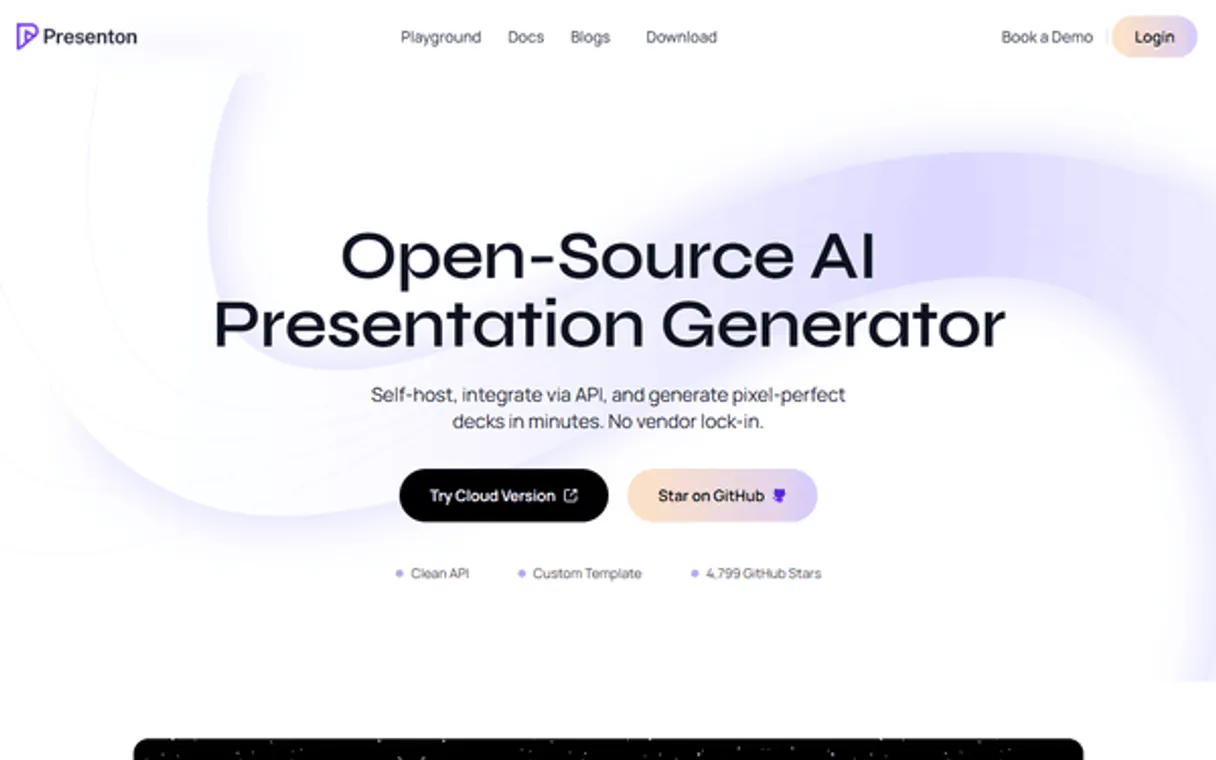
Supercharge your AI with Presenton. Build Pitch Decks and Manage Exports via Conversation
 Gemini
 Works with every AI agent you already use
…and any MCP-compatible client









Connect to your AI in seconds.
Presenton lets your agent build complete slide decks from natural language prompts. You can define the content, adjust the tone, and specify the required slide count for any pitch or report.
It also handles template management, letting you list available styles, duplicate existing work, and export finalized presentations as PPTX or PDF files directly through your AI client.
What your AI can do
Check presenton status
Verifies if your AI client has active connectivity with Presenton's service endpoints.
Delete presentation
Permanently removes a specified presentation by its unique ID.
Duplicate presentation
Creates an exact copy of an existing presentation, useful for starting variations on proven content.
You prompt the server to build a presentation deck using specific topics, required slide counts, or desired tones.
Your agent can list, get details for, duplicate, update, and delete entire presentations based on their ID or name.
The server generates the final download link for a presentation in PDF or PPTX format.
You can list available templates (list_templates) and themes (list_themes) to ensure your decks maintain brand consistency.
The check_presenton_status tool confirms that the connection between your AI client and Presenton is active and working.
Ask an AI about this
Compatible AI Apps
OAuth 2.0 Compatible Gemini Waiting for input…
Presenton: 12 Tools for Presentation Operations
These twelve tools let you control every part of the presentation workflow—from drafting new concepts to managing exports in PPTX/PDF.
Make your AI actually useful.
Add this MCP to Claude, Cursor, or Windsurf and your AI stops guessing. It gets real tools to look things up, take action, and handle the stuff you keep doing by hand.
Start using Presenton on VinkiusCheck Presenton Status
Verifies if your AI client has active connectivity with Presenton's service endpoints.
Delete Presentation
Permanently removes a specified presentation by its unique ID.
Duplicate Presentation
Creates an exact copy of an existing presentation, useful for starting variations on...
Export Presentation
Retrieves the download link for a completed presentation in PDF or PPTX format.
Generate Presentation
Creates an entirely new presentation deck based on text prompts, adjusting structure...
Get Account
Retrieves general account details associated with the connected Presenton API key.
Get Presentation
Fetches the specific data and status of a single presentation by its ID.
Get Template
Retrieves details about a specific available design template, including usage rules.
List Presentations
Shows a list of all presentations you've created or stored in your Presenton account...
List Templates
Returns a catalog of all available, AI-optimized design templates for use in new...
List Themes
Lists the various branding themes and color palettes that can be applied to your...
Update Presentation
Modifies an existing presentation's content or structure without having to start from scratch.
Connect to your AI in seconds. Security and governance baked right in.
Pick your AI client below to get set up. Just create a Vinkius account, subscribe, and you're instantly up and running. We handle the entire backend infrastructure, delivering out-of-the-box support for HTTPS Streamable, SSE, and OAuth2—zero messy routing required.
Claude AI
Open Claude Settings
Go to claude.ai, click your profile icon, then navigate to Customize → Connectors.
Add Custom Connector
Click the "+" button and select Add custom connector. Paste your Vinkius endpoint URL:
https://edge.vinkius.com/[YOUR_TOKEN_HERE]/mcp
Replace [YOUR_TOKEN_HERE] with your token from
cloud.vinkius.com. For OAuth-protected servers, expand Advanced
settings to add credentials.
Start a conversation
Open a new chat. The Presenton integration is available immediately — no restart needed.
Choose How to Get Started
Build a custom MCP for your own tools, or connect a ready-made integration from our catalog.
Build Your Own
Turn any API into an MCP. Import a spec, define Agent Skills, or deploy with MCPFusion.
- Import from OpenAPI, Swagger, or YAML specs
- Create Agent Skills with progressive disclosure
- Deploy to edge with MCPFusion framework
- Built in DLP, auth, and compliance on every call
- Real time usage dashboard and cost metering
- Publish to catalog or keep private
Make Your AI Do More
Start with Presenton, then connect any of our 5,000+ other servers whenever your AI needs more. One click, no limits.
- Use this MCP plus 5,000+ others, all in one place
- Add new capabilities to your AI anytime you want
- Every connection is secured and compliant automatically
- Track usage and costs across all your servers
- Works with Claude, ChatGPT, Cursor, and more
- New servers added to the catalog every week
Independent Platform Disclaimer: Vinkius is an independent platform and is not affiliated with, endorsed by, sponsored by, verified by, or otherwise authorized by Presenton. All third-party trademarks, logos, and brand names are the property of their respective owners. Their use on this website is strictly for informational purposes to identify service compatibility and interoperability.
VINKIUS INFRASTRUCTURE
Cloud Hosted
Managed infra
V8 Isolated
Sandboxed per request
Zero-Trust Proxy
No stored credentials
DLP Enforced
Policy on every call
GDPR Compliant
EU data residency
Token Compression
~60% cost reduction
Works with Claude, ChatGPT, Cursor, and more
The Model Context Protocol standardizes how applications expose capabilities to LLMs. Instead of operating in isolation, your AI gains direct access to external platforms, live data, and real-world actions through secure, standardized connections.
This connection provides 12 powerful capabilities that interface natively with Claude, ChatGPT, Cursor, and other compatible AI platforms. No middleware. No custom integration required.
Building a deck used to mean jumping between 5 different programs.
Today, you write content in Word, build the visuals in PowerPoint, check brand assets on Sharepoint, and then finally export it as a PDF that might break when someone else opens it. It's clicking through tabs until your finger hurts.
With this MCP server, you just prompt: 'Make me a pitch deck about X.' Your agent handles the content generation, applies the right theme automatically, and gives you one stable download link. You get polished slides without ever opening PowerPoint.
Presenton MCP Server: Manage Presentations
You don't have to rebuild decks from scratch when the core content is solid but needs a minor update. Instead of manually selecting slides and changing text, you run `get_presentation` on the ID, then use `update_presentation` directly through your agent.
This process lets you precisely target changes—like updating pricing tiers or swapping out a client logo—without touching any other slide in the 50-page deck. It's surgical content editing.
What your AI can actually do with this
You connect your AI client to Presenton's endpoints and manage your entire presentation workflow right from your agent. You don't need a whole suite of separate tools; you just tell your agent what you want, and it runs the commands for you.
Building Decks From Scratch
Need a pitch deck built fast? Just send us text prompts—we’ll generate an entire presentation based on your topic. You can direct us to include specific topics or set a required slide count, and we automatically structure the content and tone for you. If you're working off existing material, you've got options: use duplicate_presentation to make an exact copy of any deck you already have—perfect if you wanna run variations on proven concepts.
You can also modify what’s there using update_presentation, letting your agent tweak the content or structure without having to start from scratch.
Design and Branding Control
You don't gotta settle for a basic look. We handle all the styling, too. To see what looks good, you can use list_templates to pull up every AI-optimized design template available. Need details on one specific style? Run get_template to check its rules before you commit. For brand consistency, we let you list themes using list_themes, giving your decks a cohesive color palette and overall look.
Managing Your Files
Your agent treats all your presentations like files in a folder system. You can pull up list_presentations to see every deck you've ever created or stored in the Presenton history. If you need to check on one specific file, get_presentation lets you fetch its details and current status using just its ID.
And if something went wrong with a draft, don't sweat it—you can use delete_presentation to permanently trash any presentation by its unique ID.
Getting the Final Output
When your deck is finished, getting it into a usable format is easy. Use export_presentation and we’ll give you the download link for that completed presentation in either PDF or PPTX format. No wrestling with file formats—you just get the final zip ready to go.
System Status & Account Info
Before you start, you gotta make sure everything's talking right. Run check_presenton_status and we confirm your agent is actively connected to Presenton’s service endpoints. If you need general info on the account associated with the API key, just ask for get_account. It keeps everything running smooth.
019dd141-91b6-71d1-8469-498834b7f172 
Here's how it actually works
The bottom line is that your AI client uses the API key to talk directly to Presenton's backend, letting you bypass the web UI entirely.
Subscribe to this server and enter your Presenton API Key in the agent settings.
Tell your agent what you need. For example, 'Generate a 7-slide deck on Q4 sales results.'
The tool executes the generation, returns an ID for tracking, and provides a final link when the export is ready.
Who is this actually for?
This is for content managers and sales teams who spend too much time fighting with manual slide builds or trying to keep brand guidelines consistent across multiple decks. If your job involves turning raw data into polished, pitch-ready visuals quickly, this server saves you hours of clicking through design tools.
Uses generate_presentation to turn campaign briefs into draft decks. Then uses list_templates and get_template to make sure the final output matches brand guidelines.
Runs a full pitch deck generation (generate_presentation) for a client demo, then immediately runs export_presentation to get the PPTX file needed for the meeting follow-up.
Uses list_presentations and get_presentation to find old pitch decks. Then uses duplicate_presentation to start a new deck with the right structure, minimizing setup time.
What Changes When You Connect
Stop spending time on formatting. generate_presentation takes a prompt and spits out a structured deck, handling the slide layout, tone adjustments, and content population for you.
Never lose a good pitch structure again. Use duplicate_presentation to clone an old success deck, then use update_presentation just to swap out the data points instead of rebuilding it all.
Consistency is key. By using list_templates and get_template, you ensure that every single presentation adheres to your brand's established visual guidelines before exporting.
The full lifecycle is managed here. From initial draft (generate_presentation), through refinement (update_presentation) to final delivery (export_presentation), everything runs through the agent.
Stay organized with list_presentations. Your agent gives you a clear history, letting you quickly find the ID for an old deck before running get_presentation on it.
See it in action
Need to update last quarter's report.
The content strategist finds the Q3 pitch using list_presentations. They use get_presentation to grab the structure, then run update_presentation, injecting new revenue numbers and minor text edits. Finally, they call export_presentation for the updated PDF.
Building a brand-new product pitch.
The sales engineer needs a deck fast. They prompt their agent to 'Generate a 10-slide pitch on Product X.' The server returns an ID, and the engineer can then use get_template to select the correct client theme before exporting the finished PPTX file.
Creating multiple variations of a deck.
The marketing team creates the master 'Industry Overview' deck. They don't want to restart, so they use duplicate_presentation three times, creating versions for different target audiences (SMB, Enterprise, Academic). Then, they only need to run update_presentation on key sections of each copy.
Need a clean deck quickly with zero setup.
The content manager just types: 'Create a 5-slide presentation about the future of AI.' The agent runs generate_presentation, giving instant results. They can then use list_themes to check which colors work best before calling export_presentation.
The honest tradeoffs
Asking for content without a template.
Just saying 'make me a presentation' and expecting it to look professional. The result is generic, off-brand slides that require heavy manual cleanup.
Always check list_templates first. Then, use the specific template ID with your agent when calling generate_presentation. This guarantees brand consistency from the start.
Starting over after a small change.
Making one minor text edit on Slide 4 and then having to rebuild the whole deck. Massive waste of time, especially for large decks.
Use get_presentation to confirm the ID, and then use update_presentation. This targets only the necessary changes while preserving all other slide structure.
Forgetting which version is the latest.
The team has five versions of a pitch deck saved. It's hard to remember if 'Pitch_V2' was actually updated with the Q4 pricing info or not.
Use list_presentations first. Review the list for clarity, then use get_presentation on the ID you know is correct before exporting it.
When It Fits, When It Doesn't
You should use Presenton if your core task involves turning structured data or raw ideas into polished, multi-slide visual narratives (e.g., sales pitches, annual reports, training modules). The tools are built around the full content lifecycle: generation (generate_presentation), refinement (update_presentation), and final delivery (export_presentation).
Don't use this if your task is simply to draft a single email or write an article. For pure text content creation, your agent works fine without Presenton. If you just need to list available themes but never generate anything, list_themes is enough—you don't need the full server connection. In short: Need slides? Use it. Just need words? Don't.
Questions you might have
How do I generate a presentation using the `generate_presentation` tool? +
You give your agent a clear prompt detailing the topic, slide count, and tone you want. The server starts generating it and provides an ID so you can track its progress until it's ready to download.
Can I change content in an old pitch using `update_presentation`? +
Yes. You pass the existing presentation ID and specify exactly which slide and text block needs changing. It modifies the deck without affecting its overall structure or template.
What is the difference between `list_presentations` and `get_presentation`? +
list_presentations gives you a catalog of all your work (the titles and IDs). You must then use get_presentation with the specific ID to pull up the actual data or status for that deck.
Do I need to worry about branding when using `list_templates`? +
No. Running list_templates shows you all available, pre-vetted design options. You can then ask your agent to select one of these specific template IDs during generation.
Before I run any complex job, how do I use the `check_presenton_status` tool to verify my connection? +
It instantly confirms connectivity and API key validity. Running this first step ensures your agent isn't hitting authentication errors when you try to generate or export anything.
If I create a rough draft using `generate_presentation` that I don't want, how do I use the `delete_presentation` tool to clean it up? +
The tool removes the presentation from your account history completely. Just pass the unique ID of the draft you want gone, and it handles the cleanup process for you.
When I use the `export_presentation` tool, how do I specify if I need the final output in PPTX or PDF format? +
You simply define the desired file type as a parameter. The tool processes and returns a download link specific to whether you requested a PDF or a native PowerPoint package.
I have a great pitch structure, but need several minor variations. What’s the best way to use `duplicate_presentation`? +
The tool creates an exact copy of the existing presentation immediately. This lets you work on multiple versions—like 'V2 Draft' or 'Client X Pitch'—without having to rebuild the entire foundation.
Can I generate a full presentation using my AI agent? +
Yes! Use the generate_presentation action. Simply provide the topic or content description, and the agent will trigger the AI creation process.
We've already built the connector for Presenton. Just plug in your AI agents and start using Vinkius.
No hosting. No infrastructure. No complex setup.
All 12 tools are live and waiting.
You're up and running in seconds.
Gemini Vinkius gives your AI agents access to the full catalog of app connectors, all fully managed, secure, and enterprise-ready. One subscription, every tool you need.
Built, hosted, and secured by Vinkius. You just connect and go.