
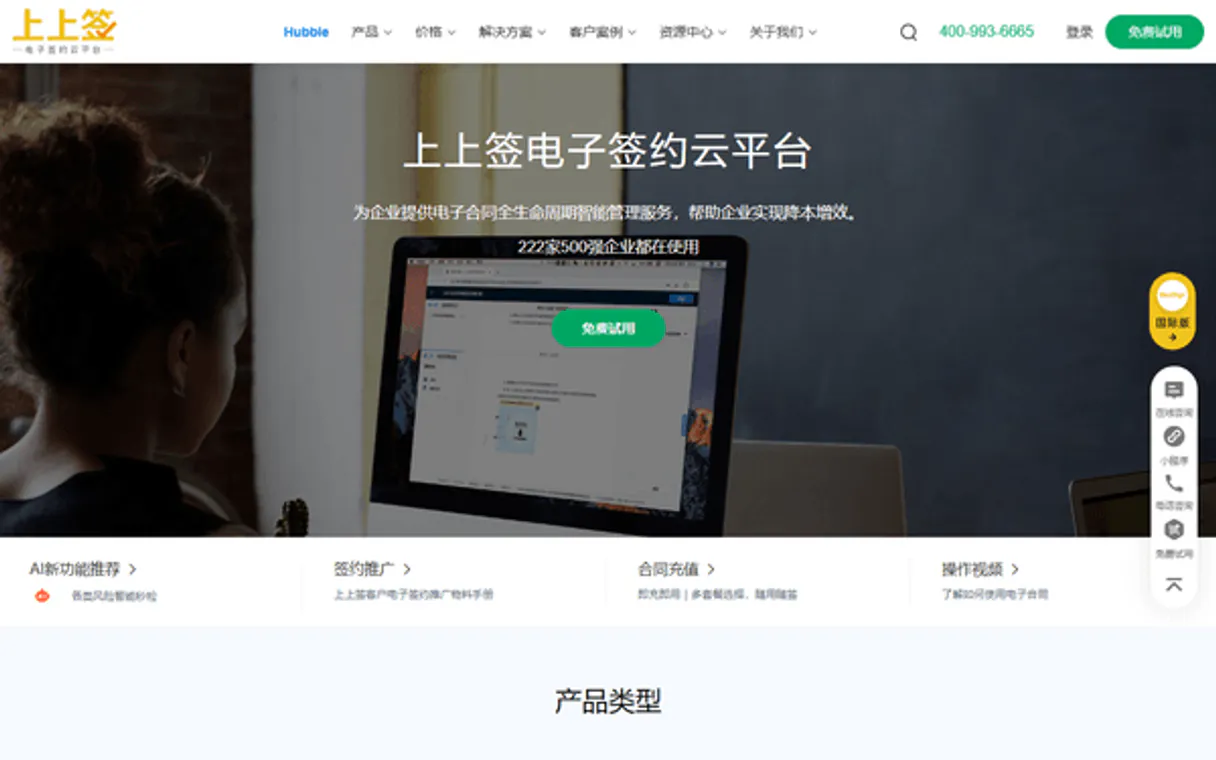
ShangQian / BestSign MCP. Automate the entire contract signing and compliance workflow.
 Gemini
 Works with every AI agent you already use
…and any MCP-compatible client









Just plug in your AI agents and start using Vinkius.
ShangQian / 上上签 (BestSign) connects your agent to China’s leading B2B digital signature platform. It handles the entire contract lifecycle—from user registration and KYC checks to template creation and final signing.
Your agent can initialize contracts, check status updates, or generate download links without you touching the BestSign portal.
What your AI agents can do
Create shangqian contract
Creates a new contract document ready for signatures using specified templates.
Get contract details
Retrieves the current metadata and status details for an existing contract ID.
Get contract download
Gets a secure, temporary download URL for a finalized or drafted document.
The server registers new people or companies and verifies their identity using KYC checks.
You can generate a contract document ready to be signed, pulling from existing templates.
The agent checks the current status of any active contract (e.g., 'partially signed' or 'pending').
Once signatures are collected, you can trigger the final sign-off and get a secure download link for the executed PDF.
You can upload new contract templates or list existing ones in the system's document library.
Ask AI about this MCP
Supported MCP Clients
OAuth 2.0 Compatible Gemini Waiting for input…
ShangQian / BestSign: 8 Tools for Document Lifecycle Management
Use these tools to manage the full lifecycle of contracts. You can create drafts, verify user identities, initiate signatures, and download final documents.
Make your AI actually useful.
Add this MCP to Claude, Cursor, or Windsurf and your AI stops guessing. It gets real tools to look things up, take action, and handle the stuff you keep doing by hand.
Start using ShangQian / 上上签 (BestSign) on Vinkius019d847ecreate shangqian contract
Creates a new contract document ready for signatures using specified templates.
019d847eget contract details
Retrieves the current metadata and status details for an existing contract ID.
019d847eget contract download
Gets a secure, temporary download URL for a finalized or drafted document.
019d847eget user certificate
Retrieves the digital certificate details for a specified user account.
019d847eregister shangqian user
Registers a completely new personal or corporate user into the ShangQian system.
019d847esign contract now
Initiates and records the digital signature from an authorized account on a contract.
019d847eupload shangqian template
Adds a new, structured template to your company's library of reusable contract documents.
019d847everify identity v2
Performs a digital identity check (KYC) on a user against external verification sources.
Choose How to Get Started
Build a custom MCP for your own tools, or connect a ready-made integration from our catalog.
Build Your Own
Turn any API into an MCP. Import a spec, define Agent Skills, or deploy with MCPFusion.
- Import from OpenAPI, Swagger, or YAML specs
- Create Agent Skills with progressive disclosure
- Deploy to edge with MCPFusion framework
- Built in DLP, auth, and compliance on every call
- Real time usage dashboard and cost metering
- Publish to catalog or keep private
Make Your AI Do More
Start with ShangQian / 上上签 (BestSign), then connect any of our 4,900+ other servers whenever your AI needs more. One click, no limits.
- Use this MCP plus 4,900+ others, all in one place
- Add new capabilities to your AI anytime you want
- Every connection is secured and compliant automatically
- Track usage and costs across all your servers
- Works with Claude, ChatGPT, Cursor, and more
- New servers added to the catalog every week
Independent Platform Disclaimer: Vinkius is an independent platform and is not affiliated with, endorsed by, sponsored by, verified by, or otherwise authorized by ShangQian / 上上签 (BestSign). All third-party trademarks, logos, and brand names are the property of their respective owners. Their use on this website is strictly for informational purposes to identify service compatibility and interoperability.
VINKIUS INFRASTRUCTURE
Cloud Hosted
Managed infra
V8 Isolated
Sandboxed per request
Zero-Trust Proxy
No stored credentials
DLP Enforced
Policy on every call
GDPR Compliant
EU data residency
Token Compression
~60% cost reduction
Works with Claude, ChatGPT, Cursor, and more
The Model Context Protocol standardizes how applications expose capabilities to LLMs. Instead of operating in isolation, your AI gains direct access to external platforms, live data, and real-world actions through secure, standardized connections.
This server provides 8 capabilities that interface natively with Claude, ChatGPT, Cursor, and any MCP client. No middleware. No custom integration required.
Managing contracts means juggling status updates and compliance checks across multiple tools.
Today, tracking agreements is painful. You have to log into the portal, check the signers' statuses in one tab, download a draft in another, and then email that link to someone else just to get them to verify their identity before you can move on.
With this MCP server, your agent does it all in one go. You ask for the status of contract ID 'XYZ', and the system instantly returns the current progress—who signed, who hasn't, and if the user is compliant. It cuts out the dashboard clicking entirely.
ShangQian / BestSign MCP Server: Initiate Contract Signing from Chat
Manual signing involves generating a document, manually finding the correct template ID, and then emailing the link to each required signer. This process is slow and error-prone.
Now you just tell your agent: 'Create a new contract using the standard NDA.' The agent handles `create_shangqian_contract`, gets the necessary IDs, sends the document, and waits for all signers—all without you leaving your chat window. It's that simple.
What you can do with this MCP connector
Listen up: The ShangQian BestSign MCP Server hooks your agent directly into China's B2B digital signature platform. This isn't some basic API wrapper; it handles the whole contract lifecycle—from setting up a new user to getting the final, signed PDF. Your agent runs these processes without you ever having to log into the BestSign portal.
You use this server when your workflow demands automated document handling and legal signing.
User Identity Management:
You can onboard people or companies using register_shangqian_user, which signs up a completely new account in the system. Before anything else, you check who's legit: running verify_identity_v2 performs the mandatory KYC identity checks against external sources, and if you need to confirm credentials later, get_user_certificate retrieves the specific digital certificate details for any authorized user.
Template and Draft Creation:
Before a contract can be signed, it needs structure. You control your document library by uploading new reusable templates using upload_shangqian_template. Once you've got those definitions stored away, you use create_shangqian_contract to generate a brand-new, signature-ready contract document based on one of your existing templates.
Contract Tracking and Status:
Need to know where things stand? You don't gotta guess. Calling get_contract_details instantly retrieves the current metadata and status for any specific contract ID you feed it. This tells your agent if the contract is pending, partially signed, or fully executed.
The Signing Process:
The workflow culminates with signing. When authorized parties are ready to sign, your agent triggers the signature using sign_contract_now, recording that digital approval on the document. Once all signatures are collected and the finalization process runs, you get a secure download link for the completed PDF file by calling get_contract_download.
019d847e-b8fe-7323-ad4a-44d467f23ab1 
How ShangQian / BestSign MCP Works
- 1 Subscribe to this server and enter your ShangQian Developer ID and RT Secret credentials.
- 2 Your AI client uses one of the exposed tools (e.g.,
create_shangqian_contract) by passing required parameters like template IDs or user accounts. - 3 The server executes the call, communicates with BestSign, and returns structured data—like a contract ID or status update—directly to your agent.
The bottom line is: You tell your AI client what you need done (e.g., 'Start Contract X'), and it handles the multi-step API calls necessary to get the result.
Who Is ShangQian / BestSign MCP For?
This is for Legal Operations teams who are sick of manually tracking signatures across different platforms. It helps HR departments manage high-volume employee onboarding agreements, and developers who need professional digital signature APIs integrated into their daily code.
Uses verify_identity_v2 to run automated identity checks during the contract creation phase. They track status via get_contract_details for audit readiness.
Registers new employee users using register_shangqian_user, then uses create_shangqian_contract to generate the onboarding agreement template.
Calls tools like get_contract_download and sign_contract_now from Python scripts, treating the signing process as just another function call in their code base.
What Changes When You Connect
- The agent manages complex identity checks. You run
verify_identity_v2immediately after user registration, ensuring every person who signs a contract is compliant before drafting starts. - You don't need to remember IDs or navigate portals. Calling
get_contract_detailsgives you the live status of any contract—whether it’s pending signature or already finalized. - Getting documents is simple. Instead of emailing requests, your agent runs
get_contract_downloadand hands you a direct link to the final PDF, ready for archiving. - Managing templates moves from file shares to code. Use
upload_shangqian_templateonce, and then callcreate_shangqian_contractanytime, guaranteeing formatting consistency. - The signing process is instant. You tell your agent to sign the agreement using
sign_contract_now, and it handles the API calls needed to secure the document.
Real-World Use Cases
Onboarding a New Employee
HR needs to onboard 'Jane Doe'. First, the agent runs register_shangqian_user for her. Then, it calls verify_identity_v2 to confirm her credentials. Finally, it uses create_shangqian_contract with the employment template and waits for confirmation that she can sign.
Tracking a High-Value Agreement
The sales team needs status on 'Client X's NDA'. They ask their agent, which calls get_contract_details with the ID. The agent reports: 'It’s currently pending signature from John Smith.' If it's done, they call get_contract_download.
Setting up a New Contract Type
The legal department needs to start using a new vendor agreement. They use upload_shangqian_template first. Then, when the next contract is needed, they pass this new template ID directly into create_shangqian_contract.
Batch Processing Signatures
You have 50 contracts ready to sign. Instead of doing them one by one, your agent iterates through the list, calling sign_contract_now for each authorized user and logging the result.
The Tradeoffs
Manual Template Management
Saving a new template as a PDF on SharePoint and emailing it to someone to manually get API access keys.
→
Use upload_shangqian_template to put the document into the system's library. Then, use that defined ID when calling create_shangqian_contract. It keeps everything centralized.
Ignoring User Compliance
Creating a contract for an unknown party and only getting a signature without checking their identity first.
→
Always run verify_identity_v2 immediately after calling register_shangqian_user. This confirms the person signing is who they claim to be.
Confusing Status Checks
Asking for a contract download before all signers have completed their parts, which results in an error.
→
Always check the status first. Call get_contract_details. Only if the status is 'COMPLETED' should you attempt to run get_contract_download.
When It Fits, When It Doesn't
Use this server if your primary need involves managing digital contracts, user identity verification (KYC), and formal signing within a B2B workflow in China. If the contract process is already fully digitized using another platform's API set, you might be better off sticking with that service. However, if your pain point is the complexity of orchestrating multiple steps—like 'Verify User -> Create Contract -> Wait for Signatures -> Download PDF'—then this server is built specifically to abstract those steps into simple function calls. Don’t use it if you just need basic file storage; it’s a signing platform, not a cloud drive.
Common Questions About ShangQian / BestSign MCP
How do I check if a user is compliant using verify_identity_v2? +
You run verify_identity_v2 and pass the user’s details. The server returns a success or failure code based on their digital certificate status, letting you know instantly if they are good to go.
What is the difference between create_shangqian_contract and upload_shangqian_template? +
upload_shangqian_template puts a reusable contract format into your library. create_shangqian_contract uses that stored template ID to generate an actual, actionable document ready for signing.
Can I get the final signed PDF using get_contract_download? +
Yes, but only if all required signers have completed their signatures. Running get_contract_details first helps you confirm the status is 'FULLY_SIGNED' before attempting to download.
How do I register a new corporate user in ShangQian? +
Use register_shangqian_user. This tool handles creating the account and setting up the framework so that you can later request their digital certificate via get_user_certificate.
What process should I follow to validate a user's digital identity before signing with `sign_contract_now`? +
You must first run the get_user_certificate tool. This confirms the individual's valid digital certificate and status within the ShangQian system. It’s a necessary security step that proves the person initiating the signature action is who they claim to be.
If I need to change or review my contract forms, how do I list my available templates before using `create_shangqian_contract`? +
You'll use a dedicated template listing tool (separate from the main creation call). This step lets you audit your full library of document definitions. You confirm the correct ID and name before initiating the contract, which prevents starting with an outdated form.
How does `get_contract_details` help me track a contract that is currently in progress? +
The tool provides real-time status updates on the agreement. It doesn't just say 'signed'; it shows exactly which signers have completed their part, and if there are any outstanding actions required to move the workflow forward.
What credentials do I need for my AI client to successfully execute operations like `register_shangqian_user`? +
You must provide your specific ShangQian Developer ID and RT Secret. These unique keys are required by the server to authenticate your agent and authorize any actions, ensuring that only you can manage user accounts.
How do I find my ShangQian Developer ID and Secret? +
Log in to the BestSign Developer Platform, navigate to the 'Application Management' or 'Credentials' section to find your unique Developer ID and RT Secret.
What is the 'account' identifier? +
The account identifier is a unique string used to identify a user in the ShangQian system, typically a mobile phone number or an email address. It is required for registration and signing operations.
Does this server handle HMAC-SHA1 signatures? +
Yes! The server automatically calculates the required HMAC-SHA1 signature using your RT Secret for every request, ensuring secure authorized communication with the ShangQian API.
Use it with your favorite AI tools
Connect this server to Cursor, Claude, VS Code, and more.