
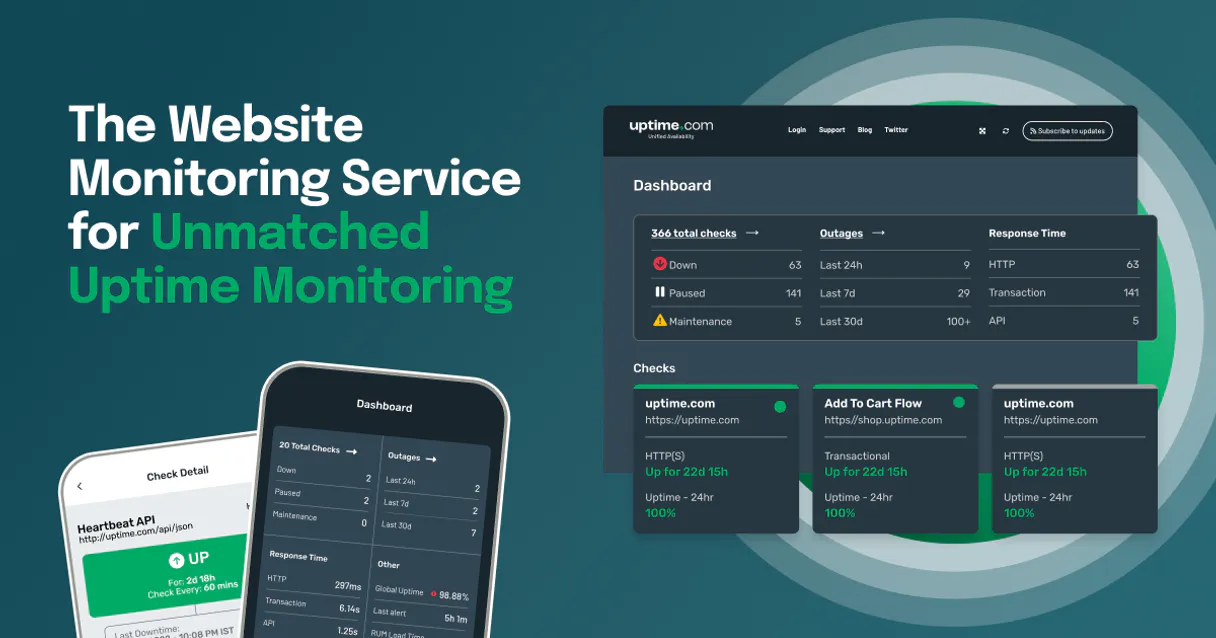
Supercharge your AI with Uptime.com. Diagnose outages and track global service health.
 Gemini
 Works with every AI agent you already use
…and any MCP-compatible client









Connect to your AI in seconds.
Uptime.com MCP Server monitors your website and APIs from over 30 global locations. It lets you check service status, pull performance stats, or get a root cause analysis of an outage—all through conversation with your AI agent.
What your AI can do
Create check
Sets up a new monitor check for your service using HTTP, API, or ICMP protocols.
Delete check
Removes an existing monitor check from your active monitoring list.
Get account info
Retrieves basic information about your Uptime.com account profile.
You can list all active monitor checks, or create a new check for HTTP, API, or ICMP protocols.
The agent fetches a log of recent UP/DOWN transitions and critical service alerts.
You run the get_root_cause_analysis tool to get detailed reports explaining why an alert triggered.
The agent queries uptime statistics and historical performance metrics for any specific monitor check.
You list contact groups or integrations to understand the notification flow when an outage occurs.
The agent lists all monitoring nodes, letting you see exactly where your services are being checked globally.
Ask an AI about this
Compatible AI Apps
OAuth 2.0 Compatible Gemini Waiting for input…
Uptime.com MCP Server: 12 Tools for Site Reliability
These twelve tools let you manage every aspect of service monitoring—from creating new endpoints to diagnosing deep, historical failures across global nodes.
Make your AI actually useful.
Add this MCP to Claude, Cursor, or Windsurf and your AI stops guessing. It gets real tools to look things up, take action, and handle the stuff you keep doing by hand.
Start using Uptime.com on VinkiusCreate Check
Sets up a new monitor check for your service using HTTP, API, or ICMP protocols.
Delete Check
Removes an existing monitor check from your active monitoring list.
Get Account Info
Retrieves basic information about your Uptime.com account profile.
Get Check
Fetches specific details for a single, existing monitor check.
Get Root Cause Analysis
Generates a detailed report explaining the probable cause of a recent service alert...
Get Check Stats
Retrieves historical uptime statistics and performance data for any given check.
List Recent Alerts
Retrieves a chronological list of the most recent service uptime alerts (UP/DOWN status).
List Checks
Lists every monitor check currently active in your account.
List Contact Groups
Displays all defined contact groups and notification recipients for alerts.
List Integrations
Lists which third-party systems (like Slack or PagerDuty) are connected to your...
List Monitoring Nodes
Shows a list of all global nodes used for testing and monitoring coverage.
Update Check
Modifies an existing monitor check, such as changing its URL or monitoring interval.
Connect to your AI in seconds. Security and governance baked right in.
Pick your AI client below to get set up. Just create a Vinkius account, subscribe, and you're instantly up and running. We handle the entire backend infrastructure, delivering out-of-the-box support for HTTPS Streamable, SSE, and OAuth2—zero messy routing required.
Claude AI
Open Claude Settings
Go to claude.ai, click your profile icon, then navigate to Customize → Connectors.
Add Custom Connector
Click the "+" button and select Add custom connector. Paste your Vinkius endpoint URL:
https://edge.vinkius.com/[YOUR_TOKEN_HERE]/mcp
Replace [YOUR_TOKEN_HERE] with your token from
cloud.vinkius.com. For OAuth-protected servers, expand Advanced
settings to add credentials.
Start a conversation
Open a new chat. The Uptime.com integration is available immediately — no restart needed.
Choose How to Get Started
Build a custom MCP for your own tools, or connect a ready-made integration from our catalog.
Build Your Own
Turn any API into an MCP. Import a spec, define Agent Skills, or deploy with MCPFusion.
- Import from OpenAPI, Swagger, or YAML specs
- Create Agent Skills with progressive disclosure
- Deploy to edge with MCPFusion framework
- Built in DLP, auth, and compliance on every call
- Real time usage dashboard and cost metering
- Publish to catalog or keep private
Make Your AI Do More
Start with Uptime.com, then connect any of our 5,000+ other servers whenever your AI needs more. One click, no limits.
- Use this MCP plus 5,000+ others, all in one place
- Add new capabilities to your AI anytime you want
- Every connection is secured and compliant automatically
- Track usage and costs across all your servers
- Works with Claude, ChatGPT, Cursor, and more
- New servers added to the catalog every week
Independent Platform Disclaimer: Vinkius is an independent platform and is not affiliated with, endorsed by, sponsored by, verified by, or otherwise authorized by Uptime.com. All third-party trademarks, logos, and brand names are the property of their respective owners. Their use on this website is strictly for informational purposes to identify service compatibility and interoperability.
VINKIUS INFRASTRUCTURE
Cloud Hosted
Managed infra
V8 Isolated
Sandboxed per request
Zero-Trust Proxy
No stored credentials
DLP Enforced
Policy on every call
GDPR Compliant
EU data residency
Token Compression
~60% cost reduction
Works with Claude, ChatGPT, Cursor, and more
The Model Context Protocol standardizes how applications expose capabilities to LLMs. Instead of operating in isolation, your AI gains direct access to external platforms, live data, and real-world actions through secure, standardized connections.
This connection provides 12 powerful capabilities that interface natively with Claude, ChatGPT, Cursor, and other compatible AI platforms. No middleware. No custom integration required.
The old way of checking site status requires too much clicking and context switching.
Today, confirming service health means logging into the monitoring dashboard. You click 'API Gateway,' then you check the last 24 hours tab. If there's an incident, you have to manually check the alert log, copy down timestamps, and figure out if it was a transient blip or a real outage. It’s tedious, error-prone work.
With this MCP server, you just tell your agent: 'What happened with the API Gateway yesterday?' The tool runs `list_recent_alerts`, pulls all the data, and gives you a clean report in chat. You get the timeline, the duration, and the status—all without leaving your workflow.
Uptime.com MCP Server: Get deep diagnostics on service failures.
Manually gathering diagnostic data involves running separate reports for performance stats, checking global node coverage, and then trying to correlate that with contact group rules—all across different tabs in three different systems.
Now you prompt your agent: 'Give me the RCA and the stats.' The tool runs `get_root_cause_analysis` and `get_check_stats`, combining complex diagnostics into one single, easy-to-read output. It just works.
What your AI can actually do with this
You connect this server to your AI client so you can stop clicking through dashboards and start asking questions about your service status. It handles the whole shebang—checking if your site's up, figuring out why it went down, or checking who needs to get an alert when things go sideways.
Setting Up Your Checks. You can start by seeing what’s running right now using list_checks, which shows every single monitor check you’ve got active. If you need a new check, you use create_check; this lets you set up monitors using HTTP protocols for web requests, API checks for backend services, or ICMP packets for basic network connectivity.
When you're done setting it up, you can get granular details on any specific monitor by running get_check, and if you need to adjust something—like changing a URL or tightening the monitoring interval—you run update_check. If a check is dead weight, you use delete_check to pull it from your active list.
Tracking Service Status and History. To see if everything’s running smooth, you can list all of your monitors using list_checks, or quickly get the current details on one with get_check. For a deep dive into performance, you use get_check_stats; this pulls historical uptime statistics and detailed performance metrics for any single monitor check.
If you need to know if something went down recently, you grab a chronological log of recent service transitions using list_recent_alerts, which shows every UP/DOWN status change.
Diagnosing Outages. When an alert triggers, you don't just want to know it failed; you want to know why. You run the get_root_cause_analysis tool. This spits out a detailed report explaining the probable cause of any recent service failure or critical alert.
Managing Scope and Notifications. To understand your entire system, you can pull basic account details with get_account_info. When it comes to knowing who gets paged when things break, you use list_contact_groups to see all the defined recipients and notification groups. You also check which outside systems are hooked up by listing integrations using list_integrations, so you know if Slack or PagerDuty is handling the message flow.
If you wanna know how widely your service is being checked, you use list_monitoring_nodes; this gives you a list of all global nodes Uptime.com uses for testing coverage across different regions.
Running Diagnostics. You can also run get_check_stats to pull historical data on any specific monitor check, while get_root_cause_analysis provides the detailed breakdown of why an alert triggered in the first place.
019dd17e-d5b3-72dc-8238-6df83763697f 
Here's how it actually works
The bottom line is: it lets you run a full-scale service audit and incident review without leaving your AI workspace.
Subscribe to the Uptime.com MCP Server and provide your API Token.
Your AI client runs commands against the global monitoring infrastructure using the available tools.
You receive structured, plain-language reports directly in chat—showing status, stats, or RCA.
Who is this actually for?
DevOps engineers who get tired of clicking through multiple dashboards at 2 AM. Web Admins needing to verify site health quickly, or Product Owners who need reliable uptime metrics for executive reports. Use this when failure diagnosis is part of the job.
You use get_root_cause_analysis immediately after an alert to determine if it's a transient issue or a systemic failure.
You run list_checks and create_check when deploying new services, making sure the monitoring hooks are in place from day one.
You use get_check to verify a site's current status or run update_check to change an endpoint URL after maintenance.
What Changes When You Connect
Get immediate visibility into failures by running list_recent_alerts to see a full history of downtime events, keeping you ahead of minor issues before they become major incidents.
Skip the guesswork on failure diagnosis. Using get_root_cause_analysis provides technical reports explaining why something broke, saving hours of manual investigation time.
Keep your monitoring setup accurate with list_checks and create_check. You can manage all endpoint definitions and protocols (HTTP, API, ICMP) right from the chat interface.
Measure performance over time. Running get_check_stats gives you concrete uptime percentages and average response times for reports—no more guessing about reliability.
Streamline team communication by checking out your notification setup using list_integrations and list_contact_groups. You know exactly who gets paged when a service goes down.
See it in action
The API Gateway is flaky.
A backend developer noticed the main API was having intermittent failures. They ask their agent to run get_root_cause_analysis on the 'API Gateway' check. The agent returns a report showing the failure consistently spikes during high load, pointing them straight to a database bottleneck they didn't know about.
Need to audit all endpoints.
A Web Administrator is onboarding new services and needs to make sure everything is monitored. They use list_checks to see what’s active, then run create_check repeatedly for every new endpoint, ensuring zero gaps in coverage.
After a major outage.
The SRE team needs to report the incident timeline. They ask their agent to pull data using list_recent_alerts. The agent provides a clear log of the exact time the service dropped and when it recovered, which is crucial for post-mortem reports.
Updating an old URL.
A Web Administrator changes the staging server's endpoint. Instead of manually updating every monitoring tool, they simply use update_check via their AI agent to point all existing monitors to the new location in one go.
The honest tradeoffs
Manual status checking
Logging into 10 different monitoring dashboards and clicking through multiple tabs just to see if a service is currently up or down.
Just ask your agent to run list_recent_alerts for an instant, consolidated view of the system's current health.
Ignoring RCA reports
Seeing that a service is down and just restarting it without knowing why. This creates repeat failures.
First, run get_root_cause_analysis on the failing check to understand the underlying cause before you try any fixes.
Not confirming coverage
Assuming that because one service was monitored last month, it's still covered today. Your monitoring scope might have changed.
Use list_monitoring_nodes to verify the global locations and use get_check to confirm specific monitor details.
When It Fits, When It Doesn't
You should use this server if your job requires knowing why a service failed, not just that it failed. If you need continuous visibility into performance metrics (uptime percentage, response time) across multiple protocols (HTTP/API), this is the tool. It’s built for deep diagnostics.
Don't use this if you only monitor one single endpoint that rarely fails; a simpler monitoring service might suffice. Also, don't use it if you just need to send an alert—use list_integrations first to see if your preferred communication channel is already set up.
Questions you might have
How do I check my site's uptime percentage using get_check_stats? +
You pass the specific monitor ID to get_check_stats. The tool returns historical data, including calculated uptime percentages and average response times over the chosen period.
What is the purpose of list_monitoring_nodes in Uptime.com MCP Server? +
list_monitoring_nodes shows you all the global physical locations where your services are being tested. This lets you understand exactly how widespread your monitoring coverage really is.
Can I create a new monitor check using create_check? +
Yes, create_check allows you to set up entirely new monitors for HTTP, API, or ICMP protocols. You just need to provide the necessary endpoint details.
How do I find out who gets notified during an outage? +
Run list_contact_groups and list_integrations. This shows you all the defined contact groups and third-party services (like Slack or PagerDuty) that receive alerts.
Should I use get_root_cause_analysis or list_recent_alerts? +
list_recent_alerts gives you a chronological history of the UP/DOWN status. get_root_cause_analysis takes an alert and tells you why it happened, giving deeper context.
What does running `list_checks` show me about all my active services? +
It gives you a quick inventory of every monitor check set up in your account. This function provides the name, type (HTTP, API, etc.), and current status (UP/DOWN) for all monitors without fetching detailed performance metrics.
How do I use `update_check` if a service's endpoint changes? +
You use update_check to modify the parameters of an existing monitor, like changing the target URL or adjusting the check interval. This lets you maintain continuous monitoring coverage without having to delete and recreate the entire rule.
If I run `delete_check`, what happens to the historical data for that monitor? +
Running delete_check removes the active monitoring rule from your account. However, it does not purge any past performance metrics or alert history associated with that specific check ID.
Can I see the reason why my website went down via AI? +
Yes! Use the get_root_cause_analysis tool and provide the Alert ID (PK). Your agent will retrieve the detailed RCA report explaining the failure.
How do I create a new HTTP check to monitor a URL? +
Use the create_check action. Provide the name, address (URL), and set the check_type to 'HTTP'. The agent will instantly register the new monitor.
Is it possible to see the performance statistics for a monitor? +
Absolutely. Run the get_check_stats query with your Check ID to retrieve performance and uptime metrics for that specific service.
We've already built the connector for Uptime.com. Just plug in your AI agents and start using Vinkius.
No hosting. No infrastructure. No complex setup.
All 12 tools are live and waiting.
You're up and running in seconds.
Gemini Vinkius gives your AI agents access to the full catalog of app connectors, all fully managed, secure, and enterprise-ready. One subscription, every tool you need.
Built, hosted, and secured by Vinkius. You just connect and go.