
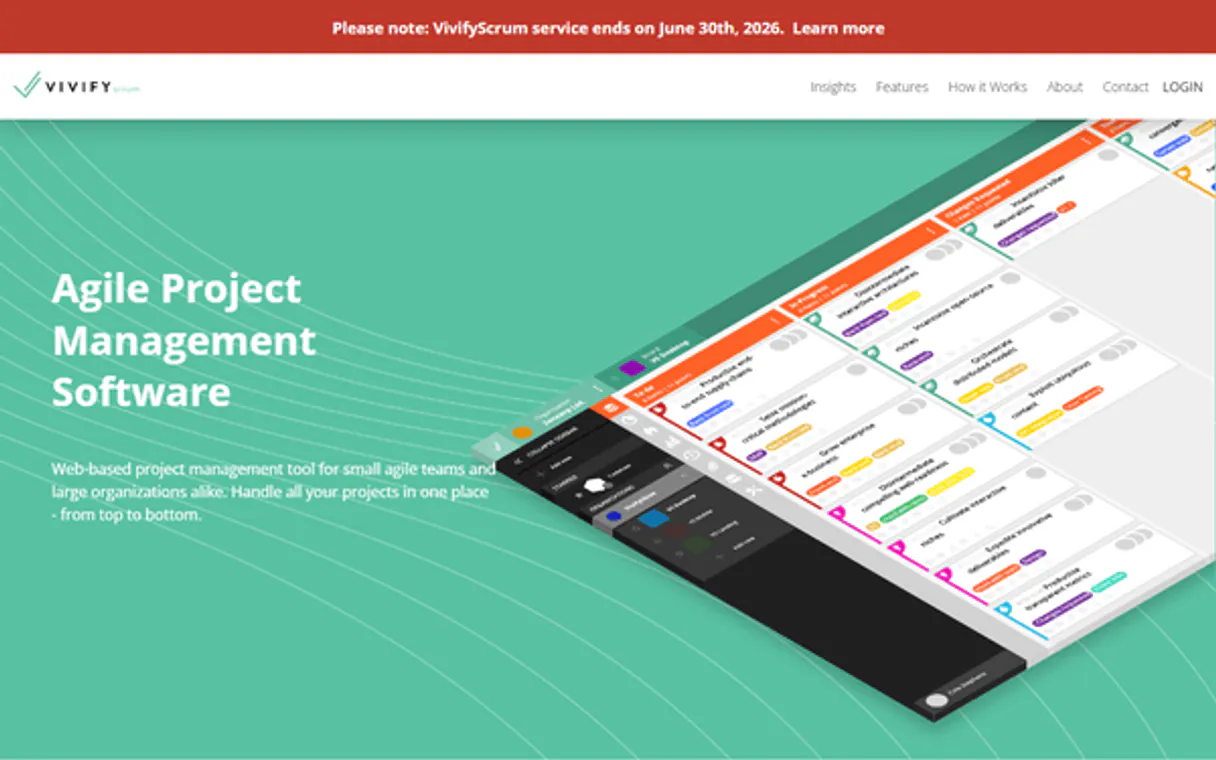
VivifyScrum MCP. Manage your entire sprint lifecycle from chat.
 Gemini
 Works with every AI agent you already use
…and any MCP-compatible client









Just plug in your AI agents and start using Vinkius.
VivifyScrum lets you manage agile projects using natural conversation. It connects your AI client directly to Scrum and Kanban boards, letting you plan sprints, groom backlogs, and update tasks without leaving your chat window.
What your AI agents can do
Create item
Builds and adds a brand new task or story to an agile board.
Get account info
Retrieves basic account details for the connected VivifyScrum workspace.
Get board
Fetches detailed configuration metadata and settings for a specific project board.
List all boards, organizations, sprints, and teams to see the overall project scope.
Retrieve detailed configuration metadata for specific boards or get a full list of tasks currently on any board.
Create, update descriptions for, and retrieve individual items (tasks or stories) on the agile boards.
Check worklogs to see who worked on what feature and when, or list configured webhooks for system monitoring.
Ask AI about this MCP
Supported MCP Clients
OAuth 2.0 Compatible Gemini Waiting for input…
VivifyScrum: 12 Tools for Agile Management
These twelve tools allow your agent to handle every facet of the software development lifecycle, from listing boards to updating individual tasks.
Make your AI actually useful.
Add this MCP to Claude, Cursor, or Windsurf and your AI stops guessing. It gets real tools to look things up, take action, and handle the stuff you keep doing by hand.
Start using VivifyScrum on Vinkius019dd184create item
Builds and adds a brand new task or story to an agile board.
019dd184get account info
Retrieves basic account details for the connected VivifyScrum workspace.
019dd184get board
Fetches detailed configuration metadata and settings for a specific project board.
019dd184get item
Gets all the details, including history, of a single task or story item on a board.
019dd184get worklogs
Retrieves records showing who worked on which feature and for how long.
019dd184list boards
Provides a complete list of every board available in the account.
019dd184list board items
Pulls a list of all tasks currently present on a specific board.
019dd184list organizations
Lists all distinct organizations connected to the VivifyScrum account.
019dd184list sprints
Shows a list of past, current, and future development sprints for a board.
019dd184list teams
Retrieves the names and members of all defined teams within the system.
019dd184list webhooks
Displays a list of configured webhooks, which track events for external systems.
019dd184update item
Modifies the description or status of an existing task item on a board.
Choose How to Get Started
Build a custom MCP for your own tools, or connect a ready-made integration from our catalog.
Build Your Own
Turn any API into an MCP. Import a spec, define Agent Skills, or deploy with MCPFusion.
- Import from OpenAPI, Swagger, or YAML specs
- Create Agent Skills with progressive disclosure
- Deploy to edge with MCPFusion framework
- Built in DLP, auth, and compliance on every call
- Real time usage dashboard and cost metering
- Publish to catalog or keep private
Make Your AI Do More
Start with VivifyScrum, then connect any of our 5,000+ other servers whenever your AI needs more. One click, no limits.
- Use this MCP plus 5,000+ others, all in one place
- Add new capabilities to your AI anytime you want
- Every connection is secured and compliant automatically
- Track usage and costs across all your servers
- Works with Claude, ChatGPT, Cursor, and more
- New servers added to the catalog every week
Independent Platform Disclaimer: Vinkius is an independent platform and is not affiliated with, endorsed by, sponsored by, verified by, or otherwise authorized by VivifyScrum. All third-party trademarks, logos, and brand names are the property of their respective owners. Their use on this website is strictly for informational purposes to identify service compatibility and interoperability.
VINKIUS INFRASTRUCTURE
Cloud Hosted
Managed infra
V8 Isolated
Sandboxed per request
Zero-Trust Proxy
No stored credentials
DLP Enforced
Policy on every call
GDPR Compliant
EU data residency
Token Compression
~60% cost reduction
Works with Claude, ChatGPT, Cursor, and more
The Model Context Protocol standardizes how applications expose capabilities to LLMs. Instead of operating in isolation, your AI gains direct access to external platforms, live data, and real-world actions through secure, standardized connections.
This server provides 12 capabilities that interface natively with Claude, ChatGPT, Cursor, and any MCP client. No middleware. No custom integration required.
Keeping track of who owns what feature is a nightmare.
Today, if your team needs to know which developer last touched the 'payment module' task, you have to jump into the board, click on the ticket, scroll down past three pages of comments, and finally find the worklog entry. Then you copy that detail into Slack or a meeting notes document.
With this MCP, your agent does it in seconds. You just ask, 'Who worked on payment module?' The system pulls the full history using `get_worklogs` and gives you the answer immediately. It's instant context.
Use the VivifyScrum MCP to manage your task flow.
Manual coordination involves opening separate tabs for different boards, constantly cross-referencing IDs, and manually updating status across multiple locations just because one team member moved a ticket. It's slow and error-prone.
Now, you talk to your agent. You tell it to `create_item` for the next feature, then ask it to `list_board_items` on the related board. The entire cycle runs through natural conversation. That’s what saves hours every week.
What you can do with this MCP connector
Managing a software project is about juggling cycles—sprints, stories, bugs, and team assignments. This MCP lets your agent handle that complexity for you. Instead of jumping between the board UI, the backlog list, and the calendar view, you talk to it. You can ask what tasks are due this week or check out who's been logging time on a specific feature.
It handles everything from listing all available boards to creating brand new items. For example, if your team needs to shift focus after a sprint review, you simply tell the agent to update several stories and list the resulting changes. This automation is powerful because it lets you combine multiple systems in one flow; for instance, chaining this with a messaging MCP to notify stakeholders when a major task moves from 'In Progress' to 'Done'.
You don't have to build that complex wiring yourself; you just connect everything through Vinkius, and the platform manages the secure connection using its zero-trust proxy. You get full visibility into every tool call via Vinkius AI Analytics so nothing happens in the dark.
019dd184-330a-7304-bc00-8531c312dfef 
How VivifyScrum MCP Works
- 1 Subscribe to this MCP and enter your VivifyScrum API Token in the Vinkius Marketplace.
- 2 Connect your preferred AI client (Claude, Cursor, etc.) once to the platform.
- 3 Start by asking the agent a question like 'Show me all boards' or 'Create a new task for X'. The agent executes the necessary tool calls in the background.
The bottom line is you talk to your AI client, and it handles the complex series of API calls needed to get the answer from VivifyScrum.
Who Is VivifyScrum MCP For?
This MCP is for PMs, POs, and Scrum Masters who are sick of copy-pasting data between Jira, Slack, and spreadsheets. It lets them manage complex cycles—from initial board setup to final sprint review—right inside their chat interface.
They use the agent to monitor project progress by listing all boards or checking current worklogs without logging into the full product suite.
They query team lists and organization members, or list configured webhooks, to ensure the right people have visibility on key features. They also list available sprints to keep the development cycle organized.
The PM uses it to get account details, check board configurations, and use create_item for rapid backlog grooming when a new feature is identified.
What Changes When You Connect
- Stop switching tabs to check task status. You can list board items and then get item details in a single conversational turn, giving you full visibility into the project's current state.
- Keep track of accountability without opening reports. Use
get_worklogsto instantly see who worked on what feature and when, making retrospectives faster than ever. - Planning is fast. Need to know where the team stands? List sprints or list boards to quickly understand development cycles and project scope.
- Never lose track of the backlog. You can use
create_itemfor quick grooming sessions right from your chat window, adding tasks instantly without needing board access. - It's all secured. Because this MCP runs on Vinkius, credentials pass through a zero-trust proxy. Your keys never sit on disk; they only move in transit.
Real-World Use Cases
The Sprint Review Cleanup
A Product Owner needs to document the progress for a key feature that was just completed. Instead of manually updating tickets, they ask the agent to get_item details on the 'Feature X' task and then use update_item to mark it as 'Ready for QA,' generating an audit trail automatically.
Initial Project Setup
A new Scrum Master joins a client account. They start by asking the agent to list_organizations, then use list_boards and list_teams to map out everyone's access rights and understand the entire operational structure.
Mid-Sprint Status Check
A Project Manager needs a quick status on a specific area. They ask the agent to list items for the 'Marketing Content' board, then check get_worklogs to see if the design team has logged time against any of those tasks yet.
Backlog Grooming Session
The PO and two developers are chatting. The PO asks the agent to create_item for a new bug ('Fix payment gateway error') on the 'Product Development' board, immediately adding it to the backlog without opening the tool.
The Tradeoffs
Trying to update data manually
A user copies a task name from one screen and pastes it into another prompt, but forgets the unique board ID.
→
Don't guess. First, use list_boards to get the correct context, then run get_board to confirm the IDs before you try to update_item. Always verify the scope first.
Over-fetching data
Asking for a general 'status report' which forces the agent to fetch every single piece of metadata available, slowing down the chat and wasting tokens.
→
Be surgical. If you only need progress, ask specifically: 'What are the active tasks on the board?' Use list_board_items rather than asking for a general report.
Confusing item lists with history
Asking for 'all bugs' and getting an incomplete list that doesn't show who assigned them or when they were changed.
→
If you need context, don't just list. Use get_item on the specific task ID you care about. This pulls the full history, including worklogs and status changes.
When It Fits, When It Doesn't
Use this MCP if your primary job is coordinating tasks across multiple agile boards, or if you need to link board state changes (like a task moving from 'To Do' to 'Done') directly into conversations with stakeholders. You should use it when you are managing the flow of work itself.
Don't rely on this MCP if your core need is deep financial reporting or complex data visualization. If you need to run reports across all company departments, a specialized analytics tool might be better suited. However, if that report relies on knowing which tasks were completed in which sprint, then the combination of list_sprints and get_worklogs makes this MCP essential.
Common Questions About VivifyScrum MCP
How do I list all boards using the VivifyScrum MCP? +
Just ask to 'list all boards.' The agent calls list_boards and gives you a complete inventory of every project board in your account. This is great for figuring out where a task belongs.
Can I update tasks using the VivifyScrum MCP? Which tool do I use? +
Yes, you use update_item. You just need to specify which item and what change you want—like updating its description or changing its status. It makes sure your changes are recorded.
If I run out of board space, can the VivifyScrum MCP help? +
The MCP doesn't manage capacity, but if you need to track who is working on what, use get_worklogs. It shows historical time spent, which helps identify bottlenecks or underutilized resources.
What if I want to create a new item without knowing the board ID? +
First, run list_boards to see your available boards. Then reference that name when you ask the agent to create_item, and it'll handle linking it correctly.
How do I check my organization's access and scope using the `get_account_info` tool? +
It provides your current account details and defined scopes. This confirms which organizations you have permission to view before running complex queries like listing board items or sprints.
Can I retrieve historical time tracking data using the `get_worklogs` tool? +
Yes, this tool pulls all recorded work logs for a specific board. You can see who worked on what and when, which is essential for accurate billing or capacity planning.
What if I need to monitor external system triggers using the `list_webhooks` tool? +
The list_webhooks tool displays all configured webhooks for monitoring. This confirms what events trigger actions outside of VivifyScrum, helping you ensure no integrated process breaks.
Which tool should I use to manage and view team membership using the `list_teams` tool? +
This tool fetches a list of all teams and their members within your organization. You can quickly verify who needs visibility on certain boards or who belongs to specific project groups.
Can I list all the tasks assigned to a specific board? +
Yes! Use the list_board_items tool and provide the Board ID. Your agent will retrieve all tasks and stories for that project.
How do I see the active sprints for my project? +
Run the list_sprints query with your Board ID. The agent will return a list of all sprints associated with that board, including their current status.
Is it possible to track time logs via AI? +
Absolutely. Use the get_worklogs tool with your Board ID to retrieve the history of time tracking entries for that project.
Use it with your favorite AI tools
Connect this server to Cursor, Claude, VS Code, and more.