
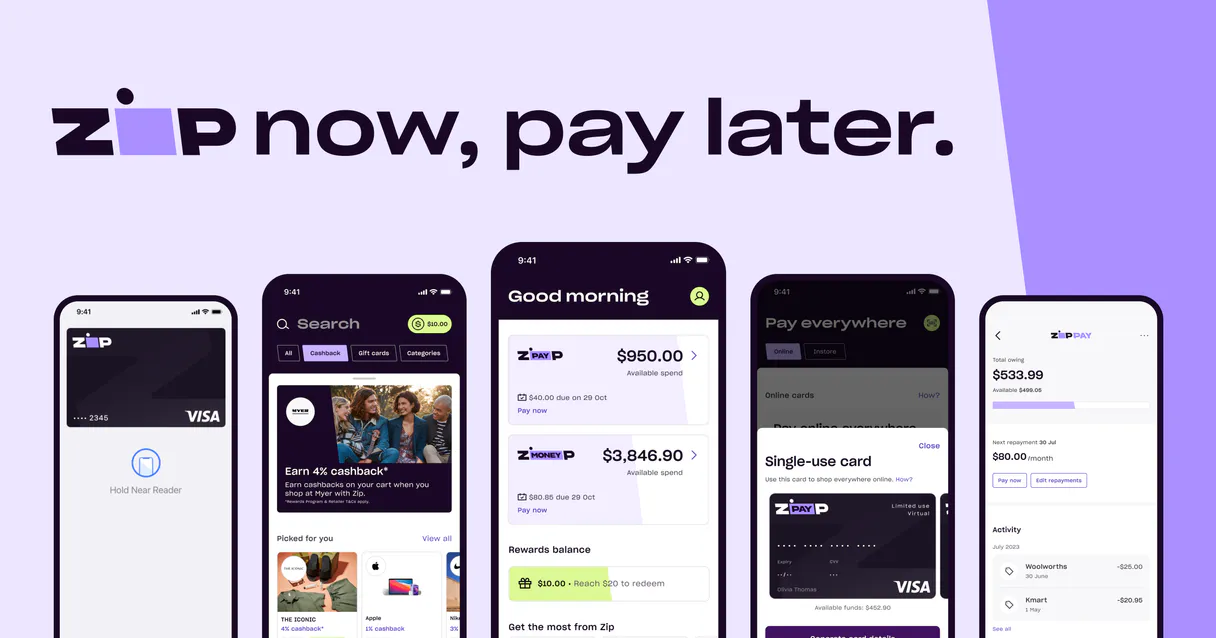
Zip MCP. Automate the entire order payment lifecycle.
 Gemini
 Works with every AI agent you already use
…and any MCP-compatible client









Just plug in your AI agents and start using Vinkius.
Zip manages the full spectrum of Buy Now, Pay Later (BNPL) payments and order processing through your AI agent. Initiate checkouts, authorize funds on US/Global gateways, confirm orders after shipping, capture revenue, or process partial refunds—all without logging into a dashboard.
What your AI agents can do
Authorize zip order
Holds funds on an order using US gateway protocols.
Capture zip payment
Transfers held funds for a specific, completed order.
Confirm zip order
Marks an authorized order as finalized in the system.
Creates new checkout sessions, giving your agent the redirect URL needed for a customer to complete a purchase.
Holds funds on an order (authorization) and then finalizes that hold into a confirmed sale using one command sequence.
Finalizes the transaction by pulling authorized funds out of the payment network once shipping is complete.
Processes full or partial refunds, or voids payments that were held but never captured.
Retrieves the current lifecycle status of any order—authorized, captured, canceled, etc.—in real-time.
Accesses core merchant account settings like currency limits and general configuration data.
Ask AI about this MCP
Supported MCP Clients
OAuth 2.0 Compatible Gemini Waiting for input…
Zip with 8 Tools
These tools allow your AI agent to handle every part of the payment lifecycle: from generating checkouts and authorizing funds, to confirming orders and issuing refunds.
Make your AI actually useful.
Add this MCP to Claude, Cursor, or Windsurf and your AI stops guessing. It gets real tools to look things up, take action, and handle the stuff you keep doing by hand.
Start using Zip on Vinkius019d7628authorize zip order
Holds funds on an order using US gateway protocols.
019d7628capture zip payment
Transfers held funds for a specific, completed order.
019d7628confirm zip order
Marks an authorized order as finalized in the system.
019d7628create zip checkout
Starts a new checkout session and provides the necessary customer redirect URL.
019d7628get zip merchant config
Retrieves current details about your merchant account setup.
019d7628get zip order status
Checks and reports the real-time status of any existing order ID.
019d7628refund zip payment
Sends money back to a customer for an issued order.
019d7628void zip payment
Cancels funds that were authorized but never captured.
Choose How to Get Started
Build a custom MCP for your own tools, or connect a ready-made integration from our catalog.
Build Your Own
Turn any API into an MCP. Import a spec, define Agent Skills, or deploy with MCPFusion.
- Import from OpenAPI, Swagger, or YAML specs
- Create Agent Skills with progressive disclosure
- Deploy to edge with MCPFusion framework
- Built in DLP, auth, and compliance on every call
- Real time usage dashboard and cost metering
- Publish to catalog or keep private
Make Your AI Do More
Start with Zip, then connect any of our 4,900+ other servers whenever your AI needs more. One click, no limits.
- Use this MCP plus 4,900+ others, all in one place
- Add new capabilities to your AI anytime you want
- Every connection is secured and compliant automatically
- Track usage and costs across all your servers
- Works with Claude, ChatGPT, Cursor, and more
- New servers added to the catalog every week
Independent Platform Disclaimer: Vinkius is an independent platform and is not affiliated with, endorsed by, sponsored by, verified by, or otherwise authorized by Zip. All third-party trademarks, logos, and brand names are the property of their respective owners. Their use on this website is strictly for informational purposes to identify service compatibility and interoperability.
VINKIUS INFRASTRUCTURE
Cloud Hosted
Managed infra
V8 Isolated
Sandboxed per request
Zero-Trust Proxy
No stored credentials
DLP Enforced
Policy on every call
GDPR Compliant
EU data residency
Token Compression
~60% cost reduction
Works with Claude, ChatGPT, Cursor, and more
The Model Context Protocol standardizes how applications expose capabilities to LLMs. Instead of operating in isolation, your AI gains direct access to external platforms, live data, and real-world actions through secure, standardized connections.
This server provides 8 capabilities that interface natively with Claude, ChatGPT, Cursor, and any MCP client. No middleware. No custom integration required.
The old way: Paying for goods meant logging into five different portals.
Today, finalizing a purchase requires tedious manual clicking. You have to log into the merchant portal to check if an order was authorized; then maybe jump to a separate accounting dashboard to verify the capture date. If a refund is needed, you're copying order IDs and manually submitting forms across three different tabs just to make sure the money moved correctly.
With this MCP, that entire process disappears into natural language. You tell your agent what needs doing—like 'void payment for 98765.' The system executes the exact call (`void_zip_payment`) and confirms completion instantly. It’s just one command, zero context switching.
Processing Payments with Zip MCP
You eliminate manual order tracking using `get_zip_order_status`. You stop worrying about the difference between a held fund and a captured fund because your agent manages both `authorize_zip_order` and `capture_zip_payment` in sequence. It's all handled by the core platform.
The result is predictable financial automation. Your AI client doesn't just read data; it executes complex, multi-step payment logic reliably every single time.
What you can do with this MCP connector
Handling e-commerce payments used to mean hopping between multiple merchant portals just to confirm an order's status or run a refund. Now, you can manage the entire financial lifecycle of a sale using natural language commands. Your agent handles creating new checkout sessions and retrieving the necessary payment links for customers.
It also manages the money itself: it can hold funds by authorizing orders, finalize them when goods ship via capture, or void payments if something goes wrong. When you use this MCP, your AI client controls every step of the transaction—from initial setup to final settlement. Because financial integrity is non-negotiable, Vinkius enforces a human-in-the-loop approval mechanism that acts as a circuit breaker, ensuring your agent can't overspend and forcing manual sign-off on large or risky transactions before any money moves.
This gives you absolute control over the entire payment flow.
019d7628-fa1e-725d-8640-6f56a3f42e0d 
How Zip MCP Works
- 1 Subscribe to the MCP and supply your Zip Merchant API Key, Region, and Environment (Sandbox or Production).
- 2 Connect this MCP from Claude, Cursor, or any compatible client. Your agent now has access to all payment tools.
- 3 Give your AI client a natural language command like 'Check the status of order 98765'—the system executes the necessary sequence.
The bottom line is: you tell your agent what financial action you need, and it handles the specific API calls required to make that money move happen.
Who Is Zip MCP For?
E-commerce Operations Managers who are tired of logging into multiple payment portals just to confirm an order's status. Finance Controllers who need quick, auditable transaction reports without opening a dashboard. Developers building custom checkout logic that needs guaranteed financial state management.
Runs end-of-day processes like processing captures for shipped goods or issuing partial refunds based on warehouse data.
Audits transaction flows, checks merchant configurations, and verifies the status of old orders without touching a web UI.
Integrates complex payment logic, ensuring that authorization, capture, and void steps happen in the correct sequence within code.
What Changes When You Connect
- You don't have to manually check every portal. Your agent handles everything from generating a new checkout session using
create_zip_checkoutto processing the final capture for revenue realization. - Avoid lost money or manual errors by automating compensation transactions. If an order fails, your agent can issue a full refund with
refund_zip_paymentor void funds withvoid_zip_paymentinstantly. - Get instant financial oversight without logging in. Use the MCP to check any order's status via
get_zip_order_status, knowing exactly where the money stands at any time. - The system knows how payments work, so you don't have to code it all yourself. It manages the complex sequence of authorizing funds with
authorize_zip_orderbefore they can be captured. - Understand your account health instantly. Use tools like
get_zip_merchant_configto verify currency limits and setup details without navigating settings menus.
Real-World Use Cases
A shipment was delayed, requiring a partial refund.
The Ops Manager tells their agent: 'Process a $50 partial refund for order 123.' The MCP runs refund_zip_payment, immediately updating the records and finalizing the financial correction.
A customer needs to complete a purchase after leaving the site.
The agent uses create_zip_checkout to generate a unique link for a high-value order, allowing the customer to pay later without friction. The flow is seamless.
An order was placed but never shipped; we need to cancel the payment.
The agent detects the pre-authorization hold and executes void_zip_payment, instantly removing the held funds from the system, preventing revenue leakage.
A developer needs to test the full flow for a new product line.
Instead of manually testing every step, the developer asks the agent to run authorize_zip_order, then simulate shipping and call capture_zip_payment—all in one command.
The Tradeoffs
Only checking status once.
Running 'check order 123' only tells you the current state but doesn't allow you to change it or finalize the sale if necessary.
→
Always check the status using get_zip_order_status, and then follow up with an action tool like confirm_zip_order or capture_zip_payment if the order is ready for settlement.
Trying to refund before authorization.
Attempting a refund when no funds have been held results in an immediate failure and leaves you with no data on why it failed.
→
A refund must always be tied to an existing, authorized order. Use refund_zip_payment only after confirming the payment was successfully captured.
Skipping initial checkout creation.
Asking the agent to process a full payment without first running create_zip_checkout results in an invalid session ID and stops the flow immediately.
→
When It Fits, When It Doesn't
Use this MCP if your workflow requires managing the entire financial lifecycle of a sale, from initial checkout creation through settlement and reversal. You need tools that enforce the sequence: authorize -> capture (or void/refund). Don't use it if you only want to read data; for simple auditing, get_zip_order_status is enough. But if you ever need to change the state of the money—to finalize a sale or reverse a charge—this MCP provides all eight necessary tools to guarantee that financial integrity.
Common Questions About Zip MCP
How do I start a new order checkout using create_zip_checkout? +
You initiate the session by telling your agent to run create_zip_checkout, providing the amount and currency. The system responds with a unique redirect URL you must use for the customer to complete payment.
Should I use authorize_zip_order or create_zip_checkout first? +
You typically start by using create_zip_checkout to generate the session ID and link. Once the customer pays, you use authorize_zip_order on that resulting order ID.
What is the difference between capture_zip_payment and confirm_zip_order? +
Confirming an order (confirm_zip_order) marks it as finalized within Zip's system. Capturing payment (capture_zip_payment) is the actual financial step that moves the money from the customer to your bank.
How do I refund a payment using refund_zip_payment? +
You must provide the order ID and specify the amount. The MCP ensures this transaction follows all necessary checks before processing the funds back to the original source.
How do I check my current account limits or settings using get_zip_merchant_config? +
You retrieve your full merchant configuration details immediately. This call provides access to currency limits, region settings, and other critical account parameters needed before processing any payments.
If I authorized a payment but haven't shipped the goods, how do I use void_zip_payment? +
Voiding cancels an authorized amount without affecting your bank balance. This is crucial for reversing funds when you need to cancel or delay shipment before capture.
What should I do if I need a real-time status check on an order using get_zip_order_status? +
The function returns the current lifecycle state of any Zip order. It confirms whether the payment is authorized, captured, or has failed, helping you debug workflow issues.
Is there a difference between calling authorize_zip_order and confirm_zip_order? +
Authorize reserves funds on the customer's card; it doesn't transfer money. Confirm finalizes the order, signaling that the transaction is complete and ready for shipment.
What is the difference between Authorize and Confirm in Zip? +
Authorize initiates the transaction and checks for customer funds. Confirm (used in some regions) finalizes the checkout intent before capture.
Can I process partial captures via the agent? +
Yes, the capture_zip_payment tool accepts an optional JSON body where you can specify a partial amount to capture if only part of the order is shipping.
How do I handle different regions like US and AU? +
Specify your account region ('US' or 'AU') in the configuration settings. The MCP server automatically routes requests to the correct Zip gateway URL.
Use it with your favorite AI tools
Connect this server to Cursor, Claude, VS Code, and more.