
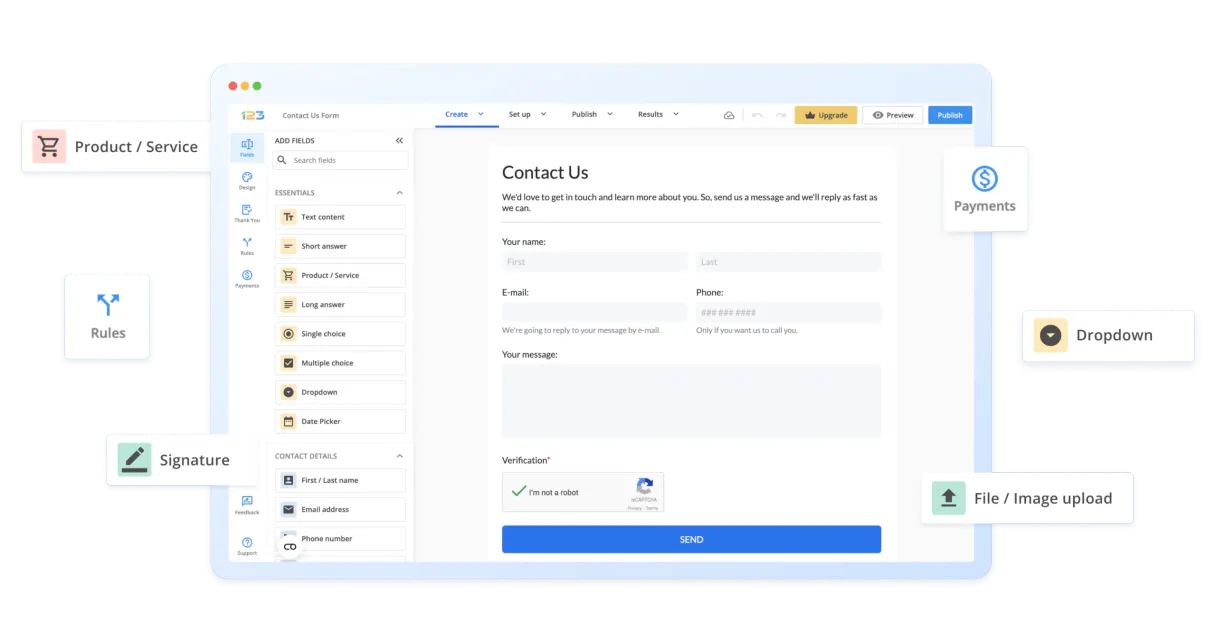
123FormBuilder MCP for AI. Manage Data Collection Without Touching Dashboards
 Gemini
 Works with every AI agent you already use
…and any MCP-compatible client









How this MCP server connects to your AI agent
123FormBuilder MCP helps you manage and analyze all your online data collection through natural conversation. Connect this MCP to any agent to list, query, and modify form submissions and metadata without opening the web dashboard.
You'll get full control over forms, from creating new containers to deleting old submissions, directly from your chat client.
What AI agents can do with 123FormBuilder Automation
Create new form
Adds an empty, blank form container to your account.
Remove form
Permanently deletes a specified form from your account.
Remove entry
Deletes a specific user submission record or entry data point.
You can retrieve a list of all active forms and get detailed configuration information for any specific form.
The MCP lets you query submissions, retrieving lists of user answers with pagination details or reading the full content of a single submission record.
You can check the underlying template of any form to see exactly what input fields were defined for data collection.
The agent verifies your API connection status or checks configured webhooks, ensuring your system is talking correctly.
You can rename existing forms, create empty new forms, or delete specific submissions when they're no longer needed.
Ask an AI about this
Waiting for input…
What AI agents can do with 123FormBuilder: Tools for Form Management (12 tools)
Use these 12 specialized tools to manage every aspect of your data collection, from listing forms to deleting specific entries.
Make your AI actually useful.
Add this MCP to Claude, Cursor, or Windsurf and your AI stops guessing. It gets real tools to look things up, take action, and handle the stuff you keep doing by hand.
Start using 123FormBuilder on VinkiusCreate New Form
Adds an empty, blank form container to your account.
Remove Form
Permanently deletes a specified form from your account.
Remove Entry
Deletes a specific user submission record or entry data point.
Get Api Status
Checks if the connection credentials are still active and functioning.
Get Form Details
Retrieves detailed information about a specific form's configuration.
Get Entry Details
Reads all the data points contained within a single user submission record.
List Form Fields
Shows you the structure of a form, listing every type of input field it uses.
List Active Forms
Gives you a full list of all forms currently set up in your account.
List Form Entries
Queries and returns the submissions, allowing you to view multiple user entries at...
List Form Webhooks
Lists all webhook endpoints configured for automated event triggers.
Test Formbuilder Auth
Verifies that the provided credentials are valid and fully operational.
Update Form Info
Modifies the name or other metadata associated with a form.
Security and governance baked right in.
Pick your AI client below to get set up. Just create a Vinkius account, subscribe, and you're instantly up and running. We handle the entire backend infrastructure, delivering out-of-the-box support for HTTPS Streamable, SSE, and OAuth2—zero messy routing required.
Claude AI
Open Claude Settings
Go to claude.ai, click your profile icon, then navigate to Customize → Connectors.
Add Custom Connector
Click the "+" button and select Add custom connector. Paste your Vinkius endpoint URL:
https://edge.vinkius.com/[YOUR_TOKEN_HERE]/mcp
Replace [YOUR_TOKEN_HERE] with your token
from cloud.vinkius.com. For OAuth-protected servers, expand
Advanced settings to add credentials.
Start a conversation
Open a new chat. The 123FormBuilder integration is available immediately — no restart needed.
Choose How to Get Started
Build a custom MCP for your own tools, or connect a ready-made integration from our catalog.
Build Your Own
Turn any API into an MCP. Import a spec, define Agent Skills, or deploy with MCPFusion.
- Import from OpenAPI, Swagger, or YAML specs
- Create Agent Skills with progressive disclosure
- Deploy to edge with MCPFusion framework
- Built in DLP, auth, and compliance on every call
- Real time usage dashboard and cost metering
- Publish to catalog or keep private
Make Your AI Do More
Start with 123FormBuilder, then connect any of our 5,100+ other servers whenever your AI needs more. One click, no limits.
- Use this MCP plus 5,100+ others, all in one place
- Add new capabilities to your AI anytime you want
- Every connection is secured and compliant automatically
- Track usage and costs across all your servers
- Works with Claude, ChatGPT, Cursor, and more
- New servers added to the catalog every week
Independent Platform Disclaimer: Vinkius is an independent platform and is not affiliated with, endorsed by, sponsored by, verified by, or otherwise authorized by 123FormBuilder. All third-party trademarks, logos, and brand names are the property of their respective owners. Their use on this website is strictly for informational purposes to identify service compatibility and interoperability.
VINKIUS INFRASTRUCTURE
Cloud Hosted
Managed infra
V8 Isolated
Sandboxed per request
Zero-Trust Proxy
No stored credentials
DLP Enforced
Policy on every call
GDPR Compliant
EU data residency
Token Compression
~60% cost reduction
Built on the Model Context Protocol (MCP) for Claude, ChatGPT, Cursor, and more
The Model Context Protocol standardizes how applications expose capabilities to LLMs. Instead of operating in isolation, your AI gains direct access to external platforms, live data, and real-world actions through secure, standardized connections.
This connection provides 12 powerful capabilities that interface natively with Claude, ChatGPT, Cursor, and other compatible AI platforms. No middleware. No custom integration required.
The Spreadsheet Graveyard: Where Form Data Dies, Solved with Vinkius AI Gateway
Right now, gathering feedback means opening the 123FormBuilder dashboard. You click on 'Submissions,' then filter by date range or form name. If you need to analyze five different forms from one week, you copy data into a master spreadsheet, manually aligning user names with their responses—a painful process of cross-referencing tabs.
With this MCP, the agent handles all that clicking for you. You tell it what you're looking for, and it pulls the required submission data directly into your chat window. You get clean, structured output instantly, letting you bypass the dashboard entirely.
123FormBuilder MCP: Full Data Control
You no longer need to manually navigate between listing all forms and then querying specific submissions. You can ask the agent to list active forms, get details on a chosen form, and then pull the entries—all in one conversational sequence.
It's immediate data control. Your ability to manage form structure and submission records moves from complex clicks into simple conversation.
What your AI can actually do with this
Collecting user data used to be a nightmare of tabs, dashboards, and exporting CSVs. Now, you talk to your AI agent and it handles the heavy lifting for you. This MCP gives your agent full access to 123FormBuilder’s features, letting you manage everything from survey design to final submission analysis using simple conversation.
You can ask your agent to list all forms in your account or pull specific user data submitted days ago. It'll even help you check the form structure if you need to know what fields were collected. If you want to organize a massive project, connecting this MCP through Vinkius means you get instant access to 123FormBuilder's capabilities alongside thousands of other tools in one place.
It’s all about keeping your data collection process—and your focus—on the actual insights, not the administration.
019dd0b0-ea41-7216-951e-9ca4b2cb21f2 
Here's how it actually works
The bottom line is you talk to your agent about forms, and it uses this MCP to execute those tasks in 123FormBuilder for you.
First, subscribe to this MCP on Vinkius and provide your 123FormBuilder API Key in the setup settings.
Next, prompt your AI agent with a request. For example, 'Show me all submissions for the Customer Feedback Survey.'
The agent executes the necessary commands through the MCP and returns structured data or confirms the action directly.
Who is this actually for?
This MCP is for people drowning in data spreadsheets. It’s for the Marketing Manager who has five different surveys running simultaneously, or the Data Analyst who needs to pull submission fields into a Python script before lunch.
They use this MCP to quickly retrieve survey results and check form performance after a campaign launch, without manual dashboard drilling.
They monitor form performance metrics and list all configured webhooks, ensuring data flows correctly into other systems automatically.
They manage the organization of forms by listing active containers or updating a form's name when its purpose changes.
What Changes When You Connect
Instead of jumping between tabs to see all your forms, you just ask the agent to list them. It'll give you an instant overview of everything you've built.
When a campaign ends, instead of exporting hundreds of submissions manually, you prompt for 'latest entries.' The data comes straight back into your chat window, ready for analysis.
Need to change a form name? Instead of navigating deep into settings, simply ask the agent to update the form's info. It handles the metadata change instantly.
If you suspect a webhook is broken, don't waste time checking logs; just prompt the agent to list configured webhooks and check the connection status.
You can inspect any submission by asking for 'entry details,' letting your AI client pull out specific pieces of information from complex forms.
See it in action
The Quarterly Survey Audit
A Research Analyst needs to audit the last quarter's data. They ask their agent to list form entries for the 'Q3 Feedback.' The agent retrieves 500 records and filters them, showing only submissions related to product pricing issues so the analyst can build a focused report.
The Quick Form Update
A Marketing Manager realizes an old survey is using the wrong branding. They ask their agent to update form info for that specific ID, renaming it and updating its name immediately without needing administrative access.
Data Cleanup After a Test Run
An Ops Administrator runs a test form and accidentally captured junk data. Instead of manually finding and deleting the records, they ask their agent to remove entries by ID, keeping the rest of the submission history clean.
Pre-launch Structure Check
A developer needs to know exactly what fields a form collects before writing processing code. They use the MCP to list form fields, getting an instant schema dump they can pass directly into their development environment.
The honest tradeoffs
Assuming manual data extraction is best
A user finds 10 different submissions and tries to copy-paste the key data points (like email addresses) into a spreadsheet. This process takes minutes, introduces human error, and misses context.
Instead, ask your agent to list form entries for those specific forms. The MCP handles pagination automatically and presents all required fields in one structured output block.
Forgetting the scope of data access
A user thinks they can use this tool to pull general CRM data or accounting records, because it's a data connector. They try to prompt for 'last month's sales figures.'
This MCP only handles 123FormBuilder submissions and configurations. To get financial reports, you need a dedicated accounting platform MCP.
Using the wrong tool name in prompts
A user tries to update form details but uses an old internal ID that no longer matches the system's current structure. The command fails with cryptic error codes.
First, use list active forms to confirm the correct IDs, then ask your agent to update form info using the verified name or ID.
When It Fits, When It Doesn't
Use this MCP if your core problem is managing structured data that comes from user-submitted web forms or surveys. You need to programmatically list forms, check field structures, and query specific entries without ever opening a browser dashboard. This is perfect for Research Analysts or Marketing Ops teams.
Don't use it if you are dealing with unstructured text logs, financial transactions, or general CRM notes. For those tasks, look for specialized MCPs designed for databases (SQL/NoSQL) or enterprise software like HubSpot or Salesforce. If your need is to build a completely new form from scratch and publish it globally, check out dedicated web development tools instead of using the create_new_form tool.
However, if you are collecting data about forms, this MCP is exactly what you want.
Questions you might have
How do I list all active forms using 123FormBuilder MCP? +
You ask your agent to list the active forms. The MCP executes this and gives you a complete inventory of every form container in your account.
Can 123FormBuilder MCP read submissions from last year? +
Yes, if the data exists within 123FormBuilder, the agent can query it. You just need to tell the agent which forms or date ranges you want to check.
What is the difference between list_form_fields and get_form_details? +
The MCP uses these tools differently: list_form_fields shows a technical schema of what inputs exist, while get_form_details gives you general information about the form itself.
How do I delete old submissions with 123FormBuilder MCP? +
You ask your agent to remove entries. It uses the appropriate tool and requires specific details, like the submission ID, before deleting any records.
Does 123FormBuilder MCP help me set up webhooks? +
It helps you manage them. You can use the MCP to list form webhooks or verify your API connectivity status using tools like get_api_status.
We've already built the connector for 123FormBuilder. Just plug in your AI agents and start using Vinkius.
No hosting. No infrastructure. No complex setup.
All 12 tools are live and waiting.
You're up and running in seconds.
Gemini Vinkius gives your AI agents access to the full catalog of app connectors, all fully managed, secure, and enterprise-ready. One subscription, every tool you need.
Built, hosted, and secured by Vinkius. You just connect and go.