
3D AI Studio MCP Server for AutoGen 12 tools — connect in under 2 minutes
Microsoft AutoGen enables multi-agent conversations where agents negotiate, delegate, and execute tasks collaboratively. Add 3D AI Studio as an MCP tool provider through Vinkius and every agent in the group can access live data and take action.
ASK AI ABOUT THIS MCP SERVER
Vinkius supports streamable HTTP and SSE.
import asyncio
from autogen_agentchat.agents import AssistantAgent
from autogen_ext.tools.mcp import McpWorkbench

async def main():
    # Your Vinkius token. get it at cloud.vinkius.com
    async with McpWorkbench(
        server_params={"url": "https://edge.vinkius.com/[YOUR_TOKEN_HERE]/mcp"},
        transport="streamable_http",
    ) as workbench:
        tools = await workbench.list_tools()
        agent = AssistantAgent(
            name="3d_ai_studio_agent",
            tools=tools,
            system_message=(
                "You help users with 3D AI Studio. "
                "12 tools available."
            ),
        )
        print(f"Agent ready with {len(tools)} tools")

asyncio.run(main())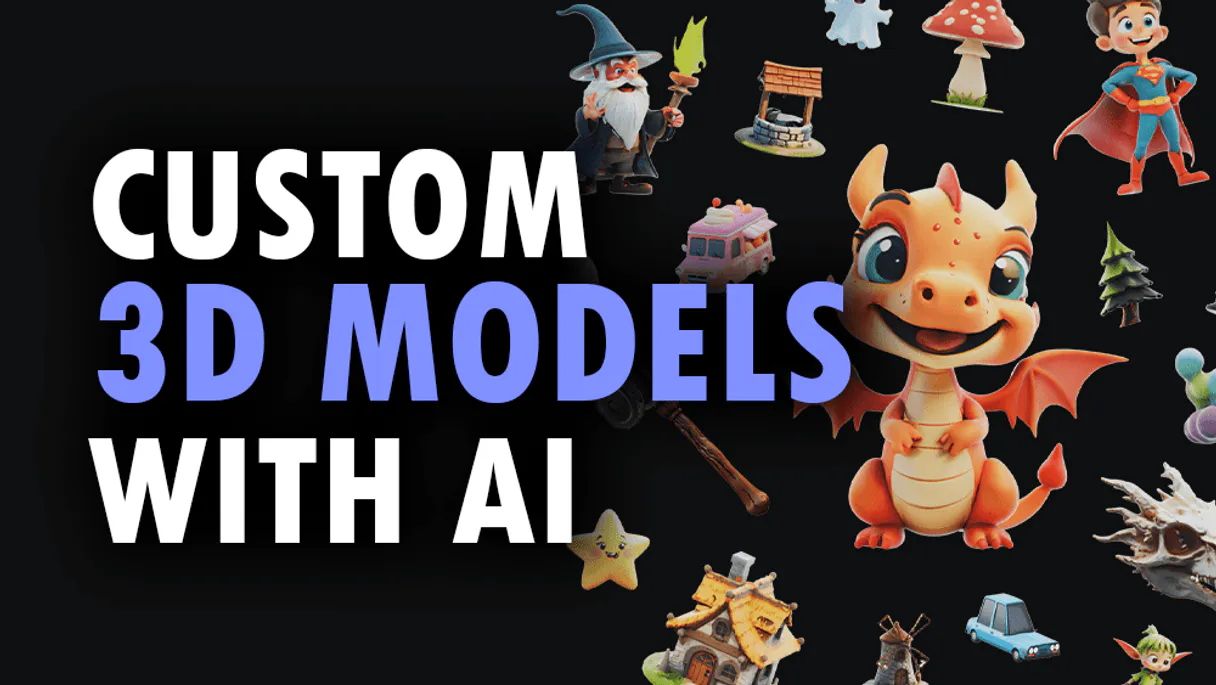
* Every MCP server runs on Vinkius-managed infrastructure inside AWS - a purpose-built runtime with per-request V8 isolates, Ed25519 signed audit chains, and sub-40ms cold starts optimized for native MCP execution. See our infrastructure
About 3D AI Studio MCP Server
Connect your 3D AI Studio API to any AI agent and take full control of production-quality 3D generation, AI texturing, mesh processing, and rendering through natural conversation.
AutoGen enables multi-agent conversations where agents negotiate, delegate, and collaboratively use 3D AI Studio tools. Connect 12 tools through Vinkius and assign role-based access. a data analyst queries while a reviewer validates, with optional human-in-the-loop approval for sensitive operations.
What you can do
- Text to 3D — Generate 3D models from text prompts using Hunyuan 3D, TRELLIS.2, and Tripo models
- Image to 3D — Convert any image to a 3D model with multiple AI model options
- Multi-View to 3D — Generate accurate 3D models from multiple reference images
- AI Texturing — Apply AI-powered PBR texturing to existing models using text or image prompts
- Remeshing — Optimize topology with tri or quad mesh remeshing
- Mesh Repair — Fix non-manifold geometry, holes, and inverted normals
- Format Conversion — Convert between GLB, OBJ, FBX, STL, PLY, USDZ, and 3MF formats
- Model Optimization — Reduce polygon count and compress for web and mobile
- 3D Rendering — Generate high-quality images and turntable videos up to 4K
- Mesh Segmentation — Automatically segment 3D mesh parts by semantic components
- Texture Baking — Bake high-poly details onto low-poly game-ready meshes
- Volume Calculator — Calculate volume, surface area, and weight estimates for 3D printing
The 3D AI Studio MCP Server exposes 12 tools through the Vinkius. Connect it to AutoGen in under two minutes — no API keys to rotate, no infrastructure to provision, no vendor lock-in. Your configuration, your data, your control.
How to Connect 3D AI Studio to AutoGen via MCP
Follow these steps to integrate the 3D AI Studio MCP Server with AutoGen.
Install AutoGen
Run pip install "autogen-ext[mcp]"
Replace the token
Replace [YOUR_TOKEN_HERE] with your Vinkius token
Integrate into workflow
Use the agent in your AutoGen multi-agent orchestration
Explore tools
The workbench discovers 12 tools from 3D AI Studio automatically
Why Use AutoGen with the 3D AI Studio MCP Server
AutoGen provides unique advantages when paired with 3D AI Studio through the Model Context Protocol.
Multi-agent conversations: multiple AutoGen agents discuss, delegate, and collaboratively use 3D AI Studio tools to solve complex tasks
Role-based architecture lets you assign 3D AI Studio tool access to specific agents. a data analyst queries while a reviewer validates
Human-in-the-loop support: agents can pause for human approval before executing sensitive 3D AI Studio tool calls
Code execution sandbox: AutoGen agents can write and run code that processes 3D AI Studio tool responses in an isolated environment
3D AI Studio + AutoGen Use Cases
Practical scenarios where AutoGen combined with the 3D AI Studio MCP Server delivers measurable value.
Collaborative analysis: one agent queries 3D AI Studio while another validates results and a third generates the final report
Automated review pipelines: a researcher agent fetches data from 3D AI Studio, a critic agent evaluates quality, and a writer produces the output
Interactive planning: agents negotiate task allocation using 3D AI Studio data to make informed decisions about resource distribution
Code generation with live data: an AutoGen coder agent writes scripts that process 3D AI Studio responses in a sandboxed execution environment
3D AI Studio MCP Tools for AutoGen (12)
These 12 tools become available when you connect 3D AI Studio to AutoGen via MCP:
bake_textures_3d
Supports baking normal maps, ambient occlusion, curvature, and other detail maps. Essential for game asset pipelines where high-detail sculpted models need to be baked onto game-ready low-poly meshes. Returns optimized models with baked texture maps. AI agents should use this when users ask "bake normal maps from high-poly to low-poly", "bake ambient occlusion for this model", or need texture baking for game asset preparation. Bake texture maps onto 3D models for optimized rendering
calculate_volume_3d
Supports unit specification (mm, cm, inches, meters) and material density for weight estimation. Essential for 3D printing cost estimation, material requirements planning, shipping calculations, and physical property analysis of 3D models. Returns detailed measurement data. AI agents should reference this when users ask "calculate the volume of this 3D model", "estimate weight for PLA printing", or need physical measurements for manufacturing or cost planning. Calculate volume and physical measurements of 3D models
convert_3d_format
Preserves geometry, textures, materials, and rigging data during conversion. Essential for pipeline integration, platform compatibility, and format standardization. AI agents should use this when users ask "convert this GLB model to FBX", "change this 3D file to STL for 3D printing", or need 3D format conversion for specific platform or software requirements. Convert 3D models between different file formats
generate_ai_texturing
Can repaint or restyle existing 3D models with new materials, colors, and surface details. Generates complete PBR texture sets (albedo, normal, metallic, roughness) from descriptions like "rusty metal", "polished wood", or "cartoon stone". Essential for material iteration, style transfers on 3D assets, and adding surface details to generated models. AI agents should reference this when users ask "add rusty metal texture to this model", "restyle this character with cartoon textures", or need AI-powered material generation on existing 3D meshes. Apply AI-powered PBR texturing to existing 3D models using text or image prompts
generate_image_to_3d
2-4B, and Tripo variants. Accepts product photos, concept art, sketches, or any reference image and generates a corresponding 3D model with PBR textures. Supports style modifiers, face limits, density presets, and orientation control. Returns 3D model files in multiple formats. Essential for e-commerce product visualization, concept art to 3D conversion, and general image-to-3D workflows. AI agents should reference this when users ask "convert this product photo to 3D", "turn this sketch into a 3D model", or need reliable general-purpose image-to-3D conversion. Convert images to 3D models using AI-powered image-to-3D pipeline
generate_multiview_to_3d
Users provide 2 or more images from different angles and the AI constructs a more accurate 3D representation. Essential for product visualization requiring precise geometry, architectural elements, and objects that need to match reference from multiple viewpoints. Supports all available models and output formats. AI agents should use this when users ask "create a 3D model from these multiple product photos", "generate accurate 3D from front and side views", or need multi-view 3D reconstruction. Generate 3D models from multiple reference images for higher accuracy
generate_text_to_3d
2-4B, and Tripo (v3.0, v3.1, P1). Users describe the desired 3D object in natural language and receive a generated model with optional style control, face limits, and density presets (high/medium/low). Returns 3D model files in GLB format by default with PBR textures. Supports output formats GLB, OBJ, FBX, STL, PLY, USDZ, and 3MF. Essential for concept exploration, rapid prototyping from descriptions, and applications where users describe rather than show what they want. AI agents should use this when users ask "create a 3D model of a fantasy sword", "generate a 3D tree from text", or need text-driven 3D generation. Generate 3D models directly from text descriptions
optimize_3d_model
Accepts existing 3D model URLs and returns optimized versions with controlled quality settings. Essential for web-based 3D applications, mobile optimization, file size reduction, and performance-critical 3D rendering. AI agents should reference this when users ask "optimize this 3D model for web", "reduce polygon count of this model", or need mesh optimization for performance or file size constraints. Optimize 3D models for performance and file size reduction
remesh_3d_model
Accepts existing 3D model URLs and returns remeshed versions with controlled face counts and topology type (tri or quad). Essential for game asset preparation, animation-ready meshes, and applications requiring clean topology. AI agents should use this when users ask "remesh this model with clean quads", "optimize topology for animation", or need topology conversion on existing 3D assets. Remesh 3D models with optimized tri or quad topology
render_3d_model
Supports turntable animations, hero shots, and product visualization renders. Outputs images up to 4K resolution in PNG or JPG format. Essential for product showcases, portfolio presentations, marketing materials, and social media content from 3D assets. AI agents should use this when users ask "render this model from multiple angles", "create a turntable video of this 3D model", or need marketing-quality renders from 3D files. Generate rendered images or videos from 3D models
repair_3d_mesh
Accepts existing 3D model URLs and returns repaired, watertight meshes suitable for 3D printing, game engines, and further processing. Essential for 3D printing preparation, fixing generated model artifacts, and ensuring mesh integrity. AI agents should reference this when users ask "fix this mesh for 3D printing", "repair non-manifold geometry", or need mesh cleanup before further processing. Repair 3D mesh issues including non-manifold geometry, holes, and inverted normals
segment_3d_mesh
g., head, body, arms, legs for characters; wheels, body, windows for vehicles). Essential for rigging preparation, material assignment per part, and game engine component workflows. Returns segmented mesh with labeled parts. AI agents should reference this when users ask "segment this character mesh into body parts", "identify components of this vehicle model", or need automatic mesh part identification for further processing. Apply semantic segmentation to 3D mesh parts
Example Prompts for 3D AI Studio in AutoGen
Ready-to-use prompts you can give your AutoGen agent to start working with 3D AI Studio immediately.
"Generate a 3D model of a medieval castle from text description."
"Apply rusty metal texture to this 3D model: https://example.com/car.glb"
"Repair this mesh for 3D printing and calculate the volume in PLA material."
Troubleshooting 3D AI Studio MCP Server with AutoGen
Common issues when connecting 3D AI Studio to AutoGen through the Vinkius, and how to resolve them.
McpWorkbench not found
pip install "autogen-ext[mcp]"3D AI Studio + AutoGen FAQ
Common questions about integrating 3D AI Studio MCP Server with AutoGen.
How does AutoGen connect to MCP servers?
Can different agents have different MCP tool access?
Does AutoGen support human approval for tool calls?
Connect 3D AI Studio with your favorite client
Step-by-step setup guides for every MCP-compatible client and framework:
Anthropic's native desktop app for Claude with built-in MCP support.
AI-first code editor with integrated LLM-powered coding assistance.
GitHub Copilot in VS Code with Agent mode and MCP support.
Purpose-built IDE for agentic AI coding workflows.
Autonomous AI coding agent that runs inside VS Code.
Anthropic's agentic CLI for terminal-first development.
Python SDK for building production-grade OpenAI agent workflows.
Google's framework for building production AI agents.
Type-safe agent development for Python with first-class MCP support.
TypeScript toolkit for building AI-powered web applications.
TypeScript-native agent framework for modern web stacks.
Python framework for orchestrating collaborative AI agent crews.
Leading Python framework for composable LLM applications.
Data-aware AI agent framework for structured and unstructured sources.
Microsoft's framework for multi-agent collaborative conversations.
Connect 3D AI Studio to AutoGen
Get your token, paste the configuration, and start using 12 tools in under 2 minutes. No API key management needed.