
4YouSee MCP. Audit players, media, and templates from chat.
 Gemini
 Works with every AI agent you already use
…and any MCP-compatible client









Just plug in your AI agents and start using Vinkius.
4YouSee MCP Server. Manage your entire digital signage network from chat. Your AI agent can instantly list players, check live status, browse media libraries, and audit templates without opening a dashboard.
It acts as a real-time operations manager for thousands of screens.
What your AI agents can do
Get player
Retrieves detailed monitoring data for a single specified player.
List medias
Lists all available media files in the system.
List players
Lists every digital signage player connected to the network.
List all digital signage players and check their real-time online status or technical health details.
List every available media file in your library and audit its content type.
View and list available news and dynamic content templates for your screens.
List all authorized users and groups on the platform for access control checks.
Retrieve detailed monitoring data for one designated player.
Ask AI about this MCP
Supported MCP Clients
Gemini Waiting for input…
019d7541get player
Retrieves detailed monitoring data for a single specified player.
019d7541list medias
Lists all available media files in the system.
019d7541list players
Lists every digital signage player connected to the network.
019d7541list templates
Lists available content and news templates.
019d7541list users
Lists platform users and groups for access control.
Choose How to Get Started
Build a custom MCP for your own tools, or connect a ready-made integration from our catalog.
Build Your Own
Turn any API into an MCP. Import a spec, define Agent Skills, or deploy with MCPFusion.
- Import from OpenAPI, Swagger, or YAML specs
- Create Agent Skills with progressive disclosure
- Deploy to edge with MCPFusion framework
- Built in DLP, auth, and compliance on every call
- Real time usage dashboard and cost metering
- Publish to catalog or keep private
Make Your AI Do More
Start with 4YouSee, then connect any of our 4,700+ other servers whenever your AI needs more. One click, no limits.
- Use this MCP plus 4,700+ others, all in one place
- Add new capabilities to your AI anytime you want
- Every connection is secured and compliant automatically
- Track usage and costs across all your servers
- Works with Claude, ChatGPT, Cursor, and more
- New servers added to the catalog every week
What you can do with this MCP connector
4YouSee MCP Server - Monitor Digital Signage Players
Your AI agent manages your whole digital signage operation straight from chat. It acts like a real-time operations manager for thousands of screens, letting you check everything without ever touching a dashboard.
Check Player Status
list_players lets your agent list every digital signage player connected to your network. You can instantly check each player's real-time online status and its technical health details. Need more on one specific box? get_player pulls detailed monitoring data for any single player you name.
Browse Media Assets
list_medias lets your agent list every media file in your system. You can quickly audit the content type for all your assets.
Manage Content Layouts
list_templates shows your agent all the available news and dynamic content templates you use. It lets you see the layout metadata for your screens.
View User Accounts
list_users lists all authorized platform users and groups, letting you check who has access and keep your platform secure.
How 4YouSee MCP Works
- 1 Subscribe to the 4YouSee server and enter your Manager Secret Token.
- 2 Connect your AI client (Claude, Cursor, etc.) to the MCP server.
- 3 Ask your agent to perform a task, like 'List all offline players,' and it executes the necessary tool call.
The bottom line is, your agent handles the complex network monitoring and content auditing you'd normally do in a dashboard.
Who Is 4YouSee MCP For?
The Digital Signage Operator who needs to check hundreds of screens instantly. Marketing Managers who need to verify if a new campaign video was uploaded and deployed correctly. IT Support Teams that need to perform rapid health checks without logging into a dashboard. Content Curators managing content feeds and templates.
Monitors large networks of screens, identifying technical issues instantly using AI commands.
Verifies that new campaign media and templates are uploaded and distributed across the network.
Performs rapid health checks on player connectivity without needing manual dashboard logins.
Manages news feeds and dynamic signage templates for retail or corporate environments.
What Changes When You Connect
- Instantly check network health. Use
list_playersto get a full list of all players, then useget_playerto dive into a specific unit's real-time status. - Streamline content verification. Run
list_mediasto see all uploaded files andlist_templatesto check which layout structure is active. - Cut dashboard time in half. IT staff use the server to run
list_playersand spot disconnected units instantly, skipping manual logins. - Audit content compliance. Use
list_usersto verify who has access to the platform, maintaining strict organizational control. - Verify campaign readiness. A Marketing Manager runs
list_mediasto confirm the correct video assets are available before a launch. - Manage templates on the fly. Quickly list and check the metadata for news templates using
list_templates.
Real-World Use Cases
The network is showing intermittent errors.
The Ops Engineer asks their agent: 'Show me all offline players.' The agent runs list_players, finds the disconnected units, and uses get_player to pull technical details on the most problematic screens, solving the outage without opening a dashboard.
We need to check if the new ad campaign media is ready.
The Marketing Manager asks the agent to run list_medias. The agent reports on the 12 video files, confirming the 'promo_winter.mp4' file is present and available for deployment.
A new content layout needs testing.
The Content Curator asks the agent to run list_templates. The agent reports on the 5 active templates, allowing the curator to verify the correct news layout is available before scheduling it.
We suspect unauthorized access to the platform.
The Compliance Officer asks the agent to run list_users. The agent returns a list of all authorized platform users and groups, allowing the officer to audit permissions immediately.
The Tradeoffs
Checking connectivity manually
The technician logs into the 4YouSee dashboard, navigates to 'Player Status,' and filters through pages of screens looking for red dots. This takes 15 minutes and requires multiple tabs.
→
Instead, ask your agent to run list_players. It gives you a consolidated list and status report directly in the chat. Then, use get_player for deep dives on specific units.
Guessing content availability
The team members manually check the media server folder structure, trying to confirm if the correct resolution video is present and if it matches the required template.
→
Run list_medias. This tool gives you a definitive list of every available file, confirming both existence and content type in one step.
Confusing user permissions
A new hire asks the admin to manually list user groups and check individual permissions against a spreadsheet, leading to version control errors and missing data points.
→
Run list_users. This tool provides an immediate, authoritative list of all platform users and groups, simplifying the entire audit process.
When It Fits, When It Doesn't
Use this server if you need to manage, audit, or monitor digital signage components (players, media, templates) across a large network. You need to know the real-time status of devices or verify content availability without opening a web dashboard. Don't use this if your goal is to write new code or manage billing accounts; those require different tools. If you only need to list users, list_users is sufficient. If you need to know the status of a single unit, run get_player after checking the full roster with list_players.

Independent Platform Disclaimer: Vinkius is an independent platform and is not affiliated with, endorsed by, sponsored by, verified by, or otherwise authorized by 4YouSee. All third-party trademarks, logos, and brand names are the property of their respective owners. Their use on this website is strictly for informational purposes to identify service compatibility and interoperability.
VINKIUS INFRASTRUCTURE
Cloud Hosted
Managed infra
V8 Isolated
Sandboxed per request
Zero-Trust Proxy
No stored credentials
DLP Enforced
Policy on every call
GDPR Compliant
EU data residency
Token Compression
~60% cost reduction
Works with Claude, ChatGPT, Cursor, and more
The Model Context Protocol standardizes how applications expose capabilities to LLMs. Instead of operating in isolation, your AI gains direct access to external platforms, live data, and real-world actions through secure, standardized connections.
This server provides 5 capabilities that interface natively with Claude, ChatGPT, Cursor, and any MCP client. No middleware. No custom integration required.
Available Capabilities
Monitoring a large network of digital screens used to be a manual, dashboard-heavy process.
Before this server, checking a network of screens meant logging into the 4YouSee dashboard. You’d navigate to player status, then maybe to media logs, and cross-reference the information. It was slow, click-heavy, and difficult to get a full picture of network health.
With this MCP server, you simply ask your agent to list players. It returns the full network status and technical details in chat. You get an immediate, comprehensive operational report without leaving the conversation.
4YouSee MCP Server: Audit players, media, and templates from chat.
You don't have to open five different sections of the platform just to verify content. Running `list_medias` shows you all video files, while running `list_templates` confirms the exact layout structures available for news feeds.
Now, managing content compliance is a conversation. You ask for the media list, and you get the data. It's simple, direct, and immediate.
Common Questions About 4YouSee MCP
How do I use the `list_players` tool to check the network status? +
Run list_players to get a full list of all connected devices. The output includes the device name, location, and current online status. You can then use get_player for a deep dive on any specific player ID.
What is the difference between `list_medias` and `list_players`? +
list_medias handles content files—it shows every video, image, or audio file you uploaded. list_players handles the physical devices—it shows every screen that connects to the network.
Can I use `list_templates` to see news layouts? +
Yes, list_templates shows all content templates, including news layouts and dynamic content structures. The output includes metadata so you know exactly what kind of content is expected.
How do I check who has access using `list_users`? +
Call list_users. It returns an immediate list of all authorized users and groups. This is the fastest way to audit platform permissions.
What if I only want the status of one specific player? Do I use `get_player`? +
Yes, get_player is for targeted checks. You must provide the specific player ID. It returns comprehensive, real-time health metrics for only that unit.
How do I check for technical issues using the `get_player` tool? +
The get_player tool gives you real-time technical data. It reports connection status, last heartbeat, and detailed health metrics for the player you specify.
What kind of content can I audit with `list_templates`? +
The list_templates tool covers both news layouts and dynamic content structures. It lets you view metadata and see how different content types are arranged for the signage.
What happens if I try to list too many assets with `list_medias`? +
The list_medias tool handles large catalogs efficiently. If the asset count is high, it returns paginated results, allowing you to process all files without hitting a limit.
How do I check if a player is offline? +
Use the list_players tool. It will return a list of all players including their current status (online/offline) and last seen timestamp.
Can I see which media files are available for broadcast? +
Yes. Use the list_medias tool to retrieve your library, including filenames, IDs, and file types. This is perfect for auditing your content before scheduling.
Is it possible to manage users via the agent? +
You can list existing users and groups using the list_users tool to audit permissions and access, but creating or deleting users must be done in the 4YouSee Manager.
Use it with your favorite AI tools
Connect this server to Cursor, Claude, VS Code, and more.
More in this category

Dev.to (Forem)
Manage Dev.to and Forem articles — list posts, create content, and inspect user profiles directly from any AI agent.

Prismic
Query and manage your Prismic headless CMS content — search documents, list custom types, and retrieve specific content directly from any AI agent.

Pitchly
Turn your firm experience data into competitive deal sheets, credentials, and pitch materials with automated content generation.
You might also like
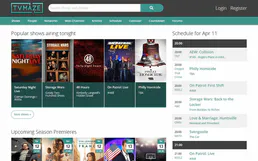
TVMaze
Search TV shows, get episode guides, browse schedules, discover cast and crew — no API key required.

Mercado Pago
Process payments, generate Pix QR codes, manage customers and refunds via Mercado Pago API.

Nuviad Advertising
Manage mobile ad campaigns and RTB via Nuviad — track ads, targeting lists, and performance reports directly from your AI agent.