
GatherContent MCP. Manage structured content and content workflows via chat.
 Gemini
 Works with every AI agent you already use
…and any MCP-compatible client









Just plug in your AI agents and start using Vinkius.
GatherContent MCP Server manages structured content operations, tracking projects and content items through natural conversation. List all content projects, retrieve field-level metadata, and monitor item status (Draft, Review, Published) without manual exports.
It lets your AI agent programmatically manage content pipelines and templates.
What your AI agents can do
Create content item
Creates a brand new content item within a specified project.
Get item content
Retrieves all metadata and content fields for a single item.
Get my identity
Fetches the profile information and details of the currently logged-in user.
Your agent reads a list of all available content projects and pulls the specific configuration details for any environment.
Your agent pulls specific field data and metadata from existing content items, allowing you to see the content without opening the platform.
Your agent creates new content items or updates metadata on existing ones to move content through the production workflow.
Your agent lists available content templates and retrieves the field schemas required to maintain data consistency across the organization.
Your agent lists project folders, giving you a clear view of how content is organized within the project structure.
Your agent fetches the profile information of the authenticated user to verify access rights and identity.
Ask AI about this MCP
Supported MCP Clients
Gemini Waiting for input…
GatherContent MCP Server: 12 Tools for Content Ops
Use these tools to list projects, fetch item metadata, manage workflows, and programmatically update structured content records.
019d75a2create content item
Creates a brand new content item within a specified project.
019d75a2get item content
Retrieves all metadata and content fields for a single item.
019d75a2get my identity
Fetches the profile information and details of the currently logged-in user.
019d75a2get project details
Retrieves the full configuration and metadata for a specific content project.
019d75a2get template schema
Pulls the exact field structure and requirements for a given content template.
019d75a2list content projects
Lists all content projects available in your account.
019d75a2list content templates
Lists all available content templates tied to a project.
019d75a2list project folders
Lists the organizational folders within a specific content project.
019d75a2list project items
Lists all the content items within a given project or folder.
019d75a2list workflow statuses
Lists all possible workflow states (e.g., Draft, Review) configured for a project.
019d75a2update content item
Modifies the metadata or content fields of an existing content item.
019d75a2verify api connection
Checks if the provided API key and credentials are valid and connected.
Choose How to Get Started
Build a custom MCP for your own tools, or connect a ready-made integration from our catalog.
Build Your Own
Turn any API into an MCP. Import a spec, define Agent Skills, or deploy with MCPFusion.
- Import from OpenAPI, Swagger, or YAML specs
- Create Agent Skills with progressive disclosure
- Deploy to edge with MCPFusion framework
- Built in DLP, auth, and compliance on every call
- Real time usage dashboard and cost metering
- Publish to catalog or keep private
Make Your AI Do More
Start with GatherContent, then connect any of our 4,700+ other servers whenever your AI needs more. One click, no limits.
- Use this MCP plus 4,700+ others, all in one place
- Add new capabilities to your AI anytime you want
- Every connection is secured and compliant automatically
- Track usage and costs across all your servers
- Works with Claude, ChatGPT, Cursor, and more
- New servers added to the catalog every week
What you can do with this MCP connector
GatherContent MCP Server - Manage Structured Content
This server lets your AI client handle complex content workflows through natural conversation. Your agent can manage content projects, pull item data, and track workflow statuses without you having to mess with manual exports.
List and Configure Projects
Your agent can list every content project you've got and pull the full setup details for any environment. You can also list all available content templates attached to a project and list every folder inside a project. To get a clear picture of the content structure, your agent lists all content items within a given project or folder.
Understand Content Items and Templates
Your agent pulls specific field data and metadata from existing content items, letting you see the content without opening the platform. You can also get the full configuration and metadata for a specific content project. When you need to make changes, your agent can modify the metadata or content fields of an existing item.
If you're starting fresh, your agent creates a brand new content item inside a specific project. To keep everything consistent, your agent pulls the exact field structure and requirements for any given content template. You can also list all possible workflow states configured for a project, like 'Draft' or 'Review.'
Navigate and Check Status
Your agent checks if the API credentials you gave it are valid and connected. It fetches the profile information and details of the user currently logged in. It manages the content pipeline by allowing you to create content items or update metadata on existing ones. You can use the tools to list all content projects, list all content templates, list project folders, list project items, list workflow statuses, update content item, get item content, get project details, get template schema, list content projects, create content item, get my identity, get item content, get project details, list content templates, list project folders, list project items, list workflow statuses, update content item, and get template schema.
How GatherContent MCP Works
- 1 Subscribe to the server on the Vinkius Marketplace and enter your GatherContent API Key and email.
- 2 Your AI client connects to the server. You prompt your agent to perform a content task (e.g., 'List all active projects').
- 3 The agent calls the necessary tools, retrieves the structured data, and presents the results directly in the chat window.
The bottom line is that your AI client talks to your content platform, and you get the answers right where you are.
Who Is GatherContent MCP For?
Content Strategists, Editors, and Operations Engineers. If your job involves making sure content flows smoothly from draft to publish—and you hate exporting CSVs just to check a status—this is for you. It lets you manage the content pipeline directly inside your chat interface.
Checks the status of 100 articles across multiple projects, verifying which ones are 'Ready for Review' and which need an update, without manually navigating the content dashboard.
Gets a real-time, aggregated overview of content production across three different departments (e.g., 'Website Redesign,' 'Product Guides') using simple AI commands.
Automates the creation of placeholder content items or validates the field schema for a new template, ensuring the content team doesn't miss required metadata.
What Changes When You Connect
- Check item status instantly. Instead of navigating to a project dashboard, use
list_project_itemsto see the status (Draft, Review, Published) of multiple articles at once. - Maintain data integrity. When starting a new piece, use
get_template_schemato pull the exact field requirements, ensuring your team doesn't miss necessary metadata fields. - Keep projects moving. Use
create_content_itemorupdate_content_itemto programmatically generate placeholder content or push a draft to the next review stage. - Understand the scope. Use
list_content_projectsto see every content area you manage, and then uselist_project_foldersto understand the entire content hierarchy. - Verify access rights. Use
get_my_identityto confirm who is running the task, which is critical when managing sensitive content metadata. - Get project context. Use
get_project_detailsto pull all the configuration settings for a specific content environment without logging into the main platform.
Real-World Use Cases
A Project Manager needs a status report.
The PM needs to know if the 'Product Guide' content is stuck in 'Review'. They ask their agent to run list_project_items for that project. The agent returns a list showing 5 items, 3 of which are currently 'Review' status, giving the PM an immediate action list.
An Editor needs to update a body copy.
An editor finished a draft and needs to push it to the next stage. They ask their agent to run update_content_item, specifying the target item ID and the new workflow status ('Ready for Legal'). The system updates the record and confirms the change.
An Ops Engineer needs to check templates.
An ops engineer is building a new content type and needs to know what fields are required. They run get_template_schema on the template. The agent returns a structured list of fields (Headline, Body Copy, Alt Text) and their required data types.
A Content Creator needs to start a new item.
A creator starts a new article. They ask their agent to run create_content_item within the 'Blog Production' project. The agent generates the item record, assigns it a unique ID, and sets it to the initial 'Draft' status.
The Tradeoffs
Manual status checks
The user logs into GatherContent, clicks the Project tab, filters by status, and then copies the status list into a spreadsheet to send to the team. This takes 15 minutes and requires multiple logins.
→
Ask your agent to run list_project_items and filter the output by status. The agent returns the status report directly in the chat, saving the copy/paste step.
Guessing required fields
A developer creates a new content item and manually adds fields like 'Keywords' or 'Internal ID' without checking the required schema, leading to data rejection later.
→
Before creating anything, run get_template_schema to see the exact, required field structure. This guarantees your data is ready for the platform.
Overwriting content accidentally
A user tries to change a project setting but doesn't know the full scope of the change, potentially corrupting project metadata or workflow rules.
→
First, run get_project_details to read the current, complete metadata configuration. Then, use update_content_item only when you are certain of the exact changes needed.
When It Fits, When It Doesn't
Use this server if your workflow involves managing structured content at scale. You need to check item status, validate templates, or create records programmatically. For instance, if you need to know what fields are required for a new article, run get_template_schema. If you need a live count of all content items in a project, use list_project_items. Don't use this if you only need general document storage—a simple file-sharing tool handles that. If your problem is simply finding a specific user's profile, use a dedicated user directory tool instead. If you are dealing with multiple content types, use list_content_templates to get the overview first.
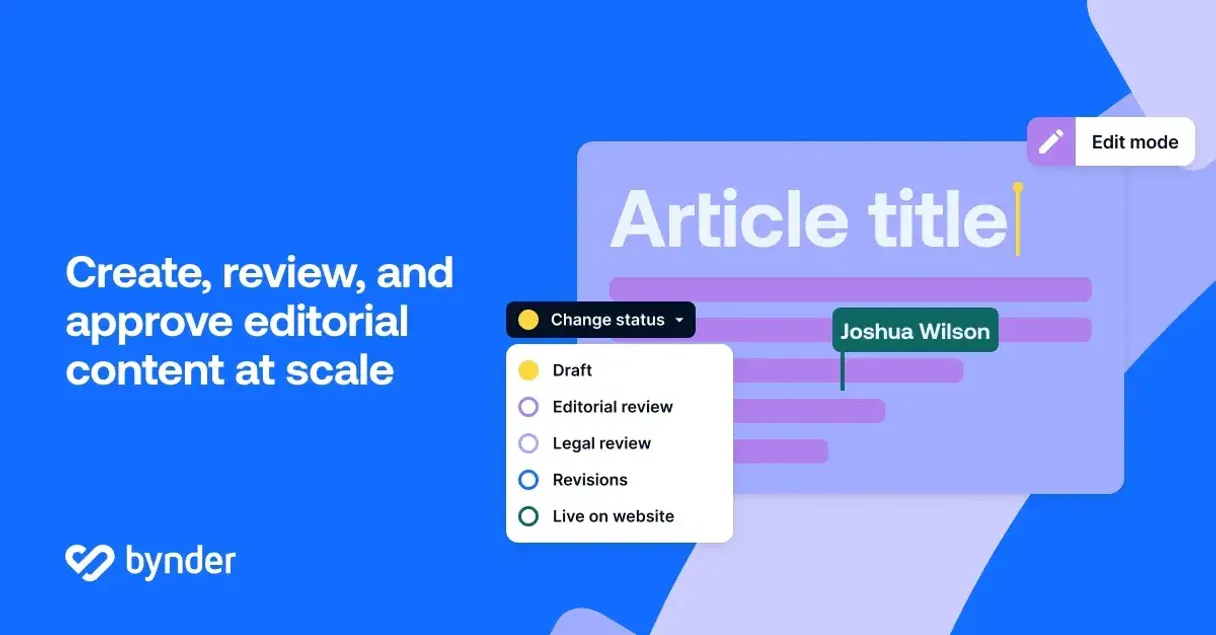
Independent Platform Disclaimer: Vinkius is an independent platform and is not affiliated with, endorsed by, sponsored by, verified by, or otherwise authorized by GatherContent. All third-party trademarks, logos, and brand names are the property of their respective owners. Their use on this website is strictly for informational purposes to identify service compatibility and interoperability.
VINKIUS INFRASTRUCTURE
Cloud Hosted
Managed infra
V8 Isolated
Sandboxed per request
Zero-Trust Proxy
No stored credentials
DLP Enforced
Policy on every call
GDPR Compliant
EU data residency
Token Compression
~60% cost reduction
Works with Claude, ChatGPT, Cursor, and more
The Model Context Protocol standardizes how applications expose capabilities to LLMs. Instead of operating in isolation, your AI gains direct access to external platforms, live data, and real-world actions through secure, standardized connections.
This server provides 12 capabilities that interface natively with Claude, ChatGPT, Cursor, and any MCP client. No middleware. No custom integration required.
Available Capabilities
Checking content status shouldn't require dashboard navigation.
Today, checking content status means logging into GatherContent, navigating to the specific project, clicking the 'Items' tab, and then manually filtering by 'Review' or 'Draft.' This process involves multiple clicks, dashboard loading times, and a lot of copy-pasting just to get a simple list.
With this MCP server, you just ask your agent: 'What are the content items in the 'Blog Production' project that are currently in 'Review'?' The agent runs `list_project_items` and instantly returns a clean, filtered list of everything you need.
GatherContent MCP Server: Control Content Flow
Manual content flow control—moving a draft to review or creating a placeholder item—requires opening the platform, finding the item, and clicking through status change buttons. This is slow, error-prone, and requires active manual memory.
Now, you simply tell your agent to `update_content_item` and specify the new status. The content item moves immediately, and you get confirmation in the chat. It’s direct, and it's actionable.
Common Questions About GatherContent MCP
How do I get an API Key for GatherContent? +
Log in to your GatherContent account, click on your profile avatar, navigate to Personal Settings > API, and you can generate a new API Key there.
What email should I use for authentication? +
You must use the exact email address associated with your GatherContent user account. This email is used as the username for Basic Authentication.
Can I see the structured fields of a content item? +
Yes! The 'get_item_content' tool retrieves the full metadata and content for any item, including the specific data values stored in each defined field.
How do I find my Project ID? +
You can use the 'list_content_projects' tool to see all your active projects and their corresponding IDs, or look at the URL when you are viewing a project in your browser.
How do I use the `list_content_projects` tool to check my content hierarchy? +
The list_content_projects tool shows all content projects and provides their metadata. You can use this to understand which content areas are active and what kind of data they manage.
What should I do if `get_item_content` fails when checking an item's status? +
If the item status fails, check if the item ID is correct and if the item is in a valid workflow state. The tool provides specific error codes that tell you exactly what needs fixing.
Can I use `create_content_item` to update a project's folder structure? +
No, create_content_item creates new content items, but it doesn't manage the folder structure itself. You must use the list_project_folders tool to see available folders, and then your AI client can reference that data.
How does `update_content_item` handle changes to field metadata? +
The update_content_item tool allows you to modify item metadata directly. You pass the field name and the new value; it handles the updates for you without needing manual API calls.
Use it with your favorite AI tools
Connect this server to Cursor, Claude, VS Code, and more.
More in this category

Eventtia
Equip your AI agent to manage events, track B2B meetings, and monitor attendee data via the Eventtia API.

Mealie (Recipe Manager)
Manage your Mealie recipes, meal plans, and shopping lists directly through your AI agent.
Pushbullet
Send files, links, and notifications between your phone and computer instantly with universal copy-paste across all devices.
You might also like
Insomnia (Collaborative API Design)
Manage API designs and collections via Insomnia — list organizations, projects, and files, and audit API specs.

Aracaju
Access Aracaju's transparency data—revenues, expenses, bids, contracts, and payroll—directly from your AI agent.

VWO
Manage A/B tests, feature flags, and conversion goals on VWO — the leading experience optimization platform.