
7digital MCP. Find, preview, and buy music from a global catalog.
 Gemini
 Works with every AI agent you already use
…and any MCP-compatible client









Just plug in your AI agents and start using Vinkius.
7digital MCP Server accesses a global music catalog to find, preview, and purchase music content. Search for artists, browse discographies, and manage purchases directly from your AI client.
Get track previews, view full release details, and checkout items in your virtual basket.
What your AI agents can do
Add to basket
Adds a specific album or release ID to your 7digital shopping basket, updating the contents and prices.
Get artist details
Fetches detailed profile information for a specific artist, including images and similar artists.
Get artist releases
Retrieves a list of all albums, singles, and EPs associated with an artist.
Search for artists by name, getting their release count and 7digital links using search_artist.
Retrieve all albums, singles, and EPs for an artist using get_artist_releases.
Fetch full metadata for a specific album or single, including genre, label, and release date via get_release_details.
Get a 30-second streaming URL for any track using get_track_preview.
Add items to your basket (add_to_basket) and view the current contents and prices (get_basket).
Generate the final checkout URL for the items currently in your basket using get_checkout_url.
Ask AI about this MCP
Supported MCP Clients
Gemini Waiting for input…
019d847eadd to basket
Adds a specific album or release ID to your 7digital shopping basket, updating the contents and prices.
019d847eget artist details
Fetches detailed profile information for a specific artist, including images and similar artists.
019d847eget artist releases
Retrieves a list of all albums, singles, and EPs associated with an artist.
019d847eget basket
Displays the items currently in your 7digital shopping basket, listing titles, prices, and quantities.
019d847eget checkout url
Generates the final checkout URL for the items currently in your basket, including an optional redirect URL.
019d847eget release details
Retrieves full metadata for a specific album release, including genre, label, and track list.
019d847eget release tracks
Lists all individual tracks belonging to a specific album release, including duration and explicit flags.
019d847eget track preview
Provides a 30-second preview URL and content type for a specific track ID.
019d847esearch artist
Searches for music artists by name and returns their number of releases and regional links.
019d847esearch release
Searches for album releases using title or artist name, returning release dates and types.
019d847esearch track
Searches for individual tracks by title or artist, showing release info and explicit flags.
Choose How to Get Started
Build a custom MCP for your own tools, or connect a ready-made integration from our catalog.
Build Your Own
Turn any API into an MCP. Import a spec, define Agent Skills, or deploy with MCPFusion.
- Import from OpenAPI, Swagger, or YAML specs
- Create Agent Skills with progressive disclosure
- Deploy to edge with MCPFusion framework
- Built in DLP, auth, and compliance on every call
- Real time usage dashboard and cost metering
- Publish to catalog or keep private
Make Your AI Do More
Start with 7digital, then connect any of our 4,700+ other servers whenever your AI needs more. One click, no limits.
- Use this MCP plus 4,700+ others, all in one place
- Add new capabilities to your AI anytime you want
- Every connection is secured and compliant automatically
- Track usage and costs across all your servers
- Works with Claude, ChatGPT, Cursor, and more
- New servers added to the catalog every week
What you can do with this MCP connector
7digital MCP Server - Search Music Catalog & Buy
Yo, this server connects your AI client right into the whole global music catalog. It's how you find, check out, and buy music using natural conversation. You're gonna be able to search for artists, browse their whole discography, and even manage purchases from your AI client.
Finding Stuff
Need to find an artist? You can use search_artist to look up musicians by name; it'll give you their total number of releases and links for different regions. Wanna know more about an artist? Use get_artist_details to grab their full profile, including images and names of similar artists. You can also check out all their albums, singles, and EPs by calling get_artist_releases.
To find a specific album release, run search_release with a title or artist name; it'll spit out the release dates and what type of release it is. If you're hunting for a single track, search_track lets you search by title or artist, and it shows you the release info and if it's explicit.
Deep Dive Details
Once you find something, you can dig into the details. For an album, get_release_details grabs all the metadata you need: genre, label, and release date. To see every song on an album, get_release_tracks lists every individual track, including its duration and if it's marked explicit. You can also get a 30-second preview URL for any track using get_track_preview.
Shopping and Buying
Ready to buy? You add anything you want to your cart with add_to_basket, which updates the contents and prices. You can check what's in your basket at any time by calling get_basket, which lists the titles, prices, and quantities. When you're done shopping, get_checkout_url generates the final checkout link for everything in your basket, letting you finish the purchase.
How 7digital MCP Works
- 1 Subscribe to the 7digital server and provide your API Key.
- 2 Your AI client sends a request (e.g., 'Show me albums by Radiohead') to the server.
- 3 The server runs the appropriate tool (e.g.,
search_release) and returns structured data to your AI client.
The bottom line is, you talk to your AI client, and it uses the 7digital tools to find and buy music data.
Who Is 7digital MCP For?
Music fans who want to browse deep catalogs without leaving their chat interface. Developers building e-commerce apps that need reliable music metadata and checkout flows. Retailers needing global catalog access with pricing and purchasing integration.
Uses the server to discover new artists, browse albums, and stream track previews without having to visit a separate music website.
Integrates the get_release_details and add_to_basket tools into an application, using the reliable metadata for product listings.
Runs structured searches (search_artist, search_release) across global music catalogs to compile curated lists of content and pricing.
What Changes When You Connect
- See a full discography instantly. Use
get_artist_releasesto see every album, single, and EP an artist has, without multiple searches. - Get immediate previews. Run
get_track_previewto stream a 30-second clip for any track, letting you vet the sound before buying. - Manage transactions in one flow. Use
add_to_basketto select items, thenget_basketto review the total price, keeping the purchase process contained. - Deep metadata access.
get_release_detailsprovides the full picture—label, genre, release date, and track list—not just the title. - Direct checkout path. Once you're ready,
get_checkout_urlgives you the final link to complete the purchase, bypassing manual steps. - Global reach. All search tools (
search_artist,search_release,search_track) support country codes, letting you target regional music markets.
Real-World Use Cases
Curating a Playlist for a Client
A music curator needs to build a playlist of tracks from a niche genre. They start by using search_artist to find a similar artist, then use get_artist_releases to narrow down albums, and finally run get_release_tracks to pull specific tracks and get_track_preview for client approval.
Checking an Album's Availability
A developer needs to check if a specific album is available for sale in Germany. They use search_release with the title and country code, then run get_release_details to confirm the label and release date.
Buying a Gift Album
A user wants to buy a gift album for their friend. They search for the album using search_release, then add_to_basket the release ID, and finally use get_checkout_url to generate the payment link.
Researching an Artist's Work
A music student needs to understand the evolution of an artist's sound. They use search_artist to find the artist, get_artist_releases to see the timeline, and then get_release_tracks for a specific album to analyze the tracklist.
The Tradeoffs
Searching for tracks piecemeal
Trying to find a track by title, then searching again by artist, and then calling get_track_preview without knowing the correct track ID. This is slow and requires guessing IDs.
→
First, run search_track to get the track ID. Then, pass that ID directly to get_track_preview to stream the sample. This keeps the process linear and accurate.
Forgetting the basket state
Calling add_to_basket multiple times, but forgetting to run get_basket to verify the items and prices. You'll assume the cart is right, but you'll be wrong.
→
Always run get_basket after adding items with add_to_basket. This confirms the cart contents and the correct pricing before moving to checkout.
Mixing up release IDs
Using a track ID in get_release_details or vice versa. The system won't know if you mean the album or the song.
→
Always use the ID provided by search_release when calling get_release_details. Keep the scope clear: releases use release IDs, tracks use track IDs.
When It Fits, When It Doesn't
Use this if you need to handle the full lifecycle of music research and purchase. You need to go from a general query ('Find me music by X') to a specific action ('Buy Y'). The flow must support discovery (using search_artist, get_artist_releases) and transaction (using add_to_basket, get_checkout_url). Don't use this if you only need to check a single, static piece of data (e.g., just checking if a track exists). For simple lookups, just use the dedicated search tools like search_track or search_artist alone.
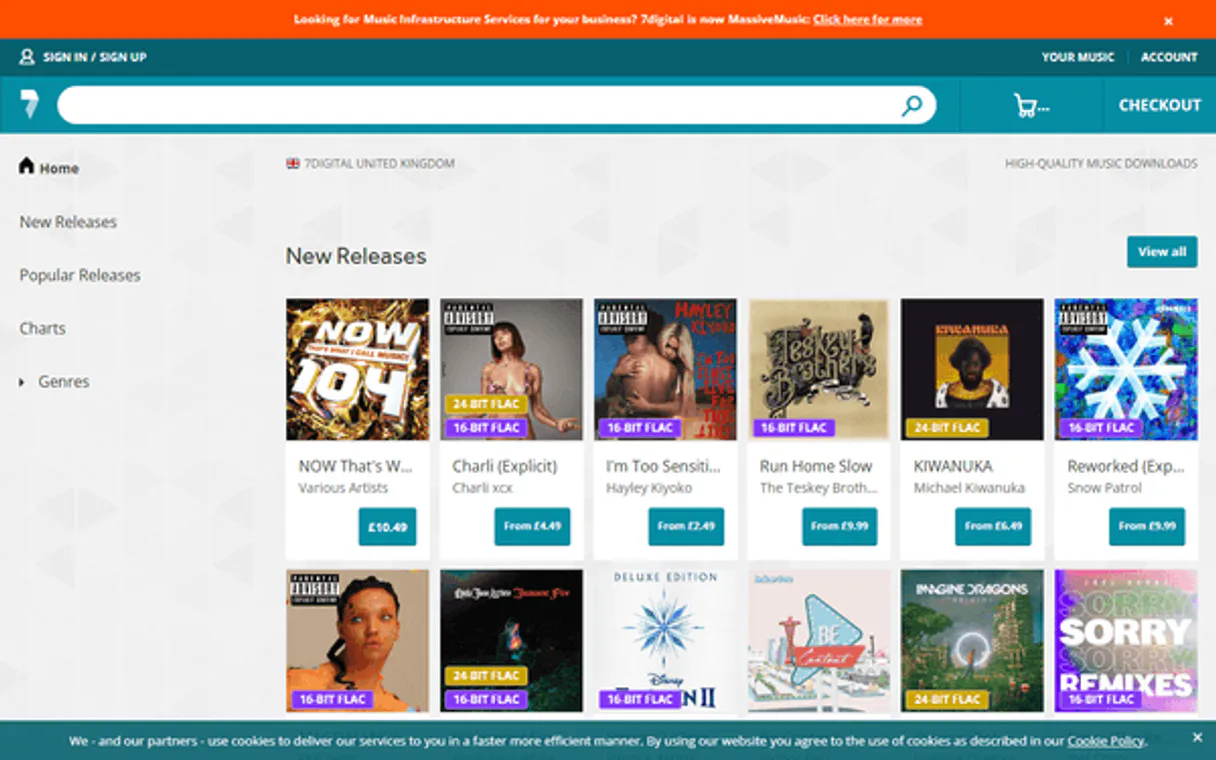
Independent Platform Disclaimer: Vinkius is an independent platform and is not affiliated with, endorsed by, sponsored by, verified by, or otherwise authorized by 7digital. All third-party trademarks, logos, and brand names are the property of their respective owners. Their use on this website is strictly for informational purposes to identify service compatibility and interoperability.
VINKIUS INFRASTRUCTURE
Cloud Hosted
Managed infra
V8 Isolated
Sandboxed per request
Zero-Trust Proxy
No stored credentials
DLP Enforced
Policy on every call
GDPR Compliant
EU data residency
Token Compression
~60% cost reduction
Works with Claude, ChatGPT, Cursor, and more
The Model Context Protocol standardizes how applications expose capabilities to LLMs. Instead of operating in isolation, your AI gains direct access to external platforms, live data, and real-world actions through secure, standardized connections.
This server provides 11 capabilities that interface natively with Claude, ChatGPT, Cursor, and any MCP client. No middleware. No custom integration required.
Available Capabilities
Checking music catalogs shouldn't require jumping between 10 different websites.
Right now, if you want to check an album, you visit the store site. You find the artist, which takes one tab. Then you click 'discography,' which opens a second page. If you want a specific track's preview, you click the track, which loads a third page, and you have to copy the URL to a different service to listen. It's a mess of tabs and clicks.
With the 7digital MCP Server, you ask your agent for the album. It runs `search_release` and gives you the metadata. You ask for the track list, and it runs `get_release_tracks`. You get all that data—the titles, the durations, the links—in one response. You just talk to your agent.
7digital MCP Server: Get the full purchase flow.
Before, adding an album to your cart meant navigating to the specific product page, finding the buy button, and clicking it. Then you had to remember the basket ID to check out later.
Now, you tell your agent to add the item to the basket using `add_to_basket`. The agent confirms it with `get_basket`, and when you're done, it runs `get_checkout_url`. The whole transaction is managed by calling tools, not clicking buttons.
Common Questions About 7digital MCP
How do I use the `get_track_preview` tool with 7digital? +
You must provide the track ID. This tool returns a 30-second preview URL and its content type. You can get the necessary track ID from get_release_tracks or search_track results.
What is the difference between `search_release` and `get_release_details`? +
search_release finds albums by title or artist and returns a list of matching releases. get_release_details requires a specific release ID and returns the full, detailed metadata for that single album.
How do I find all albums by an artist? +
Use the get_artist_releases tool. It takes an artist ID and returns all associated albums, singles, and EPs in one call.
Can I buy items using the `add_to_basket` tool? +
Yes, add_to_basket adds the item to your virtual cart. After you've added everything, you must call get_checkout_url to get the final payment link.
Does `get_basket` show me current prices? +
Yes, get_basket returns the release titles, prices, and quantities currently in your basket. It requires an active 7digital developer account with basket access.
How do I find all albums by an artist using the `get_artist_releases` tool? +
The get_artist_releases tool returns all albums, singles, and EPs for an artist. You must provide the artist ID, which you get from the search_artist tool. This gives you a comprehensive list of the artist's discography.
What information do I get when I use `get_release_details`? +
This tool provides detailed info for a specific album release. You'll get the label, genre, release date, and the full track list. Use the release ID from search_release or get_artist_releases to run it.
Can I search for individual tracks using the `search_track` tool? +
Yes, the search_track tool lets you search for individual tracks by title or artist. It returns details like track titles, artists, durations, and explicit content flags.
How do I get a 7digital API key? +
Register at 7digital.com/developer and sign up for a free developer account. You'll receive an API consumer key.
Can I listen to full tracks? +
The API provides 30-second preview streams for tracks. Full track purchases are available through the 7digital store integration.
What countries are supported? +
7digital operates in 30+ countries including US, GB, DE, FR, ES, IT, AU, CA, JP and many more. Use the country parameter for region-specific catalogs and pricing.
Use it with your favorite AI tools
Connect this server to Cursor, Claude, VS Code, and more.
More in this category

SoundCloud
Manage your SoundCloud account — audit tracks, playlists, and followers via AI.

Podchaser Podcast API
Search global podcasts — audit episodes, hosts, and ratings via AI.

TIDAL Developer API
Access music data — audit albums, artists, and tracks via AI.
You might also like
AT&T IoT
IoT Control Center -- Manage SIM devices, activation, data pools, shared plans, and connectivity diagnostics via AT&T IoT API.
RandomUser API
Generate random user data — audit personas and locations via AI.

Akash Network (Decentralized GPU & Cloud API)
Deploy and manage decentralized GPU and cloud resources on Akash Network—create deployments, manage leases, and monitor escrow balances directly.