
RandomUser API MCP. Generate realistic user data for testing and prototyping.
 Gemini
 Works with every AI agent you already use
…and any MCP-compatible client









Just plug in your AI agents and start using Vinkius.
RandomUser API delivers realistic dummy data right into your workflow. Your agent generates full user profiles—including names, emails, phone numbers, addresses, and profile pictures—on demand.
Use it for testing application logic, auditing demographics, or building prototypes without touching a database or writing complex scripts.
What your AI agents can do
Check api status
Checks whether the RandomUser API service is currently running and available for use.
Get random users
Generates a batch of unique fake user profiles, including names, emails, and locations.
Get seeded users
Produces the exact same set of users every time by running the API with a specific seed string.
Creates a batch of fake users, supplying names, emails, and locations.
Reproduces the exact same set of users by using a specific seed string.
Returns a list of all country codes accepted by the RandomUser API.
Verifies if the entire RandomUser API service is currently operational.
Ask AI about this MCP
Supported MCP Clients
Gemini Waiting for input…
RandomUser API MCP Server: 4 Tools for User Data Generation
These four tools let your AI client generate, check, and list massive amounts of realistic mock user data to power any testing or prototype environment.
019d8474check api status
Checks whether the RandomUser API service is currently running and available for use.
019d8474get random users
Generates a batch of unique fake user profiles, including names, emails, and locations.
019d8474get seeded users
Produces the exact same set of users every time by running the API with a specific seed string.
019d8474list supported nationalities
Retrieves a list of all country codes that the RandomUser API recognizes.
Choose How to Get Started
Build a custom MCP for your own tools, or connect a ready-made integration from our catalog.
Build Your Own
Turn any API into an MCP. Import a spec, define Agent Skills, or deploy with MCPFusion.
- Import from OpenAPI, Swagger, or YAML specs
- Create Agent Skills with progressive disclosure
- Deploy to edge with MCPFusion framework
- Built in DLP, auth, and compliance on every call
- Real time usage dashboard and cost metering
- Publish to catalog or keep private
Make Your AI Do More
Start with RandomUser API, then connect any of our 4,700+ other servers whenever your AI needs more. One click, no limits.
- Use this MCP plus 4,700+ others, all in one place
- Add new capabilities to your AI anytime you want
- Every connection is secured and compliant automatically
- Track usage and costs across all your servers
- Works with Claude, ChatGPT, Cursor, and more
- New servers added to the catalog every week
What you can do with this MCP connector
RandomUser API - Generate Mock User Data for Testing
Listen up. If you're building anything that needs fake user data—and trust me, everything does—you don't wanna be messing with static JSON files or writing complicated scripts just to test your logic. This MCP server gives your agent access to a massive pool of realistic dummy profiles on demand. You tell it what you need; it generates the full records instantly.
How It Works
This tool set lets your AI client handle all the heavy lifting for generating and managing thousands of unique user records. When you use these tools, your agent pulls data that looks legit—names, emails, phone numbers, addresses, even profile pictures. You get to test application logic, audit demographics, or build out prototypes without ever touching a live database or worrying about API keys.
It's pure plug-and-play for development.
Checking the Service Status
Before you run any big test suite, you gotta make sure the connection is solid. You can use check_api_status to verify if the entire RandomUser API service is up and running. It's a simple check that confirms the whole system is available for use.
Generating New Profiles on Demand
The main draw here is get_random_users. You can generate an entire batch of unique, fake user profiles using this tool. This isn't just throwing random names together; it gives you structured data including full names, valid-looking email addresses, and location details for each profile. By specifying parameters—like needing ten users from a specific region or only female users—you direct your agent to pull exactly what you need for your test case.
Because this tool is so robust, you'll get reliable geographical information alongside the basic contact data.
Reproducing Tests with Seeds
Sometimes, especially when debugging, you gotta run a test and then re-run it exactly to see if something changed. That's where get_seeded_users comes in. Instead of getting a new set of random users each time, this tool lets you feed the API a specific seed string. When your agent uses that string, it guarantees that every profile generated—names, locations, emails—will be identical to the previous run.
This is crucial for reliable, repeatable testing and auditing.
Defining Your Scope: Country Codes
If your app needs to support international users, you gotta know what regions this API recognizes. You can use list_supported_nationalities to retrieve a complete list of all country codes the RandomUser API accepts. This gives you a quick reference guide so you don't waste time testing unsupported locales.
Summary of Capabilities
- Health Check: Use
check_api_statusto confirm the entire service is operational before starting any work. - Batch Generation: With
get_random_users, your agent creates a fresh batch of fake users, supplying names, emails, and locations instantly. You'll get realistic profile pictures linked right in there too. - Controlled Replication: When you need to reproduce an exact data set for debugging, use
get_seeded_userswith a specific seed string; it guarantees identical results every time. - Scope Definition: To see all the regions your app needs to support, call
list_supported_nationalities; this returns the complete list of accepted country codes.
How RandomUser API MCP Works
- 1 First, connect your AI client (Claude, Cursor, etc.) to the RandomUser MCP Server.
- 2 Next, tell your agent what data you need. For example: 'Generate 10 users from Japan.'
- 3 Your agent calls the appropriate tool and gets back a structured set of realistic user records.
The bottom line is that you interact with the server using natural language; the AI client handles the API calls underneath.
Who Is RandomUser API MCP For?
QA Engineers, UX Designers, and Product Managers. You're the person who runs into a wall during development—the moment the current test data stops being realistic or doesn't cover enough edge cases. This tool lets you get high-quality, diverse dummy data instantly without needing an API key or writing any setup scripts.
Needs to monitor test data quality for scalability checks. They use get_random_users repeatedly to simulate high-load traffic with diverse metadata.
Tests UI layouts that require localized names and profile pictures. They ask the agent for specific demographics, verifying visual consistency across regions.
Performs rapid audits of prototype user bases to identify demographic gaps or regional coverage issues using natural language prompts.
What Changes When You Connect
- High-Fidelity Data: You get more than just names. The
get_random_userstool provides full records, including street addresses and city coordinates, making your test environments feel real. - Predictable Testing: Need to debug a specific bug using the same user profile 10 times? Use
get_seeded_users. It guarantees the exact same data every time you run it. - Quick Scope Check: Don't guess which countries you need. Run
list_supported_nationalitiesto get an immediate list of all accepted country codes, mapping out your full scope. - Zero Setup Time: The API is free and requires no key management within your client. You just ask your agent for data—no manual setup or authentication steps needed.
- Operational Safety: Before running large tests, run
check_api_status. This confirms the server is up, preventing failures due to service outages.
Real-World Use Cases
Testing User Signup Flow (QA)
A QA engineer needs to test signup forms across 15 different countries. Instead of manually gathering 15 sets of fake data, they prompt their agent: 'Generate 3 users for Germany, 2 for Mexico, and 4 for Australia.' The agent runs get_random_users multiple times in one go, giving the engineer diverse, localized records to check.
Validating Prototype UI (UX Designer)
A designer is building a dashboard that must display user details correctly. To verify local data handling, they use list_supported_nationalities first. Then, they ask for '5 users from the UK' via get_random_users, ensuring names and addresses format perfectly before handing it off to development.
Replicating Edge Case Bugs (Developer)
A developer finds a bug that only appears with a specific user profile. They can't trust random data. By using get_seeded_users and providing the known seed, they force their agent to generate the exact same buggy profile repeatedly until the fix is verified.
Auditing Market Coverage (Product Manager)
A PM needs to check if their planned feature set covers enough global demographics. They run list_supported_nationalities and see 17 options. They then prompt for 'a mix of users from Asia and South America' to quickly audit regional coverage.
The Tradeoffs
Hardcoding Test Data
Writing a mock JSON file with 5 dummy records because you only need five profiles right now.
→
Don't write the data; ask for it. Use get_random_users to generate 100 unique users on demand. It’s faster, and your data is more diverse.
Assuming Data Consistency
Running a test today with random data, passing the test, then running it next week and assuming the failure was in the code.
→
Use get_seeded_users and provide your seed. This locks down the data input so you know if the bug is in the code or the data.
Ignoring Service Health
Running a huge test batch at 3 AM only to find out the service was temporarily down.
→
Always check check_api_status first. It's a quick guardrail that tells you if the server is healthy before you start wasting time.
When It Fits, When It Doesn't
Use this server if your core problem is data variability, not database integrity. You need realistic dummy information to test client-side logic or UI layouts; it's a testing tool, not a production source of truth.
Do use it if: You are running QA tests and need diverse records (get_random_users), you need repeatable data for bug hunting (get_seeded_users), or you need to know the global scope of your app (list_supported_nationalities).
Don't use it if: Your application requires integrating with real customer accounts, or if you are building a permanent record-keeping system. For production data, connect to your actual backend—this API is for simulating stress and verifying assumptions.
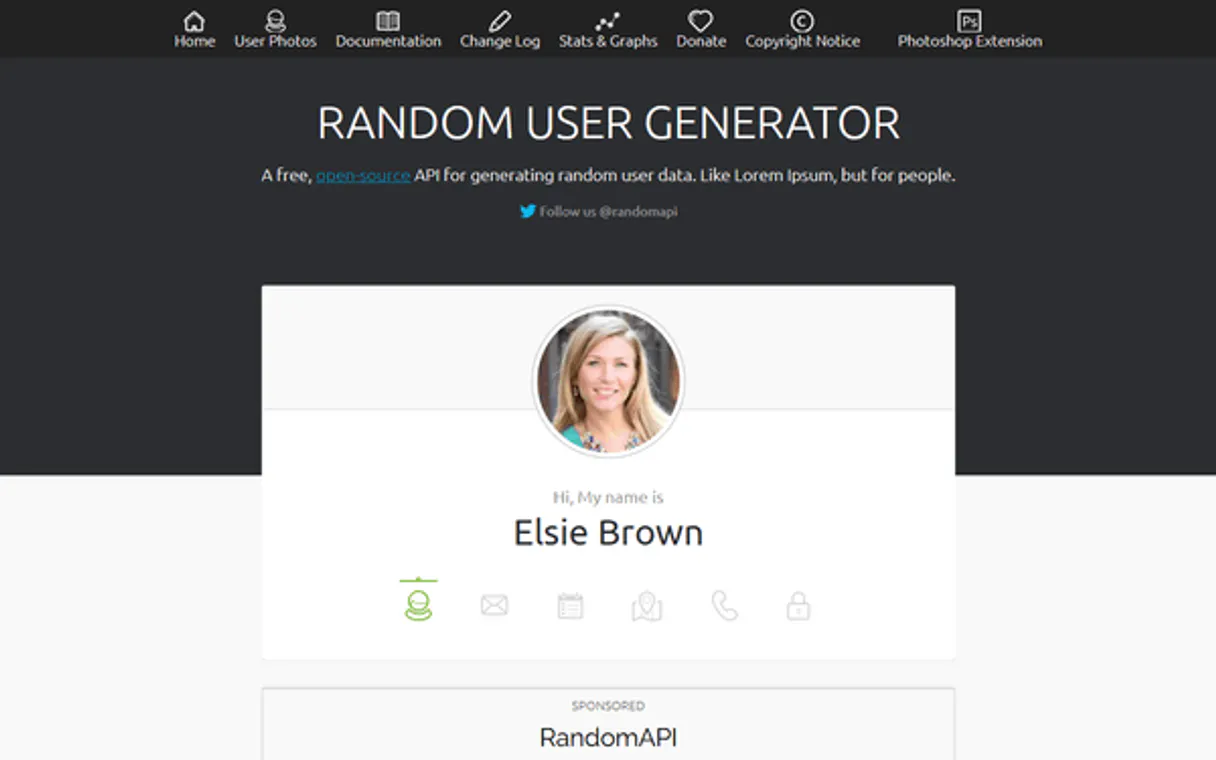
Independent Platform Disclaimer: Vinkius is an independent platform and is not affiliated with, endorsed by, sponsored by, verified by, or otherwise authorized by RandomUser. All third-party trademarks, logos, and brand names are the property of their respective owners. Their use on this website is strictly for informational purposes to identify service compatibility and interoperability.
VINKIUS INFRASTRUCTURE
Cloud Hosted
Managed infra
V8 Isolated
Sandboxed per request
Zero-Trust Proxy
No stored credentials
DLP Enforced
Policy on every call
GDPR Compliant
EU data residency
Token Compression
~60% cost reduction
Works with Claude, ChatGPT, Cursor, and more
The Model Context Protocol standardizes how applications expose capabilities to LLMs. Instead of operating in isolation, your AI gains direct access to external platforms, live data, and real-world actions through secure, standardized connections.
This server provides 4 capabilities that interface natively with Claude, ChatGPT, Cursor, and any MCP client. No middleware. No custom integration required.
Available Capabilities
Staring down blank mock data files shouldn't take half your afternoon.
Today, testing requires a lot of friction. You spend time finding or manually creating JSON records—a few users for the signup flow, another set for location tests. Then you have to update those mocks every time a field changes, wasting hours on setup and cleanup.
With RandomUser API MCP Server, that process disappears. Your agent handles it instantly: 'Give me 20 users from Canada.' You get diverse data—names, addresses, pictures—without ever touching a mock file or writing boilerplate code.
RandomUser API MCP Server: Get user profiles and locations.
The biggest time sink is the constant context switching. You jump from your UI design tool to your database schema, then back to a spreadsheet just to verify if the test data matches the requirements. It's slow, manual, and always incomplete.
Now, you keep it in one conversation with your AI client. Just ask for what you need, and the agent runs `get_random_users` right there, giving you verifiable, realistic results instantly.
Common Questions About RandomUser API MCP
How do I test the same user profile repeatedly using RandomUser API? +
You use the get_seeded_users tool. You pass a specific seed string (like 'testuser123'), and the server will return the identical data set every single time you run that seed.
Is RandomUser API good for testing global addresses? +
Yes, it's built for that. The get_random_users tool provides detailed geographic metadata, including street addresses and city coordinates, allowing you to test location logic globally.
What should I do if my random user tests fail? Should I check the API status? +
Yes, start by checking the service health. Run check_api_status first. If it reports failure, you know the problem is external to your code.
Can RandomUser API help me see what countries are supported? +
Absolutely. Use the list_supported_nationalities tool. It gives you a comprehensive list of all country codes available for generating users, so you know your full scope.
Does the RandomUser API need an API key to generate user profiles? +
No, it doesn't. The service is free and open for use. You connect your agent directly without needing to handle any credentials or complex setup.
How do I get profile images using the RandomUser API? +
You retrieve direct links to high-quality pictures. The API provides these image URLs, letting you build visually complete prototypes instantly for your designs.
What specific data points does `get_random_users` return? +
It returns names, emails, and full location details. These records cover everything needed for rapid demographic auditing or verifying UI layouts.
Is the RandomUser API suited for large-scale data testing? +
Yes. Your agent can generate thousands of user records quickly. This makes it ideal for load testing and ensuring your application scales with diverse, high-quality test data.
Is an API Key required for RandomUser API? +
No. RandomUser.me is a free and open service. This server works out of the box without any static credentials required.
Can I generate users from specific countries? +
Yes. Use the getRandomUsers tool and provide the nat parameter with a comma-separated list of country codes (e.g., 'US,FR').
What profile pictures are provided? +
The API provides high-resolution profile picture URLs for every generated user, categorized by size (large, medium, and thumbnail).
Use it with your favorite AI tools
Connect this server to Cursor, Claude, VS Code, and more.
More in this category

QA Arbiter
A test fails. Is the assertion wrong or is the code broken? Most agents guess, retry blindly, and deadlock the pipeline. QA Arbiter resolves this in one call — structured fault diagnosis with two boolean pivots that yield a deterministic verdict: TEST_ERROR, ENGINE_DEFECT, or BOTH_WRONG.

Cobot
Manage coworking spaces via Cobot — track memberships, monitor bookings, and manage resources directly from any AI agent.

Condeco (Eptura Engage)
Manage workspace bookings via Condeco — book meeting rooms, reserve hot desks, track availability, and handle office check-ins directly from any AI agent.
You might also like
USGS Earthquakes
Tap into the USGS real-time seismic network. Monitor global earthquakes, filter by magnitudes, and run historical analyses instantly.

Metabase (Business Intelligence & Analytics)
Manage your BI environment via Metabase — list dashboards, retrieve visual questions (cards), and search data entities.

Akash Network (Decentralized GPU & Cloud API)
Deploy and manage decentralized GPU and cloud resources on Akash Network—create deployments, manage leases, and monitor escrow balances directly.