
7shifts MCP. Manage staff schedules and labor data via conversation.
 Gemini
 Works with every AI agent you already use
…and any MCP-compatible client









Just plug in your AI agents and start using Vinkius.
7shifts MCP Server. Manage your entire restaurant workforce using natural conversation. Your agent handles scheduling, employee profiles, time-off requests, and labor tracking by connecting directly to your 7shifts account.
Stop wrestling with spreadsheets and start managing staff operations hands-free.
What your AI agents can do
Create employee
Creates a new staff profile in 7shifts using a name and email address.
Create shift
Assigns a new work shift to an employee for a specific date and time.
List employees
Retrieves a list of every staff member registered in the 7shifts company account.
Create new employee records and list all existing staff members in the 7shifts system.
Assign new work shifts to specific employees, handling required dates and times across any location.
Check for pending or approved time-off requests across the entire workforce.
List every location, department, and role configured within your 7shifts account.
Retrieve scheduled work shifts, filtering the results by specific dates or locations.
Access time punch data to monitor clock-in/out patterns for payroll records.
Ask AI about this MCP
Supported MCP Clients
Gemini Waiting for input…
7shifts MCP Server: 6 Tools for Workforce Management
These tools let your agent create staff profiles, schedule shifts, check time off, and manage all core workforce data in 7shifts.
019d7542create employee
Creates a new staff profile in 7shifts using a name and email address.
019d7542create shift
Assigns a new work shift to an employee for a specific date and time.
019d7542list employees
Retrieves a list of every staff member registered in the 7shifts company account.
019d7542list locations
Gets a list of all locations, departments, and roles set up in 7shifts.
019d7542list shifts
Retrieves scheduled work shifts, allowing you to filter by date or location.
019d7542list time off
Gets a list of pending or approved employee time-off requests from 7shifts.
Choose How to Get Started
Build a custom MCP for your own tools, or connect a ready-made integration from our catalog.
Build Your Own
Turn any API into an MCP. Import a spec, define Agent Skills, or deploy with MCPFusion.
- Import from OpenAPI, Swagger, or YAML specs
- Create Agent Skills with progressive disclosure
- Deploy to edge with MCPFusion framework
- Built in DLP, auth, and compliance on every call
- Real time usage dashboard and cost metering
- Publish to catalog or keep private
Make Your AI Do More
Start with 7shifts, then connect any of our 4,700+ other servers whenever your AI needs more. One click, no limits.
- Use this MCP plus 4,700+ others, all in one place
- Add new capabilities to your AI anytime you want
- Every connection is secured and compliant automatically
- Track usage and costs across all your servers
- Works with Claude, ChatGPT, Cursor, and more
- New servers added to the catalog every week
What you can do with this MCP connector
Connect your 7shifts account to your AI client. Your agent handles all staff operations using natural talk. You'll manage scheduling, employee profiles, time-off requests, and labor tracking without jumping between tabs or writing custom scripts.
Manage Staff Profiles
- You can use
create_employeeto build a new staff profile in 7shifts, just by providing a name and email address. - You'll get a list of every staff member registered in the company account using
list_employees.
Build and Update Shifts
- You'll assign a new work shift to any employee for a specific date and time using
create_shift. - You can check scheduled work shifts and filter the results by a specific date or location using
list_shifts.
Review Time Off Status
- You'll pull a list of pending or approved employee time-off requests from 7shifts using
list_time_off.
View Locations and Departments
- You can get a list of all locations, departments, and roles set up in 7shifts by calling
list_locations.
View Shift Schedules
- You can retrieve scheduled work shifts, filtering the results by specific dates or locations using
list_shifts.
Track Labor Punch Data
- You'll access time punch data to monitor clock-in/out patterns for payroll records.
How 7shifts MCP Works
- 1 Subscribe to the 7shifts MCP Server and enter your API Key.
- 2 Connect your preferred AI client (Claude, Cursor, etc.) to the server.
- 3 Tell your agent what you need—for example, 'List all employees at the downtown location'—and the agent executes the necessary tool calls.
The bottom line is, you talk to your agent, and it executes the right 7shifts function to get you the answer or make the change.
Who Is 7shifts MCP For?
This is for the restaurant manager who spends too much time juggling spreadsheets and manually checking staff availability. It's for the HR coordinator who needs to process dozens of time-off requests every week. It’s for the business owner who needs a clear, quick view of labor costs across multiple locations without logging into a dozen different dashboards.
Builds the week's schedule using the agent, then uses the agent to adjust shifts when someone calls out sick. They rely on the agent to manage staff changes.
Uses the agent to check for pending time-off requests and to create new employee profiles for incoming staff.
Monitors labor costs and staff attendance across all business locations by retrieving shift and time punch data.
What Changes When You Connect
- Schedule Shifts on Demand: Instead of building a spreadsheet, ask your agent to use
create_shiftorlist_shifts. It handles the complex logic of dates, times, and locations automatically. - Manage Staff Records: Use
list_employeesorcreate_employeeto quickly see who's on staff or to add a new person's profile, eliminating manual data entry in separate HR systems. - Audit Time Off: Use
list_time_offto check all pending requests. You get a consolidated view of who needs time off, which is faster than checking the employee portal manually. - Track Payroll Data: Access time punch records via the agent. This helps you check clock-in/out patterns and confirms your labor data for payroll accuracy.
- Organize Complex Operations: Use
list_locationsto get a master list of every department and site. This lets you keep track of staff and shifts across your entire multi-unit operation. - Process Staff Changes: When a manager needs to adjust roles or assign new shifts, the agent orchestrates the process, giving you a single point of control over the entire workforce state.
Real-World Use Cases
The Manager Needs to Build Next Week's Schedule
The manager knows they need to schedule 30 people across 4 locations. Instead of opening the scheduling module and manually assigning shifts, they ask their agent: 'Build shifts for next week.' The agent uses list_employees to confirm the roster and then fires off multiple create_shift calls, giving the manager a complete, updated schedule instantly.
The HR Team Needs to Process Time-Off Batches
The HR coordinator has 15 pending time-off requests and needs to review them all. They ask the agent to check the status. The agent uses list_time_off and returns a clean list of pending dates and names, letting the coordinator know exactly who needs approval without navigating multiple employee profiles.
The Owner Checks Labor Compliance Across Stores
The business owner wants to know if labor costs are spiking at the downtown store versus the uptown store. They ask the agent to pull labor data. The agent uses list_locations to identify all sites, then uses list_shifts and time punch data to provide a comparative report.
Onboarding a New Employee
A new server starts next week. Instead of manually creating a profile in 7shifts and then assigning a shift, the manager asks the agent. The agent first uses create_employee to build the profile and then uses create_shift to lock in the first shift—all in one conversation.
The Tradeoffs
Manual Spreadsheet Syncing
Opening a Google Sheet, manually cross-referencing names from the HR system, then logging into 7shifts to update shift dates. This is slow and guarantees data errors.
→
Let your agent handle it. Start by using list_employees to pull the current roster. Then, use create_shift to assign the full schedule. It keeps the source of truth (7shifts) updated instantly.
Forgetting Location Context
Trying to schedule a shift for 'Sarah' without specifying the location ID, leading to an error or assigning her to the wrong store site.
→
The agent forces the context. Always use list_locations first to confirm the proper location ID. Then, structure your request: 'Create shift for Sarah at [Location ID]...'
Over-Reliance on Manual Reports
Running a report on old time punches and then manually updating the employee profile in a separate system. The data gets messy and nobody trusts the records.
→ Use the agent to track time punch data. It reads the current clock-in/out patterns and updates your record in 7shifts. This keeps the system accurate and prevents data decay.
When It Fits, When It Doesn't
Use this if your workflow requires linking multiple HR data points (staff, time, location, shifts) and requires immediate, actionable updates. You need a system where talking to a chat interface actually changes the data in 7shifts.
Don't use this if you only need to view static, read-only data that doesn't change often (e.g., a simple list of departments). For that, a basic reporting tool might suffice. If your primary need is complex, mathematical resource optimization (e.g., 'find the perfect schedule that minimizes overtime and maximizes skill coverage'), you'll need a dedicated scheduling optimization engine, not just a CRUD tool.
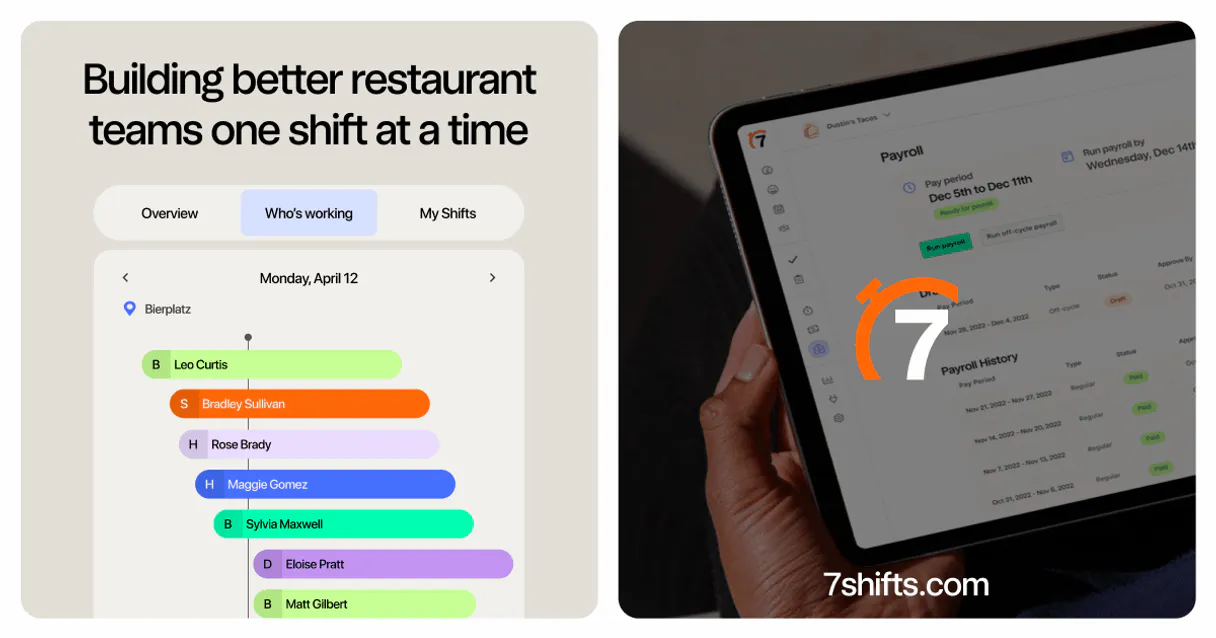
Independent Platform Disclaimer: Vinkius is an independent platform and is not affiliated with, endorsed by, sponsored by, verified by, or otherwise authorized by 7shifts. All third-party trademarks, logos, and brand names are the property of their respective owners. Their use on this website is strictly for informational purposes to identify service compatibility and interoperability.
VINKIUS INFRASTRUCTURE
Cloud Hosted
Managed infra
V8 Isolated
Sandboxed per request
Zero-Trust Proxy
No stored credentials
DLP Enforced
Policy on every call
GDPR Compliant
EU data residency
Token Compression
~60% cost reduction
Works with Claude, ChatGPT, Cursor, and more
The Model Context Protocol standardizes how applications expose capabilities to LLMs. Instead of operating in isolation, your AI gains direct access to external platforms, live data, and real-world actions through secure, standardized connections.
This server provides 6 capabilities that interface natively with Claude, ChatGPT, Cursor, and any MCP client. No middleware. No custom integration required.
Available Capabilities
Checking staff availability shouldn't require 5 different tabs.
Right now, finding out who is working, who is off, and where they are requires jumping between the scheduling module, the employee profile pages, and the time-off calendar. You copy names, you check dates, and you cross-reference location IDs. It's a painful, manual, high-friction process.
With this MCP server, you just talk to your agent. Ask, 'Who is available to work next Tuesday at the downtown location?' and the agent uses `list_employees` and `list_time_off` to give you one clean, actionable answer. You get the answer without the clicks.
7shifts MCP Server: Schedule shifts and manage staff profiles.
The agent eliminates the need to manually create employee records and then separately assign shifts. You tell it, 'Add John Smith and give him a shift next week.' It runs `create_employee` and then `create_shift` in sequence, handling the whole sequence automatically.
You manage the whole lifecycle of a staff member—from their first profile creation to their last shift—in a single, continuous conversation. It’s a full automation loop, not just a data lookup.
Common Questions About 7shifts MCP
How do I use the 7shifts MCP Server to list employees? +
Use the agent and ask, 'List all employees for the company.' The agent runs the list_employees tool and provides a complete list of all staff members in your 7shifts account.
Can I create a shift using the 7shifts MCP Server? +
Yes. To create a shift, ask your agent for the required details, like the employee ID, location ID, and the start/end times. It executes the create_shift tool.
What if I need to check for pending time-off requests using 7shifts MCP Server? +
Just ask the agent to check for time-off. It runs the list_time_off tool and returns a detailed list of any requests that are waiting for approval.
Does the 7shifts MCP Server handle multiple restaurant locations? +
Yes. The agent manages multiple locations, departments, and roles. You can use list_locations to confirm all sites and then scope your requests (e.g., 'for the Miami store').
How do I use the 7shifts MCP Server to manage employee profiles? +
You use the create_employee tool. This tool lets your agent build new staff profiles in 7shifts using just a name and email address.
How does the 7shifts MCP Server handle time-off requests? +
The list_time_off tool pulls both pending and approved requests. Your agent can then audit them or submit new requests on behalf of employees.
Can the 7shifts MCP Server access multiple departments and roles? +
Yes, the list_locations tool retrieves all configured locations, departments, and roles. This lets your agent keep track of staff organization across the whole company.
What data is needed to create a shift using the 7shifts MCP Server? +
To create a shift, your agent needs the employee's ID, the location ID, and the start and end times in ISO 8601 format.
Can I create a new work shift through the agent? +
Yes. Use the create_shift tool and provide the employee ID, start/end times, and location ID. Your agent will add the shift to the 7shifts schedule immediately.
How do I list all restaurant locations? +
Use the list_locations tool. Your agent will retrieve all restaurant locations, departments, and roles configured in your 7shifts account.
Can I see who is currently requesting time off? +
Absolutely. Use the list_time_off tool to retrieve all pending and approved time-off requests from your staff for auditing purposes.
Use it with your favorite AI tools
Connect this server to Cursor, Claude, VS Code, and more.
More in this category

Buttondown Alternative
Automate your newsletter and subscriber management via Buttondown — manage lists, draft emails, and track tags directly from any AI agent.
Refiner
Survey your SaaS users with in-app micro-surveys that capture NPS, feature feedback, and churn signals at the perfect moment.
Docupilot
Equip your AI agent to automate document creation, manage templates, and track merges via the Docupilot API.
You might also like

Teyuto
Build your own video streaming platform with monetization, audience analytics, and content management for video creators.

Text Readability Scorer
Calculate mathematically accurate readability metrics (Flesch-Kincaid, Gunning Fog, SMOG) for any text. Stop relying on AI 'feelings' — get exact US grade levels for SEO and compliance.

Postmark Alternative
Automate transactional email via Postmark — send emails, retrieve templates, inspect bounces, and manage your delivery analytics directly from any AI agent.