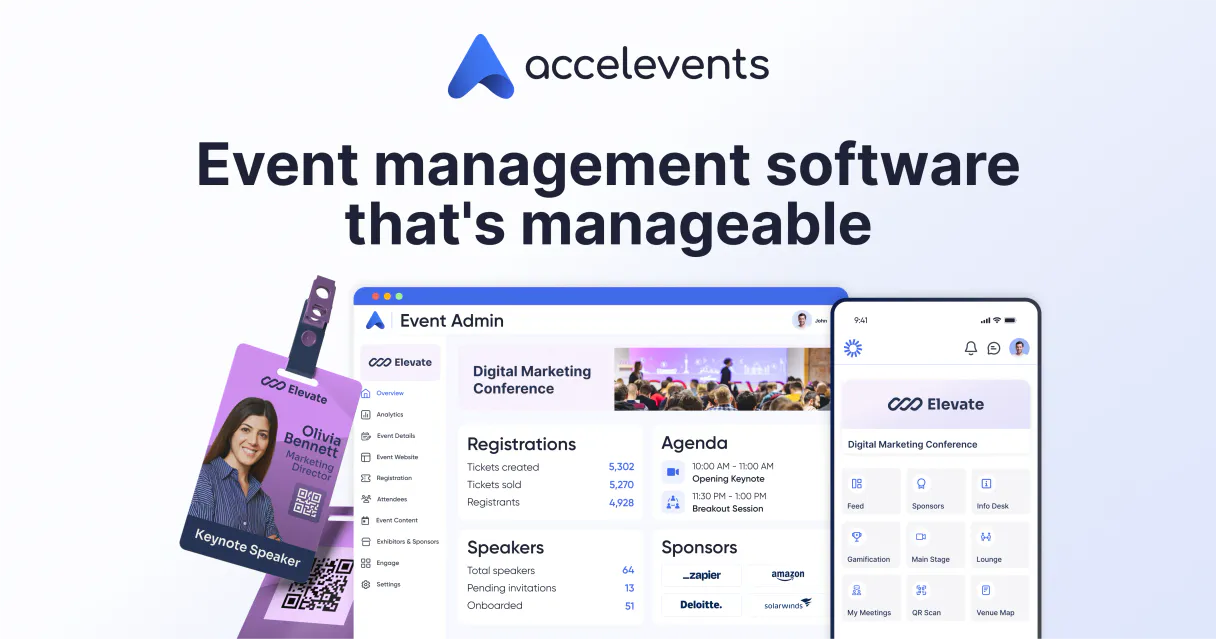
Accelevents MCP. Manage event data and track attendees by conversation.
Works with every AI agent you already use
…and any MCP-compatible client

Just plug in your AI agents and start using Vinkius.
Accelevents MCP Server connects your AI agent directly to the Accelevents platform. You can pull event metadata, list all participants and ticket types, track session schedules, and find details on event exhibitors.
It gives your agent the ability to handle event logistics and attendee data through natural conversation.
What your AI agents can do
List attendees
Retrieves the full list of participants and ticket types for a specified Accelevents event.
List events
Retrieves a list of all events—active, past, and upcoming—managed in Accelevents.
List exhibitors
Retrieves details on companies that are exhibiting at a specific Accelevents event.
The agent lists all events—active, past, and upcoming—and pulls technical data points for each one.
You ask the agent for attendees at a specific event, and it returns the full participant list along with all associated ticket types.
The agent retrieves the full schedule for a given event URL, including session names and times.
You can get a detailed list of companies showing up at a specific event, pulling their profile information.
Your agent structures the event data, moving beyond simple lists to provide context for planning and reporting.
Ask AI about this MCP
Supported MCP Clients
Waiting for input…
019d7545list attendees
Retrieves the full list of participants and ticket types for a specified Accelevents event.
019d7545list events
Retrieves a list of all events—active, past, and upcoming—managed in Accelevents.
019d7545list exhibitors
Retrieves details on companies that are exhibiting at a specific Accelevents event.
019d7545list sessions
Retrieves the schedule and details for all sessions at a specific Accelevents event.
Choose How to Get Started
Build a custom MCP for your own tools, or connect a ready-made integration from our catalog.
Build Your Own
Turn any API into an MCP. Import a spec, define Agent Skills, or deploy with MCPFusion.
- Import from OpenAPI, Swagger, or YAML specs
- Create Agent Skills with progressive disclosure
- Deploy to edge with MCPFusion framework
- Built in DLP, auth, and compliance on every call
- Real time usage dashboard and cost metering
- Publish to catalog or keep private
Make Your AI Do More
Start with Accelevents, then connect any of our 4,700+ other servers whenever your AI needs more. One click, no limits.
- Use this MCP plus 4,700+ others, all in one place
- Add new capabilities to your AI anytime you want
- Every connection is secured and compliant automatically
- Track usage and costs across all your servers
- Works with Claude, ChatGPT, Cursor, and more
- New servers added to the catalog every week
What you can do with this MCP connector
Accelevents MCP Server connects your AI agent straight to the Accelevents platform. It lets your agent handle all the event logistics and attendee data you need, just by talking to the system. You won't have to copy-paste anything or jump between dashboards; your agent just knows where everything is. You'll pull event metadata, list all participants and ticket types, track session schedules, and find details on event exhibitors.
This gives your agent the power to manage complex event data through natural conversation.
list_events pulls a list of every event—active, past, and upcoming—managed in Accelevents, and it pulls technical data points for each one. list_attendees gets the full list of participants and ticket types for a specified Accelevents event. You can ask your agent for all attendees at an event, and it returns the full participant list alongside every associated ticket type. list_sessions retrieves the full schedule and details for all sessions at a specific Accelevents event.
You can give it an event URL, and it pulls the session names and times. list_exhibitors pulls a detailed list of companies showing up at a specific Accelevents event, including their profile info. You can get a rundown of every company exhibiting at an event. Your agent structures this event data for planning and reporting, moving way beyond simple lists.
It lets you monitor event exhibitors and gives you a clear view of all the event's technical details. Your agent uses these tools to give you a comprehensive look at event data.
How Accelevents MCP Works
- 1 Tell your AI agent what data you need (e.g., 'Show me all upcoming conferences').
- 2 The agent calls the appropriate Accelevents tool (like
list_events) and sends the necessary context (like an event URL). - 3 The tool executes the request and returns structured data (like a JSON list of attendees or sessions) directly to your agent.
The bottom line is that your AI client speaks Accelevents API. You talk to your agent, and it handles the API calls.
Who Is Accelevents MCP For?
This is for Operations Managers, Event Directors, and Conference Producers. If you're tired of manually cross-referencing spreadsheets—checking one tab for attendees, another for sessions, and a third for exhibitor details—this is for you. Your agent pulls all that data into one conversation.
Uses the agent to audit attendee check-ins and pull combined data sets from list_attendees and list_sessions to verify capacity planning.
Uses the agent to check the schedule and get exhibitor details, cross-referencing session times (list_sessions) with available sponsors (list_exhibitors).
Uses the agent to generate reports on ticket sales and participant lists using list_attendees for pre-event marketing campaigns.
What Changes When You Connect
- See who's coming and what they paid for. The
list_attendeestool gives you the full participant list and ticket types for any event. - Plan the whole conference schedule in one go. Use
list_sessionsto pull the full schedule and details for all event sessions. - Get a clear picture of the scope. The
list_eventstool instantly lists all active, past, and upcoming events in your account. - Audit your sponsors instantly. The
list_exhibitorstool pulls all necessary details on companies showing up at a given event. - Stop juggling dashboards. Your agent uses these tools to combine event, attendee, and session data into a single, structured output.
Real-World Use Cases
Auditing attendee check-ins after a major conference.
The Ops Manager needs to know who attended which day's session. They ask their agent to check the event data. The agent runs list_attendees and list_sessions (requiring the event URL) to combine the data, giving a full view of participation patterns.
Quickly building a list of potential sponsors.
The Program Director needs to see who is exhibiting at a conference in Boston. They ask the agent to run list_exhibitors with the event URL, getting a clean list of company details to follow up on.
Checking a client's event status before a big meeting.
The Marketing Coordinator wants to know if a specific event is scheduled. They ask the agent to run list_events first. This confirms the event exists and gives the metadata needed for deeper lookups.
Analyzing ticket sales for a specific event.
The Marketing Coordinator needs to check ticket revenue types. They ask the agent to run list_attendees using the event URL, which returns the participant list and specific ticket types.
The Tradeoffs
Opening multiple browser tabs
You open one tab for 'Events Dashboard', another for 'Attendees List', and a third for 'Sponsor Directory'. You then copy names and dates between them to build a master spreadsheet.
→
Just ask your agent. It runs list_events, then list_attendees, and list_exhibitors sequentially, giving you one coherent, combined answer without leaving your chat window.
Manual data filtering in spreadsheets
You export the attendee list and try to filter out non-paying guests or only those from a specific region using Excel formulas. This takes an hour and is prone to error.
→
Ask the agent to run list_attendees. The tool returns the raw data, including ticket types, allowing you to filter and analyze the data structure directly through the conversation.
Relying on outdated PDFs
The Program Director finds an old PDF guide that shows the session schedule, but it doesn't include the most recent speaker changes or cancellations.
→
Use the list_sessions tool. It pulls the current, live schedule and session details directly from Accelevents, ensuring your data is always up-to-date.
When It Fits, When It Doesn't
Use this MCP Server if your job involves correlating data points across the entire event lifecycle—who is there, what they paid for, when it happens, and who is presenting. The key is combining information from list_attendees with list_sessions and list_exhibitors in a single workflow. Don't use this if you just need to look up one piece of data, like checking a single attendee's name. For that, a simple search function or direct platform API call is faster. This server is for complex, multi-step data synthesis.
Independent Platform Disclaimer: Vinkius is an independent platform and is not affiliated with, endorsed by, sponsored by, verified by, or otherwise authorized by Accelevents. All third-party trademarks, logos, and brand names are the property of their respective owners. Their use on this website is strictly for informational purposes to identify service compatibility and interoperability.
VINKIUS INFRASTRUCTURE
Cloud Hosted
Managed infra
V8 Isolated
Sandboxed per request
Zero-Trust Proxy
No stored credentials
DLP Enforced
Policy on every call
GDPR Compliant
EU data residency
Token Compression
~60% cost reduction
Works with Claude, ChatGPT, Cursor, and more
The Model Context Protocol standardizes how applications expose capabilities to LLMs. Instead of operating in isolation, your AI gains direct access to external platforms, live data, and real-world actions through secure, standardized connections.
This server provides 4 capabilities that interface natively with Claude, ChatGPT, Cursor, and any MCP client. No middleware. No custom integration required.
Available Capabilities
Juggling Event Data Across Multiple Tabs
Right now, you have to open the Accelevents dashboard, click 'Events', and then open another tab for 'Attendees'. To figure out who attended a session, you copy the event ID from one screen and paste it into another. If the data updates between steps, your spreadsheet is already wrong.
With this MCP Server, you just ask your agent. It runs the necessary tools—say, `list_events` then `list_sessions`—and gives you the full picture right here. You get the structured data you need, instantly.
Accelevents MCP Server: Track Attendees and Sponsors
You used to manually check the exhibitor list and then cross-reference it with the attendee list to see who was present. Now, your agent runs `list_exhibitors` and `list_attendees` together. It links the company data with the participant data, giving you a complete picture of who showed up and who paid to be there.
You stop guessing what data is linked to what. The agent handles the complex data mapping for you. It just works.
Common Questions About Accelevents MCP
How do I use the `list_events` tool to find my conferences? +
You just tell your agent to list all events. It calls list_events and gives you a list of every active, past, and upcoming event in your account.
What does `list_attendees` do? +
list_attendees retrieves the full participant list and ticket types for a specific event. You need to provide the event URL for it to work.
Can I find the schedule using `list_sessions`? +
Yes, list_sessions retrieves the full schedule and details for a specific event. You just need to provide the event URL.
How can I see who is exhibiting at my event? +
Use list_exhibitors. This tool pulls all necessary details on companies that are exhibiting at a specific event, provided you give the event URL.
Does this server track multiple event types? +
Yes. The server handles active, past, and upcoming events, giving you a complete view of your event history and future plans.
When I use `list_exhibitors`, what information do I need to provide? +
You must provide the event URL. This tool requires the specific event location to pull details on companies exhibiting there. It ensures the data you get is tied to the right event.
Does `list_attendees` handle different ticket types? +
Yes, list_attendees retrieves the participant list along with the ticket types. This means you get both who attended and what kind of access they purchased for that event.
What happens if I try to run `list_sessions` for an event URL I don't have? +
The system will return an error indicating that the event URL is invalid or not found. This prevents you from trying to pull schedules for non-existent or incorrect event data.
How do I list all attendees for a specific event? +
Use the list_attendees tool and provide the event URL (identifier). Your agent will retrieve the full list of participants, including their ticket types.
Are there extra limits for custom integrations? +
No, Accelevents provides public REST APIs and webhooks with no additional access fees for building your custom event workflows.
Can I receive real-time updates on ticket sales? +
Yes, you can configure webhooks to receive real-time notifications for specific topics, including ticket purchases and attendee check-ins.
Use it with your favorite AI tools
Connect this server to Cursor, Claude, VS Code, and more.
More in this category
OneSignal
Send push notifications, emails, and in-app messages to millions of users with segmentation and A/B testing built in.
PDF Munk
Automate PDF and image generation via PDF Munk — convert HTML/URL to PDF, merge documents, and compress files directly from any AI agent.
Type.fit
Access a vast database of inspirational quotes to enhance your content, motivation, and daily workflows directly through your AI agent.
You might also like
SimpleFatoora
Connect your AI agents to SimpleFatoora for ZATCA-compliant e-invoicing with full product, customer, and tax document management.
MusicBrainz Alternative
Access the world's largest open music encyclopedia — search artists, lookup releases, and manage your music collections directly from your AI agent.
Eventee
Equip your AI agent to manage events, track speakers, and monitor attendee engagement via the Eventee API.