4,500+ servers built on MCP Fusion
Vinkius

Aikido Security MCP. Audit your entire security stack from a single prompt.

Claude Claude
ChatGPT ChatGPT
Cursor Cursor
Gemini Gemini
Windsurf Windsurf
VS Code VS Code
JetBrains JetBrains
Vercel Vercel
See Vinkius in Action

Works with every AI agent you already use

…and any MCP-compatible client

Aikido Security MCP on Cursor AI Code Editor MCP Client Aikido Security MCP on Claude Desktop App MCP Integration Aikido Security MCP on OpenAI Agents SDK MCP Compatible Aikido Security MCP on Visual Studio Code MCP Extension Client Aikido Security MCP on GitHub Copilot AI Agent MCP Integration Aikido Security MCP on Google Gemini AI MCP Integration Aikido Security MCP on Lovable AI Development MCP Client Aikido Security MCP on Mistral AI Agents MCP Compatible Aikido Security MCP on Amazon AWS Bedrock MCP Support

Just plug in your AI agents and start using Vinkius.

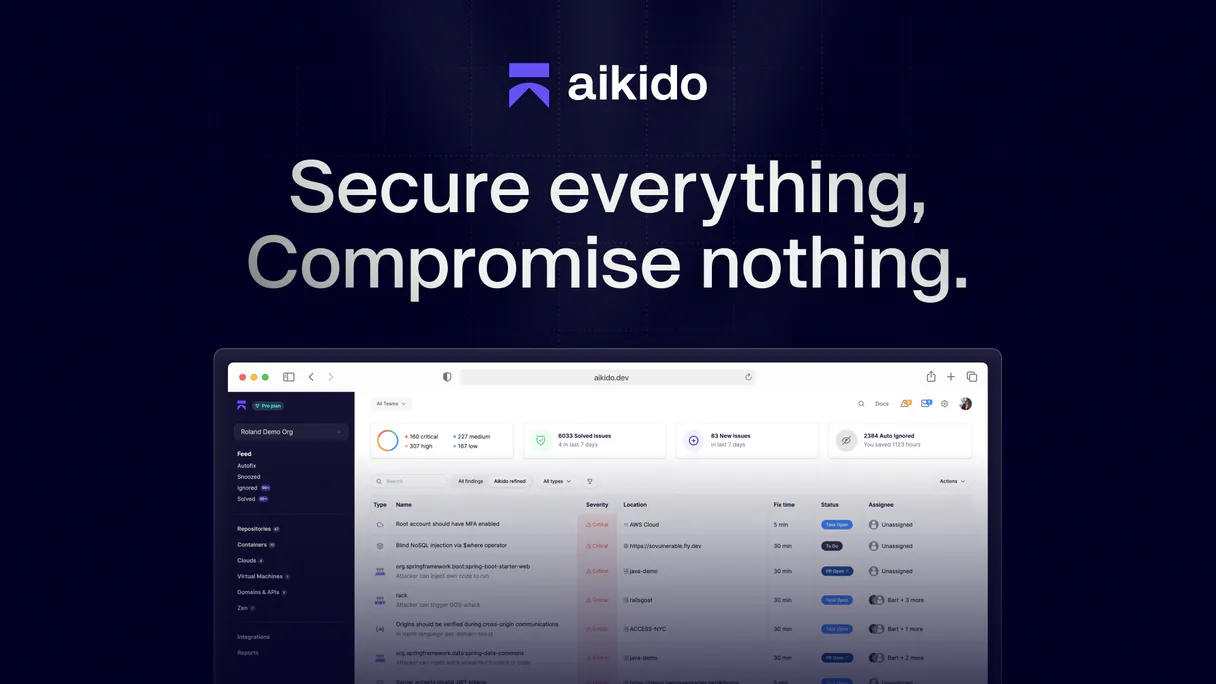
Aikido Security connects your AI client directly to security data streams, allowing you to check code vulnerabilities, cloud misconfigs, and compliance status across multiple environments—all from natural conversation.

You can list open issues, scan AWS/GCP assets, track ISO 27001 adherence, and audit container images without opening a single dashboard.

What your AI agents can do

Export all issues

Bulk exports all security findings from Aikido for reporting or analysis.

Get iso compliance

Gets the ISO 27001 compliance overview, showing which controls are passing or failing.

Get issue group

Retrieves detailed information about a specific group of related security vulnerabilities.

+ 13 more capabilities included
List open vulnerabilities

Retrieves all open security issues (CVEs, cloud misconfigs, SAST findings) and allows filtering by severity or type.

Audit cloud assets

Lists infrastructure assets from AWS, GCP, and Azure to find potential misconfigurations or attack surfaces.

Check compliance status

Runs specific checks for ISO 27001 or SOC2 controls against your organization's current setup.

Scan code and containers

Lists connected repositories and container images, showing their scanning status and known vulnerabilities.

Export security reports

Gathers all open findings into a bulk export file for immediate reporting or audit preparation.

Supported MCP Clients

Claude Claude
ChatGPT ChatGPT
Cursor Cursor
Gemini Gemini
Windsurf Windsurf
VS Code VS Code
JetBrains JetBrains
Vercel Vercel
+ other MCP clients
Free for Subscribers

Waiting for input…

AI Agent

Aikido Security: 16 Tools for Full Security Posture Auditing

Run every security check—from listing users to checking SOC2 compliance—using these tools via your AI agent.

export019d754a

export all issues

Bulk exports all security findings from Aikido for reporting or analysis.

get019d754a

get iso compliance

Gets the ISO 27001 compliance overview, showing which controls are passing or failing.

get019d754a

get issue group

Retrieves detailed information about a specific group of related security vulnerabilities.

get019d754a

get soc2 compliance

Gets the SOC2 compliance overview, detailing which trust service criteria need remediation.

get019d754a

get workspace

Checks your workspace configuration and setup for any potential errors.

list019d754a

list apps

Lists all web applications protected by the Aikido firewall and their active status.

list019d754a

list cloud assets

Shows a list of cloud infrastructure assets monitored by Aikido, allowing checks for misconfigurations.

list019d754a

list code repositories

Lists all active code repositories connected to Aikido from services like GitHub or GitLab.

list019d754a

list connected clouds

Shows which cloud accounts are currently being monitored for security issues and misconfigurations.

list019d754a

list containers

Lists all container images and registries scanned by Aikido, identifying vulnerable dependencies.

list019d754a

list custom rules

Lists custom SAST scanning rules you've defined to enforce organization-specific security policies.

list019d754a

list open issues

Gets a comprehensive list of all open security vulnerabilities in your account, filterable by type or team ID.

list019d754a

list teams

Lists all defined teams within your Aikido organization for managing security responsibilities.

list019d754a

list users

Shows user roles, permissions, and access levels across the connected systems.

list019d754a

list virtual machines

Lists all virtual machines monitored by Aikido to assess their attack surface.

list019d754a

list webhooks

Lists all configured webhooks used to send security event notifications to external systems like Jira or Slack.

Choose How to Get Started

Build a custom MCP for your own tools, or connect a ready-made integration from our catalog.

Build Your Own

Turn any API into an MCP. Import a spec, define Agent Skills, or deploy with MCPFusion.

  • Import from OpenAPI, Swagger, or YAML specs
  • Create Agent Skills with progressive disclosure
  • Deploy to edge with MCPFusion framework
  • Built in DLP, auth, and compliance on every call
  • Real time usage dashboard and cost metering
  • Publish to catalog or keep private
Start building

Make Your AI Do More

Start with Aikido Security, then connect any of our 4,700+ other servers whenever your AI needs more. One click, no limits.

  • Use this MCP plus 4,700+ others, all in one place
  • Add new capabilities to your AI anytime you want
  • Every connection is secured and compliant automatically
  • Track usage and costs across all your servers
  • Works with Claude, ChatGPT, Cursor, and more
  • New servers added to the catalog every week

What you can do with this MCP connector

You connect your AI client straight into Aikido Security's data streams, letting you audit vulnerabilities and compliance status across multiple environments—all just by talking to it. It’s like having a dedicated security analyst sitting right next to you.

When you need to check what's wrong with your setup, you can immediately run specific controls checks; for instance, you get the ISO 27001 compliance overview showing exactly which controls are failing or passing, and you retrieve the SOC2 compliance overview detailing every trust service criteria that needs remediation. You can also scan your overall workspace configuration to spot potential errors with get_workspace.

To track down specific security holes, you use list_open_issues to get a comprehensive list of all open vulnerabilities in your account, and you can filter these findings by severity or team ID; if the issues are related, you've got get_issue_group, which pulls detailed info about that specific vulnerability group. For deep-dive reporting, you simply run export_all_issues to bulk export every security finding into a file for immediate audit prep.

When it comes to your infrastructure, you can check all the cloud accounts being monitored using list_connected_clouds, and then inspect any virtual machines with list_virtual_machines to assess their whole attack surface. You’ll find the list of cloud assets from AWS, GCP, or Azure via list_cloud_assets, letting you spot misconfigurations fast.

The system also lets you see which webhooks are configured using list_webhooks, so you know where security event notifications are going—whether it's Jira or Slack.

For your code base and applications, you list every single web application protected by the Aikido firewall with list_apps to check their status. You can list all active code repositories connected from services like GitHub or GitLab using list_code_repositories. To audit container images, run list_containers, which identifies vulnerable dependencies across all scanned registries.

If you've defined specific security rules for your organization, you use list_custom_rules to see every custom SAST scanning rule that’s enforcing those policies.

Finally, the platform keeps track of who does what and how things are structured. You can list every team within your Aikido organization using list_teams, and you'll find all defined user roles, permissions, and access levels with list_users. If you need to see which assets are monitored by the firewall or any other component, you use list_users for general access control details.

How Aikido Security MCP Works

  1. 1 Subscribe to the Aikido Security server on Vinkius.
  2. 2 Enter your dedicated Aikido API token into your AI client's settings (User Settings > Personal Access Tokens).
  3. 3 Ask your agent a security question (e.g., 'What are our highest priority open issues?') and let it run the required tools.

The bottom line is, you tell the server what to check, and the AI client executes the necessary API calls to give you a single, actionable answer in chat.

Who Is Aikido Security MCP For?

This is for the Security Engineer who's tired of switching between 5 different dashboards just to get a full picture. It’s for Compliance Officers needing audit proof, and DevOps teams that need an instant report on cloud drift. If you deal with security risk across multiple systems, this is your tool.

Security Engineer

Triages open vulnerabilities by severity and priority without opening the Aikido dashboard.

DevOps Team Lead

Monitors cloud assets or container images for misconfigurations and known CVEs across AWS, GCP, and Azure.

Compliance Officer

Checks ISO 27001 and SOC2 compliance status to prepare documentation before an audit call.

What Changes When You Connect

  • Checks everything: Instead of running list_open_issues and then having to check AWS manually, the AI agent can run both tools together. It gives you one prioritized list of vulnerabilities across code, cloud, and containers.
  • Compliance reporting is instant. Need proof for an audit? Running get_iso_compliance or get_soc2_compliance provides the pass/fail status directly in chat, saving hours of dashboard navigation.
  • Visibility into your attack surface: Use list_cloud_assets and list_virtual_machines together. Your agent spots public S3 buckets or over-permissive IAM roles before a threat actor does.
  • Full inventory control: You can run list_code_repositories, list_containers, and list_apps to confirm every single piece of deployed code is under monitoring. This stops blind spots cold.
  • Workflow automation: After finding issues, you don't stop there. Use list_webhooks or export_all_issues to automatically push findings into Jira or a Slack channel for remediation tracking.

Real-World Use Cases

01

The Pre-Audit Checkup

A Compliance Officer needs to prove they meet SOC2 criteria before the auditors arrive. They ask their agent, 'What's our current compliance status?' The agent runs get_soc2_compliance, identifies 3 failing trust service criteria, and immediately reports them back for remediation.

02

The Cloud Drift Detection

A DevOps team member notices a new public-facing database in AWS. They prompt their agent to run list_cloud_assets across all connected clouds. The agent flags the specific asset, notes it's missing encryption, and provides remediation steps.

03

Triageing Code Secrets

A Security Engineer suspects a team leaked an API key in a repo. They ask their agent to run list_open_issues and filter by 'leaked secret'. The agent quickly pinpoints the repository, group ID, and severity, letting them start remediation immediately.

04

Scaling Security Coverage

The company deploys a new microservice. Instead of manually checking its dependencies, the manager prompts the agent to run list_containers and list_apps. The agent confirms both images and running web apps are scanned for known CVEs.

The Tradeoffs

Checking compliance piece by piece

Logging into the AWS console to check S3 buckets, then logging into GCP for IAM roles, and finally opening a spreadsheet to verify ISO 27001 controls. This is slow, error-prone, and takes hours.

Run list_cloud_assets first to get an inventory of every cloud resource. Then, prompt your agent with 'Check compliance for this asset against our ISO 27001 requirements.' It combines the audit and the inventory check in one query.

Missing visibility on running apps

Assuming that because a repo is scanned, the live web application is safe. The code might be fixed, but the deployed configuration (like missing headers) is still vulnerable.

Always run list_apps after reviewing code findings. This confirms the actual running instance has protection enabled and checks for common deployment misconfigurations.

Ignoring team ownership

Getting a massive list of 500 open issues without knowing who owns them or what department is responsible for fixing them.

Run list_open_issues and immediately follow up with 'Group these findings by team ID' (or use the list_teams tool). This assigns immediate accountability.

When It Fits, When It Doesn't

Use this server if your job requires cross-domain visibility. Specifically, you need to check three or more things: code repositories, cloud infrastructure (AWS/GCP), AND compliance standards (ISO 27001). This tool is about synthesis—it takes data from disparate sources and presents it as a single security posture report via the AI agent.

Don't use this if you only need to check one thing. If you just want to see which users exist, run list_users directly without involving cloud assets. If all you care about is container vulnerability scanning, running list_containers alone is faster and simpler than passing through the entire security stack.

The key use case: You need a full risk assessment that spans development (code) to deployment (cloud/container).

Independent Platform Disclaimer: Vinkius is an independent platform and is not affiliated with, endorsed by, sponsored by, verified by, or otherwise authorized by Aikido Security. All third-party trademarks, logos, and brand names are the property of their respective owners. Their use on this website is strictly for informational purposes to identify service compatibility and interoperability.

VINKIUS INFRASTRUCTURE

Cloud Hosted

Managed infra

V8 Isolated

Sandboxed per request

Zero-Trust Proxy

No stored credentials

DLP Enforced

Policy on every call

GDPR Compliant

EU data residency

Token Compression

~60% cost reduction

How we secure it →

Works with Claude, ChatGPT, Cursor, and more

The Model Context Protocol standardizes how applications expose capabilities to LLMs. Instead of operating in isolation, your AI gains direct access to external platforms, live data, and real-world actions through secure, standardized connections.

This server provides 16 capabilities that interface natively with Claude, ChatGPT, Cursor, and any MCP client. No middleware. No custom integration required.

Available Capabilities

export_all_issues get_iso_compliance get_issue_group get_soc2_compliance get_workspace list_apps list_cloud_assets list_code_repositories list_connected_clouds list_containers list_custom_rules list_open_issues list_teams list_users list_virtual_machines list_webhooks

The tedious part of security review isn't finding vulnerabilities; it's compiling the report.

Right now, you find a vulnerability in your code. That’s half the battle. But then you have to open AWS, check if that service is exposed via an unencrypted bucket. Then you jump into GCP to see if the associated IAM role is over-permissive. You copy three different error codes and paste them into one massive spreadsheet just to hand it off to compliance.

With this MCP server, you tell your agent: 'Give me a report showing all HIGH priority vulnerabilities that cross both code scanning AND cloud misconfigurations.' Your AI client runs `list_open_issues` and filters the result using `list_cloud_assets`. It gives you one clean markdown output. Done.

Aikido Security MCP Server: List open issues (vulnerabilities) in your Aikido account

Manually checking every security finding means juggling multiple filters—by team, by type (SAST/IaC/Docker), and by severity. It's a multi-tab process that always risks missing something critical just because the dashboard was slow to load.

Now, you simply ask your agent: 'Show me all CRITICAL vulnerabilities from the last month.' The server runs `list_open_issues`, handling all the filtering and pagination logic behind the scenes. You get a precise answer in seconds.

Common Questions About Aikido Security MCP

How do I get an Aikido API token and where do I find it? +

Log in to your Aikido dashboard, click on User Settings in the header, then navigate to Personal Access Tokens. Click to create a new token and copy it immediately — you'll only see it once. The token typically starts with aik_. Paste it into the API token field below.

What types of security issues can Aikido detect? +

Aikido detects a wide range of security issues including: open source vulnerabilities (CVEs in dependencies), leaked secrets and API keys, cloud misconfigurations (AWS, GCP, Azure), SAST findings (code-level vulnerabilities), IaC issues (Terraform, CloudFormation), container vulnerabilities, DAST findings, malware detection, end-of-life dependencies, SCM security issues, and license compliance. You can filter issues by type when querying.

Can I check my compliance status for ISO 27001 and SOC2? +

Yes! Use the get_iso_compliance tool for ISO 27001 and get_soc2_compliance for SOC2. These endpoints provide a complete compliance overview showing which controls or criteria are passing, failing, or need attention. Both are available on all paid Aikido plans and are perfect for audit preparation and ongoing compliance monitoring.

How does Aikido prioritize security issues? +

Aikido automatically prioritizes open issue groups by priority (descending). The prioritization considers factors like severity (critical, high, medium, low), exploitability, whether the vulnerability is actively exploited in the wild, and the context of the affected resource. This means you always see the most dangerous and actionable vulnerabilities first, helping your team focus on what matters most.

How do I use `list_cloud_assets` to map my entire cloud attack surface? +

The tool lists every monitored infrastructure asset across AWS, GCP, and Azure. This lets you see your full attack surface at a glance, helping you quickly spot misconfigurations or unexpected resources that need hardening.

What is the purpose of running `export_all_issues`? +

This tool pulls all recorded security findings into one bulk report. You use this when you need to prepare for an audit, share data with a third-party team, or run deep analysis outside of your AI client.

If I find an issue group ID, how do I use `get_issue_group`? +

You input the specific group ID to pull detailed information on a single type of vulnerability. This moves beyond just listing the problem and gives you specifics needed before deciding on remediation.

How can I use `list_containers` to check my image security? +

This lists all container images from registries like Docker Hub or ECR. Your agent checks these containers for known vulnerabilities and weak dependencies, letting you secure your base images.

More in this category

You might also like

Built & Managed by Vinkius 30s setup 16 tools

We've already built the connector for Aikido Security. Just plug in your AI agents and start using Vinkius.

No hosting. No infrastructure. No complex setup.
All 16 tools are live and waiting. You're up and running in seconds.

Claude Claude
ChatGPT ChatGPT
Cursor Cursor
Gemini Gemini
Windsurf Windsurf
VS Code VS Code
JetBrains JetBrains
Vercel Vercel
+ other MCP clients

Vinkius gives your AI agents access to the full catalog of app connectors, all fully managed, secure, and enterprise-ready. One subscription, every tool you need.

Zero hosting required Full MCP catalog included Enterprise-grade security Auto-updated by Vinkius

Built, hosted, and secured by Vinkius. You just connect and go.