
LeadConnector MCP. Manage contacts, opportunities, and appointments in chat.
 Gemini
 Works with every AI agent you already use
…and any MCP-compatible client









Just plug in your AI agents and start using Vinkius.
LeadConnector MCP Server connects your GoHighLevel CRM directly to your AI agent. Fetch contact details, check opportunity pipelines, and pull calendar availability without leaving your chat window.
This tool lets you manage leads and appointments the way you talk to them, pulling unified data from your full agency account.
What your AI agents can do
List appointments
Pulls a list of scheduled meetings from your connected calendar.
List contacts
Retrieves and displays a list of contacts from your LeadConnector account.
List opportunities
Gathers and reports on all sales opportunities across your defined pipelines.
Retrieves a list of contacts and their associated details stored in LeadConnector.
Fetches a list of scheduled appointments from the connected calendar system.
Gathers a list of sales opportunities across all active pipelines.
Ask AI about this MCP
Supported MCP Clients
Gemini Waiting for input…
LeadConnector MCP Server: 3 Tools for CRM Data
Use these tools to ask your agent to list contacts, appointments, and opportunities directly from your GoHighLevel CRM data.
019d75c5list appointments
Pulls a list of scheduled meetings from your connected calendar.
019d75c5list contacts
Retrieves and displays a list of contacts from your LeadConnector account.
019d75c5list opportunities
Gathers and reports on all sales opportunities across your defined pipelines.
Choose How to Get Started
Build a custom MCP for your own tools, or connect a ready-made integration from our catalog.
Build Your Own
Turn any API into an MCP. Import a spec, define Agent Skills, or deploy with MCPFusion.
- Import from OpenAPI, Swagger, or YAML specs
- Create Agent Skills with progressive disclosure
- Deploy to edge with MCPFusion framework
- Built in DLP, auth, and compliance on every call
- Real time usage dashboard and cost metering
- Publish to catalog or keep private
Make Your AI Do More
Start with LeadConnector, then connect any of our 4,700+ other servers whenever your AI needs more. One click, no limits.
- Use this MCP plus 4,700+ others, all in one place
- Add new capabilities to your AI anytime you want
- Every connection is secured and compliant automatically
- Track usage and costs across all your servers
- Works with Claude, ChatGPT, Cursor, and more
- New servers added to the catalog every week
What you can do with this MCP connector
LeadConnector MCP Server hooks up your GoHighLevel CRM straight to your AI agent. You don't gotta jump between tabs to find client info anymore. This server lets your agent pull data right from your unified contact and opportunity records.
List Contacts pulls a list of contacts and all the details stored in LeadConnector. List Appointments fetches a list of scheduled meetings from your connected calendar system. List Opportunities gathers a list of sales opportunities across all active pipelines.
Your agent can check contact histories and custom fields, pulling that info without opening a clunky visual menu. You can map leads across active sales pipelines and check specific stages, building live reports on the fly. It pulls booked appointments and cross-references that info instantly with external team members' schedules.
How LeadConnector MCP Works
- 1 Enable the MCP connection in Vinkius and link it to your GoHighLevel workspace.
- 2 Supply the official API key for the specific LeadConnector environment.
- 3 Use natural language prompts to ask your agent to retrieve contact, opportunity, or appointment data.
The bottom line is, your agent acts as a single gateway to all your core client data, letting you manage the CRM without leaving the chat.
Who Is LeadConnector MCP For?
Account managers and sales reps who spend too much time clicking through dashboards and sub-accounts. If your job involves checking a client's history, checking pipeline status, or coordinating a meeting, this server saves you the browser tab juggling act. It lets you focus on selling, not on the software.
Spot-checking client sub-account metrics, pulling closed opportunities, and verifying contact history without excessive tab spinning.
Quickly grabbing a lead's phone number or address string to jump immediately into a call, keeping the conversation flow going.
Overseeing multiple client sub-account performance metrics and generating instant sales reports through a simple chat interface.
What Changes When You Connect
- Contact History: Get full contact records and custom fields instantly. Instead of navigating deep menus, your agent pulls the latest interaction status straight from the unified record.
- Pipeline Visibility: Check every lead's status across active pipelines. The agent queries won/lost elements, letting you build live sales reports without leaving the conversation.
- Calendar Coordination: Need to check availability? Your agent pulls booking times or current appointments, cross-referencing schedules with external team members seamlessly.
- Speedy Lookups: Need a lead's phone number? Your agent fetches that single string instantly, allowing you to jump right to calling without interruption.
- Agency Overview: Don't open a dozen tabs. Your agent lets you spot-check metrics across multiple client sub-accounts, pulling closed opportunities instantly.
- Data Depth: The tools go beyond surface data. You can pull deep details, like specific tracking tags or full custom fields, which is hard to access otherwise.
Real-World Use Cases
Client needs a full history check.
An account manager needs to verify if a client's tracking tag was updated. Instead of opening the CRM, navigating to the client record, and finding the custom field, they just ask their agent. The agent runs the list_contacts tool and returns the full record details, saving five minutes of clicking.
Sales team needs to check pipeline health.
A sales lead asks, 'What are our most recent deals?' The agent runs list_opportunities and returns a clean table showing the top 3 newest deals—including their value, status, and whether they were won or lost. This gives an instant, high-level report.
Scheduling a meeting with a new lead.
An SDR talks to a prospect and needs to book a follow-up. They ask their agent to check availability for both parties. The agent runs list_appointments and cross-references the schedules, giving the exact time slots that work for everyone.
Owner needs to check multiple clients.
An agency owner needs to check five different client sub-accounts for closed deals. Instead of logging into five portals, they prompt the agent. The agent processes the request, using list_opportunities to pull metrics from multiple accounts in one go.
The Tradeoffs
Trying to pull data manually.
Juggling ten browser tabs: one for the client profile, one for the opportunities tab, and another for the calendar. You'll lose focus and spend minutes just trying to find the right section.
→
Keep your AI agent open. Ask it to run list_contacts for the client's details, then ask it to run list_opportunities to check the pipeline status. It keeps all the data in one place.
Assuming the data is available in the chat.
Thinking you can just paste a name and expect the agent to know all the associated data points, without specifying what you need.
→
Be specific. Tell your agent exactly what you need. For example, 'Run list_contacts for the phone number 5551239988 and give me all custom fields.' The more specific you are, the better the output.
Trying to modify data without the right tool.
Asking the agent to 'just update the status' on a deal, without knowing the specific tool or field name.
→
This server only reads data. You must use the appropriate tool call (like list_opportunities) to pull the data first. You'll need a separate write/edit tool for updates.
When It Fits, When It Doesn't
Use this server if your primary job is looking up client data: finding a contact's history, checking a pipeline's deal status, or finding an open meeting time. It's perfect for sales development teams and account managers who need to stay in the flow of conversation. Don't use it if you need to create a new contact, edit a field, or send a message. This server only reads and reports data via the three tools: list_contacts, list_opportunities, and list_appointments.
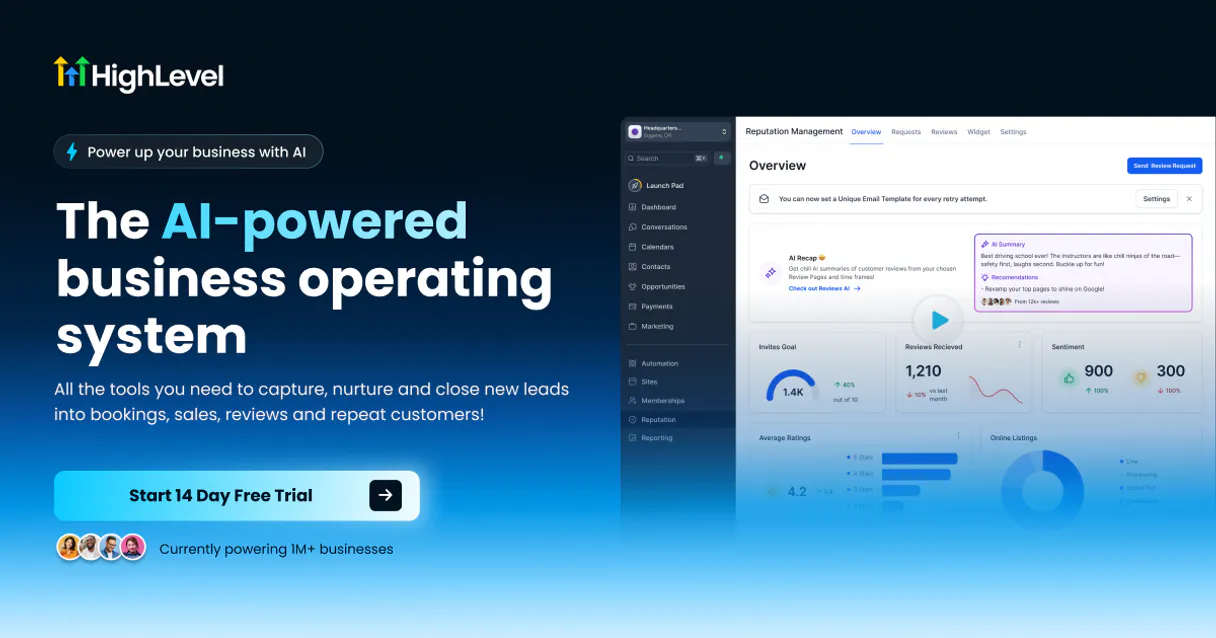
Independent Platform Disclaimer: Vinkius is an independent platform and is not affiliated with, endorsed by, sponsored by, verified by, or otherwise authorized by LeadConnector (GoHighLevel). All third-party trademarks, logos, and brand names are the property of their respective owners. Their use on this website is strictly for informational purposes to identify service compatibility and interoperability.
VINKIUS INFRASTRUCTURE
Cloud Hosted
Managed infra
V8 Isolated
Sandboxed per request
Zero-Trust Proxy
No stored credentials
DLP Enforced
Policy on every call
GDPR Compliant
EU data residency
Token Compression
~60% cost reduction
Works with Claude, ChatGPT, Cursor, and more
The Model Context Protocol standardizes how applications expose capabilities to LLMs. Instead of operating in isolation, your AI gains direct access to external platforms, live data, and real-world actions through secure, standardized connections.
This server provides 3 capabilities that interface natively with Claude, ChatGPT, Cursor, and any MCP client. No middleware. No custom integration required.
Available Capabilities
Checking a client's status shouldn't require a dozen clicks.
Today, checking a client's status means opening the CRM, finding their sub-account, clicking through the contact record, opening the 'Opportunities' tab, and then finding the calendar widget. You copy the phone number, open a separate window, and paste it in to check appointments. It's a cycle of tabs and context switching.
With the LeadConnector MCP Server, you just ask your agent. Tell it, 'Give me the status of contact X and their next three appointments.' Your agent handles the data calls for `list_contacts` and `list_appointments` and spits out a unified answer. You get the data, instantly.
LeadConnector MCP Server: View all your client data.
The biggest waste of time is jumping between the contact record, the sales pipeline view, and the calendar. You have to manually correlate who was talking to whom, and when the deal was supposed to close.
Now, your agent uses `list_opportunities` and `list_contacts` to pull the full story. It connects the person to the deal, and the deal to the scheduled meeting. You get a complete picture without opening a single new tab.
Common Questions About LeadConnector MCP
How do I use the LeadConnector MCP Server to check a contact's history? +
You ask the agent to run list_contacts. It pulls the full contact record, including custom fields and interaction history. This is much faster than manually searching the CRM interface.
Can I check all my open deals using the LeadConnector MCP Server? +
Yes. Use the agent and reference list_opportunities. It gathers all leads across your pipelines, letting you see which deals are open, which are lost, and their current value.
Does the LeadConnector MCP Server handle scheduling? +
It pulls scheduling data via the list_appointments tool. You can check current or future meetings without needing to access the calendar module directly.
Is the data from the LeadConnector MCP Server real-time? +
Yes, the agent accesses the live, unified data from your connected GoHighLevel workspace, ensuring you see the most current records available.
How do I use the LeadConnector MCP Server to list contacts in LeadConnector? +
Use the list_contacts tool. This tool fetches comprehensive data on your leads, including custom fields and interaction history. It's perfect for pulling a roster of current prospects without manual UI navigation.
Can I use the LeadConnector MCP Server to list opportunities across pipelines? +
Yes, you use the list_opportunities tool. This function maps leads across all active pipelines, showing their current stages and financial status. It helps you quickly generate reports on your deal flow.
How does the LeadConnector MCP Server handle scheduling using `list_appointments`? +
The list_appointments tool pulls your calendar data. You can check for availability or retrieve existing meeting details, cross-referencing them with team member schedules. It keeps your workflow synced automatically.
What is the best way to set up the LeadConnector MCP Server authentication? +
You must enable the MCP connection under Vinkius and provide an Official Location/Sub-Account API key. This key links your agent directly to your specific LeadConnector workspace for secure access.
Can this server orchestrate updates and pipeline stage jumps natively without visual workflows? +
No, primarily owing to ecosystem security constraints. Destructive or massive state alterations (jumping 500 leads through Won status) is locked locally. The MCP handles hyper-efficient readout arrays, querying contacts, opportunities, and schedules purely functionally cleanly extracting without overriding.
Which token variant of GoHighLevel (Agency or Location) is required internally here natively? +
Always use the Sub-Account / Location API Key. The server logic scopes specifically on granular contact nodes and calendars inherent to single business entities (Locations) rather than acting system-wide across all Agency children elements effectively reducing collateral scope issues robustly securely logically accurately safely naturally simply effortlessly clean unified precise.
How is the heavy load of thousands of contacts handled without exhausting memory? +
Graceful chunking and meticulous egress parameterization handle the heavy lifting securely flawlessly effectively stably accurately dependably successfully naturally consistently purely organically functionally cleanly intuitively rapidly cleanly continuously formally directly robustly generally systematically efficiently cohesively cleanly.
Use it with your favorite AI tools
Connect this server to Cursor, Claude, VS Code, and more.
More in this category

Wistia
Manage video assets, projects, and engagement analytics on Wistia — the leading video marketing platform for business.

All Digital Rewards
Incentive and reward orchestration — manage participants, points, and catalogs via AI.

Submail / 赛邮云
Powerful SMS, Email, and Voice communication platform — orchestrate multi-channel messaging via AI.
You might also like

Remote
Hire and pay global employees and contractors with compliant payroll, benefits, and employment infrastructure across 60+ countries.
MeteoSource
Monitor global weather — audit forecasts and places via AI.

GiantBomb
Access the world's largest video game database — query games, platforms, characters, and companies directly from your AI agent.