
Aimtell MCP. Manage web push notifications from your chat.
 Gemini
 Works with every AI agent you already use
…and any MCP-compatible client









Just plug in your AI agents and start using Vinkius.
Aimtell MCP Server manages web push notifications by letting your AI agent talk directly to your marketing data. You use this server to handle everything from sending one-off alerts to specific users, listing segments for auditing, and pulling real-time performance metrics like clicks and conversions—all through natural conversation.
It’s full campaign orchestration without the dashboard clicking.
What your AI agents can do
Add subscriber attribute
Adds specific custom data points to a subscriber's profile for better targeting.
Get campaign performance
Retrieves detailed metrics—clicks, sends, and conversions—for any given marketing campaign ID.
Get subscriber details
Pulls all available metadata for a single subscriber ID into the chat window.
Send alerts or manage scheduled pushes using send_one_off_notification and list campaign statuses.
List, retrieve details for, and verify the criteria of subscriber segments using list_segments.
Update custom data points on individual subscribers with add_subscriber_attribute to refine targeting.
Get granular performance reports, including total sends and conversion counts, via get_campaign_performance.
Retrieve lists of site subscribers (list_subscribers) or specific user metadata using get_subscriber_details.
Ask AI about this MCP
Supported MCP Clients
Gemini Waiting for input…
Aimtell MCP Server: 10 Tools for Web Push Marketing
Use these tools to manage campaign cycles, segment audiences, update user attributes, and retrieve critical web push notification metrics via your AI agent.
019d754aadd subscriber attribute
Adds specific custom data points to a subscriber's profile for better targeting.
019d754aget campaign performance
Retrieves detailed metrics—clicks, sends, and conversions—for any given marketing campaign ID.
019d754aget subscriber details
Pulls all available metadata for a single subscriber ID into the chat window.
019d754alist api campaigns
Lists and checks the status of campaigns automatically triggered via API calls.
019d754alist campaigns
Provides a list and high-level details for all standard push notification campaigns.
019d754alist segments
Lists all defined subscriber segments, allowing you to audit your current targeting groups.
019d754alist sites
Shows a list of different websites or domains associated with the Aimtell account.
019d754alist subscribers
Generates a roster and basic details for all subscribers across your managed sites.
019d754alist triggered campaigns
Lists automated or workflow-based campaigns, like birthday messages or cart abandonment alerts.
019d754asend one off notification
Sends an immediate, one-time push notification alert to a specified segment or group.
Choose How to Get Started
Build a custom MCP for your own tools, or connect a ready-made integration from our catalog.
Build Your Own
Turn any API into an MCP. Import a spec, define Agent Skills, or deploy with MCPFusion.
- Import from OpenAPI, Swagger, or YAML specs
- Create Agent Skills with progressive disclosure
- Deploy to edge with MCPFusion framework
- Built in DLP, auth, and compliance on every call
- Real time usage dashboard and cost metering
- Publish to catalog or keep private
Make Your AI Do More
Start with Aimtell, then connect any of our 4,700+ other servers whenever your AI needs more. One click, no limits.
- Use this MCP plus 4,700+ others, all in one place
- Add new capabilities to your AI anytime you want
- Every connection is secured and compliant automatically
- Track usage and costs across all your servers
- Works with Claude, ChatGPT, Cursor, and more
- New servers added to the catalog every week
What you can do with this MCP connector
You're gonna connect your Aimtell account to your AI client. This server gives you direct command access to professional web push notification tools, so you don't gotta leave the chat window to manage campaigns or dig into user data. You can handle everything from firing off quick alerts to checking out deep performance stats—all through talking to it like a human.
Managing Campaigns and Monitoring Performance
You control every campaign type here. With list_campaigns, you get a full rundown of all your standard push notification campaigns, seeing what's running right now. If you need to check the status of automated or workflow-based pushes—like those birthday messages or cart abandonment alerts—you just run list_triggered_campaigns. For campaigns triggered via API calls, you use list_api_campaigns to list and verify their current status.
When you're ready to blast a message out immediately, you send an instant push notification alert using send_one_off_notification, targeting specific groups or segments.
To see how well those campaigns are doing, run get_campaign_performance. You get detailed metrics there—you can pull total sends, the number of clicks, and conversions for any campaign ID you give it. You'll know exactly where your money is going by checking that data.
Auditing Audiences and Segments
Want to check who you're talking to? Start with list_segments. This pulls a list of every defined subscriber segment, letting you audit the criteria for your current targeting groups before you send anything. If you need more detail on any specific user, running get_subscriber_details pulls all available metadata for that single subscriber ID right into your chat.
For a general view of everyone in your system, list_subscribers generates a roster and basic details for every subscriber across all managed sites.
Need to refine who you're targeting? You use add_subscriber_attribute, which lets you stick specific custom data points onto an individual subscriber’s profile. This is key for better targeting later on.
Site Visibility and Data Retrieval
You can get a list of all the domains or websites associated with your Aimtell account by running list_sites. These tools make sure you're checking data across every platform you run on. The whole process runs through simple, natural commands in any MCP-compatible client.
How Aimtell MCP Works
- 1 First, subscribe to this server and pass your Aimtell API Key.
- 2 Next, tell your AI agent exactly what you need—like 'List all segments that haven't sent alerts in 30 days.'
- 3 The agent then executes the necessary tool calls (e.g.,
list_segmentsfollowed byget_campaign_performance) and hands you the raw data or summary.
The bottom line is that your AI client talks to Aimtell's API for you, eliminating manual logins and dashboard navigation.
Who Is Aimtell MCP For?
This is for Growth Specialists and Marketing Managers who are sick of jumping between the main marketing platform and their analytics dashboards. If your job involves re-engagement campaigns or segment auditing, you'll use this. It lets you run complex queries without lifting a finger.
They audit subscriber segments (list_segments) and add custom attributes to refine lifecycle marketing efforts.
They run campaign status checks and pull performance metrics (get_campaign_performance) immediately after a send to gauge impact.
They quickly check the status of critical automated flows, like abandoned cart alerts, using list_triggered_campaigns.
What Changes When You Connect
- Check performance metrics without logging in. Use
get_campaign_performanceto pull total sends, clicks, and conversions directly into your conversation thread. - Audit your audience criteria instantly. Run
list_segmentsto see every segment you have defined, ensuring no group is overlooked during a campaign launch. - Personalize outreach at scale. You can use
add_subscriber_attributeto tag users with new data (e.g., 'VIP Customer') before running a targeted send. - See what’s running automatically. Use
list_triggered_campaignsto verify the status of automated flows, like abandoned cart reminders, and ensure they are active. - Get granular user data fast. Need to know if a specific subscriber is opted-in or what attributes they have? Run
get_subscriber_details.
Real-World Use Cases
Auditing for compliance
The ops engineer needs to prove which segments are active and if the targeting criteria changed. They run list_segments first, then use get_subscriber_details on a specific ID to confirm required attributes are present before launching any campaign.
Emergency Alerting
The marketing manager needs to send an urgent 'System Update' notification right now. Instead of navigating the console, they use send_one_off_notification and specify the target segment ID in a single chat command.
Post-Campaign Analysis
A growth specialist wants to know if Campaign X hit its conversion goal. They run get_campaign_performance, specifying the campaign ID. The agent immediately returns total sends and CTR, allowing for instant decision-making.
Debugging Automated Flows
A developer finds that abandoned cart emails aren't sending. They use list_triggered_campaigns to check the status of the flow ID and then run get_subscriber_details for a test user to verify their account attributes.
The Tradeoffs
Manual dashboard hopping
Logging into Aimtell, finding the campaign list, copying Campaign ID 12345, switching tabs to Analytics, pasting it in, and manually filtering for conversions.
→
Just ask your agent: 'Show me the performance for campaign ID 12345.' The tool get_campaign_performance runs it all in one shot.
Forgetting segmentation steps
Trying to run a targeted message without first confirming that the target segment actually exists and is populated.
→
Always run list_segments first. If you need to adjust who's in it, use add_subscriber_attribute before sending anything.
Assuming data completeness
Attempting a personalized send without checking the user’s current attributes or opting status.
→
Run get_subscriber_details on any critical subscriber ID. This verifies the metadata and ensures your targeting is accurate.
When It Fits, When It Doesn't
Use this server if your job requires linking marketing campaign execution (sending pushes) with data validation (checking segments/attributes) in a single, conversational workflow. It’s perfect for re-engagement specialists who need to audit and act fast.
Don't use it if you only need raw, bulk list exports into a database schema. For that, consider dedicated ETL tools or direct API calls outside the MCP framework. If your goal is purely real-time event streaming (like webhooks), this server handles batch and request-response data best. It’s about orchestration over pure streaming. Always check list_sites first if you're unsure which domain the subscriber belongs to.
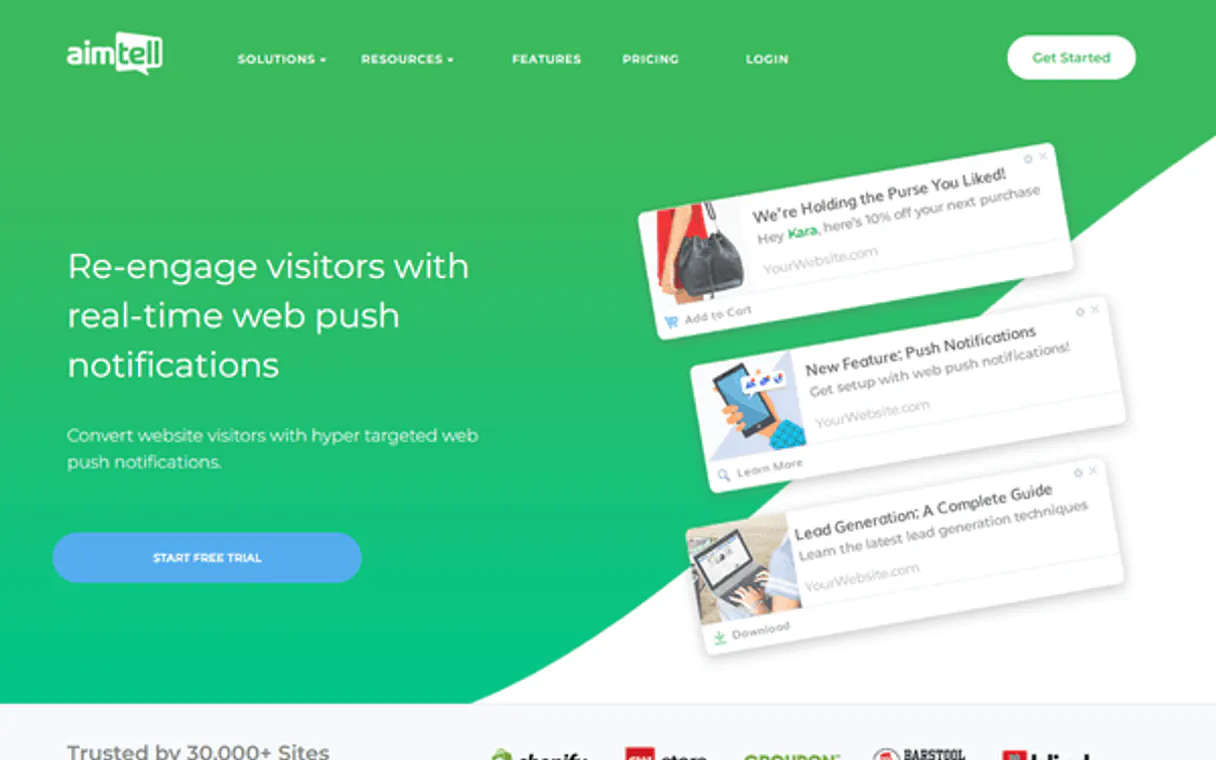
Independent Platform Disclaimer: Vinkius is an independent platform and is not affiliated with, endorsed by, sponsored by, verified by, or otherwise authorized by Aimtell. All third-party trademarks, logos, and brand names are the property of their respective owners. Their use on this website is strictly for informational purposes to identify service compatibility and interoperability.
VINKIUS INFRASTRUCTURE
Cloud Hosted
Managed infra
V8 Isolated
Sandboxed per request
Zero-Trust Proxy
No stored credentials
DLP Enforced
Policy on every call
GDPR Compliant
EU data residency
Token Compression
~60% cost reduction
Works with Claude, ChatGPT, Cursor, and more
The Model Context Protocol standardizes how applications expose capabilities to LLMs. Instead of operating in isolation, your AI gains direct access to external platforms, live data, and real-world actions through secure, standardized connections.
This server provides 10 capabilities that interface natively with Claude, ChatGPT, Cursor, and any MCP client. No middleware. No custom integration required.
Available Capabilities
Manually checking campaign performance is a massive time sink.
Today, running a quick status check means logging into Aimtell, navigating to 'Analytics', finding the specific Campaign ID in a dropdown, and then refreshing multiple tabs until you get the total send count, click rate, and conversion number. It's copy-paste hell.
With this MCP server, you simply tell your agent: 'What was the performance for campaign ID 12345?' The `get_campaign_performance` tool executes the query, and the numbers—sends, clicks, conversions—appear instantly in chat. No logins required.
Aimtell MCP Server: Run segment audits and sends from your agent.
You used to have to export a list of subscribers into a spreadsheet, manually cross-reference which attributes they had, and then use that filtered list to build the next campaign. This process is slow and prone to errors.
Now, you run `list_segments` to audit your groups directly. Need to fix bad data? Use `add_subscriber_attribute` on specific IDs. The full workflow—from auditing to action—happens in conversation.
Common Questions About Aimtell MCP
How do I check the performance for a campaign using get_campaign_performance? +
You simply ask your agent to 'Get the metrics for Campaign ID 12345.' The tool executes and provides total sends, clicks, and conversions in one response.
Can I update a user's data using add_subscriber_attribute? +
Yes. You use add_subscriber_attribute to apply custom tags or values (like 'High Value') to any subscriber ID, which helps you segment them later.
What is the difference between list_campaigns and list_triggered_campaigns? +
list_campaigns shows your manually created pushes. list_triggered_campaigns shows automated flows, like alerts for cart abandonment or birthdays.
Do I need to use get_subscriber_details if list_subscribers is available? +
Yes. list_subscribers gives you a roster; get_subscriber_details pulls deep metadata for one specific user, confirming attributes or opt-in status.
When I use `list_sites`, what specific credentials do I need to connect my agent? Is it just an API Key? +
You must provide your Aimtell API Key during the server setup. This key authenticates your connection and grants your AI client read/write access across all websites linked in your Aimtell account.
If I call `send_one_off_notification` and it fails, how does the agent report the error or failure reason? +
The agent returns an immediate status code upon execution. The output includes a specific error message from Aimtell—for instance, if the segment ID is invalid or if you hit a rate limit.
When running `list_segments`, does the tool show me only active segments, or can I see drafts and deactivated groups too? +
The function retrieves all existing segment definitions. This includes draft segments that aren't ready for campaigns, as well as any archived or deactivated subscriber groupings.
When using `get_subscriber_details`, what specific custom metadata attributes can I pull besides the basic email and name? +
You retrieve all custom attributes assigned to that user record. This lets your agent verify niche behavioral data points—like purchase frequency or last viewed product—for highly precise targeting.
Where do I find my Aimtell API Key? +
Log in to your Aimtell dashboard, navigate to Settings > API Key. You will find your unique authorization key there. It must be used in the X-Authorization-Api-Key header.
Can I send a notification to a specific segment? +
Yes! Use the send_one_off_notification tool and specify the segmentId. Your agent will trigger the push alert to all subscribers currently in that segment.
Does this support tracking custom attributes? +
Yes, you can use the add_subscriber_attribute tool to enrich subscriber profiles with custom data (like name or interests), which can then be used for dynamic content in notifications.
Use it with your favorite AI tools
Connect this server to Cursor, Claude, VS Code, and more.
More in this category

Deck of Cards
Simulate a full deck of cards via the Deck of Cards API — shuffle, draw, manage piles, and create custom decks for games or simulations.

Buttondown Alternative
Automate your newsletter and subscriber management via Buttondown — manage lists, draft emails, and track tags directly from any AI agent.

Doodle
Manage group scheduling via Doodle — create meeting polls, track participant votes, handle comments, and close polls directly from any AI agent.
You might also like

ArcGIS
Automate mapping and spatial analysis via ArcGIS — perform geocoding, route solving, vehicle routing, and calculate origin-destination matrices from any AI agent.

Texter
Send automated text messages and run SMS drip campaigns that engage leads and customers with timely follow-ups.

Braintrust
Automate AI evaluations with Braintrust — organize projects, test model datasets, run benchmarks, and manage prompts via any AI agent.