
OMDb API MCP. Get full movie data and compare all ratings instantly.
 Gemini
 Works with every AI agent you already use
…and any MCP-compatible client









Just plug in your AI agents and start using Vinkius.
OMDb API MCP Server. Access movie and TV show data using IMDb IDs, titles, or batch lookups. Pull critical details like Rotten Tomatoes scores, full cast lists, box office figures, and plot synopses directly into your workflow via your AI client.
What your AI agents can do
Get by imdb id
Use this for the most accurate way to get all details about a movie or series if you know its unique IMDb ID.
Get by title
Get details for a film or show when you only know the title, but be careful since titles can match multiple things.
Get episode
Retrieve full metadata for one specific TV episode using its unique IMDb ID.
You use get_by_imdb_id when you have a unique identifier and need all available metadata for a movie or series.
The agent calls the appropriate function to pull long-form, complete plot details for any title.
You use get_ratings to get IMDb, Rotten Tomatoes, and Metacritic scores side-by-side in a single result.
Sending a list of IDs via get_multiple_by_id retrieves metadata for several films or shows simultaneously.
Using the dedicated get_episode tool allows you to pull deep details about one specific season episode.
Ask AI about this MCP
Supported MCP Clients
Gemini Waiting for input…
OMDb API: 12 Tools for Film Metadata Retrieval
These tools let you search, compare, and retrieve every piece of film and TV metadata—from ratings to box office gross—using specific identifiers.
019d75e4get by imdb id
Use this for the most accurate way to get all details about a movie or series if you know its unique IMDb ID.
019d75e4get by title
Get details for a film or show when you only know the title, but be careful since titles can match multiple things.
019d75e4get episode
Retrieve full metadata for one specific TV episode using its unique IMDb ID.
019d75e4get full by imdb id
Get the most complete data set, including a deep plot summary, by providing an IMDb ID.
019d75e4get full by title
Pull all metadata and a full synopsis for a movie or series when you only have its name.
019d75e4get multiple by id
Compare several titles at once by listing multiple IMDb IDs in one request.
019d75e4get ratings
Get all available rating scores (IMDb, Rotten Tomatoes, Metacritic) for a title or series.
019d75e4get short plot
Fetch a quick, brief summary of the plot for any movie or series by its name.
019d75e4search
Search for general titles (movies/series) using keywords and filters to find potential IMDb IDs.
019d75e4search episodes
Find specific TV episodes by title or keyword, returning paginated lists of episode metadata.
019d75e4search movies
Search exclusively for movies using keywords and optional year filters.
019d75e4search series
Find TV series only, returning paginated lists of show titles and their years.
Choose How to Get Started
Build a custom MCP for your own tools, or connect a ready-made integration from our catalog.
Build Your Own
Turn any API into an MCP. Import a spec, define Agent Skills, or deploy with MCPFusion.
- Import from OpenAPI, Swagger, or YAML specs
- Create Agent Skills with progressive disclosure
- Deploy to edge with MCPFusion framework
- Built in DLP, auth, and compliance on every call
- Real time usage dashboard and cost metering
- Publish to catalog or keep private
Make Your AI Do More
Start with OMDb API, then connect any of our 4,700+ other servers whenever your AI needs more. One click, no limits.
- Use this MCP plus 4,700+ others, all in one place
- Add new capabilities to your AI anytime you want
- Every connection is secured and compliant automatically
- Track usage and costs across all your servers
- Works with Claude, ChatGPT, Cursor, and more
- New servers added to the catalog every week
What you can do with this MCP connector
Listen up. This isn't some fancy wrapper; it’s a straight connection to Open Movie Database data for your agent. You pull everything—cast lists, box office numbers, plot synopses, Rotten Tomatoes scores—right into your workflow using just the IMDb ID, title, or keywords. Your AI client handles all the heavy lifting.
Finding What You Need: The Search Tools
Need to start from scratch? Use search when you've got general keywords and want to find potential movie or series titles; it spits out possible IMDb IDs for you. If you know you're looking only for a flick, run search_movies with your keywords and filter by year options. To nail down a TV show, use search_series; that function returns paginated lists of show names and years.
When you need to track down specific episodes, the dedicated search_episodes tool finds them using titles or keywords in paginated batches.
Pinpointing Titles: The Lookup Tools
You got a unique IMDb ID? Use get_by_imdb_id. That's your safest bet because it pulls every bit of metadata for any movie or series without getting confused. If you only know the title, you can use get_by_title, but be warned: titles often match multiple things, so you might get a few options back.
For deep dives, if you have an IMDb ID and need the most complete data set—including a sprawling plot summary—you run get_full_by_imdb_id. If you only know the name but still want all the metadata plus a full synopsis, use get_full_by_title.
Need to compare several titles at once? Just feed multiple IMDb IDs into get_multiple_by_id, and it retrieves the metadata for every single film or show simultaneously. You can also get quick plot summaries using get_short_plot by simply providing a title name.
Focusing on Specific Details: Episodes and Scores
If you're working with TV, use get_episode. This tool lets you pull full metadata for one specific season episode when you already have its unique IMDb ID. To check scores across the board, use get_ratings to get all available rating numbers—IMDb, Rotten Tomatoes, and Metacritic—side-by-side in a single result set.
The Workflow Flow
Your agent can execute these functions together. You start by using search or search_movies to narrow down potential candidates, then use the correct ID getter (get_by_imdb_id) for accuracy. Next, you pull all the detailed info with get_full_by_imdb_id, grab comparative scores via get_ratings, and if it's a show, drill into specific episodes using get_episode.
This server doesn't just give you names; it gives you the whole damn context—the box office gross, the full cast list, and what critics actually thought.
How OMDb API MCP Works
- 1 Subscribe to this server and input your OMDb API key.
- 2 Tell your agent what kind of data you need (e.g., 'Compare the box office numbers for three sci-fi movies').
- 3 The agent maps your request, runs multiple tools (
get_multiple_by_idorget_ratings), and compiles the final answer.
The bottom line is you don't have to visit five different websites; your AI client does it all for you in one conversation.
Who Is OMDb API MCP For?
Film critics, content creators, and research analysts. You’re the person who has a massive list of IDs or titles but is sick of opening 10 browser tabs just to compare scores and plot summaries across different sources. This server gives you that data set instantly.
You use get_ratings and get_full_by_imdb_id to quickly gather all critical data (IMDb, RT, Metacritic) needed for a professional comparison article.
You run get_multiple_by_id on entire franchises or genres to perform comparative studies and track metadata changes across years.
You use search_series and then get_episode to find specific show data, helping you outline a deep dive into a TV universe's timeline.
What Changes When You Connect
- Cross-reference scores across multiple sources: Use
get_ratingsto pull IMDb, Rotten Tomatoes, and Metacritic scores in a single query. You don't have to open three different tabs to compare critical consensus. - Analyze entire franchises at once: Instead of looking up one movie, use
get_multiple_by_idwith a comma-separated list of IDs. This is perfect for comparing the box office performance across an entire trilogy. - Avoid title ambiguity: If you have an ID, always use
get_by_imdb_id. Because IMDb IDs are unique, this tool guarantees you're pulling data for the correct movie or show, unlike searching by name alone. - Deep dive into TV episodes: The dedicated
get_episodetool pulls specific metadata—director, writer, air date—for one episode. This is much more precise than just general series searches. - Access detailed financial metrics: Pull box office gross figures and studio information using
get_by_imdb_id. You get hard data points useful for market analysis. - Targeted searching: Need to find only movies, or only episodes? Use
search_movies,search_episodes, orsearch_seriesfirst. They filter results before you even start getting details.
Real-World Use Cases
Comparing the entire MCU phase 4
A content strategist needs to write a comparative piece on Marvel's recent output. Instead of manually looking up each title, they use get_multiple_by_id with all the known IMDb IDs. This instantly pulls box office gross, genres, and basic plot summaries for every film in one batch job.
Fact-checking a TV show's history
A fan wants to know exactly who directed Season 3, Episode 5 of 'The Wire.' They first use search_series to find the main series ID, then use get_episode with that ID. This provides the specific director and writer for that single episode.
Quickly checking movie ratings
You hear a friend mention 'Dune.' You don't want to open IMDb, RT, and Metacritic separately. You run get_ratings with the title or ID. Your agent sends back all three scores instantly so you can compare critical reception.
Finding obscure films
A researcher needs to find every movie from 1972 that was directed by a specific person. They first use search_movies with the year filter, then process the returned list of IDs through get_by_imdb_id to gather all required metadata.
The Tradeoffs
Relying on general search
Searching only with a title like 'Interstellar' and hoping the agent gets all the details you need. You might get generic results, but miss specific data points.
→
Always try to find the IMDb ID first using search or one of the specialized search tools (search_movies, etc.). Once you have that unique ID, use get_full_by_imdb_id. That's the only way to guarantee full metadata.
Ignoring episode specificity
Assuming a general series search will provide details on Season 2, Episode 4. It won't; it just gives you overall show data.
→
Use search_series to find the main ID, then use get_episode, making sure you feed it the correct episode's IMDb ID for specific results.
Batching with non-IDs
Trying to pass a list of titles ('Movie A', 'Movie B') into get_multiple_by_id and expecting it to work. It requires IDs.
→
You must run a search first (using search) to get the IMDb ID for Movie A, then run another search for Movie B. Finally, combine those two IDs into one call using get_multiple_by_id.
When It Fits, When It Doesn't
Use this server if your core task involves comparing metadata across multiple film or TV titles, or if you need a full data set (plot summary, box office) for a single title.
Do this: When you have the IMDb ID. Use get_by_imdb_id first; it's the most reliable endpoint. If you only have a name, start with search to get IDs, then proceed to detail calls like get_full_by_imdb_id. If your goal is comparison or aggregation, use get_multiple_by_id.
Don't do this: Don't assume that searching by title (get_by_title) will be sufficient. It might return multiple matches or the wrong one. Also, if you only need a simple plot summary and don't care about ratings or box office, get_short_plot is faster than running a full detail call.
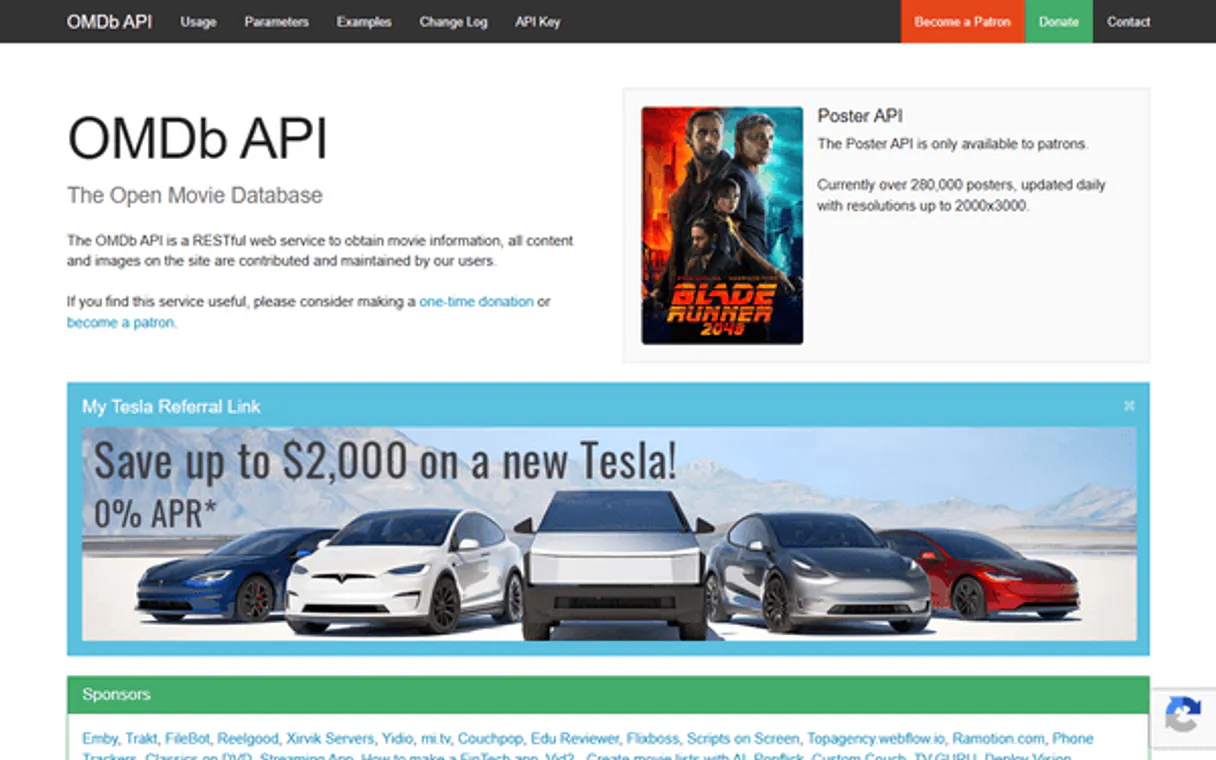
Independent Platform Disclaimer: Vinkius is an independent platform and is not affiliated with, endorsed by, sponsored by, verified by, or otherwise authorized by OMDb API. All third-party trademarks, logos, and brand names are the property of their respective owners. Their use on this website is strictly for informational purposes to identify service compatibility and interoperability.
VINKIUS INFRASTRUCTURE
Cloud Hosted
Managed infra
V8 Isolated
Sandboxed per request
Zero-Trust Proxy
No stored credentials
DLP Enforced
Policy on every call
GDPR Compliant
EU data residency
Token Compression
~60% cost reduction
Works with Claude, ChatGPT, Cursor, and more
The Model Context Protocol standardizes how applications expose capabilities to LLMs. Instead of operating in isolation, your AI gains direct access to external platforms, live data, and real-world actions through secure, standardized connections.
This server provides 12 capabilities that interface natively with Claude, ChatGPT, Cursor, and any MCP client. No middleware. No custom integration required.
Available Capabilities
Comparing movie data shouldn't require five different websites.
Right now, if you’re doing film research, you open IMDb for the plot. Then you jump to Rotten Tomatoes for the score. You open Metacritic for critical consensus. If you want box office numbers, that’s another tab. It's a dozen clicks and three different logins just to gather basic comparison metrics.
With this server, your agent handles it all. Give it a list of titles or IDs, and ask for 'all ratings and the plot synopsis.' You get one clean response containing every piece of data you need without ever leaving your chat window.
OMDb API MCP Server: Get movie details by ID
Manual lookups involve copy-pasting titles and then running separate queries for different fields—one query for genre, another for director. This is slow, error-prone, and only gives you partial data.
The `get_by_imdb_id` tool fixes that. You feed it the ID once, and you get a single structured payload containing every piece of metadata available: cast, writer, box office, ratings, plot—all at once.
Common Questions About OMDb API MCP
What's the difference between searching by title vs. using an IMDb ID? +
Using an IMDb ID (e.g., tt0468569) is the most accurate method because IDs are unique — there's never ambiguity between different films with the same name. Searching by title can return errors if multiple films share the same title (e.g., "King Kong" has multiple versions). If you know the IMDb ID from a link or another source, always prefer get_by_imdb_id. Use get_by_title when you only know the film name.
Can I get ratings from multiple sources (IMDb, Rotten Tomatoes, Metacritic) at once? +
Yes! Use the get_ratings tool with either a movie title or IMDb ID. It returns all available ratings from IMDb (out of 10), Rotten Tomatoes (percentage), and Metacritic (out of 100) in a single call. Not all titles have all three ratings — newer or less popular films may only have IMDb data. The tool also returns the IMDb vote count and Metascore as separate fields.
Can I look up details for multiple movies at the same time? +
Yes! Use the get_multiple_by_id tool with comma-separated IMDb IDs (e.g., tt0468569,tt1375666,tt0816692 for the Dark Knight trilogy). It fetches details for each ID and returns them combined in one response. If any ID fails, it shows an error for that specific ID while still returning results for the others. This is ideal for franchise comparisons or batch analysis.
What's the difference between short and full plot summaries? +
The short plot provides a concise 1-2 paragraph summary — ideal for quick identification or brief descriptions. The full plot offers a much more detailed synopsis with deeper plot points, character arcs, and story resolution. Use short for quick lookups (get_by_title, get_short_plot) and full when users want comprehensive understanding (get_full_by_title, get_full_by_imdb_id).
What do I need to provide when using the `get_by_imdb_id` tool? +
You must supply a valid IMDb ID string. This unique code is essential because it guarantees that your request points to one specific title, eliminating any guesswork about which movie or show you mean.
Which search tool should I use if I only want to find TV series using `search_series`? +
Use search_series when your goal is exclusively finding whole television shows. This tool filters out movies and single episodes, giving you the overarching metadata for the entire season or franchise.
If I use `get_by_title`, what happens if multiple items share the same name? +
The API may return an error or simply give you the first match it finds. To avoid ambiguity, always try to narrow your search using optional filters for type (movie/series) and year.
What is the necessary workflow when I want details using `get_episode`? +
You can't just search by name; you must first use another tool to get the specific IMDb ID for that episode. The get_episode function requires this unique identifier to pull accurate details like air date and writer.
Use it with your favorite AI tools
Connect this server to Cursor, Claude, VS Code, and more.
More in this category

Câmara dos Deputados (v2)
Access real-time data from the Brazilian Chamber of Deputies — track expenses, speeches, and legislative activities of all deputies.
Pappers
Access French company data, financial filings, and legal documents from official business registries for due diligence research.

PCA Dimensionality Engine
Perform native Principal Component Analysis to safely reduce high-dimensional datasets without losing critical variance.
You might also like

Bloomberg Law
Access 200M+ court dockets, case law, and legal news via Bloomberg Law Enterprise Dockets API for comprehensive legal research.

Invoiced
Get paid faster with automated invoicing, smart payment reminders, and accounts receivable workflows that reduce DSO.

Recurly
Equip your AI to directly manage subscriptions, billing accounts, and invoices within your Recurly ecosystem without shifting interfaces.